LYKN
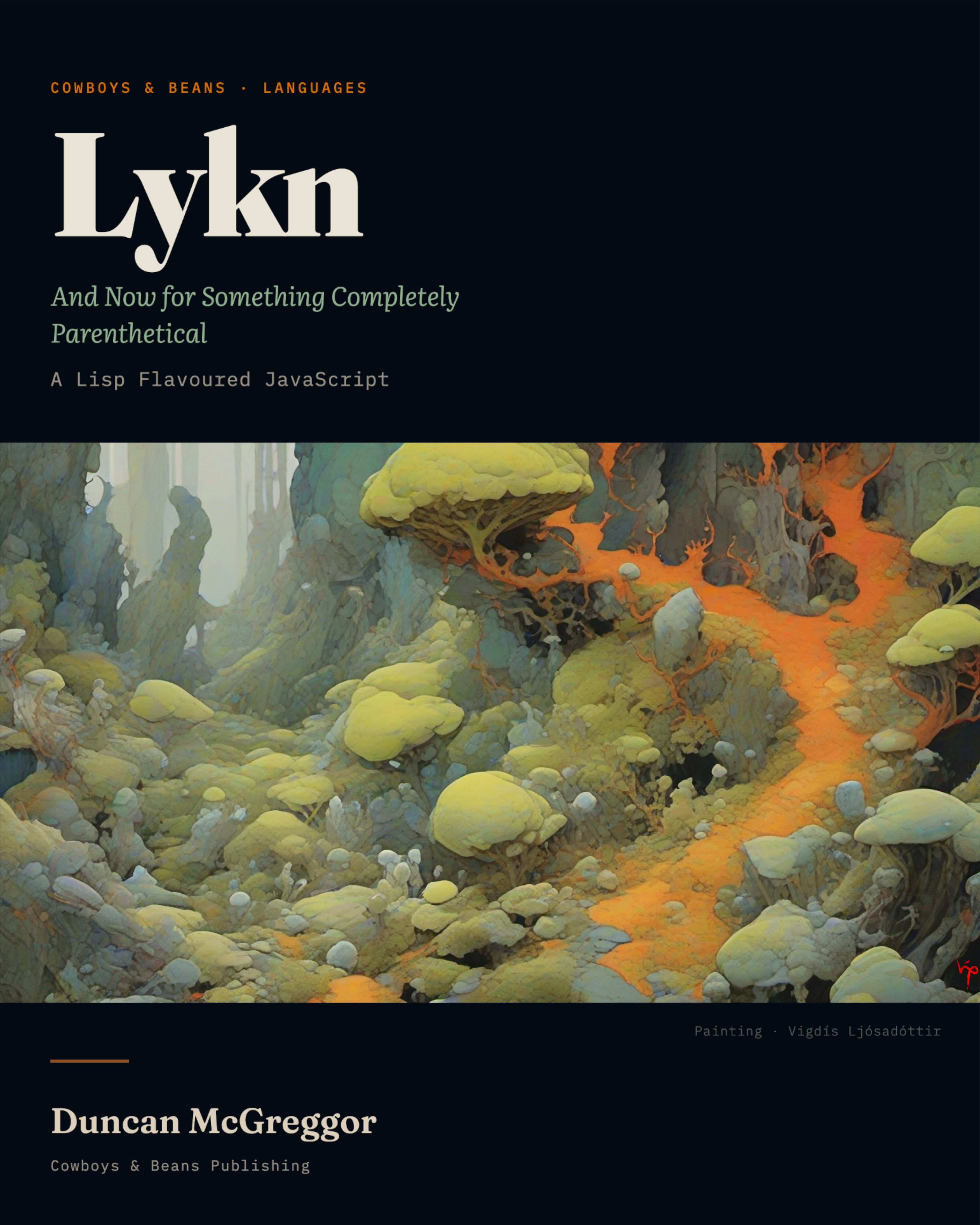
Lykn
And Now for Something Completely Parenthetical
A Lisp Flavoured JavaScript
Lykn v0.6 edition
[DRAFT]
by Duncan McGreggor

Copyright
Published by Cowboys ‘N’ Beans Books
https://github.com/cnbbooks ◈ http://cnbb.pub/ ◈ info@cnbb.pub
First electronic edition published: 2026
Lykn · v0.6 edition
© 2026, Duncan McGreggor
This work is licensed under a Creative Commons Attribution-ShareAlike 4.0 International License

About the Cover
The artwork on the cover of this book, and that interspersed amongst its pages, is by Cowboys & Beans house artist Vigdís Ljósadóttir, a stylistic construct of style and aesthetic so compelling she got her own origin story. Vigdís is an Icelandic painter whose mother is a mathemticaian, botanist, creator of agent-based systems, Lisp programmer, and actor in a community theatre troupe. Her father is a physicist, scifi nut, 1970s progressive rock fan, and part-time stage manager in said community theatre troupe. Vigdís discovered her love of colour and light early in life, gazing upon the waters, stones, and space around Iceland during its long summer days and longer winter nights. She has her father’s love of scifi and 70s prog rock, and her mother’s love of botany to thank for most of of the subject matter that pushes her to stand in front of the easel.
Vigdís’ first project for Cowboys & Beans was the cover of a scifi novel. They loved her work so much, she was asked to paint for the author’s various and related world-building projects, and thanks to this work ultimately decided that the novel would, in a certain sense, be illustrated. When Lykn was cleared for publishing, she was contacted even before this author started writing the first chapter. Only a fraction of her studies on lichen, moss, fungi – not to mention wholely imagined biomes draped in these – has made it into the pages herein. The rest will soon be included in her yet-to-be released online gallery and exhibition site.
Dedication
This work is dedicated to all the poor souls who have wandered this Earth, feet shot full of holes from a language that didn’t come with a strong enough safety switch.
And to Scheme: Netscape’s original plan was to have you in the browser! We are so, so, so sorry. Perhaps this can, in some tiny way, make up for that injustice.
Preface
This book exists because I wanted to update a website.
That’s it. That’s the origin story. No grand vision, no manifesto,
no “I shall now design a programming language” moment. I needed
to write some frontend JavaScript for a project, I looked at the
toolchain — TypeScript, webpack, babel, node_modules, a
package.json with forty-seven dependencies for a contact form — and
I thought: there has to be a better way. Or at least a
different way. Preferably one with more parentheses.
I’m a Lisper. I’ve spent years with Common Lisp, Clojure, Scheme, and LFE — Lisp Flavoured Erlang, a language which Robert Virding created and to which I am a contributor. In the Lisp world, you write s-expressions, and the compiler turns them into whatever the host platform needs. The syntax is simple. The macro system is powerful. The parentheses are… numerous. But the thing about parentheses is that once you stop noticing them, you start noticing everything else: the regularity, the composability, the fact that your code and your data have the same shape and your editor can manipulate both structurally. It’s a trade, and for me it’s always been a good one.
So when I sat down to write JavaScript, my fingers kept reaching for
(bind x 42) instead of const x = 42;. And I wondered: does
someone already make a thin, lightweight Lisp that compiles to
clean JS?
Turns out … sort of. I had used BiwaScheme in the past (though I had forgotten the name). Then I found others: Wisp, eslisp, Squint, Fennel
(via Fengari), and half a dozen more. Each occupied a different
point in the design space. None was quite right. BiwaScheme
interprets Scheme in the browser — beautiful, but I wanted
compilation, not interpretation. Wisp had the right philosophy but
was in maintenance mode. eslisp had the right architecture — a thin
s-expression encoding of JavaScript’s own AST — but was abandoned
six years ago and only supported ES5. No arrow functions. No
async/await. No modules.
The tool I wanted didn’t exist.
So I built it. In two evenings. And the poetic license of exaggeration. The first night produced a proof-of-concept: a reader (~90 lines), a compiler (~250 lines), and astring (a vendored pretty-printer) that together turned s-expressions into clean, readable JavaScript. The second night produced five research documents, a name, and packages published to npm, jsr.io, and crates.io.
Lykn is not a replacement for JavaScript. It is a syntax for JavaScript — a thin skin, a symbioitc orgnaism, if you will — that follows the contours of its host. The compiled output is the same code a careful JavaScript developer would write by hand. No runtime library. No framework. No compilation artifacts. Just JavaScript, expressed in s-expressions, with a few opinions about safety.
Those opinions matter. Lykn defaults to immutability (bind is
const). It requires type annotations on function parameters
(:any is the explicit opt-out). It provides algebraic data types
and exhaustive pattern matching. It eliminates this from the
surface language entirely. It wraps mutation in cell containers
where every mutation point is marked with ! — visible, greppable,
intentional.
These aren’t arbitrary restrictions. They’re responses to empirical evidence about where JavaScript bugs come from. The research is in Chapter 0, if you’re curious. The short version: a 2017 study of 3.7 million bug fixes found that 12.4% of JavaScript bugs are type errors, and that strict equality alone eliminates an entire category of coercion bugs. Lykn makes the safe patterns the default and the unsafe patterns the opt-in.
But underneath all the safety machinery, it’s still JavaScript.
When you write (console:log "hello"), the compiler produces
console.log("hello"). When you write (bind users (await (fetch "/api/users"))), the compiler produces const users = await fetch("/api/users"). The parentheses compile away. What
remains is JavaScript that runs everywhere JavaScript runs:
browsers, servers, edge functions, your toaster if it has a
V8 engine.
The architecture comes from LFE. Robert Virding’s insight — that a Lisp can be a thin skin over a host platform, respecting the host’s semantics while providing better syntax — is the idea that makes Lykn possible. LFE compiles to Erlang’s BEAM bytecode. Lykn compiles to JavaScript’s ESTree AST. Both produce results that are indistinguishable from hand-written host-language code. Both give the programmer macros, pattern matching, and the structural regularity of s-expressions. The debt is real and gladly acknowledged.
The kernel/surface split is the other key architectural idea.
Lykn has two layers: the kernel, which maps s-expression
forms to JavaScript constructs one-to-one (const, function,
if, class, import), and the surface, which adds the
safety features (bind, func, type, match, cell).
The surface compiler expands surface forms into kernel forms.
The kernel compiler emits JavaScript. The reader doesn’t need
to know this — but by the end of the book, they will, because
Part VII opens the hood and shows the whole pipeline.
A word about the voice.
This book is not a typical programming manual. It’s objectively quirky and empirically silly. The chapters open with spoofs on well-know sketches. These are not mere decoration. Each sketch aims to both dramatise and depressurise the chapter’s core technical tension.
We are certain that every attempt at humour in this book, if you look closely enough for for a long enough duration, contains a waft of technical insight. Every technical insight, if you look even more carefully of have decades of experience in software engineering, is structured not unlike a joke. A reader who skips every humorous passage will still learn everything they need. A reader who reads only the humorous passages will, surprisingly, learn quite a lot.
The intended experience is both at once.
This book teaches JavaScript through the lens of Lykn. The
reader will learn both: the surface syntax they write and the
JavaScript semantics underneath. Over 1,500 concepts from four
major JavaScript references have been catalogued, categorized,
and distributed across the chapters that follow. When you learn
bind, you learn const and let — their scoping, their
hoisting, their temporal dead zone. When you learn func, you
learn JavaScript functions, closures, and the this binding
problem that func eliminates by not having this at all.
By the end, you’ll have built three complete programs: a CLI tool, an HTTP server, and a browser app. One language, three platforms. The parentheses compile to semicolons, the semicolons execute, and the programs run.
Lykn is a young language, so mind the gaps.
And the parentheses.
Duncan McGreggor
Sleepy Eye, MN
2026
Acknowledgments
Too many to mention them all … perhaps the most important are the knowledge holders upon whose shoulders we depended the most:
- JavsScript book authors: Dr. Axel Rauschmayer, David Flanagan, Addy Osmani, Marijn Haverbeke, as well as the technical writers for Deno, Biome, Cargo, and the Rust programming language;
- language designer and dear friend, Robert Virding.
Part 0 — Prelude
Wherein a Customer lodges a Complaint regarding a certain Programming Language of dubious Vitality, a Shopkeeper advances an Argument concerning Syntax, the History of Parenthetical Thought from McCarthy to the present Day is briskly surveyed, and the Reader is given to understand what manner of Book has fallen into their Hands.
Chapter 0: What Is This Language and Why Does It Exist?

The Dead Parrot
The Dead Language
A customer enters a shop. The shop is clean. The shop is well-lit. The shop has, mounted behind the counter on a tasteful wooden perch, a programming language.
“I wish to register a complaint,” the customer says. “This JavaScript what I purchased not half an hour ago from this very boutique — it’s broken.”
The shopkeeper peers at the language on the perch. It is, admittedly, not looking its best. Something involving [] + {} producing "[object Object]" appears to have happened to it recently, and there is an expression on its face — if programming languages can be said to have faces — that suggests typeof null has just returned "object" for the sixty-billionth time and it has decided, on the whole, not to care.
“Broken?” the shopkeeper says. “No no, it’s resting.”
“Look, I know a dead language when I see one, and I’m looking at one right now.”
“It’s not dead. It’s resting. Remarkable language, JavaScript. Beautiful plumage.”
“The plumage don’t enter into it. Its type coercion system violates the principle of least astonishment so comprehensively that mathematicians have started using it as a counterexample in papers about transitivity.”
“Well, you see,” the shopkeeper says, reaching beneath the counter and producing something that glints with an unseemly number of parentheses, “that’s not really a problem with the language. The semantics are perfectly sound. Lovely runtime. Closures derived from Scheme, prototypes from Self, runs on every device possessed of a screen and several that aren’t — no, the bird is fine. It’s the syntax that wants improving.”
“You what?”
The shopkeeper nods encouragingly, eyes aglint with something one wouldn’t call malice, yet one would also struggle for considerable time in any attempt to actually define what one would call it.
The customer eyes the parenthetical object with suspicion.
“What,” he says, “is that?”
“That,” the shopkeeper says, with the quiet confidence of someone who has discovered that the not-quite-so-dead language before them, was, despite odours wafting contrarily, merely sleeping and has, moreover, been dreaming in s-expressions, “is Lykn.”
What Is lykn?
What Is Lykn?
Lykn is a Lisp that compiles to JavaScript. Not a subset of JavaScript, not a framework, not a transpiler with opinions about semicolons — a Lisp. S-expressions in, clean JavaScript out. The compiled output has no runtime, no dependencies, no evidence that a Lisp was ever involved except for a certain suspicious elegance in the variable naming and an absence of var.
An Example
Here is a lykn program:
(func greet
  :args (:string name)
  :returns :string
  :body (+ "Hello, " name "!"))

(bind result (greet "world"))
(console:log result)
Here is what the compiler produces:
function greet(name) {
  if (typeof name !== "string")
    throw new TypeError(
      "greet: arg 'name' expected string, got " + typeof name);

  const result__gensym0 = "Hello, " + name + "!";
  if (typeof result__gensym0 !== "string")
    throw new TypeError(
      "greet: return value expected string, got "
      + typeof result__gensym0);

  return result__gensym0;
}
const result = greet("world");
console.log(result);
That’s it. That is the entire transaction. You write s-expressions with type annotations; you get JavaScript that a fastidious human might have written by hand, had that human been raised in an environment where runtime type checking was considered a basic social courtesy rather than an optional extra.
The type annotations — :string on the parameter, :returns :string on the function — compile to runtime typeof checks in development. In production, you pass --strip-assertions and they vanish, leaving behind nothing but the clean function. Contracts without consequences, if you prefer. Or consequences without contracts, depending on your build flag.
lykn has two layers, and understanding them is the key to understanding everything else in this book.
Kernel Layer
The Lykn Kernel is the lower layer: approximately thirty forms that map one-to-one to JavaScript’s own constructs. const, function, lambda, =>, if, import, class — these are the kernel. They are the s-expression spelling of JavaScript’s AST, and the compiler translates them to ESTree nodes with the serene indifference of a very precise dictionary. If you write kernel syntax, you are writing JavaScript with different punctuation. Nothing more.
Surface Layer
The Lykn Surface is what you are encouraged to use. It sits on top of the kernel and provides the things JavaScript was too polite to insist upon: immutable bindings via bind (which compiles to const and does not have a mutable cousin), typed functions via func (with contracts, pattern-based dispatch, and the aforementioned type checks), algebraic data types via type, exhaustive pattern matching via match, controlled mutation via cell containers, and threading macros that let you write data transformation pipelines without nesting your code to the point where it begins to resemble a geological formation.
All Together, Now
Surface forms compile to kernel forms. Kernel forms compile to JavaScript. At no point does anything magical happen — the magic, such that it is, lies in the absence of magic. The compiled output is readable. Debuggable. Ordinary. The sort of JavaScript you would write yourself, if you had infinite patience and a deep personal commitment to const.
Suspension of Belief
It is hoped that, for now, you will take the above on faith. This faith will be rewarded in Chapter 2, where the two-layer architecture will be explained in detail — how surface forms compile to kernel forms, how kernel forms become JavaScript, and why the whole process involves no runtime dependencies whatsoever. Until then, trust that the mechanism works and focus on the idioms.
Why JavaScript?
Why JavaScript?
Of all the languages one might choose as a compilation target — and there are, at last count, rather a lot of them — JavaScript occupies a position unique in the history of computing. It is the only language that runs, without installation, in every web browser on every device on earth. It runs on servers via Node.js, Deno, and Bun. It runs on edge functions at Cloudflare, AWS Lambda, and GCP Whatsit. It runs, in a pinch, on microcontrollers. Brendan Eich created it in ten days in May 1995 as a glue language for Java applets, and it has since achieved the kind of ubiquity that empires dream about and plumbing has already attained.
JavaScript is, in other words, the world’s most successful accident.
Influences
Its influences read like a guest list for a very eclectic dinner party: syntax from Java (by executive decree — Netscape management required it to look like Java, regardless of what it actually did), prototypal inheritance from Self, closures from Scheme, string handling from Perl, and event-driven programming from HyperTalk. The result is a language of extraordinary versatility and occasionally breathtaking incoherence. It is multi-paradigm in the way that a Swiss Army knife is multi-tool: everything works, nothing is entirely comfortable, and there’s always a surprising attachment you didn’t know was there.
Semantics
But incoherence is not the same as incompetence. JavaScript’s semantics — the actual computational model beneath the syntax — are surprisingly sound. First-class functions, lexical closures, a flexible object system, and an event loop that handles concurrency without threads. Modern JavaScript, post-ES2015, has let and const for proper scoping, arrow functions for lexical this, destructuring, modules, generators, async/await, and optional chaining. The TC39 committee has spent two decades methodically addressing the language’s worst footguns through annual specification releases, each one field-tested through a rigorous multi-stage proposal process before ratification.
Issues
The problems that remain are real, but they are concentrated. Empirical research tells a consistent story. Hanam et al.’s BugAID tool, mining 105,133 commits from 134 Node.js projects, found that dereferenced non-values — the undefined is not a function family — constitute the single largest bug pattern. Pradel and Sen’s dynamic analysis of 138.9 million runtime events found that 98.85% of JavaScript’s implicit type coercions are harmless, but the remaining 1.15% cluster into five specific patterns that account for a disproportionate share of real bugs:
- non-strict equality between different types
- string concatenation with
undefined - arithmetic on non-numbers
- incomparable relational comparisons, and
- wrapped primitives in conditionals.
Gao et al. demonstrated that type systems — both Flow and TypeScript — catch exactly 15% of real JavaScript bugs. The other 85% resist type-level detection entirely.
And So
The language, in other words, is not dead. It is genuinely resting. But it is resting on a bed of implicit coercions and lost this bindings, and it could use, at the very least, a better perch.
The Lisp Lineage
The Lisp Lineage
But before we dive into Lykn, a few nods and notes to its other half.
McCarthy’s Nine Operators
John McCarthy did not set out to design a programming language. He set out to axiomatize computation — and accidentally built something you could run on actual hardware, which was roughly as surprising as discovering that your proof of the four-colour theorem could also make toast. His 1960 paper, “Recursive Functions of Symbolic Expressions and Their Computation by Machine,” established the first formal specification of what would become Lisp with exactly nine operators.
Five were elementary functions that evaluated their arguments: ATOM (test if something is atomic), EQ (test equality of atoms), CAR (first element of a pair), CDR (rest of a pair), and CONS (construct a new pair). These handle all data manipulation.
Four were special forms with non-standard evaluation rules: QUOTE (prevent evaluation — treat code as data), COND (conditional with lazy branch evaluation), LAMBDA (function abstraction), and LABEL (give a name to a recursive function).
Nine operators. A universal function eval that dispatched on them. And a complete, Turing-complete programming language that McCarthy himself described as “a way of describing computable functions much neater than Turing machines or the general recursive definitions used in recursive function theory.”
Paul Graham later characterized this as discovery rather than design: “It’s not something McCarthy designed so much as something he discovered. It’s what you get when you try to axiomatize computation.”
LABEL was later shown to be unnecessary — D.M.R. Park pointed out it could be achieved using the Y combinator, which reduced the special forms to three. McCarthy had included it for the practical convenience of writing recursive definitions, establishing a pattern that would echo through the next three decades: theoretical minimalism in creative tension with practical utility.
The Lambda Papers
In 1975, Guy L. Steele Jr. and Gerald Jay Sussman set out to understand Carl Hewitt’s Actor model of computation. What they discovered, serendipitously, was that actors and lambda expressions were the same thing.
Their series of MIT AI Memos — published between 1975 and 1979 and known collectively as the Lambda Papers — fundamentally reconceived what counted as primitive in a programming language. “Lambda: The Ultimate Imperative” (1976) articulated the key insight: “The models require only (possibly self-referent) lambda application, conditionals, and (rarely) assignment.”
The original Scheme implementation made the hierarchy explicit. Seven forms were AINTs — primitive special forms built into the interpreter: LAMBDA, IF, QUOTE, LABELS, ASET' (assignment), CATCH (continuations), and DEFINE. Everything else — COND, AND, OR, BLOCK, DO — was “explicitly not primitive,” implemented through macro expansion to the primitive core.
The derivations were elegant. BLOCK (sequencing) became nested lambda applications. OR became a conditional wrapped in lambdas to avoid evaluating both branches:
(OR x . rest) => ((LAMBDA (V R) (IF V V (R))) x (LAMBDA () (OR . rest)))
Steele’s 1978 RABBIT compiler thesis made this philosophy operational. He wrote: “All of the traditional imperative constructs, such as sequencing, assignment, looping, GOTO, as well as many standard LISP constructs such as AND, OR, and COND, are expressed as macros in terms of the applicative basis set.” The compiler treated most of the language as syntactic sugar over a lambda-calculus core — and produced code “as good as that produced by more traditional compilers.”
Steele and Sussman later reflected on the experience with characteristic understatement: “This minimalism was the unintended outcome of the design process. We were actually trying to build something complicated and discovered, serendipitously, that we had accidentally designed something that met all our goals but was much simpler than we had intended.”
The Progressive Reduction
What followed was three decades of the Scheme community asking: how little do you actually need?
R2RS (1985) first introduced formal “essential” versus “non-essential” categories, establishing a principle that R3RS (1986) sharpened into an explicit structural distinction: Primitive Expression Types (Section 4.1) versus Derived Expression Types (Section 4.2). The six primitives were variable references, literal expressions, procedure calls, lambda expressions, conditionals, and assignments. Everything else — cond, case, and, or, let, let*, letrec, begin, do — was derived.
R3RS stated it plainly: “By the application of these rules, any expression can be reduced to a semantically equivalent expression in which only the primitive expression types (literal, variable, call, lambda, if, set!) occur.”
R4RS (1991) maintained this structure while providing the explicit rewrite rules, noting that derived forms “are redundant in the strict sense of the word, but they capture common patterns of usage, and are therefore provided as convenient abbreviations.”
R5RS (1998) reached the definitive formulation: six expression primitives plus three macro-related forms. Fourteen derived forms, all defined as macros in terms of the primitives. The practical minimum for a complete language.
The Irreducible Five
Theoretical work from the 1980s and 1990s established what truly cannot be derived from anything simpler:
QUOTE must be special because it prevents evaluation. A function would evaluate its argument before you could prevent evaluation — the snake eats its own tail. A macro that defines quote would need quote to return its argument unevaluated. Quote provides the fundamental mechanism for treating code as data, and there is no deeper mechanism from which it can be built.
LAMBDA creates closures that capture the lexical environment. It is the primitive binding mechanism; all other binding forms — let, letrec, every local variable in every language descended from Algol — derive from it. You cannot define lambda in terms of something simpler because it is the foundation on which definitions rest.
IF must not evaluate both branches. In a language with eager evaluation and side effects, evaluating the branch you didn’t choose is not merely wasteful but potentially catastrophic. While Church booleans can encode conditionals in pure lambda calculus, practical programming requires if as a primitive.
SET! requires access to a variable’s location in the environment, not its value. A function receives values; mutation requires the address. Assignment needs store semantics beyond pure lambda calculus.
DEFINE modifies the environment to create new bindings. It requires privileged access to the definition context that cannot be expressed through ordinary function application.
Five forms. Quote, lambda, if, set!, define. Sixty-six years of refinement, from McCarthy’s nine to this. Everything else is syntactic convenience — which is not to diminish it, because syntactic convenience is what separates a language you can use from one you merely admire.
A Lisp of Yet Another Flavour
The trajectory from McCarthy to R5RS is a story about discovering how little you need. The trajectory from Scheme to LFE — Lisp Flavoured Erlang — is a story about discovering what you can do with that discovery once you stop being precious about your runtime.
Robert Virding created LFE in 2008, and the premise was, on its face, audacious: take Lisp syntax — s-expressions, macros, the whole parenthetical apparatus — and compile it not to its own runtime but to the BEAM, Erlang’s virtual machine. The language you wrote was a Lisp. The language you ran was Erlang. LFE programs had access to OTP supervision trees, hot code loading, distributed message passing, and the full Erlang ecosystem, while the programmer’s fingers typed defmodule and defun and cond and caddr and felt, unmistakably, the shape of a Lisp beneath them.
The key insight was architectural: LFE did not attempt to replace Erlang’s semantics. It provided an alternative syntax for them. Erlang’s pattern matching, its immutable variables, its process model — all of these survived compilation unchanged. LFE was a thin skin. A very good thin skin, with macros and a REPL and all the affordances a Lisper expects, but a thin skin nonetheless. The compiled output was standard BEAM bytecode, indistinguishable from compiled Erlang, with no runtime overhead and no LFE-specific dependencies.
If this sounds familiar, it should.
Lykn applies the same architectural principle to a different host. Where LFE is a Lisp over Erlang’s BEAM, Lykn is a Lisp over JavaScript’s ESTree. Where LFE preserves Erlang’s immutability and pattern matching, Lykn’s surface language introduces immutability and pattern matching that JavaScript lacks. Where LFE’s compiled output is clean BEAM bytecode, Lykn’s compiled output is clean JavaScript. The thin-skin philosophy — respect the host, don’t reinvent its semantics, provide better syntax and let the programmer keep everything the host already gives them — runs directly from Virding’s work into the design decisions documented in this book.
The debt is not merely philosophical. LFE’s macro system, its approach to module namespacing, its conviction that a Lisp flavour should feel like a native of its host platform rather than a tourist — these shaped Lykn’s priorities from the first commit. When Lykn compiles console:log to console.log using colon syntax instead of inventing its own I/O abstraction, that is LFE’s influence. When Lykn uses func and bind and match instead of defun and def and case, preferring short English words to traditional Lisp abbreviations, that is a conscious departure from LFE — but a departure made possible by LFE having already proven that the important thing about a Lisp is not its vocabulary but its architecture.
The Lykn Connection
The Lykn kernel language has approximately thirty forms that map to ESTree nodes — JavaScript’s own AST representation. This is a larger set than Scheme’s six, because JavaScript is a larger language than Scheme, and a thin skin must follow the contours of what it covers.
But the Lykn surface language sits on top of that kernel. It not only allows for the includsion of ingenious innovations from the likes of Erlang, LFE, and Clouure – but more to the very core of things, it recapitulates the insight mentioned abouve, one that has driven Lisp for six decades: a small set of primitives, composed through a macro system, can express everything. bind, func, fn, type, match, obj, cell, macro — eight surface forms, and a macro system that lets you build anything you need from them.
The surface compiler handles safety. The kernel compiler handles JavaScript generation. Neither needs to understand the other’s domain. And underneath both, it’s the same architecture McCarthy stumbled upon in 1960, the same architecture Steele and Sussman refined in 1975, the same architecture the Scheme reports progressively distilled through 1998: a small core, a macro system, and the conviction that most complexity is an illusion that dissolves when you find the right primitives.
Why "lykn"?
Why “Lykn”?
Lichen is not a single organism. It is a symbiosis — a fungus and an alga (and more), wrapped so intimately around each other that for centuries botanists classified the composite as one thing. The fungus provides structure: a scaffolding that anchors to rock, bark, or soil, protecting the partnership from desiccation and ultraviolet light. The alga provides energy: photosynthesis, the conversion of light to sugar, the metabolic engine that keeps the whole arrangement alive. Neither thrives alone. Together, they colonize environments that would defeat either partner — arctic tundra, volcanic rock, the exposed faces of desert cliffs.
Lykn is three languages in symbiosis. The kernel (2) provides structure: a stable, thin mapping to JavaScript’s AST (1) that generates clean output and handles the mechanical business of code generation. The surface (3) provides safety: type annotations, immutable bindings, exhaustive pattern matching, contracts. Neither layer needs to understand the other’s domain. Altogether, they provide something that neither JavaScript alone (structure without safety) nor a standalone type system alone (safety without structure) can achieve.
The project’s logo, as well as the book’s cover, is taken from the lichen series of paintings of Vigdís Ljósadóttir — intricate, organic forms that emerge from the interplay of structure and colour, much as Lykn’s behaviour emerges from the interplay of kernel, surface, and JavaScript. It seemed appropriate. Lichens are among the oldest living things on earth. Lisps are among the oldest living languages in computing. Both persist by being, at their core, an elegant answer to the question of how a handful of very different things can become one thing that is greater than either.
Additionally and tangentially, the name was inspired via one of the Rust-based tools that had been selected even before the language took shape: biome. The chain of thought being roughly: what’s a tiny part of any given biome and is simultaneously an absolute incomprehesible chimera? At that point, there was no other choice. It had to be “Lichen.” It just needed a morphological makeover.
It turns out there are cognates in other languages for its post-makeover form: lykn means “luck” in Swedish, “good luck” in Norwegian, and — if you squint at the Icelandic with the right sort of imagination — “closure”. But names, like parentheses, accrete meaning beyond their etymology.
What This Book Is
What This Book Is
This is a book about JavaScript. It is also a book about Lykn. These are not two subjects wearing the same dust jacket — they are, like the language itself, a symbiosis.
Sources
Every chapter in this book maps to a set of concepts drawn from four major JavaScript references: Exploring JavaScript, Deep JavaScript, Eloquent JavaScript, and JavaScript: The Definitive Guide. Over 1,500 concepts have been catalogued, categorized, and distributed across the chapters that follow. When you learn about bind in Lykn, you are learning about const and let in JavaScript — their scoping rules, their hoisting behaviour (or deliberate lack thereof), their relationship to the temporal dead zone. When you learn about func, you are learning about JavaScript functions, parameter handling, closures, and the this binding problem that func quietly eliminates by not having this at all.
The surface language is how you will write. JavaScript is what you will understand.
The Voice
A note about the voice. You will have noticed that this book does not read like a typical technical manual. The chapter you are reading opened with an adaptation of Monty Python’s Dead Parrot Sketch, and subsequent chapters will open with similarly adapted sketches: the Spanish Inquisition, the Ministry of Silly Walks, the Cheese Shop, the Lumberjack Song, and others. This is not decoration. Each sketch dramatizes the chapter’s core tension — the conceptual problem that the technical content resolves.
Every joke in this book, if you look closely, contains a technical insight. Every technical insight, if you look closely, is structured like a joke. A reader who skips every humorous passage will still learn everything they need. A reader who reads only the humorous passages will, surprisingly, learn quite a lot. But the intended experience is both at once, because programming is difficult enough without also being dull, and parentheses are long enough without the prose around them being dry.
A Fruitng Body
There is one more thing to know before you begin. Lykn is a young language. Its surface compiler is in active development. The features described in this book are the features that exist and work, not aspirational features on a roadmap. It has, in fact, already been used in production. However, where a feature is planned but not yet implemented, this book says so. Where a design decision is settled but the code is still being written, this book says that too. Honesty about the state of things is a form of respect for the reader, and this book aims to be respectful — even when it is, simultaneously, being somewhat ridiculous.
Beautiful Plumage
Beautiful Morphological Polymorphism Across Substrates
JavaScript is not dead; it’s resting. And may it do so in complete repose and peace, undisturbed in such a felicitous internment.
It has been resting, in one form or another, since Brendan Eich conjured it in ten days in 1995. It has rested through the browser wars, the framework churn, the rise of Node.js, the ES6 reformation, and the TypeScript ascendancy. It has rested while billions of devices learned to execute its instructions and millions of developers learned to navigate its coercions. All for various definitions of “rest” of admitedly anxious connotation.
It is, one must concede, an exceptionally well-rested language.
But languages that rest long enough eventually dream. And this one, it turns out, has been dreaming in s-expressions.
Shall we see, then, what dreams it dreams?
Chapter 1: Getting Started

The Spanish Inquisition
The Netscape Inquisition
Alice, excitedly twitching about the big reveal, drops her laptop down in front of Bob, who then stares agape at her new application, open in the many panels of her IDE.
Utterly flummoxed, Bob attempts to speak with several unsuccessful attempts. Rallying his forces, he finally stutters, “Th-th-this … this isn’t whatsit! You said, you said … it was … JavaScript! What the hell am I …”
“It compiles to JavaScript!” she proclaimed triumphantly. “You were complaining only yesterday that JavaScript should just be considered ‘a machine-readable language’ and we should all write ‘something else that compiles to it.’”
“But …”
“But what!?”
“Well … I just didn’t … See, I just didn’t expect so many bleeding s-expressions!”
DRAMATIC CHORD PLAYS.
The door bursts open. Three figures in red robes sweep into the room, bearing between them a laptop, a terminal emulator, and an almost fanatical devotion to prefix notation.
“NOBODY,” announces Cardinal Naggum, “expects the Browser S-expression!”
He pauses for effect, which is somewhat undermined by the laptop emitting a cheerful startup chime.
“Our chief weapon is parentheses. Parentheses and prefix notation. Our two chief weapons are parentheses and prefix notation. And an almost fanatical devotion to clean compiled output.” He frowns. “Our three weapons are parentheses, prefix notation, clean compiled output, and a Deno runtime — wait, I’ll come in again.”
The door closes. The door reopens.
“NOBODY expects the Browser S-expression! Amongst our weaponry are such diverse elements as parentheses, prefix notation, clean compiled output, a Deno runtime, and — wait.”
Cardinal Klabnik leans over. “You forgot the Rust formatter.”
“Right! Parentheses, prefix notation, clean compiled output, a Deno runtime, a Rust formatter, and a nice shim for–” voice rising, hanging by a thread of intense drama, then explosively and an octave or two higher “THE BROWSER!!!” Pausing, he counts on his fingers. Runs out of fingers. Starts over. “The point is, it’s very easy to install.”
Cardinal Friedman clears his throat. “Three commands, Your Eminence.”
“THREE commands! Show them… the three commands.”
Installing Lykn
Installing Lykn
Prerequisites
You need two things: Deno and Rust (for the compiler).
Deno is the JavaScript runtime Lykn uses for running compiled output, testing, and the development workflow:
brew install deno
Rust is the language the Lykn compiler is written in. Install it via rustup:
curl --proto '=https' --tlsv1.2 -sSf https://sh.rustup.rs | sh
Installing the Compiler
cargo install lykn-cli
That’s it. You now have the lykn binary on your path — a self-contained compiler with no runtime dependencies.
If you prefer to build from source:
git clone https://github.com/lykn-lang/lykn.git
cd lykn
cargo build --release
mkdir -p bin
cp target/release/lykn bin/
Your First Project
lykn new my-app
cd my-app
lykn new scaffolds a workspace with project.json, a starter module, a test file using the @lykn/testing DSL, and README.md + LICENSE for publishing.
Verifying
lykn run packages/my-app/mod.lykn
If you see output, the compiler is working.
The Full Toolkit
lykn compile packages/my-app/mod.lykn       # compile to stdout
lykn run packages/my-app/mod.lykn           # compile + run from source
lykn build                                  # build workspace packages to target/lykn/build/
lykn test                                   # compile tests to target/lykn/test/ and run them
lykn test --docs docs/guides/ --fence lykn  # verify Markdown examples
lykn lint packages/my-app test              # lint Lykn source
lykn dist                                   # stage publishable packages in target/lykn/dist/
lykn publish --jsr --dry-run                # verify the staged JSR package
lykn check packages/my-app/mod.lykn         # syntax and analysis check
lykn fmt -w packages/my-app/mod.lykn        # format in place
lykn new project-name                       # scaffold a project
One binary for compilation, formatting, checking, running, testing, linting, package staging, publishing, and project creation. The Inquisition, one suspects, would have preferred something more complicated.
Your First Program
Your First Program
Every programming book begins with Hello World. This tradition dates to Kernighan and Ritchie’s The C Programming Language (1978) and has been observed faithfully ever since, in much the same way that christenings have been observed faithfully ever since someone decided that splashing water on an infant was an appropriate response to the miracle of new life. One does it because one does it. The infant — or, in this case, the programming language — is too new to object.
Hello, World
Here is Hello World in Lykn:
(bind greeting "Hello, World!")
(console:log greeting)
And here is what the compiler produces:
const greeting = "Hello, World!";
console.log(greeting);
Two lines in, two lines out. Let’s look at what each piece means.
What You Just Wrote
(bind greeting "Hello, World!") creates an immutable binding. The name greeting is bound to the string "Hello, World!" and cannot be reassigned. Under the hood, bind compiles to const — JavaScript’s own immutable declaration. There is no bind!, no mutable variant, no way to later decide that greeting should be something else. If you want mutation, Lykn has a mechanism for that (cell), but it’s explicit, deliberate, and wears a ! suffix so you can see it coming. Chapter 4 covers bindings in detail.
(console:log greeting) calls console.log with greeting as its argument. The colon in console:log is Lykn’s member access syntax — it compiles to a dot. Colons are used throughout Lykn where JavaScript uses dots: Math:floor, Array:is-array, document:get-element-by-id. The pattern is consistent and, once you’ve seen it three times, invisible.
The parentheses are the function call. In Lykn, as in all Lisps, function application is written (function arg1 arg2 ...) — the operator comes first, followed by its arguments, all wrapped in parentheses. This is prefix notation, and it is the entirety of Lykn’s syntax. There are no special cases, no operator precedence to memorize, no ambiguity about what is being called with what arguments. The parentheses are the grammar.
Something With Teeth
Hello World establishes that the compiler works. Let’s write something that shows why you’d use Lykn rather than plain JavaScript:
(func greet
  :args (:string name)
  :returns :string
  :body (+ "Hello, " name "!"))

(console:log (greet "World"))
This compiles to:
function greet(name) {
  if (typeof name !== "string")
    throw new TypeError(
      "greet: arg 'name' expected string, got " + typeof name);

  const result__gensym0 = "Hello, " + name + "!";
  if (typeof result__gensym0 !== "string")
    throw new TypeError(
      "greet: return value expected string, got "
      + typeof result__gensym0);

  return result__gensym0;
}
console.log(greet("World"));
The :args (:string name) annotation tells Lykn that name must be a string. The :returns :string annotation says the function must return one. The compiler turns these annotations into runtime typeof checks — if someone calls greet(42), they get a clear TypeError with the function name, parameter name, expected type, and actual type. In production, pass --strip-assertions and the checks vanish, leaving behind nothing but the clean function.
This is the transaction at the heart of Lykn: you write s-expressions with type annotations and contracts; you get JavaScript that a careful human might have written, plus safety guarantees that a careful human would have forgotten by the third function.
Running Lykn Code
Running Lykn Code
There are three ways to run Lykn, each suited to a different context. Think of them as the three weapons the Inquisition actually remembered to bring.
lykn run
The primary workflow — compile and run in one step:
lykn run hello.lykn
That’s it. The compiler produces JavaScript and executes it via Deno. For inspecting the compiled output before running, use lykn compile:
lykn compile hello.lykn          # print JS to stdout
lykn compile hello.lykn -o hello.js  # write to file
The --strip-assertions flag removes all type checks and contracts, producing minimal JavaScript for production:
lykn compile hello.lykn --strip-assertions -o hello.min.js
The Browser
Lykn ships a browser bundle that lets you write s-expressions directly in HTML:
<script src="dist/lykn-browser.js"></script>
<script type="text/lykn">
  (bind el (document:get-element-by-id "output"))
  (set! el:text-content "Hello from Lykn!")
</script>
The browser shim finds every <script type="text/lykn"> tag, compiles it, and evaluates the result. It also provides a programmatic API:
lykn.compile('(+ 1 2)')   // → "1 + 2;\n"
lykn.run('(+ 1 2)')       // → 3
await lykn.load('/app.lykn')
The full browser story — loading external .lykn files, working with the DOM, inline macros — is covered in later chapters. For now, know that it exists and that it works.
The Formatter and Checker
The same lykn binary also formats and checks:
lykn fmt hello.lykn          # format to stdout
lykn fmt -w hello.lykn       # format in place
lykn check hello.lykn        # syntax check
The formatter produces consistently indented Lykn source. The syntax checker validates well-formedness without the full compilation pipeline. Both are fast — same Rust binary — and have no runtime dependencies.
What Just Happened?
What Just Happened?
You have now written Lykn code, compiled it, and run the output. Something happened between the s-expressions you typed and the JavaScript that emerged. This section explains what, at a level sufficient to satisfy curiosity without spoiling the architectural deep-dive in Chapter 2.
The Pipeline
The Rust compiler processes your code through six stages:
.lykn source → reader → expander → classifier → analyzer → emitter → codegen → JavaScript
Each stage does one thing and passes its output to the next.
Stage 1: The Reader
The reader parses your text into a tree of s-expressions. It understands four kinds of things: atoms (symbols like bind, console:log, +), strings ("Hello, World!"), numbers (42, 3.14), and lists (anything in parentheses). It also understands keywords (:string, :args, :body) — atoms that start with a colon and compile to JavaScript strings.
The reader doesn’t know what bind means. It doesn’t know that func is special or that :string is a type annotation. It just builds a tree. Meaning comes later.
Stage 2: The Expander
If your code uses macros — either built-in surface forms or user-defined macros — the expander resolves them. User macros involve a Deno subprocess for evaluation; built-in surface forms are handled by the compiler directly. After expansion, the tree contains only forms the later stages understand.
Stage 3: The Classifier
The classifier walks the expanded tree and produces a typed surface AST. It dispatches on each form’s head symbol — recognizing bind, func, type, match, and the rest of the surface vocabulary — and builds a structured representation that the analyzer can reason about.
Stage 4: The Analyzer
The analyzer performs static checks: building a type registry for algebraic data types, checking match exhaustiveness (does every case get handled?), tracking scope for unused bindings and undefined references, and verifying contracts. This is where the surface language earns its safety guarantees.
Stage 5: The Emitter
The emitter transforms the analyzed surface AST into kernel s-expressions. bind becomes const. func becomes function with injected type checks. match becomes a chain of if tests. cell becomes { value: x }. The output is a tree of kernel forms — the s-expression spelling of JavaScript.
Stage 6: The Codegen
The codegen walks the kernel forms and produces JavaScript text directly. const becomes const x = ...;. function becomes function f(...) { ... }. The mapping is mechanical and nearly one-to-one. The codegen is pure Rust with no external dependencies — no AST format, no code generation library, just string building guided by the kernel form structure.
This is why the compiled output looks hand-written — the codegen produces clean, properly indented JavaScript with no transpiler artefacts, no source maps referencing a framework, and no runtime imports.
The Whole Journey
When you wrote:
(bind greeting "Hello, World!")
(console:log greeting)
The reader produced a tree: two lists, each containing atoms and a string. The classifier identified bind as a surface binding form. The emitter rewrote it as const. The codegen produced:
const greeting = "Hello, World!";
console.log(greeting);
At no point did anything depend on Lykn at runtime. The compiler ran, produced JavaScript, and stepped aside. The output has no imports, no runtime library, no evidence of its parenthetical origins. You could delete the Lykn repository from your machine and the compiled code would continue to run, serenely unaware that it had ever been anything other than JavaScript.
Chapter 2 explores this architecture in detail — the kernel/surface split, why two layers, and what each one knows about the other (which is, by design, very little).
What You'll Need for This Book
What You’ll Need for This Book
The Essentials
To follow along with the examples in this book, you need:
- The Lykn compiler — a single Rust binary, built as described in the installation section above
- A JavaScript runtime — Deno, Node.js, or Bun, to run the compiled output. This book uses Deno in its examples.
- A text editor — any editor that can save a file with a
.lyknextension. Lykn files are plain text. If your editor supports Lisp or Scheme syntax highlighting, enable it — the parenthesis matching alone is worth it.
That’s the list. There is no build system to configure, no package.json to maintain, no node_modules to summon from the void. The compiler is a self-contained Rust binary. The output is JavaScript with no dependencies.
What You Should Know
This book assumes you know what a variable is, what a function does, and that computers exist. Beyond that, it assumes remarkably little.
If you have JavaScript experience, you will find familiar ground quickly — every Lykn concept maps to a JavaScript concept, and this book points out the mapping at every step. Every chapter draws on material from Exploring JavaScript, Deep JavaScript, Eloquent JavaScript, and JavaScript: The Definitive Guide to ensure the JavaScript side is covered with depth and precision.
If you’re new to JavaScript, this book teaches it. You will learn JavaScript’s scoping rules, its type system, its prototype chain, its module system, and its async model — but you’ll learn them through Lykn’s lens, which has the advantage of making the dangerous parts visible and the safe parts default.
If you have Lisp experience, you will feel at home with the syntax and occasionally startled by the vocabulary. Lykn uses bind where you expect def, func where you expect defun, and fn where you expect lambda. The reason — short English words over traditional abbreviations — is a deliberate design choice. The parentheses, at least, are exactly where you left them.
Editor Support
There is no dedicated Lykn editor plugin yet. For now, configure your editor’s file associations to treat .lykn files as Scheme or Common Lisp. This gives you parenthesis matching, rainbow delimiters (if your editor supports them), and reasonable indentation. The keyword syntax (:string, :args) won’t highlight perfectly, but the structural editing — the part that actually matters when writing s-expressions — will work.
Amongst Our Weaponry
Amongst Our Weaponry
The Inquisition came expecting suffering. It found three commands, a working compiler, and a Hello World program that compiled on the first try. Nobody expects that from a programming language. Programming languages are supposed to require arcane configuration, dependency resolution, and at least one hour lost to a PATH variable. Lykn’s chief sin, from a dramatic standpoint, is that it simply works.
But then, the best tools always disappoint the Inquisition. The comfy chair was supposed to be a punishment, too.
Part I — The Architecture
Wherein it is discovered that what appeared to be a single Language is, upon closer Inspection, two Languages operating in concert under a shared Syntax, and that this Arrangement — far from constituting an administrative Oversight or a regrettable Consequence of insufficient Planning — is in fact the entire Point, as shall be demonstrated with considerable Thoroughness and only moderate Digression.
Chapter 2: Two Languages in a Trenchcoat

The Ministry of Silly Walks
The Ministry of Silly Languages
A man in a suit enters a government office. His walk is, by any reasonable standard, absurd — he appears to be simultaneously compiling s-expressions and generating JavaScript, a process that involves one leg moving in prefix notation while the other maintains strict lexical scoping.
The civil servant behind the desk does not look up.
“Application for a grant to develop a silly walk?”
“A programming language, actually.”
“Same form.” The civil servant produces a document of alarming thickness. “How many languages?”
“One.”
The civil servant peers over his spectacles. “Our records indicate two. A kernel layer compiling s-expressions to JavaScript, and a surface layer providing typed functions, algebraic data types, and exhaustive pattern matching.” He flips a page. “That’s two departments. Department of JavaScript Compilation, and Department of Functional Safety.”
“They’re the same language. They share a syntax.”
“Two languages,” the civil servant repeats, with the patience of someone who has explained departmental jurisdiction before and expects to explain it again, “wearing one trenchcoat. The grant must be co-signed by both departments. Neither will acknowledge the other exists.” He stamps the form. “Welcome to the Ministry.”
The man in the suit looks at the form. It has two sections. One is labelled KERNEL. The other is labelled SURFACE. There is a dotted line between them marked DO NOT CROSS.
He crosses it anyway. This is, as it turns out, the entire point.
Why Two Layers?
Why Two Layers?
Here is the problem. JavaScript has well-documented hazards — type coercion that violates transitivity, a this keyword whose binding depends on how a function is called rather than how it is defined, implicit global variables, and a null dereference pattern so pervasive that it constitutes the single largest bug category in empirical studies. You know this. Chapter 0 covered it.
The Monolithic Temptation
The obvious solution is to build a compiler that fixes everything: a language with s-expression syntax, immutable bindings, typed parameters, exhaustive pattern matching, contracts, and threading macros, all compiled to JavaScript. One compiler. One pass. One giant ball of mutual dependencies where every safety feature is tangled with every code generation decision.
This is how languages die. Not from a lack of features, but from the impossibility of changing any one feature without disturbing all the others. Add a new pattern matching form and the code generator needs updating. Change how const is emitted and the type checker breaks. The compiler becomes a monolith — not in the architectural sense, but in the geological one: large, immovable, and of interest primarily to future archaeologists.
The Separation
Lykn takes a different approach. It separates the problem into two layers, each of which solves exactly one half:
The kernel knows JavaScript. It translates s-expressions into JavaScript source code. It is thin, stable, and unopinionated. It does not know what bind is. It does not care about type annotations. It speaks const, function, if, import, class, and roughly twenty-five others — the s-expression spelling of JavaScript’s own constructs. If you change how match works in the surface language, the kernel doesn’t notice.
The surface knows safety. It translates developer-friendly forms into kernel forms. It handles type checking, exhaustiveness analysis, contracts, and immutability enforcement. It does not know how JavaScript is generated. It does not care about semicolons or operator precedence. It speaks bind, func, type, match, cell, and obj. If you change how const is emitted in the kernel, the surface doesn’t notice.
Precedent
This is not a novel architecture. It is, in fact, the standard architecture for serious compilers — just made explicit:
- Haskell compiles its surface syntax to Core (System FC), a tiny typed lambda calculus. Core compiles to STG, then to C–.
- Racket distinguishes user-facing language from fully expanded programs. The expander reduces surface syntax to a core the compiler understands.
- Scheme itself, as Chapter 0 explored, distinguishes derived expression types from primitive expression types.
letis surface;lambdais kernel.
What makes Lykn’s version distinctive is that both layers are named, documented, and independently useful. You can write kernel Lykn directly when you need low-level control. You can inspect the kernel output of any surface program. The boundary isn’t hidden inside the compiler — it’s a feature you can see and use.
The Kernel
The Kernel: A Thin Skin over JavaScript
The kernel is the Department of JavaScript Compilation. It receives s-expressions and produces JavaScript. It does this with the focused efficiency of a civil servant who has been doing the same job for thirty years and does not intend to learn anything new.
What the Kernel Knows
Approximately thirty forms, each mapping to one or a few JavaScript constructs. Here are three:
;; Surface code reaches a kernel-only binding through an explicit escape.
(kernel:const name "Duncan")
const name = "Duncan";
;; Surface code reaches a kernel-only function declaration through an explicit escape.
(kernel:function greet (name)
  (return (template "Hello, " name "!")))
function greet(name) {
  return `Hello, ${name}!`;
}
;; Kernel: colon syntax for member access
(console:log (greet "World"))
console.log(greet("World"));
What the Kernel Doesn’t Know
The kernel has no concept of bind. It has never heard of func. It does not know what :string means in the context of a type annotation. It has no opinion on immutability, no mechanism for pattern matching, and no awareness that algebraic data types exist. If you hand it a (bind x 42), it will not recognise the form and will not compile it.
This is not a limitation. This is the point.
The Key Decisions
A handful of decisions, made early and maintained since, define the kernel’s character:
Colon syntax — console:log compiles to console.log. Colons replace dots for member access. This was the first design decision in the project (DD-01) and it touches every line of Lykn code. The colon was chosen because the dot was needed for other purposes and because : reads naturally in a Lisp context, where it already suggests namespacing.
camelCase conversion — my-function compiles to myFunction. Lisp convention uses hyphens; JavaScript convention uses camelCase. The kernel handles the translation automatically. You write in the style natural to s-expressions; the output follows the style natural to JavaScript.
Three function forms — function for declarations, lambda for expressions, => for arrows. Each maps to its JavaScript equivalent. The kernel doesn’t prefer one over another — that’s a surface-level opinion.
No implicit return — Kernel functions require explicit return statements, just like JavaScript. The surface language adds implicit returns for convenience; the kernel stays faithful to the host.
Completeness
The kernel is complete. Any JavaScript program can be written in kernel Lykn. Classes, modules, destructuring, async/await, generators, template literals, regular expressions — if JavaScript has it, the kernel can express it. The surface language adds safety and ergonomics, but it does not add capability. Everything the surface can do, the kernel can do — just without the guardrails.
This matters because it means the surface language never needs to invent a new kernel form to support a new feature. match compiles to nested if statements. type compiles to constructor functions. cell compiles to { value: x }. The kernel vocabulary is stable, and the surface innovates on top of it without asking the kernel’s permission.
The Surface
The Surface: Where Safety Lives
The surface is the Department of Functional Safety. Its job is to make it difficult to write dangerous code and easy to write correct code. It accomplishes this by having opinions — strong, specific opinions — about how programs should be structured.
The Functional Commitment
All bindings are immutable. There is no let in the surface language, no mutable variable form, no way to rebind a name once it’s been bound. bind compiles to const and there is no alternative.
If you need mutation — and sometimes you do — the surface provides cell: a controlled, explicit container.
(bind counter (cell 0))
(swap! counter (=> (n) (+ n 1)))
(console:log (express counter))  ;; → 1
const counter = {value: 0};
counter.value = ((n) => n + 1)(counter.value);
console.log(counter.value);
The ! in swap! is not decoration. It is a convention enforced across the surface language: every mutating operation wears a ! suffix, so you can see state changes at a glance. If a function name doesn’t end in !, it’s pure.
Type Annotations
Surface functions require type annotations on all parameters:
(func greet
  :args (:string name)
  :returns :string
  :body (+ "Hello, " name "!"))
function greet(name) {
  if (typeof name !== "string")
    throw new TypeError(
      "greet: arg 'name' expected string, got " + typeof name);
  const result__gensym0 = "Hello, " + name + "!";
  if (typeof result__gensym0 !== "string")
    throw new TypeError(
      "greet: return value expected string, got "
      + typeof result__gensym0);
  return result__gensym0;
}
The annotations compile to runtime typeof checks in development. Pass --strip-assertions and they vanish for production. The surface compiler requires these annotations — a bare (func greet :args (name) ...) without a type keyword is a compile error. :any is the explicit opt-out, because even opting out should be a conscious decision.
Algebraic Data Types and Pattern Matching
This is what the kernel cannot do. The surface provides type for defining algebraic data types and match for exhaustive pattern matching:
(type Shape
  (Circle :number radius)
  (Rect :number width :number height)
  (Point))

(func describe
  :args (:any shape)
  :returns :string
  :body (match shape
    ((Circle r) (+ "circle with radius " r))
    ((Rect w h) (+ w "×" h " rectangle"))
    ((Point) "a point")))
The type form defines three constructors: Circle (one field), Rect (two fields), and Point (no fields). Each compiles to a function that returns a tagged object — { tag: "Circle", radius: 5 }. The match form compiles to an if-chain that tests the tag field and extracts the relevant values.
The critical word is exhaustive. If you add a (Triangle ...) variant to Shape and forget to update the match, the compiler refuses to compile. This is a compile error, not a runtime surprise. The kernel has no concept of this — it would happily emit a switch statement with a missing case. The surface catches it before the kernel ever sees the code.
The Surface Form Vocabulary
Eight forms constitute the core of the surface language:
| Form | Purpose | Kernel expansion |
|---|---|---|
bind | Immutable binding | const |
func | Named function with contracts | function + type checks |
fn / lambda | Anonymous function | => or lambda + type checks |
type | Algebraic data type | Constructor functions |
match | Exhaustive pattern matching | if chain |
obj | Object with keywords | object with grouped pairs |
cell | Mutable container | { value: x } |
macro | User-defined syntax | Expansion-time transform |
Eight forms and a macro system. That’s the surface language. Everything else — assoc, dissoc, conj, threading macros, if-let, when-let — is built from these primitives or provided as standard macros. The same Lisp insight, applied one more time: a small set of primitives, composed through macros, can express everything.
The Pipeline
The Pipeline
Enough abstraction. Let’s trace a real value through the compiler and watch the transformation happen.
The Source
Here is a small surface program:
(bind x 42)
(console:log x)
Two lines. One binding, one function call. Let’s follow them through all six stages of the Rust compiler.
Stage 1: Reader
The reader parses the text into s-expressions — a tree of lists, atoms, strings, and numbers:
List[ Atom("bind"), Atom("x"), Number(42) ]
List[ Atom("console:log"), Atom("x") ]
The reader doesn’t know what bind means. It just sees structure.
Stage 2: Expander
The expander looks for macros to expand. bind and console:log are not user-defined macros — they’re handled by later stages. For this simple program, the expander passes the tree through unchanged.
Stage 3: Classifier
The classifier walks the tree and identifies each form. It sees bind and classifies it as a surface binding form. It sees console:log and classifies it as a kernel passthrough (a function call that the surface compiler doesn’t need to transform). The output is a typed surface AST — a structured representation that the analyzer can reason about.
Stage 4: Analyzer
The analyzer checks the classified AST for errors. For (bind x 42), it registers x in the scope and notes that it’s immutable. If x were never used, the analyzer would flag it. If x were referenced before this point, the analyzer would catch that too. For this program, everything checks out.
Stage 5: Emitter
The emitter transforms surface forms into kernel s-expressions. bind becomes const:
List[ Atom("const"), Atom("x"), Number(42) ]
List[ Atom("console:log"), Atom("x") ]
The console:log call was already a kernel-compatible form, so it passes through unchanged. More complex surface forms — func with type annotations, match with exhaustiveness checking — would produce substantially different kernel output than their surface input. But bind → const is a clean one-to-one mapping.
Stage 6: Codegen
The codegen walks the kernel s-expressions and produces JavaScript text. const becomes a variable declaration. The colon in console:log becomes a dot. The atom x stays as x (no camelCase conversion needed — it’s already lowercase with no hyphens).
const x = 42;
console.log(x);
The Full Picture
(bind x 42)              → reader    → List[bind, x, 42]
                          → expander  → (unchanged)
                          → classifier → SurfaceBind { name: x, value: 42 }
                          → analyzer  → (scope registered, no errors)
                          → emitter   → List[const, x, 42]
                          → codegen   → const x = 42;
Six stages, each doing one thing. The reader builds structure. The expander resolves macros. The classifier identifies forms. The analyzer checks safety. The emitter rewrites surface to kernel. The codegen writes JavaScript. No stage needs to understand any other stage’s domain.
A More Interesting Example
For (bind x 42), the pipeline is almost trivial. Here’s what happens with something richer — a typed function:
(func double
  :args (:number n)
  :returns :number
  :body (* n 2))
The reader sees a list with atoms, keywords, and a nested list. The classifier identifies it as a func form and parses the keyword-labeled clauses. The analyzer registers the function signature and checks that the type keywords are valid. The emitter produces:
;; Kernel output sketch (what the emitter produces internally):
(function double (n)
  (if (!== (typeof n) "number")
    (throw (new TypeError "double: arg 'n' expected number, got ...")))
  (const result__gensym0 (* n 2))
  (if (!== (typeof result__gensym0) "number")
    (throw (new TypeError "double: return value expected number, got ...")))
  (return result__gensym0))
And the codegen produces:
function double(n) {
  if (typeof n !== "number")
    throw new TypeError(
      "double: arg 'n' expected number, got " + typeof n);
  const result__gensym0 = n * 2;
  if (typeof result__gensym0 !== "number")
    throw new TypeError(
      "double: return value expected number, got "
      + typeof result__gensym0);
  return result__gensym0;
}
The surface wrote four lines. The kernel received twelve. The JavaScript output is fourteen. The safety was added by the emitter; the JavaScript was produced by the codegen. Neither knew what the other was doing, and the output is clean, readable, and correct.
The Reader
The Reader: Structure, Not Semantics
Beneath both compilers — shared by kernel and surface, by Rust pipeline and browser bundle alike — sits the reader. It is the most stable component in the system and the least interesting, which is exactly how infrastructure should be.
Five Node Types
The reader understands five kinds of things:
- Atom — a symbol name:
bind,console:log,my-function,+ - String — a quoted string:
"Hello, World!" - Number — a numeric literal:
42,3.14,1e6 - List — a parenthesized group:
(bind x 42),(+ 1 2 3) - Keyword — a colon-prefixed atom:
:name,:string,:args
That is the entire syntax of Lykn. Five node types. No operator precedence. No statement-vs-expression distinction. No semicolons, no commas, no curly braces. Lists containing atoms, strings, numbers, keywords, and other lists, all the way down.
What the Reader Doesn’t Know
The reader doesn’t know that bind creates an immutable binding. It doesn’t know that :string is a type annotation. It doesn’t know that (func ...) is a function definition or that (+ 1 2) is addition. It sees structure — which things are grouped with which other things — and nothing else. All meaning is assigned later, by whichever compiler processes the tree.
This is the Lisp insight, and it is the reason s-expressions have survived for sixty-six years while syntax fashions have come and gone: by separating structure from semantics, you make the language infinitely extensible without changing the parser. Adding match to Lykn didn’t require a new grammar rule. Adding type didn’t require a new parser state. The reader is the same reader it was in v0.1.0 — it just reads trees, and the trees can contain anything.
Dispatch Syntax
The reader does handle one piece of sugar: the # dispatch character, which provides literal syntax for common data structures:
#a(1 2 3)— array literal →[1, 2, 3]#o((name "x") (age 42))— object literal →{name: "x", age: 42}#16rff— radix literal →255#;— expression comment (discards the next form)#| ... |#— nestable block comment
These are reader-level transformations. By the time the compiler sees the tree, #a(1 2 3) has already become a list tagged as an array literal. The compiler doesn’t know — or need to know — how the reader produced it.
Surface Is a Superset
Surface Is a Superset
One practical consequence of the two-layer architecture deserves its own section, because it affects how you write code every day: surface Lykn is a superset of kernel Lykn.
Kernel Forms Work in Surface Code
You can drop a kernel form into a surface program and it compiles without complaint. The surface compiler classifies it as a “kernel passthrough” — it tracks scope but performs no semantic analysis.
;; Surface code with a kernel form mixed in
(bind name "Duncan")
(class Greeter ()
  (greet (self)
    (return (+ "Hello, " name))))
bind is a surface form. class is a kernel form. They coexist because the surface compiler knows how to defer to the kernel: if it doesn’t recognise a form as surface vocabulary, it passes it through.
The js: Escape Hatch
For cases where you need to bypass a specific surface safety guarantee, the js: namespace provides explicit opt-out:
(js:eq a b)— loose equality (==) instead of strict (===)(js:let x 1)— a mutableletbinding, if you truly need one
The js: prefix is greppable. A code reviewer searching for js: in a project finds every place where the surface safety has been bypassed. The escape hatch exists because no safety system survives contact with the real world unbreached — but it makes every breach visible.
Why This Matters
The surface doesn’t trap you. It defaults to safety — immutable bindings, typed parameters, exhaustive matches — and lets you step outside when the situation demands it. The kernel is always there, complete and capable, one prefix away.
This is the architectural payoff of keeping the two layers separate: the surface can be opinionated without being authoritarian, because the kernel provides a well-lit exit.
Grant Approved
Grant Approved
The application has been reviewed. Both departments have signed off — Kernel Compilation with a terse stamp, Functional Safety with a lengthy memo about the importance of exhaustiveness checking and a footnote about :any being an explicit opt-out rather than a default.
The silly walk has been officially certified. It is, the Ministry concludes, two walks working in concert — one handling the mechanical business of putting feet on the ground, the other ensuring that the feet go in sensible directions. Neither walk understands the other. Both are essential. The resulting motion is, somehow, both silly and effective.
The man in the suit crosses the dotted line one more time on his way out. Nobody stops him. That, as it turns out, is still the entire point.
Chapter 3: Atoms, Lists, and the Reader

The Argument Clinic
The Syntax Clinic
A man walks into a room.
“Is this the right room for an argument about syntax?”
“I’ve told you once.”
“No you haven’t.”
“Yes I have.”
“When?”
“Just now.”
“No you didn’t. You just contradicted me.”
“No I didn’t.”
“You did! Look — (bind x 42). That’s syntax. It has meaning.”
“No it doesn’t. It’s a list containing an atom, an atom, and a number.”
“But bind creates a binding. It’s an immutable declaration.”
“It’s an atom. Four characters. B-I-N-D. I don’t know what a binding is. I produce structure.”
“Then who assigns the meaning?”
“Not my department.”
The man stares at the list. The list stares back, its parentheses conveying neither meaning nor the absence of meaning, merely the serene structural fact of its own grouping.
“This isn’t an argument,” the man says.
“Yes it is. It’s a list of three things, and you’re arguing about what they mean. That’s the most productive kind of argument in computer science — the kind where both sides are right and the disagreement is the architecture.”
What Is an S-Expression?
What Is an S-Expression?
An s-expression is either an atom or a list of s-expressions wrapped in parentheses. That is the entire syntax. There is nothing else to learn, in much the same way that there is nothing else to chess once you know how the pieces move — the complexity is emergent, not specified.
Atoms
An atom is anything that isn’t a list. Numbers are atoms. Strings are atoms. Symbols — the names you give things — are atoms.
42                          ;; a number
"hello"                     ;; a string
console:log                 ;; a symbol
+                           ;; also a symbol
true                        ;; also a symbol
Lists
A list is a pair of parentheses containing zero or more s-expressions:
(+ 1 2)                     ;; a list of three atoms
(bind x 42)                 ;; a list of three things
(bind x (+ 1 2))            ;; a list containing a list
(console:log "hello")       ;; a list of two atoms
()                          ;; an empty list
What JavaScript Needs That Lykn Doesn’t
Consider a JavaScript declaration:
const x = 1 + 2;
To parse this, JavaScript needs: the keyword const, the assignment operator =, the arithmetic operator +, operator precedence rules (does + bind tighter than =?), and a semicolon. Five different syntactic mechanisms.
In Lykn:
(bind x (+ 1 2))
The parentheses are the only syntactic mechanism. They tell you what’s grouped with what. bind is the first element of the outer list — the operator. x is the second element — the name. (+ 1 2) is the third element — the value, which is itself a list where + is the operator and 1 and 2 are the arguments.
Parentheses Replace Precedence
In JavaScript, you need to know that * binds tighter than +:
1 + 2 * 3 // → 7, not 9
In Lykn, you write the tree you mean:
(+ 1 (* 2 3))              ;; → 7
(* (+ 1 2) 3)              ;; → 9
There is no ambiguity. There are no precedence tables. The structure is right there in the text, visible and explicit. You trade a few extra keystrokes for the elimination of an entire category of bugs — the kind where the code does something different from what you thought it did because you misremembered which operator binds tighter.
Code Is Data
One more thing, and then we’ll move on. An s-expression is simultaneously a program and a data structure. (+ 1 2) is both “add one and two” and “a list of three things.” This dual nature is what makes macros possible — a macro receives code as a list, transforms the list, and returns a new list that becomes code. But macros are a later chapter. For now, hold this thought: the reason the syntax is so simple is that it needs to be simple enough for programs to read and write, not just humans.
The Five Node Types
The Five Node Types
The reader — the component that parses your .lykn source into a tree — produces five kinds of nodes. If you understand these five, you can read any Lykn program.
1. Atom
A symbol name. Anything that isn’t a string, number, keyword, or list:
bind                ;; a form name
console:log         ;; member access (colon syntax)
my-function         ;; lisp-case identifier (→ myFunction in JS)
+                   ;; operator
true                ;; boolean literal
null                ;; null literal
The reader doesn’t know that bind is special. It doesn’t know that true is a boolean or that + is an operator. They’re all atoms — text tokens that the compiler will interpret later.
2. String
Quoted text, with standard escape sequences:
"Hello, World!"
"He said \"hi\""
"line one\nline two"
Strings are the one node type that means the same thing in the reader and the compiler — a string is always a string.
3. Number
Numeric literals, including decimals and hex:
42
3.14
0xFF
1_000_000           ;; numeric separators
The reader parses these into actual numbers, not strings. 42 becomes a number node with value 42.
4. List
A parenthesized group of forms. This is where all structure lives:
(bind x 42)
(func greet :args (:string name) :body (console:log name))
(+ 1 (* 2 3))
()
A list can contain any mix of atoms, strings, numbers, keywords, and other lists. Nesting is unlimited. The reader builds the tree; it doesn’t evaluate it.
5. Keyword
A colon-prefixed atom. The reader treats these as a distinct node type:
:name               ;; → "name" in JS
:first-name         ;; → "firstName" in JS (camelCase conversion)
:args               ;; used in func clause labels
:string             ;; used as a type annotation
Keywords are the newest of the five types — they were activated in the surface language design (DD-15) and upgraded from “reserved but inactive” to a full reader-level type. The reader strips the leading colon and stores the value. :name becomes a keyword node with value "name".
A Comparison to JSON
JSON has six types: string, number, boolean, null, array, and object. Lykn’s reader has five: atom, string, number, list, and keyword.
Both are tree structures. Both are unambiguous — you can always determine the type of a node from its syntax. The difference is that Lykn’s trees are executable: the first element of a list is, by convention, the operator. A JSON array ["bind", "x", 42] is data. A Lykn list (bind x 42) is a program.
This convention — first element is the operator — is not enforced by the reader. The reader doesn’t know about it. The compiler does. And that brings us to what the reader doesn’t do, which is at least as important as what it does.
Prefix Notation
Prefix Notation
The thing that most surprises JavaScript developers about Lykn is not the parentheses — it’s where the operator goes. In JavaScript, operators live between their arguments: 1 + 2. In Lykn, the operator comes first: (+ 1 2). This is prefix notation, and it is older than most programming languages.
You Already Know Prefix Notation
Here’s the thing: JavaScript already uses prefix notation for function calls.
console.log("hello")        // function first, argument second
Math.max(a, b)              // function first, arguments second
parseInt("42", 10)          // function first, arguments second
Lykn just extends this pattern to everything:
(console:log "hello")       ;; same shape as JS
(Math:max a b)              ;; same shape as JS
(+ 1 2)                     ;; now operators work the same way too
There is exactly one rule for reading any Lykn expression: the first thing in the list is the operator, everything else is an argument. No special cases.
Variadic Operators
Prefix notation has a practical advantage that infix can’t match: operators can take any number of arguments.
(+ 1 2 3 4 5)              ;; → 1 + 2 + 3 + 4 + 5
(* a b c)                   ;; → a * b * c
(and x y z)                 ;; → x && y && z
In JavaScript, you’d chain the operators manually. In Lykn, you just add arguments to the list.
Reading Nested Expressions
Here’s a JavaScript expression:
(a + b) * (c - d) / e
In Lykn:
(/ (* (+ a b) (- c d)) e)
Read it from the inside out. (+ a b) adds a and b. (- c d) subtracts d from c. (* ...) multiplies those two results. (/ ... e) divides by e. Each sub-expression is a self-contained list. The nesting makes the evaluation order explicit — you never need to wonder what happens first.
Yes, there are more parentheses. But there is also zero ambiguity, zero reliance on precedence tables, and zero possibility of the expression meaning something different from what it looks like.
Colon Syntax
Colon Syntax
Lykn uses colons where JavaScript uses dots:
console:log                 ;; → console.log
document:body:style:color   ;; → document.body.style.color
Math:floor                  ;; → Math.floor
my-obj:some-method          ;; → myObj.someMethod
What the Reader Sees
The reader treats console:log as a single atom. It does not split it, does not recognise it as member access, and does not know that console is an object. It simply stores the characters console:log as an atom node and moves on.
The compiler handles the splitting. When it encounters an atom containing colons, it generates a member access chain. This is important because it means the reader — and by extension, the macro system — can manipulate console:log as a single token without worrying about its internal structure.
Why Colons?
The dot was already spoken for — in many Lisps, dots have special meaning in dotted pairs (a . b). The colon has a long history in Lisp as a namespace separator: Common Lisp uses package:symbol, and LFE uses the same convention for Erlang module access. Lykn adopted it for JavaScript member access, which gives the syntax a natural Lisp feel while mapping cleanly to JavaScript’s dot notation.
Computed Access
For dynamic property access — where the property name is a variable rather than a literal — use get:
(get obj key)               ;; → obj[key]
(get arr 0)                 ;; → arr[0]
(get data "some-key")       ;; → data["some-key"]
Colon syntax is for static, known-at-compile-time member access. get is for everything else. The full story of property access comes in a later chapter; for now, these two forms cover every case you’ll encounter in the examples ahead.
camelCase Conversion
camelCase Conversion
Lykn source is written in lisp-case: my-function-name, get-element-by-id, is-valid?. JavaScript convention is camelCase: myFunctionName, getElementById, isValid. The compiler handles the translation automatically.
The Simple Rule
Hyphens become camelCase boundaries. The character after a hyphen is uppercased, and the hyphen is removed:
my-function         ;; → myFunction
get-element-by-id   ;; → getElementById
is-valid            ;; → isValid
set-value           ;; → setValue
Edge Cases
A few patterns have special handling:
-private            ;; → _private (leading hyphen → underscore)
JSON                ;; → JSON (no hyphens, no conversion)
console:log         ;; → console.log (both sides converted independently)
my-obj:some-method  ;; → myObj.someMethod
Names without hyphens pass through unchanged. This means JavaScript’s own naming conventions — JSON, NaN, parseInt — work as-is.
Why This Matters
You write in the style natural to Lisps. The output follows the style natural to JavaScript. A Lisp programmer reading the source sees idiomatic lisp-case. A JavaScript developer reading the output sees idiomatic camelCase. Neither has to compromise.
The full conversion table — with rules for consecutive hyphens, trailing hyphens, and private-field prefixes — lives in Appendix B. For the chapters ahead, the simple rule covers virtually every case: hyphens become camelCase boundaries, and both sides of a colon are converted independently.
What the Reader Doesn't Do
What the Reader Doesn’t Do
Equally important as what the reader does is what it refuses to do. The reader does not:
- Know what
bindmeans. It’s an atom. Four characters. The reader has no opinion on bindings. - Know that
:stringis a type annotation. It’s a keyword node with value"string". What that keyword does is someone else’s problem. - Know that the first element of a list is the operator. That’s a convention the compiler relies on. The reader just sees a list.
- Know that
console:logis member access. It’s an atom with a colon in it. The compiler splits it; the reader doesn’t. - Evaluate anything.
(+ 1 2)is not3to the reader. It’s a list of three things. - Report errors about undefined variables. The analyzer does that.
- Distinguish surface forms from kernel forms. The classifier does that.
Why This Matters
The reader’s ignorance is the foundation of everything that follows.
Because the reader doesn’t know what forms mean, you can add new forms — bind, func, type, match — without changing the reader. The reader for v0.3.0 is the same reader from v0.1.0. It will be the same reader in v1.0.0. S-expressions don’t need new grammar rules for new language features.
Because the reader doesn’t evaluate, code is data. A macro can receive (bind x (+ 1 2)) as a list, rearrange its elements, add new elements, wrap it in another list, and return the result — all without the reader knowing or caring. The macro system operates on the reader’s output, and the reader’s output is just trees.
Because the reader doesn’t distinguish surface from kernel, you can mix them freely. Write (bind x 42) next to (class Foo ...) and the reader produces the same kind of tree for both. The classifier sorts them out later.
This separation — structure from semantics, parsing from compilation, syntax from meaning — is the oldest idea in Lisp and still the most powerful. The syntax hasn’t fundamentally changed since McCarthy’s 1960 paper, because there’s almost nothing to it. And because there’s almost nothing to it, everything else can change without disturbing it.
Is This the Right Room?
Is This the Right Room?
The reader and the compiler are still arguing.
“That’s not an argument,” says the compiler. “It’s a list of three atoms.”
“An argument isn’t just contradiction,” the reader replies.
“Yes it is.”
“No it isn’t.” The reader pauses. “Actually — in this case, it literally is. (f a b). A function and its arguments. That’s what you call them, isn’t it? Arguments?”
The compiler has no reply to this. The reader, for once, has won the argument about arguments by being too literal to contradict. The parentheses close. The next chapter begins.
Part II — The Fundamentals
Wherein the Reader, having been duly instructed in the Architecture of the Language and the Nature of its Parenthetical Syntax, now enters the Shop itself — a most marvellous Emporium of Bindings, Functions, Values, and Types — and discovers, after extensive Enquiry, that while the Establishment claims to stock every Keyword JavaScript has ever produced, the actual Selection on offer is remarkably, almost suspiciously, small, and yet somehow entirely sufficient.
Chapter 4: Bindings, Scope, and Values

The Bridge of Death
The Bridge of Death
A JavaScript developer approaches a rickety bridge spanning the Gorge of Eternal undefined. A Bridgekeeper in tattered robes blocks the way.
“Stop! Who would cross the Bridge of Death must answer me these questions three, ere the other side he see.”
The developer swallows nervously. Behind her, the wreckage of several var declarations litter the path, their hoisted corpses rising unbidden to the top of the function scope.
“What… is your declaration keyword?”
“It depends. If I need reassignment, let. If I don’t, const. Unless I’m in a legacy codebase, in which case var, but only at function scope, and I need to remember that it hoists to—”
“What… is your scope?”
“Block scope for let and const. Function scope for var. Unless I’m at the top level, in which case var creates a property on the global object but let doesn’t, and—”
“What… is the hoisting behavior of your binding?”
“Well, var is hoisted with undefined, let and const have a temporal dead zone where they exist but accessing them throws a ReferenceError, and function declarations are fully hoisted but function expressions assigned to var are hoisted as undefined and—”
The Bridgekeeper’s eye twitches. From a distance, a second figure approaches.
“What… is your declaration keyword?”
“bind.”
“What… is your scope?”
“Lexical.”
“What… is the hoisting behavior of your—”
“There isn’t one.”
A long silence. The Bridgekeeper consults his notes. He finds no further questions. He steps aside.
bind: One Form to Rule Them All
bind: One Form to Rule Them All
JavaScript has three ways to declare a variable. Lykn has one. This is not a limitation — it is a decision, arrived at after careful consideration of the alternatives and a frank assessment of the damage the alternatives have done.
The Basics
(bind name "Duncan")
(bind age 42)
(bind active true)
(bind scores #a(98 87 92 100))
const name = "Duncan";
const age = 42;
const active = true;
const scores = [98, 87, 92, 100];
bind compiles to const. Always. No exceptions. No flags. No configuration options. The binding is immutable — once name is "Duncan", it stays "Duncan". If you later write (bind name "Someone Else") in the same scope, the compiler will object, and it will be right to do so.
Type Annotations
For literal values — strings, numbers, booleans — the type is self-evident, and no annotation is needed. For non-literal initializers, a type annotation enforces the expected type at runtime:
;; Literals — type is obvious, annotation optional
(bind name "Duncan")
(bind count 42)

;; Non-literals — annotation generates a runtime check
(bind :number result (parse-float input))
(bind :string greeting (template "Hello, " name))
const result = parseFloat(input);
if (typeof result !== "number" || Number.isNaN(result))
  throw new TypeError(
    "bind: binding 'result' expected number, got " + typeof result);

const greeting = `Hello, ${name}`;
if (typeof greeting !== "string")
  throw new TypeError(
    "bind: binding 'greeting' expected string, got " + typeof greeting);
The type keyword (:number, :string, :boolean, etc.) sits between bind and the name. The compiler is smart about when to check: if the initializer is a literal whose type is obvious — 42 is a number, "hello" is a string — no runtime check is emitted. If the types are incompatible — (bind :number name "hello") — it’s a compile error. For non-literal initializers, the check fires at runtime. Pass --strip-assertions and all checks vanish for production.
What bind Is Not
bind is not a variable declaration. Variables, by definition, vary. bind creates a binding — a name permanently attached to a value. The distinction is not merely semantic. It changes how you think about your program: instead of “what is x now?” you ask “what is x?” The answer doesn’t depend on when you ask.
This is the functional commitment described in Chapter 2: all surface-language bindings are immutable. If you need a value that changes over time, that’s a cell — a controlled, explicit mutable container. Cells are their own concept, with their own chapter (Ch 13). bind is for values that don’t change, which, it turns out, is most of them.
Why Not let and var?
Why Not let and var?
JavaScript arrived at three declaration keywords through a process not entirely unlike geological sedimentation: each layer was deposited by a different era, and the older layers cannot be removed without destabilizing the ones above.
var: The Original Sin
var was JavaScript’s only declaration keyword for its first twenty years. It has three properties, each of which is a documented source of bugs:
Function scope. A var inside an if block is visible throughout the entire enclosing function. This violates the principle of least surprise so reliably that it constitutes its own entry in the BugAID catalog.
Hoisting. The declaration (but not the initialization) is moved to the top of the function. This means you can reference a var before its declaration line and get undefined instead of an error — silently, without warning, as though this were a perfectly reasonable thing for a language to do.
Redeclaration. You can declare the same var twice in the same scope without error. This makes typos invisible and copy-paste errors undetectable.
Lykn never emits var. Not for any reason. Not in any context.
let: The Compromise
ES2015 introduced let as the modern replacement for var. It fixed the scope (block-scoped instead of function-scoped) and the hoisting (temporal dead zone instead of silent undefined). But it kept the one property that Lykn considers unacceptable: reassignment.
let count = 0;
count = 1;        // allowed
count = "hello";  // also allowed — no type checking
Reassignment is the mechanism by which state becomes invisible. Once a name can hold different values at different times, every reference to that name requires the reader to trace the execution history to know what it currently contains. The binding has become a variable, and variables — by their nature — resist reasoning.
Lykn doesn’t emit let from surface code. If you genuinely need it (rare, and usually for JS interop), the js: namespace provides (js:let x 0).
const: The Right Idea, Incomplete
const is what bind compiles to, and it’s the closest JavaScript gets to what Lykn wants. Block-scoped, no redeclaration, no reassignment. But const has a famous limitation that every JavaScript developer has encountered:
const scores = [98, 87, 92];
scores.push(100);              // allowed!
const user = { name: "Duncan" };
user.name = "Someone Else";    // also allowed!
const prevents reassignment of the binding, not mutation of the value. The name scores will always point to the same array, but the array itself can be changed from anywhere.
Lykn addresses this not by changing what const means (it can’t — that’s JavaScript’s semantics) but by providing tools that make immutable patterns the default. assoc, dissoc, and conj produce new values instead of mutating existing ones. cell makes mutation explicit and visible. The surface language doesn’t prevent you from mutating a const object through kernel code or JS interop — but it makes the immutable path so convenient that mutation becomes the exception rather than the rule.
The Punchline
JavaScript needed three keywords because it couldn’t decide how strict to be. var was too loose. let was half-strict. const was strict about the wrong thing. Lykn decided: one keyword, always const, and a separate mechanism for the cases where mutation is genuinely needed.
Scope
Scope
Even though bind simplifies declarations, it compiles to const, which means JavaScript’s scope rules apply. The good news is that const’s rules are the good rules — the ones JavaScript got right on the second try.
Block Scope
A bind is visible only within the block where it’s declared. A block is any pair of braces in the compiled output — an if body, a for body, a function body:
(bind x 10)

(if (> x 5)
  (block
    (bind y 20)
    (console:log (+ x y)))    ;; y is visible here → 30
  (block
    (console:log y)))          ;; y is NOT visible here → error
The compiled JavaScript:
const x = 10;
if (x > 5) {
  const y = 20;
  console.log(x + y);
} else {
  console.log(y);             // ReferenceError: y is not defined
}
This is exactly how const works in JavaScript. No surprises, no special Lykn behavior.
Lexical Scope
Inner scopes can see outer bindings. Outer scopes cannot see inner bindings. The visibility of a name is determined by where it appears in the source text — not by when or how the code executes. This is lexical scoping, and it’s the same in Lykn, JavaScript, Scheme, and virtually every modern language.
(bind greeting "Hello")

(func greet
  :args (:string name)
  :returns :string
  :body (template greeting ", " name "!"))

(greet "World")  ;; → "Hello, World!" — greeting is visible inside greet
Closures
A function captures the bindings from its enclosing scope. This captured environment travels with the function wherever it goes:
(func make-greeter
  :args (:string prefix)
  :returns :function
  :body (fn (:string name) (template prefix ", " name "!")))

(bind hello (make-greeter "Hello"))
(bind howdy (make-greeter "Howdy"))

(console:log (hello "World"))   ;; → "Hello, World!"
(console:log (howdy "Partner")) ;; → "Howdy, Partner!"
hello and howdy are closures. Each one remembers the prefix it was created with. This is the mechanism that makes functional programming work — functions carry their context with them, which means they can be passed around, stored in data structures, and called later, and they’ll still know what prefix means.
Closures get their full treatment in Chapter 7 (Functions). For now, the essential point: because bind is immutable, closures in Lykn are safe. The value a closure captures will never change behind its back. In JavaScript, a closure over a let variable can be surprised by a later reassignment. In Lykn, the value is the value.
No Hoisting
bind has no hoisting behavior. The name doesn’t exist until the execution reaches the bind form. There is no temporal dead zone because there is no period where the name “exists but is inaccessible” — it simply doesn’t exist yet.
In JavaScript, var is hoisted (the name exists from the start of the function, initialized to undefined). let and const have the temporal dead zone — the name exists from the start of the block but accessing it before the declaration throws a ReferenceError. bind avoids the entire question: the surface compiler doesn’t hoist anything. The name appears at the point where you wrote it, and that’s that.
If you use kernel forms directly (const, let), you get JavaScript’s native scoping behavior, including the temporal dead zone. But in surface Lykn, there’s just bind and the simple rule: it exists from where you declared it, not before.
The Global Scope
The Global Scope
Every Lykn program compiles to a JavaScript module (sourceType: "module"). This has a practical consequence that’s worth understanding: there are no accidental globals.
Module Scope
Top-level bind forms in a Lykn program are module-scoped, not global. They’re visible throughout the module but not to other modules (unless explicitly exported) and not as properties on the global object.
(bind name "Duncan")       ;; module-scoped, not global
(export (bind version "0.4.0"))  ;; exported, visible to importers
In JavaScript terms: the compiled const name = "Duncan" at the top of a module is scoped to that module. It’s not globalThis.name. It’s not window.name. It’s just a local constant that happens to be at the top level.
Accessing Global APIs
Global APIs — console, Math, JSON, setTimeout, Date — are simply available, as they are in JavaScript. You don’t need to import them:
(console:log "hello")           ;; globalThis.console.log
(bind n (Math:floor 3.7))       ;; globalThis.Math.floor
(bind now (Date:now))           ;; globalThis.Date.now
Why This Matters
In pre-module JavaScript, assigning to an undeclared variable in non-strict mode silently created a property on the global object. This was responsible for an entire category of bugs: misspelling a variable name didn’t produce an error — it created a new global, which then leaked across the entire runtime.
Module code is always strict. Undeclared variables are always errors. bind always emits const. Between these three facts, accidental global pollution is impossible in Lykn — not because of any special Lykn mechanism, but because the compilation target (ES modules with const) already prevents it.
Under the hood, JavaScript’s scope model is implemented via a chain of environment records — lexical environments, declarative records, object records for the global scope. These internals are covered in depth in Deep JavaScript for readers who want the full specification-level picture. For working Lykn code, the practical rule is simpler: your bindings are visible where you’d expect them to be, and nowhere else.
Shadowing
Shadowing
An inner bind can use the same name as an outer binding. The inner one shadows the outer one — within its scope, the inner binding wins:
(bind x 10)

(func double-it
  :args (:number x)        ;; shadows outer x
  :returns :number
  :body (* x 2))           ;; refers to the parameter, not outer x

(console:log (double-it 5))  ;; → 10
(console:log x)              ;; → 10 — outer x unchanged
When Shadowing Is a Problem
Shadowing is sometimes intentional — a function parameter naturally has the same name as something in the outer scope. But it’s often accidental: you meant to use the outer x and didn’t notice that the inner scope had its own.
The Lykn analyzer emits a warning (not an error) for shadowed bindings. Warnings appear during compilation and don’t prevent output, but they signal that you should double-check your intention.
The _ Convention
Names prefixed with _ are exempt from unused-binding warnings — this is the standard convention for values you need to destructure but don’t intend to use. Shadowing warnings still apply to _-prefixed names, though, because shadowing is about ambiguity, not about whether the binding is used.
What About Mutation?
What About Mutation?
You are, at this point, entirely within your rights to ask: “If everything is immutable, how do I do anything stateful?”
The Short Answer
The tools exist. They’re in Chapter 13.
- For state that changes over time: use
cell— a controlled, explicit mutable container withswap!andreset! - For “updating” objects and arrays: use
assoc,dissoc, andconj— surface macros that produce new values via shallow copy instead of mutating the original - For JS interop with mutable APIs: use the
js:namespace, which provides access to kernel forms likeletand direct property assignment
Why Not Here?
bind and cell are separated into different chapters because they’re different concepts. bind is about naming values. cell is about managing state. Conflating them — as JavaScript does by making let both a naming mechanism and a state mechanism — is precisely the source of the bugs that motivated Lykn’s design.
When you reach Chapter 13, you’ll find that cells are simple, explicit, and hard to misuse. The ! suffix on every mutating operation (swap!, reset!) makes state changes visible at a glance. But the important thing for now is: immutability is the default, not the only option. The vast majority of bindings in a typical program never need to change, and bind handles all of them.
A Promise
If at any point in the next eight chapters you find yourself thinking “but I need a mutable variable for this,” make a note and keep reading. By Chapter 13, you’ll either have found a functional alternative that’s cleaner, or you’ll learn the cell pattern that handles the case explicitly. Either way, the language has you covered.
The Gorge of Eternal undefined
The Gorge of Eternal undefined
Elsewhere, on the far side of the bridge, the screams continue. A Java developer plummets, having answered “public static final” when asked for a declaration keyword. A Python developer argues that indentation is scope and is cast into the gorge on a technicality. A C developer, asked about the hoisting behavior of their bindings, replies “what’s hoisting?” and sails over the edge with a clear conscience and a segfault.
The Lykn developer is already in the next chapter, writing functions. The bridge was three questions. The answers were one word each.
“What… is the temporal dead zone?”
From the gorge, distantly: “AAARGH!”
Chapter 5: Types and Values

The Black Knight
The Black Knight
JavaScript’s type coercion system guards a bridge.
“None shall pass,” it announces, despite having no clear policy on what constitutes passing or, for that matter, what constitutes a type.
A number approaches. "5" + 3. The coercion system considers this, performs an internal calculation of baroque complexity, and produces "53".
“Tis but a concatenation,” it says.
"5" - 3. This time, the result is 2.
“Just a numeric conversion.”
[] + {} steps forward. The coercion system examines it, converts the array to an empty string, converts the object to "[object Object]", concatenates them, and presents the result with quiet pride: "[object Object]".
“I’ve had worse.”
[] + [] produces "". {} + [] produces 0 — or possibly "[object Object]", depending on whether JavaScript interprets the first {} as an empty block or an empty object, a decision it makes based on context and, one suspects, mood.
The coercion system stands its ground, armless, legless, bleeding type errors from every stump. “Come back here! I’ll coerce you! I’ll turn your integers into strings! I’ll concatenate your undefined! It’s just a flesh wound!”
From behind it, a Lykn developer walks up with :number.
“That’s a number,” she says. “Not a string. Not NaN. Not undefined concatenated with a prayer. A number.”
The Black Knight opens his mouth to argue. The type check fires. He has no comeback.
The Seven Primitive Types
The Seven Primitive Types
JavaScript has seven primitive types. Every value in JavaScript is either one of these seven primitives or an object. There is no third category, no matter how strenuously typeof null suggests otherwise.
Number
(bind age 42)
(bind pi 3.14159)
(bind price 19.99)
JavaScript has one numeric type: 64-bit IEEE 754 double-precision floating point. Both 42 and 42.0 are the same value, the same type, the same representation in memory. There are no separate integer and float types.
This has consequences. 0.1 + 0.2 evaluates to 0.30000000000000004, not 0.3. The safe integer range extends to plus-or-minus 2⁵³ - 1 (roughly 9 quadrillion). Beyond that, arithmetic silently loses precision.
And then there is NaN — Not a Number — which is, by typeof, a number. typeof NaN === "number" is true. NaN is the value you get when a numeric operation fails: parseInt("hello"), Math.sqrt(-1), 0 / 0. It propagates silently through arithmetic — one NaN in a chain of calculations infects every subsequent result, producing NaN all the way to the output. DLint’s analysis of production websites found $NaN displayed as product prices on IKEA and eBay.
typeof says "number". Lykn’s :number says no: typeof x === "number" && !Number.isNaN(x). A number is a number. NaN is something else.
String
(bind name "Duncan")
(bind empty "")
(bind greeting (template "Hello, " name "!"))
UTF-16 encoded sequences. Immutable — you cannot change a character in a string. You can only create new strings. Template literals (the template form) provide interpolation.
typeof "hello" is "string". No surprises here.
Boolean
(bind active true)
(bind deleted false)
Two values. true and false. typeof true is "boolean". The simplest of the types and the only one that has never caused a controversy.
Undefined
The value JavaScript gives to things that don’t have a value. Uninitialized variables. Missing function arguments. Missing object properties. Functions that don’t explicitly return.
let x;              // x is undefined
function f() {}     // f() returns undefined
const obj = {};
obj.name;           // undefined
typeof undefined is "undefined". It is falsy. Accessing a property on it throws a TypeError.
In Lykn surface code, undefined is less prevalent because bind always requires an initializer — you can’t write (bind x) without a value. But undefined still appears at the JavaScript boundary: calling a function that returns nothing, accessing a missing property.
Null
The intentional absence of a value. Where undefined means “nothing was provided,” null means “I explicitly chose nothing.”
typeof null is "object". This is a bug from JavaScript’s first implementation in 1995. It has never been fixed because fixing it would break existing code. The language carries this scar permanently — a reminder that design decisions made in ten days can persist for thirty years.
null is falsy. It coerces to 0 in arithmetic (unlike undefined, which coerces to NaN). And in one of JavaScript’s stranger design choices, null == undefined is true under loose equality, despite being different types with different typeof results. This particular quirk is, as we’ll see, the one loose equality that Lykn’s compiler deliberately uses.
Symbol
(bind id (Symbol "user-id"))
Unique identifiers, guaranteed never to collide with any other value. Used internally by JavaScript for iterator protocols (Symbol.iterator), type conversion (Symbol.toPrimitive), and other metaprogramming hooks. Rarely needed in application code. typeof Symbol() is "symbol".
BigInt
Arbitrary-precision integers for when the safe integer range isn’t enough. 42n in JavaScript syntax. Used for cryptography, database IDs, and the sort of calculations that involve numbers too large for IEEE 754 to represent faithfully. typeof 42n is "bigint".
The typeof Summary
| Value | typeof | Surprise? |
|---|---|---|
42 | "number" | |
NaN | "number" | Yes |
"hello" | "string" | |
true | "boolean" | |
undefined | "undefined" | |
null | "object" | Yes |
Symbol() | "symbol" | |
42n | "bigint" |
Two surprises in seven types. Not a bad ratio, but those two — NaN being a “number” and null being an “object” — are responsible for a disproportionate number of bugs.
Lykn's Type Keywords
Lykn’s Type Keywords
Lykn’s type keywords are not a type system. They are a safety net — runtime checks that fire at boundaries (function entry, binding sites) and catch type errors before they propagate. In development, they throw clear errors. In production, they vanish.
The Full Table
| Keyword | Compiled check | Notes |
|---|---|---|
:number | typeof x === "number" && !Number.isNaN(x) | Excludes NaN |
:string | typeof x === "string" | |
:boolean | typeof x === "boolean" | |
:function | typeof x === "function" | |
:object | typeof x === "object" && x !== null | Excludes null |
:array | Array.isArray(x) | Not a typeof check |
:symbol | typeof x === "symbol" | |
:bigint | typeof x === "bigint" | |
:any | (no check) | Explicit opt-out |
:void | (return type only) | No return value |
:promise | x instanceof Promise | Async returns |
This table is worth memorizing. Every type keyword in Lykn maps to a specific runtime check, and that check is exactly what you’d write by hand if you were being careful. The difference is that Lykn writes it for you, every time, without forgetting.
Where Type Keywords Appear
Type keywords appear in four places, and all four generate enforcement:
;; 1. Function parameters — runtime check
(func add
  :args (:number a :number b)
  :returns :number
  :body (+ a b))

;; 2. Anonymous function parameters — runtime check
(fn (:number x) (* x 2))

;; 3. ADT constructor fields — runtime check
(type Circle (Circle :number radius))

;; 4. Binding annotations — runtime check (non-literals) or compile-time check (literals)
(bind :number result (compute-something))
The same type keywords produce the same runtime checks everywhere. func, fn, type, and bind all use the identical check expressions from the table above. For bind specifically, the compiler is smart about literals: (bind :number x 42) emits no runtime check because 42 is obviously a number. (bind :number x "hello") is a compile error because the mismatch is statically visible. Only non-literal initializers get runtime checks.
What the Check Looks Like
(func double
  :args (:number x)
  :returns :number
  :body (* x 2))
In development:
function double(x) {
  if (typeof x !== "number" || Number.isNaN(x))
    throw new TypeError(
      "double: arg 'x' expected number, got " + typeof x);
  const result__gensym0 = x * 2;
  if (typeof result__gensym0 !== "number" || Number.isNaN(result__gensym0))
    throw new TypeError(
      "double: return value expected number, got "
      + typeof result__gensym0);
  return result__gensym0;
}
With --strip-assertions:
function double(x) {
  return x * 2;
}
The development version is verbose but informative — the error message includes the function name, the parameter name, the expected type, and the actual type. The production version is clean. The switch between them is a single compiler flag.
Why :number Excludes NaN
This is a deliberate safety choice. typeof NaN === "number" is true in JavaScript, but NaN is not a number in any meaningful sense. It’s a sentinel value that means “this numeric operation failed.” Allowing it to pass a :number check would defeat the purpose of the check.
The DLint study found NaN propagation on production websites — $NaN displayed as a product price on IKEA’s site, NaN in calculated values on eBay. In every case, the bug entered through a function boundary where a number was expected but NaN was received. Lykn’s :number catches this at the gate.
If you genuinely need to handle NaN — which is rare, but possible in parsing or mathematical code — use :any and validate manually. The opt-out is explicit, the default is safe.
Runtime Checks, Not a Type System
Lykn’s type keywords check values at boundaries. They do not perform type inference. They do not propagate types through expressions. They do not catch type errors inside a function body. (+ x "hello") will pass the :number check on x at the function boundary and then produce string concatenation inside the body — because by that point, the compiler is emitting JavaScript, and JavaScript’s + operator does what it does.
This is intentional. Gao et al.’s research found that type systems — both Flow and TypeScript — catch exactly 15% of real JavaScript bugs. The other 85% are specification errors, logic errors, and async issues that no type system can reach. Lykn’s boundary checks target the most cost-effective 15% — the bugs caused by wrong types crossing function boundaries — with zero production overhead and zero annotation burden beyond what you’d document anyway.
A full type system is on the roadmap (gradual typing with Coalton-style inference). For now, type keywords are the right tool: lightweight, zero-cost in production, and sufficient to catch the class of bugs they’re designed for.
Type Coercion
Type Coercion: JavaScript’s Party Trick
JavaScript’s type coercion system operates on a principle not entirely unlike the philosophy of a very polite but fundamentally confused butler: when asked to combine incompatible types, it doesn’t refuse or ask for clarification. It simply does its best. Its best is frequently astonishing.
The + Problem
The + operator is overloaded. It performs addition on numbers and concatenation on strings. When it receives one of each, it must choose. It chooses string concatenation:
"5" + 3         // → "53"    (string wins)
"5" - 3         // → 2       (- is not overloaded — numeric only)
"5" * 3         // → 15      (same — numeric only)
This asymmetry is the single most common source of type confusion in JavaScript. The expression count + 1 might produce 2 or "11" depending on whether count is a number or a string, and nothing in the syntax tells you which it is.
Lykn addresses this by separating the operations: (+ a b) for arithmetic, (template ...) or string + for concatenation. The surface compiler’s type checks at function boundaries catch string-where-number-expected errors before they reach the + operator.
The Coercion Table of Horrors
JavaScript coerces values implicitly in dozens of contexts. A small selection of the more educational results:
[] + []          // → ""                  (arrays → strings → concatenation)
[] + {}          // → "[object Object]"   (array → "", object → string)
{} + []          // → 0                   (or "[object Object]" — depends on context)
true + true      // → 2                   (booleans → numbers)
"" == false      // → true                (both coerce to 0)
"0" == false     // → true                (both coerce to 0)
"" == "0"        // → false               (same type, compared directly)
null == 0        // → false               (null only equals null or undefined)
null == undefined // → true               (special case)
The third row — {} + [] — deserves special mention. Whether this produces 0 or "[object Object]" depends on whether JavaScript’s parser interprets {} as an empty object literal or an empty block statement. The parser makes this decision based on syntactic context. The same six characters produce different values depending on where they appear. This is not a corner case; this is the language working as designed.
What Lykn Does About It
Lykn’s surface language doesn’t change JavaScript’s coercion rules — the compiled output is still JavaScript, and JavaScript still coerces. But the surface language provides two layers of defence:
At the boundary: Type keywords (:number, :string, etc.) catch wrong types at function entry. If count enters your function as a string when you expected a number, the type check fires before any arithmetic occurs.
At the equality operator: (= a b) compiles to ===, which never coerces. The entire loose-equality coercion table — where "" == false and "0" == false but "" != "0" — is simply unreachable from surface Lykn code.
The coercion that happens inside a function body — (+ x "hello") where x is a number — is still JavaScript’s coercion. A full type system would catch this; Lykn’s boundary checks don’t. But the empirical evidence suggests that boundary checks catch the majority of type-related bugs in practice, because most coercion errors enter through function parameters, not through expressions where the programmer knows the types of both operands.
Equality in Lykn
Equality in Lykn
JavaScript has four equality mechanisms. Lykn uses one.
The Four Mechanisms
Loose equality (==) coerces types before comparing. It is the source of most equality-related bugs and the mechanism that makes "" == false true. The coercion algorithm is seventeen steps long. Nobody has it memorized.
Strict equality (===) does not coerce. Different types are never equal. 5 === "5" is false. This is what you want virtually all the time.
Object.is is like === but handles two edge cases differently: NaN is equal to NaN (unlike ===), and +0 is not equal to -0 (unlike ===). Used when you need mathematically correct value identity.
SameValueZero is what Map, Set, and Array.prototype.includes use internally. Like Object.is but treats +0 and -0 as equal.
Lykn’s Choice
(= 5 "5")              ;; → 5 === "5"       → false
(= 5 5)                ;; → 5 === 5         → true
(= null undefined)     ;; → null === undefined → false
(= a b) compiles to a === b. Always. There is no surface form for loose equality. The entire coercion equality table — the one where transitivity goes to die — is simply inaccessible.
If you need loose equality (rare, but occasionally useful), the escape hatch is explicit:
(js:eq a b) ;; → a == b (explicit, greppable)
The == null Exception
There is one place where Lykn’s compiled output contains ==: the nil checks generated by some->, if-let, and when-let. The compiler emits x == null to catch both null and undefined in a single comparison — the only == check that ESLint’s eqeqeq rule explicitly exempts, and the only one that has a legitimate use case.
(some-> user (get :name) (:to-upper-case))
The compiled output includes == null checks at each step of the threading chain. You never write ==; the compiler uses it surgically, in a context where its behavior is well-defined and useful.
Why This Matters
BugAID’s pattern #4 — using == when === was needed — is one of the most prevalent bug patterns in the 105,133-commit dataset. CoffeeScript proved that compiling == to === unconditionally works, and the pattern was so successful that it influenced a generation of linting rules. Lykn follows the same principle: strict equality by default, loose equality only via explicit opt-in.
Truthiness
Truthiness
JavaScript’s if doesn’t require a boolean. It accepts any value and coerces it to a boolean. The values that become false are called falsy. Everything else is truthy.
The Falsy Values
There are exactly eight:
| Value | Type | Notes |
|---|---|---|
false | boolean | The obvious one |
0 | number | Zero |
-0 | number | Negative zero (yes, it exists) |
0n | bigint | BigInt zero |
"" | string | Empty string |
null | null | Intentional absence |
undefined | undefined | Unintentional absence |
NaN | number | Not a Number |
Everything else is truthy. [] is truthy. {} is truthy. "false" is truthy. "0" is truthy. new Boolean(false) is truthy — a wrapped false that evaluates as true, which is the sort of thing that makes you question whether the language is being philosophical on purpose.
The Danger
Truthiness checks conflate several very different conditions:
if (user) { ... } // false if user is: null, undefined, 0, "", false, NaN
If user is 0 — perhaps a user ID — the truthiness check fails. If user is "" — perhaps a username that hasn’t been validated yet — the truthiness check fails. The check is convenient but imprecise: it can’t distinguish “this value doesn’t exist” from “this value is zero or empty.”
Lykn’s Approach
In Lykn surface code, truthiness works the same way — if evaluates its test using JavaScript’s truthiness rules, because the compiled output is JavaScript. But the surface language encourages a more precise pattern: Option types with if-let:
;; Truthiness check (JS-style — works but imprecise)
(if user
  (greet user)
  (redirect-to-login))

;; Option check (Lykn-style — explicit and precise)
(if-let ((Some user) (find-user id))
  (greet user)
  (redirect-to-login))
The Option version distinguishes “user not found” (returns None) from “user exists but has a falsy value” (returns (Some 0) or (Some "")). This is a preview of Chapter 10, where Option, Result, and exhaustive pattern matching get their full treatment. For now, the point is: Lykn gives you truthiness because JavaScript gives you truthiness, but it also gives you better alternatives.
Primitives Are Values
Primitives Are Values
Primitive types have three properties that distinguish them from objects, and these properties matter for how you think about bind:
Immutable
You cannot modify a primitive. You cannot change the third character of a string. You cannot make 42 become 43. You can only create new primitives. When you write (+ x 1), you don’t modify x — you produce a new number.
This means bind + primitives is truly immutable in every sense. The binding can’t be reassigned (that’s const), and the value can’t be modified (that’s how primitives work). There is no backdoor, no mutation through a reference, no const-but-actually-mutable gotcha.
Compared by Value
Two primitives with the same content are equal:
(= "hello" "hello")     ;; → true
(= 42 42)               ;; → true
Two objects with the same content are not equal — they’re different objects:
[1, 2] === [1, 2]       // → false (different arrays)
{a: 1} === {a: 1}       // → false (different objects)
This distinction becomes important in Chapter 9 (Arrays) and Chapter 12 (Objects). For now: primitives compare by what they contain; objects compare by which one they are.
Passed by Value
Assigning a primitive to a new binding copies the value. Changing the copy doesn’t affect the original — because you can’t change a primitive anyway. This makes reasoning about primitive bindings trivially simple: the value is what it is, wherever you look at it, forever.
The combination of bind (immutable binding) and primitives (immutable values) is the safest possible foundation. No mutation. No aliasing. No action at a distance. This is why Lykn starts here — the simple case where immutability is complete and unambiguous — before introducing objects, where const prevents reassignment but not mutation, and where cell, assoc, and dissoc become necessary.
Just a Flesh Wound
Just a Flesh Wound
The Black Knight is still at the bridge. Both arms are gone — one lost to :number (which refused to accept NaN), the other to === (which refused to coerce). Both legs followed: one to the type keyword table, the other to the js:eq escape hatch that nobody uses.
He stands on nothing, bleeding implicit conversions, and insists he’s fine.
“Come back here!” he shouts at the retreating Lykn developer. “I’ll coerce your undefined! I’ll concatenate your integers! It’s just a flesh wound!”
:number doesn’t argue. :number doesn’t need to.
Chapter 6: Operators and Expressions

The Ex-Precedence Table
The Ex-Precedence Table
A customer returns to a familiar shop.
“I’d like to complain about this precedence table I purchased.”
“What’s wrong with it?”
“It’s got twenty-one levels.”
“That’s a feature, sir. Twenty-one carefully ordered levels of operator binding priority, each with its own associativity rules — left-to-right for arithmetic, right-to-left for assignment, and a special case for the comma operator that nobody has ever used intentionally.”
“I’ve never seen so many bleedin’ levels of operator binding priority.”
A long, uncomfortable pause. For the customer, anyway; the proprietor remains positively indefatiable.
“I can’t remember whether ** binds tighter than unary minus.”
“It does, sir. That’s level four versus level fifteen.” Pause. “Or is it the other way round.” A longer pause. “Let me check.”
“That doesn’t sound like a very lively thing to me.”
“Oh, but it is, sir! Very lively – very lively, indeed!”
“But it’s not doing anything. It’s just lying there, being a mess!”
“What about this one?”
“That’s not a precedence table!”
“Indeed, sir! It doesn’t have any precedence tables!”
“What are all those, then?”
“Par-entheses!”
The customer looks down at (+ 1 (* 2 3)). No ambiguity. No table. No levels. Just trees.
“Right, then – I’ll take it.”
Prefix Notation for Operators
Prefix Notation for Operators
Chapter 3 introduced the idea. This chapter makes it real: every operator in Lykn is prefix. The operator comes first, the operands follow, and the parentheses tell you what groups with what.
The Core Pattern
(+ 1 2)              ;; → 1 + 2
(* 4 5)              ;; → 4 * 5
(< a b)              ;; → a < b
(and x y)            ;; → x && y
(not active)         ;; → !active
One rule. No exceptions. The first element is the operator; everything else is an operand.
Precedence Is Explicit
In JavaScript, you need to know the precedence table to parse this:
a + b * c ** d
Does ** bind tighter than *? (Yes.) Does * bind tighter than +? (Yes.) Is ** right-to-left associative? (Also yes.) The expression means a + (b * (c ** d)), but you need a reference table to be sure.
In Lykn, you write what you mean:
(+ a (* b (** c d)))
The nesting is the precedence. No table required. The compiler generates clean JavaScript with the appropriate parentheses inserted:
a + b * c ** d;
The JS output uses standard infix notation and relies on precedence — because JS developers reading the output expect it. But the Lykn source is unambiguous regardless of whether you’ve memorized the table.
Variadic Operators
Prefix notation makes variadic operators natural. Several Lykn operators accept more than two arguments:
(+ 1 2 3 4 5)        ;; → 1 + 2 + 3 + 4 + 5
(* a b c)             ;; → a * b * c
(and x y z)           ;; → x && y && z
(or a b c d)          ;; → a || b || c || d
In JavaScript, you’d chain the operators manually. In Lykn, you just add operands to the list.
Arithmetic Operators
Arithmetic Operators
The Six Operations
| Lykn | JS | Operation |
|---|---|---|
(+ a b) | a + b | Addition |
(- a b) | a - b | Subtraction |
(* a b) | a * b | Multiplication |
(/ a b) | a / b | Division |
(% a b) | a % b | Remainder |
(** a b) | a ** b | Exponentiation |
All six compile to their JavaScript counterparts. The semantics are JavaScript’s — IEEE 754 floating-point arithmetic, with all the precision implications that entails.
A Note on %
JavaScript’s % is a remainder operator, not a modulo operator. The difference matters for negative numbers: (-7 % 3) produces -1 in JavaScript (the sign follows the dividend), while a true modulo operation would produce 2. If you need mathematical modulo, use ((+ (% a b) b) % b) or write a utility function.
Unary Negation
A single-argument - produces unary negation:
(- x)                 ;; → -x
(- (- x))             ;; → -(-x)   (double negation)
Real Examples
(bind total (+ price (* quantity tax-rate)))
(bind average (/ (+ a b c) 3))
(bind is-even (= (% n 2) 0))
(bind area (* Math:PI (** radius 2)))
const total = price + quantity * taxRate;
const average = (a + b + c) / 3;
const isEven = n % 2 === 0;
const area = Math.PI * radius ** 2;
Remember from Chapter 5: + is overloaded for string concatenation in JavaScript. (+ "5" 3) produces "53", not 8. Type keywords on function boundaries catch this at the gate; inside a function body, the coercion rules apply as they do in JavaScript.
Comparison Operators
Comparison Operators
The Four Comparisons
| Lykn | JS | Operation |
|---|---|---|
(< a b) | a < b | Less than |
(> a b) | a > b | Greater than |
(<= a b) | a <= b | Less than or equal |
(>= a b) | a >= b | Greater than or equal |
These work on numbers (numeric comparison) and strings (lexicographic comparison, by UTF-16 code unit). Comparing values of different types triggers JavaScript’s coercion rules — another reason to type your function parameters.
(bind eligible (>= age 18))
(bind first-alphabetically (< name-a name-b))
const eligible = age >= 18;
const firstAlphabetically = nameA < nameB;
Equality
Equality was covered in Chapter 5 and doesn’t change here: (= a b) compiles to a === b. (js:eq a b) compiles to a == b. Use the first one. Always.
Logical Operators
Logical Operators
Lykn’s surface language provides three logical operators: and, or, and not. These compile to JavaScript’s &&, ||, and !.
Short-Circuit Evaluation
and and or are not merely boolean operators — they’re control flow. They evaluate their operands left to right and stop as soon as the result is determined:
and returns the first falsy value, or the last value if all are truthy:
(and user user:name)       ;; → user && user.name
;; If user is null, returns null (doesn't try user:name)
or returns the first truthy value, or the last value if all are falsy:
(bind name (or user-name "Anonymous"))
;; → const name = userName || "Anonymous"
not inverts truthiness:
(not active)               ;; → !active
(not (= x 0))             ;; → !(x === 0)
Variadic Logical Operators
Like arithmetic operators, and and or accept multiple arguments:
(and logged-in verified (not banned))
;; → loggedIn && verified && !banned

(or cached (fetch-from-db) (fetch-from-api) default-value)
;; → cached || fetchFromDb() || fetchFromApi() || defaultValue
Nullish Coalescing
?? provides a more precise alternative to or for default values. It triggers only on null or undefined — not on 0, "", or false:
(bind port (?? config-port 3000))
;; → const port = configPort ?? 3000
This matters when 0 or "" are valid values. (or config-port 3000) would replace a port of 0 with 3000. (?? config-port 3000) preserves 0 and only falls back for null/undefined.
Optional Chaining
JavaScript’s ?. operator (optional chaining) is not currently a surface form in Lykn. For nil-safe property access chains, use some-> (covered in Chapter 13):
(some-> user (get :address) (get :street))
This compiles to an IIFE with == null checks at each step, providing the same safety as ?. with more flexibility.
The Conditional Expression
The Conditional Expression
JavaScript’s ternary operator (test ? then : else) becomes a three-argument form in Lykn:
(? (> count 1) "items" "item")
count > 1 ? "items" : "item"
When to Use It
The conditional expression is for simple, inline choices — anywhere you’d use a ternary in JavaScript:
(bind label (? (> count 1) "items" "item"))
(bind status (? active "online" "offline"))
(bind sign (? (< n 0) "negative" "non-negative"))
const label = count > 1 ? "items" : "item";
const status = active ? "online" : "offline";
const sign = n < 0 ? "negative" : "non-negative";
When Not to Use It
For anything more complex than a single expression per branch, use if (Chapter 9) or match (Chapter 10). Nested ternaries are as unreadable in Lykn as they are in JavaScript — possibly more so, since the nested parentheses compound the confusion rather than relieving it.
;; Don't do this
(? (< x 0) "negative" (? (> x 0) "positive" "zero"))

;; Do this instead
(if (< x 0)
  "negative"
  (if (> x 0) "positive" "zero"))
Assignment and Update Operators
Assignment and Update Operators
In surface Lykn, bind is immutable. So who’s doing assignment?
Where Assignment Appears
Assignment is a kernel-level operation. It appears in Lykn code in three contexts:
-
Inside cell expansions:
swap!andreset!compile to assignments on the cell’s.valueproperty. You write surface forms; the compiler writes the assignment. -
Kernel passthrough code: When you use kernel forms directly — inside a
classbody, for JS interop, or when surface forms don’t cover your use case. -
DOM and API interop: Setting properties on browser objects, response headers, or other mutable JS APIs.
;; Cell mutation (surface) — you write this
(swap! counter (fn (:number n) (+ n 1)))

;; The compiler produces this (kernel-level assignment)
;; counter.value = ((n) => ...)(counter.value)
Compound Assignment
For kernel/interop contexts, compound assignment operators are available:
| Lykn | JS |
|---|---|
(+= x 1) | x += 1 |
(-= x 1) | x -= 1 |
(*= x 2) | x *= 2 |
(/= x 2) | x /= 2 |
(%%= x 3) | x %= 3 |
(**= x 2) | x **= 2 |
Logical assignment operators:
| Lykn | JS | Behaviour |
|---|---|---|
(&&= x val) | x &&= val | Assign if x is truthy |
(||= x val) | x ||= val | Assign if x is falsy |
(??= x val) | x ??= val | Assign if x is null/undefined |
Update Operators
Prefix increment and decrement:
(++ counter)          ;; → ++counter
(-- remaining)        ;; → --remaining
Lykn only supports the prefix form — ++x, not x++. This was a deliberate design choice: the difference between prefix and postfix increment is a perennial source of bugs, and prefix is the more predictable behaviour (increment, then return the new value).
The Practical Reality
In pure surface Lykn, you almost never write assignment directly. swap! and reset! handle cell mutation. assoc and dissoc produce new objects. Threading macros transform values through pipelines. Direct assignment is the escape hatch for JS interop — and like all escape hatches, it should be visible and rare.
Unary and Bitwise Operators
Unary Operators
A handful of unary operators round out the catalog:
| Lykn | JS | Purpose |
|---|---|---|
(not x) | !x | Logical negation (surface form) |
(typeof x) | typeof x | Type string |
(void 0) | void 0 | Evaluate and return undefined |
(delete obj:prop) | delete obj.prop | Remove a property |
typeof is a kernel operator — in surface code, you use type keywords on function boundaries rather than checking types manually. But typeof is occasionally useful for JS interop or debugging.
delete removes a property from an object. In surface code, prefer dissoc for immutable removal. delete mutates the original object.
Bitwise Operators
For completeness, and for the rare occasion when you need to manipulate bits:
| Lykn | JS | Operation |
|---|---|---|
(& a b) | a & b | Bitwise AND |
(| a b) | a | b | Bitwise OR |
(^ a b) | a ^ b | Bitwise XOR |
(~ x) | ~x | Bitwise NOT |
(<< a n) | a << n | Left shift |
(>> a n) | a >> n | Sign-propagating right shift |
(>>> a n) | a >>> n | Zero-fill right shift |
Bitwise operators convert their operands to 32-bit integers, perform the operation, and convert back. Most application code never uses them. They appear in cryptographic code, binary protocol handling, and the occasional performance trick like (| 0 x) for fast float-to-integer truncation.
If you need them, they’re here. If you don’t, this section has earned its keep by existing for the day you do.
Squawk
Squawk
The parrot of operator precedence is, at last, definitively deceased. Twenty-one levels of binding priority, two associativity directions, and a special case for the comma operator — all gone, replaced by a parrot of rather different plumage that sits on its perch and squawks parentheses at anyone who approaches.
It is, one must concede, a much simpler parrot. It knows one trick: group things explicitly. It performs this trick with relentless consistency, for every operator, in every context, without exception.
Beautiful plumage.
Chapter 7: Functions — func, fn, and lambda

The Constitutional Peasants
The Constitutional Peasants
Carol is toiling in the bits when a developer rides up on a horse made of compiled JavaScript.
“I am Bob, King of the Functions! I bring three function forms: declarations, expressions, and arrows!”
Carol does not look up from her lambda calculus. “Well I didn’t vote for for them.”
“You don’t vote for function forms.”
“Well how’d they become three function forms then?”
“The ECMAScript committee, their specification writ in the purest shimmering prose of twenty-six years of backward compatibility, raised the function keyword aloft from the bosom of the grammar, signifying by divine providence that I, Bob, was to carry three forms—”
“Listen. Strange committees sitting in ECMA offices distributing keywords is no basis for a system of abstraction. Supreme computational power derives from a mandate from the lambda calculus, not from some farcical standardization ceremony.”
“Be quiet!”
“You can’t expect to wield supreme expressive power just because some Swiss standards body threw a keyword at you!”
A passing Lykn developer clears her throat. “We have two forms.”
“’lo, Alice.”
“Be quiet!”
“’lo, Carol.”
“We’ve got func for named functions. fn for anonymous ones.”
“I ORDER YOU to BE QUIET!”
“Order, eh? Who does he think he is? As I was saying, both require typed parameters. Neither has this.”
Carol considers this. “Well, it’s better than what he’s got.”
func: Named Functions
func: Named Functions
func is Lykn’s primary function form. It uses keyword-labeled clauses — :args, :returns, :body — that make the function’s contract visible at a glance.
The Basics
(func add
  :args (:number a :number b)
  :returns :number
  :body (+ a b))
function add(a, b) {
  if (typeof a !== "number" || Number.isNaN(a))
    throw new TypeError(
      "add: arg 'a' expected number, got " + typeof a);

  if (typeof b !== "number" || Number.isNaN(b))
    throw new TypeError(
      "add: arg 'b' expected number, got " + typeof b);

  const result__gensym0 = a + b;
  if (typeof result__gensym0 !== "number" || Number.isNaN(result__gensym0))
    throw new TypeError(
      "add: return value expected number, got " + typeof result__gensym0);

  return result__gensym0;
}
With --strip-assertions:
function add(a, b) {
  return a + b;
}
The Clause Structure
Every func has a name, followed by keyword-labeled clauses:
:args lists the typed parameters. Every parameter requires a type keyword. :any is the explicit opt-out for untyped parameters. Bare symbols — (func add :args (a b) ...) — are a compile error.
:returns declares the return type. When present, the compiler emits a return statement on the last body expression and a type check on the returned value. Without :returns, the function is void — no return statement is emitted.
:body contains all remaining expressions. Everything after :body is the function body. Multi-expression bodies are natural — each expression becomes a statement, and the last one is returned (if :returns is present):
(func greet-and-log
  :args (:string name)
  :returns :string
  :body
  (console:log (template "Greeting " name))
  (template "Hello, " name "!"))
function greetAndLog(name) {
  // ... type checks ...
  console.log(`Greeting ${name}`);
  return `Hello, ${name}!`;
}
Void Functions
Functions without :returns emit no return statement:
(func log-message
  :args (:string msg)
  :body (console:log msg))
function logMessage(msg) {
  // ... type check ...
  console.log(msg);
}
Use :returns :void if you want to be explicit about the void return. The behaviour is the same — no return statement — but the intent is documented.
camelCase
The function name follows the standard conversion: log-message becomes logMessage, get-user-by-id becomes getUserById. You write lisp-case; the output is idiomatic JavaScript.
A Preview
In Chapter 8, we’ll see how func supports multiple clauses with different arities and types — Erlang-style dispatch on arguments — and contracts with :pre/:post for runtime validation. For now, single-clause func covers the vast majority of functions you’ll write.
Zero-Arg Shorthand
Zero-Arg Shorthand
When a function takes no arguments, func uses a compact positional form:
(func get-timestamp (Date:now))
(func get-pi (3.14159))
(func create-user-id ((crypto:random-UUID)))
function getTimestamp() {
  return Date.now();
}

function getPi() {
  return 3.14159;
}

function createUserId() {
  return crypto.randomUUID();
}
The parenthesized body expression is both the body and the implicit return value. No :args, no :returns, no :body — just the function name and a single expression in parentheses.
This is syntactic sugar for the common pattern of a named function that computes and returns a value with no inputs. You’ll encounter it throughout the book for simple accessor and factory functions.
fn and lambda: Anonymous Functions
fn and lambda: Anonymous Functions
fn and lambda are aliases — identical behaviour, different names. fn for brevity; lambda for developers who prefer the traditional Lisp name. This chapter uses fn throughout; wherever you see fn, lambda works identically.
The Syntax
(fn (:number x :number y) (+ x y))
(fn (:string s) (s:to-upper-case))
(fn (:any x) (console:log x))
Parameters are positional — no :args keyword needed. Each parameter requires a type keyword, same as func. The body follows the parameter list.
Compiled Output
(fn (:number x) (* x 2))
In development:
(x) => {
  if (typeof x !== "number" || Number.isNaN(x))
    throw new TypeError(
      "anonymous: arg 'x' expected number, got " + typeof x);

  return x * 2;
};
With --strip-assertions:
(x) => x * 2;
fn compiles to an arrow function expression. Arrow functions have lexical this binding — which is irrelevant in surface Lykn because there is no this.
Differences from func
func | fn / lambda | |
|---|---|---|
| Named | Yes | No |
| Keyword clauses | :args, :returns, :body | Positional |
| Contracts | :pre / :post (Ch 8) | Not available |
| Compiles to | function declaration | Arrow expression |
| Type annotations | Required | Required |
Where You Use fn
Anonymous functions appear wherever a function is a value — callbacks, event handlers, map/filter/reduce, and inline transformations:
;; Callback to map
(bind doubled (numbers:map (fn (:number x) (* x 2))))

;; Event handler
(button:add-event-listener "click"
  (fn (:any event) (handle-click event)))

;; Inline in a binding
(bind transform (fn (:string s) (s:to-upper-case)))
(transform "hello")  ;; → "HELLO"
Immediately Invoked
An fn can be called immediately by wrapping it in a list:
((fn () (console:log "executed immediately")))
This compiles to an IIFE (Immediately Invoked Function Expression) — a pattern JavaScript uses for creating isolated scopes. In Lykn, the compiler generates IIFEs internally for match, some->, and if-let, but you can write them explicitly when you need an inline computation.
Closures
Closures
A function captures the bindings from its enclosing scope. The captured environment travels with the function wherever it goes. This is a closure, and it is the mechanism that makes functional programming work.
The Pure Pattern
(func make-greeter
  :args (:string prefix)
  :returns :function
  :body (fn (:string name) (template prefix ", " name "!")))

(bind hello (make-greeter "Hello"))
(bind howdy (make-greeter "Howdy"))

(console:log (hello "World"))    ;; → "Hello, World!"
(console:log (howdy "Partner"))  ;; → "Howdy, Partner!"
hello and howdy are closures. Each one remembers the prefix it was created with. hello always knows that prefix is "Hello". howdy always knows that prefix is "Howdy". The value is captured at creation time and doesn’t change.
The Stateful Pattern
Closures can also capture cells — creating functions with mutable internal state:
(func make-counter
  :args (:number start)
  :returns :function
  :body
  (bind count (cell start))
  (fn ()
    (swap! count (fn (:number n) (+ n 1)))
    (express count)))

(bind counter (make-counter 0))
(counter)  ;; → 1
(counter)  ;; → 2
(counter)  ;; → 3
Each call to counter updates the same cell. The cell is captured by the closure, not copied. This is the standard pattern for encapsulated state in functional languages — the state is invisible from outside, accessible only through the returned function.
Why Immutability Helps
In JavaScript, a closure over a let variable can be surprised by a later reassignment:
let greeting = "Hello";
const greet = (name) => `${greeting}, ${name}!`;
greeting = "Goodbye";
greet("World");  // → "Goodbye, World!" — surprise!
In Lykn, bind is const. The value a closure captures will never change behind its back (unless the captured value is a cell, in which case the mutation is explicit and deliberate). Pure closures in Lykn are safe by default.
The Lambda Papers Connection
Closures are what make lambda powerful. A lambda that can’t capture its environment is just a code block — useful for control flow, but not for abstraction. A lambda that captures its environment is something richer: it has state (the captured bindings) and behaviour (the body). This is the insight Steele and Sussman articulated in the Lambda Papers: actors and lambdas are the same thing. An object with one method is a closure. A closure with mutable state is an object. The difference is syntax, not substance.
Higher-Order Functions
Higher-Order Functions
A higher-order function is one that takes a function as an argument, returns a function, or both. The reader has already seen closures (which return functions) and callbacks (which accept them). This section makes the pattern explicit.
Map, Filter, Reduce
The three workhorses of functional data transformation:
(bind numbers #a(1 2 3 4 5))

;; Transform every element
(bind doubled (numbers:map (fn (:number x) (* x 2))))
;; → [2, 4, 6, 8, 10]

;; Keep matching elements
(bind evens (numbers:filter (fn (:number x) (= (% x 2) 0))))
;; → [2, 4]

;; Accumulate into a single value
(bind total (numbers:reduce (fn (:number acc :number x) (+ acc x)) 0))
;; → 15
These are JavaScript’s Array.prototype methods, called via colon syntax. The fn is the transformation, predicate, or accumulator — passed as an argument, called by the higher-order function.
Named Functions as Arguments
You don’t have to use anonymous functions. Named functions compose just as well:
(func double
  :args (:number x)
  :returns :number
  :body (* x 2))

(func is-even
  :args (:number x)
  :returns :boolean
  :body (= (% x 2) 0))

(bind result (-> numbers
  (:filter is-even)
  (:map double)))
;; → [4, 8]
The threading macro -> (covered fully in Chapter 13) pipes the array through a sequence of method calls. Each step is readable, and the named functions serve as self-documenting predicates and transformations.
Building Abstractions
Higher-order functions are how you build abstractions without classes. Instead of inheriting behaviour, you compose it:
(func apply-twice
  :args (:function f :any x)
  :returns :any
  :body (f (f x)))

(apply-twice (fn (:number x) (+ x 1)) 5)   ;; → 7
(apply-twice (fn (:string s) (+ s "!")) "hello")  ;; → "hello!!"
The function doesn’t know what f does. It doesn’t need to. It just applies it twice. This is the composability that makes functional programming powerful — small, generic functions combined into complex behaviours.
Parameters in Depth
Parameters in Depth
Surface Parameters: Typed Pairs
func’s :args list accepts strictly alternating type-name pairs: :type name :type name. This is by design — the surface language keeps parameter syntax simple and uniform.
(func greet
  :args (:string name :number age)
  :returns :string
  :body (template name " is " age " years old"))
Default Values
Use default in the parameter list to provide fallback values with type checking:
(func greet
  :args (:string name (default :string greeting "Hello"))
  :returns :string
  :body (template greeting ", " name "!"))
function greet(name, greeting = "Hello") {
  if (typeof name !== "string")
    throw new TypeError("greet: arg 'name' expected string, got " + typeof name);
  if (typeof greeting !== "string")
    throw new TypeError("greet: arg 'greeting' expected string, got " + typeof greeting);
  return `${greeting}, ${name}!`;
}
The type check fires on the final value — after JavaScript applies the default. So if the caller omits greeting, it defaults to "Hello", and the :string check passes.
Rest Parameters
Use rest to collect remaining arguments:
(func log-all
  :args (:string level (rest :any messages))
  :body (console:log level messages))
function logAll(level, ...messages) {
  if (typeof level !== "string")
    throw new TypeError("log-all: arg 'level' expected string, got " + typeof level);
  console.log(level, messages);
}
Destructured Parameters
func and fn accept destructuring patterns — an (object ...) or (array ...) list in :args — with per-field type annotations. This lets you type each destructured field individually:
(func connect
  :args ((object :string host :number port (default :boolean ssl true)))
  :body (open-connection host port ssl))

(connect (obj :host "localhost" :port 5432))
function connect({host, port, ssl = true}) {
  if (typeof host !== "string")
    throw new TypeError("connect: arg 'host' expected string, got " + typeof host);
  if (typeof port !== "number" || Number.isNaN(port))
    throw new TypeError("connect: arg 'port' expected number, got " + typeof port);
  if (typeof ssl !== "boolean")
    throw new TypeError("connect: arg 'ssl' expected boolean, got " + typeof ssl);
  openConnection(host, port, ssl);
}
This is the idiomatic “named parameters” pattern — the caller passes (obj :key value ...) and the function destructures with typed fields. Full coverage in Chapter 15, including nested patterns and the interaction with multi-clause dispatch.
The Kernel Underneath
The Kernel Underneath
The surface has two function forms. The kernel has three, because JavaScript does:
| Surface | Kernel | JS output |
|---|---|---|
func | function | function name(...) { ... } |
fn | => | (...) => ... |
lambda | => | (...) => ... (same as fn) |
The Three Kernel Forms
;; Kernel vocabulary sketch. In surface files, kernel-only declaration
;; forms require explicit `kernel:` escape or a surface equivalent.
(function add (a b) (return (+ a b)))
(=> (x) (* x 2))
(lambda (x) (return (* x 2)))
function add(a, b) { return a + b; }
(x) => x * 2;
function(x) { return x * 2; }
The kernel’s function requires explicit return statements — just like JavaScript. The surface’s func handles return insertion automatically based on :returns.
Why You’d Use Kernel Forms
Rarely, in practice. func and fn provide type checking, and that’s usually what you want. But kernel forms are available for:
- JS interop where you need a specific function shape
- Inside
classbodies where methods use kernel syntax - Performance-critical code where you want to skip type checks without
--strip-assertions
The kernel forms are documented in the README’s form tables. The surface forms are what this book teaches.
Functions as Values
Functions as Values
Functions in JavaScript — and therefore in Lykn — are first-class values. They can be bound to names, passed as arguments, returned from other functions, and stored in data structures.
Binding Functions
(func double
  :args (:number x)
  :returns :number
  :body (* x 2))

;; Bind an existing function to a new name
(bind transform double)
(transform 5)  ;; → 10

;; Bind an anonymous function
(bind increment (fn (:number x) (+ x 1)))
(increment 5)  ;; → 6
Functions in Data Structures
(bind operations (obj
  :add (fn (:number a :number b) (+ a b))
  :sub (fn (:number a :number b) (- a b))
  :mul (fn (:number a :number b) (* a b))))

((get operations :add) 3 4)  ;; → 7
((get operations :mul) 3 4)  ;; → 12
Why This Matters
First-class functions are why fn exists as a separate form. If functions couldn’t be values, you’d only ever need func — named, declared, called by name. But functions are values, and that means you need a way to create them inline, without a name, as arguments to other functions. That’s fn.
This is also why the Lisp tradition calls functions “first-class citizens” — they have the same rights as any other value. They can go anywhere a number or string can go. The lambda calculus is built on this principle: everything is a function, and functions can operate on other functions. JavaScript inherited this from Scheme. Lykn inherited it from both.
Recursion
Recursion
Named functions can call themselves:
(func factorial
  :args (:number n)
  :returns :number
  :body (if (<= n 1)
          1
          (* n (factorial (- n 1)))))

(factorial 5)  ;; → 120
function factorial(n) {
  // ... type check ...
  if (n <= 1) return 1;
  return n * factorial(n - 1);
}
A Practical Note
JavaScript’s specification includes tail call optimization (TCO) — the optimization that makes deep recursion safe by reusing stack frames. In practice, only Safari implements it. All other engines will stack-overflow on deep recursion.
For algorithms that recurse deeply, use iteration (kernel for or while forms) or trampolining (a technique where recursive calls return thunks that are evaluated iteratively). For most practical recursion — tree traversals, recursive data structures, algorithms with bounded depth — the stack is fine.
A Note on this
A Note on this
The JavaScript developer will notice something missing: this.
The Short Answer
Lykn’s surface language has no this. The keyword doesn’t exist in the surface vocabulary. It was deliberately excluded — DD-15 documents the decision and the rationale.
The Rationale
this binding is the source of BugAID pattern #10 — one of the most frequently reported JavaScript confusions. Extracting a method loses its context: const fn = obj.greet; fn() produces undefined for this.name. Event handlers, callbacks, setTimeout, Promise.then — all of these silently rebind this in ways that surprise even experienced developers.
Lykn eliminates the entire hazard by not providing the form.
The Escape Hatch
If you need this for JS interop — calling a library that expects method-style invocation, working with a framework that binds this to components — use kernel forms directly. Inside a class body (which is kernel syntax), this is available. For standalone functions, js:bind binds a function to a specific this context. Chapter 14 (JS Interop) covers the details.
The Alternative
In surface Lykn, the patterns that require this in JavaScript — objects with methods that reference their own state — are handled with closures and obj. An object with methods that close over shared state is more explicit, more composable, and immune to binding confusion. Chapter 12 (Objects) shows how.
A Mandate from the Lambda Calculus
A Mandate from the Lambda Calculus
Dennis has been persuaded — reluctantly, and with several reservations filed in triplicate — that func with keyword-labeled clauses is a reasonable system of governance. The typed parameters provide accountability. The :returns clause sets expectations. The compilation to clean JavaScript ensures the peasants can read the laws.
“Well, I didn’t vote for it,” Dennis says.
“You don’t vote for programming languages, Dennis.”
“Well you should.” He pauses. “But I’ll admit — the type checks are a nice touch. Very constitutional.”
The Lambda Calculus, its parentheses clad in the purest shimmering s-expressions, nods from the shrubbery. It has been doing this since 1936. It can wait.
Chapter 8: Contracts and Multi-Clause Dispatch

The Knights Who Say Ni
The Knights Who Say … What?
A developer approaches a clearing in the forest. Three tall figures in horned helmets block the path.
“We are the Knights Who Say NaN! And we demand… a precondition!”
The developer, who has been writing functions without contracts for years, shifts uncomfortably.
“A… precondition?”
“A precondition! One that asserts the amount is positive. And we demand it be a single expression, composed with and and or as needed. No vectors! We are very particular about our syntax.”
The developer asks “What about :pre (> amount 0)?”
“Now — we demand a postcondition!”
The developer shifts nervously from foot to foot, eventually summoning enough courage to venture a muttered “So … :post (>= (get ~ :balance) 0)?”
“Now — we demand another clause! With different arities! And non-overlapping types!”
The developer, starting to get the hang of this, adds another clause. The Knights inspect it. They run the overlap checker. No conflicts are found.
“That,” says the head Knight, peering at the function through the visor of Maranget’s algorithm, “is a nice function. We will accept it.”
Contracts: pre and post
Contracts: :pre and :post
A contract is a promise. :pre is what the caller promises: “I will give you valid inputs.” :post is what the function promises: “I will give you a valid output.” When a promise is broken, the error says whose fault it is.
A Complete Example
(func deposit
  :args (:number amount :object account)
  :returns :object
  :pre (> amount 0)
  :post (> (get ~ :balance) (get account :balance))
  :body (assoc account :balance (+ (get account :balance) amount)))
In development mode:
function deposit(amount, account) {
  if (typeof amount !== "number" || Number.isNaN(amount))
    throw new TypeError(
      "deposit: arg 'amount' expected number, got " + typeof amount);

  if (typeof account !== "object" || account === null)
    throw new TypeError(
      "deposit: arg 'account' expected object, got " + typeof account);

  if (!(amount > 0))
    throw new Error(
      "deposit: pre-condition failed: (> amount 0) — caller blame");

  const result__gensym0 = {...account, balance: account["balance"] + amount};
  if (!(result__gensym0["balance"] > account["balance"]))
    throw new Error(
      "deposit: post-condition failed: (> (get ~ :balance) (get account :balance)) — callee blame");

  return result__gensym0;
}
With --strip-assertions:
function deposit(amount, account) {
  return {...account, balance: account["balance"] + amount};
}
Eight lines of safety in development. One line of logic in production. Same function, same source.
Caller Blame, Callee Blame
:pre blames the caller. The error message says “caller blame” because the caller broke their promise — they passed invalid arguments. If deposit is called with a negative amount, it’s the caller’s fault, not the function’s.
:post blames the callee. The error message says “callee blame” because the function broke its promise — it returned something that doesn’t meet its own guarantee. If the balance somehow decreased after a deposit, that’s the function’s fault.
This distinction matters for debugging. When a contract fails in a large codebase, “caller blame” tells you to look at the call site; “callee blame” tells you to look at the implementation.
Error Messages Include the Source
The compiler serializes the :pre/:post expression to text at compile time. When the error fires at runtime, you see the exact condition that failed:
deposit: pre-condition failed: (> amount 0) — caller blame
Not “assertion failed.” Not “Error at line 42.” The actual s-expression that was violated, right there in the error message. This is possible because s-expressions are trivially serializable — they’re already text.
Single Expression, Composed with and/or
Each contract clause takes one expression. For multiple conditions, use and or or:
(func transfer
  :args (:number amount :object from :object to)
  :returns :object
  :pre (and (> amount 0)
            (<= amount (get from :balance))
            (not (= from to)))
  :body ...)
and short-circuits: if the first condition fails, the rest aren’t evaluated. This means you can safely write (and (not (= x null)) (> (get x :balance) 0)) — the second check won’t run if x is null.
The ~ Placeholder
The ~ Placeholder
~ is Lykn’s placeholder sigil. In :post clauses, it refers to the function’s return value — the value that :body produced.
Usage
;; Return value must be positive
:post (> ~ 0)

;; Return value must have a valid property
:post (> (get ~ :balance) 0)

;; Composed conditions on the return value
:post (and (not (= ~ null)) (> (get ~ :length) 0))
The name comes from format-string conventions in Common Lisp and Erlang, where ~ means “something goes here.” In Lykn, what goes here is the return value.
Constraints
~ is only valid in :post. Using it in :pre is a compile error — the return value doesn’t exist before the function has run.
:post requires :returns. A function without :returns is void — it has no return value, so ~ would refer to nothing. Writing :post on a void function is a compile error.
Multi-Clause Dispatch
Multi-Clause Dispatch
A single func can have multiple clauses, each with its own :args, :returns, :pre, :post, and :body. The compiler generates a dispatch chain that selects the right clause at runtime.
Multi-Arity Dispatch
Different numbers of arguments:
(func greet
  (:args (:string name)
   :returns :string
   :body (template "Hello, " name))

  (:args (:string greeting :string name)
   :returns :string
   :body (template greeting ", " name)))
function greet(...args) {
  if (args.length === 2 && typeof args[0] === "string"
      && typeof args[1] === "string") {
    const greeting = args[0];
    const name = args[1];
    return `${greeting}, ${name}`;
  }
  if (args.length === 1 && typeof args[0] === "string") {
    const name = args[0];
    return `Hello, ${name}`;
  }
  throw new TypeError("greet: no matching clause for arguments");
}
Call with one argument, get the default greeting. Call with two, provide your own. The dispatch is on arity — the cheapest check.
Multi-Type Dispatch
Same arity, different types:
(func describe
  (:args (:number x)
   :returns :string
   :body (template "number: " x))

  (:args (:string x)
   :returns :string
   :body (template "string: " x))

  (:args (:boolean x)
   :returns :string
   :body (template "boolean: " x)))
The compiler checks the type of the argument and routes to the matching clause. Each clause handles one type; there’s no ambiguity about which clause runs.
Per-Clause Contracts
Each clause can have its own :pre and :post:
(func divide
  (:args (:number a :number b)
   :returns :number
   :pre (not (= b 0))
   :body (/ a b))

  (:args (:number a)
   :returns :number
   :pre (not (= a 0))
   :body (/ 1 a)))
Two-argument divide requires a non-zero divisor. One-argument divide computes the reciprocal and requires a non-zero input. Each clause has its own contract, checked only when that clause is selected.
The Syntax
The difference between single-clause and multi-clause is structural:
;; Single clause: :args directly after name
(func add
  :args (:number a :number b)
  :returns :number
  :body (+ a b))

;; Multi-clause: each clause wrapped in parens
(func add
  (:args (:number a :number b)
   :returns :number
   :body (+ a b))

  (:args (:number a :number b :number c)
   :returns :number
   :body (+ a b c)))
The compiler detects multi-clause by the presence of a parenthesized group immediately after the function name.
The No-Match Error
The compiled output always includes a final throw new TypeError("name: no matching clause for arguments"). Even if you believe your clauses cover every case, the runtime guard exists. This is a safety net — if a value of an unexpected type reaches the dispatch chain, you get a clear error instead of silent fallthrough.
Overlap Is a Compile Error
Overlap Is a Compile Error
If two clauses could match the same arguments, the compiler rejects the function. This is not a warning. It is an error.
What Overlap Looks Like
;; COMPILE ERROR: both clauses match (:number)
(func bad
  (:args (:number x)
   :body (* x 2))
  (:args (:number x)
   :body (+ x 1)))
error: bad: clauses 0 and 1 overlap (same arity 1, compatible types)
;; COMPILE ERROR: :any overlaps with :number
(func also-bad
  (:args (:number x)
   :body (* x 2))
  (:args (:any x)
   :body (console:log x)))
error: also-bad: clauses 0 and 1 overlap (same arity 1, compatible types)
:any matches everything, including numbers. So clause 2 would match any input that clause 1 matches. The compiler catches this.
Why Not First-Match-Wins?
Many languages with multi-clause dispatch use first-match-wins: the first clause whose pattern matches gets selected, and the rest are ignored. Erlang does this. Clojure’s defmulti does this. It works — but it has a cost.
When clause order determines behaviour, reordering clauses changes semantics. Move a clause up or down during refactoring and the function silently does something different. The compiler won’t warn you. Your tests might not catch it. The bug is invisible until a specific input triggers the wrong clause.
Lykn makes clause order irrelevant by requiring non-overlapping types. If no two clauses can match the same input, the order doesn’t matter. Refactoring is safe. The developer’s intent is unambiguous.
Destructured Parameters and Dispatch
Destructured object parameters (Ch 15) have dispatch type :object. Destructured array parameters have dispatch type :array. Two clauses that both destructure objects at the same position overlap — because dispatch checks typeof, not the shape of the object’s properties:
;; COMPILE ERROR: both clauses accept objects at position 0
(func bad
  (:args ((object :string name))
   :body name)
  (:args ((object :number id))
   :body id))
But a destructured object vs a simple :string does not overlap — different dispatch types:
;; OK: :object vs :string at position 0
(func process
  (:args ((object :string name :string email) :string action)
   :body (template name " — " action))
  (:args (:string raw :string action)
   :body (template raw " — " action)))
The Algorithm
Overlap detection uses Maranget’s algorithm (DD-21) — the same framework used for match exhaustiveness checking in Chapter 10. It’s a well-studied algorithm from the pattern matching literature, applied here to function clause signatures instead of match arms.
The Dev/Prod Split
The Dev/Prod Split
Type checks and contracts are safety tools. They catch bugs during development. They cost cycles in production. Lykn lets you have both.
The Flag
# Development — all assertions emitted
lykn compile src/app.lykn

# Production — assertions stripped
lykn compile --strip-assertions src/app.lykn
What Gets Stripped
| Feature | Dev mode | --strip-assertions |
|---|---|---|
:args type checks | Emitted | Removed |
:returns type check | Emitted | Removed |
bind type checks (DD-24) | Emitted | Removed |
:pre contracts | Emitted | Removed |
:post contracts | Emitted | Removed |
type constructor validation | Emitted | Removed |
| Multi-clause dispatch checks | Emitted | Kept |
The last row is critical: multi-clause dispatch checks are not assertions. They’re runtime semantics — they determine which clause runs. Stripping them would change the function’s behaviour, not just its safety. The compiler keeps them.
The Tradition
This follows a well-established pattern. Eiffel introduced assertion monitoring levels in 1986 — you could enable preconditions, postconditions, or both, independently, per class. Clojure’s *compile-asserts* flag toggles spec-based validation. Common Lisp’s (declare (optimize (safety 0))) tells the compiler to skip type checks.
The principle is consistent across all of them: contracts are a development tool, not a production tax. You write them once, they protect you during development, and they vanish when performance matters.
The Erlang Heritage
The Erlang Heritage
Multi-clause dispatch didn’t arrive in Lykn by accident. The lineage runs through three languages.
Erlang
%% Erlang
greet(Name) -> "Hello, " ++ Name;
greet(Greeting, Name) -> Greeting ++ ", " ++ Name.
In Erlang, function heads with pattern matching on arguments are the primary mechanism for polymorphism. No classes. No inheritance. Just: “if the arguments look like this, do this; if they look like that, do that.” The BEAM runtime dispatches at call time, selecting the first matching clause.
LFE
;; LFE (Lisp Flavoured Erlang)
(defun greet
  ((name) (++ "Hello, " name))
  ((greeting name) (++ greeting ", " name)))
LFE wraps the same mechanism in s-expressions. The parenthesized clause groups, the arity-based dispatch, the compile-to-BEAM pipeline — all preserved. The syntax changes; the semantics don’t.
Lykn
;; Lykn
(func greet
  (:args (:string name)
   :returns :string
   :body (template "Hello, " name))

  (:args (:string greeting :string name)
   :returns :string
   :body (template greeting ", " name)))
Lykn’s version adds keyword-labeled clauses (for self-documentation and contracts), type-keyword dispatch (Erlang dispatches on pattern shape; Lykn dispatches on type predicates), and overlap detection as a compile error (Erlang uses first-match-wins).
The lineage is direct. Duncan McGreggor, Lykn’s creator, is a core contributor to LFE. Multi-clause dispatch in Lykn isn’t a borrowed feature — it’s a family trait, adapted for a JavaScript host.
Design by Contract
Design by Contract: A Brief History
Contracts aren’t a Lykn invention. The concept has been refined across three decades and four language families.
Eiffel (1986)
Bertrand Meyer introduced Design by Contract in Eiffel. Every method has a require (precondition) and an ensure (postcondition). The class has an invariant that holds before and after every method. Violations produce clear errors identifying the broken contract. Meyer’s insight: a function is an agreement between caller and implementer, and like any agreement, both parties should know what they’re signing.
Racket
Racket took contracts further with higher-order contract wrapping — checking contracts on functions passed as arguments. If you pass a function that violates the contract when eventually called, the error blames the passer, not the callee. Lykn’s current contracts are simpler: they fire at the definition site when called, and the stack trace provides blame. Racket-style wrapping is on the roadmap.
Clojure
Clojure’s clojure.spec provides composable runtime validation with a *compile-asserts* toggle. Specs can generate test data automatically. Lykn’s --strip-assertions follows this pattern — development-time validation with zero production cost.
Lykn’s Position
Lykn’s contracts sit in the proven, boring end of this tradition. Single-expression preconditions and postconditions, blame identification, source expression in error messages, strippable in production. Nothing experimental. Nothing novel. Just the well-tested version of an idea that works.
A Nice Shrubbery
A Nice Shrubbery
The Knights examine the function one final time. Precondition: present. Postcondition: present. Multiple clauses with non-overlapping types: present. The source expressions preserved in the error messages. The dispatch checks surviving --strip-assertions. The overlap detector running at compile time.
“That,” says the head Knight, “is a nice shrubbery.”
He pauses. “I mean function.”
“One that looks nice. And not too expensive.”
The developer nods. The function is, in fact, not expensive — one line of logic in production, eight lines of safety in development, and the compiler handles the transition between them.
The Knights step aside. The path through the forest is clear.
Chapter 9: Control Flow

The Inquisition Returns
The Inquisition Returns
The door bursts open. Three figures in red robes sweep in — Cardinals Naggum, Klabnik, and Friedman, back from their triumphant installation in Chapter 1, now considerably more agitated.
“NOBODY,” announces Cardinal Naggum, “expects the nested conditional!”
He takes a breath.
“Our chief control flow form is if. if and else. if, else, and while. And for.” He frowns. “And for-of. if, else, while, for, for-of, and switch— I’ll come in again.”
The door closes. The door reopens.
“Amongst our control flow forms are such diverse elements as if, while, for, for-of, switch, try, catch, finally, break, continue, throw, and a nice labelled statement.”
Cardinal Friedman clears his throat. “There is also match, Your Eminence.”
Cardinal Naggum goes very still.
“What’s match?”
“It replaces… well, most of what you just listed.”
A long silence. Cardinal Klabnik counts on his fingers. Runs out of fingers. Starts over.
“NOBODY,” says Cardinal Naggum, with the weary conviction of someone who has just been told his entire enumeration was unnecessary, “expects pattern matching.”
Conditionals: if
Conditionals: if
The most fundamental control flow form. Lykn’s if is a kernel form that maps directly to JavaScript’s if statement.
Simple if
(if (> temperature 100)
  (console:log "boiling"))
if (temperature > 100) {
  console.log("boiling");
}
if-else
(if (>= age 18)
  (console:log "adult")
  (console:log "minor"))
if (age >= 18) {
  console.log("adult");
} else {
  console.log("minor");
}
The second argument is the then-branch; the third is the else-branch. No else keyword — the structure tells you which is which.
Nested if (and Why You’ll Want match)
(if (= status 200)
  (process-response data)
  (if (= status 404)
    (not-found)
    (server-error status)))
This works but reads poorly. Each nested level adds indentation and cognitive load. Chapter 10 introduces match, which handles multi-way dispatch with exhaustiveness checking:
;; Preview — covered fully in Ch 10
(match status
  (200 (process-response data))
  (404 (not-found))
  (_ (server-error status)))
When you find yourself nesting if more than two levels deep, match is almost certainly the better tool.
No cond, No when
Lykn’s surface language doesn’t provide cond (multi-branch conditional) or when (one-branch conditional without else). For multi-branch, use match. For conditional execution without an else, use if without a third argument. For conditional binding, use if-let or when-let (Chapter 13).
Loops
Loops
Lykn inherits JavaScript’s loop forms as kernel passthrough. They compile to their JS equivalents with no transformation.
for-of — The Recommended Loop
For iterating over collections — arrays, strings, Maps, Sets, any iterable:
(for-of item items
  (console:log item))
for (const item of items) {
  console.log(item);
}
for-of is the loop that functional programmers reach for when map/filter/reduce don’t fit — typically when the iteration performs side effects or needs early exit via break.
while
(while (> remaining 0)
  (console:log remaining)
  (-- remaining))
while (remaining > 0) {
  console.log(remaining);
  --remaining;
}
for — C-Style
The traditional three-part loop: (for init test update body...).
(for (let i 0) (< i 10) (++ i)
  (console:log i))
for (let i = 0; i < 10; ++i) {
  console.log(i);
}
Note: the for initializer uses kernel let because the loop variable must be reassignable across iterations. This is one of the few places where let appears in Lykn code — a necessary concession to imperative iteration.
for-in — Property Enumeration
(for-in key obj
  (console:log key (get obj key)))
for (const key in obj) {
  console.log(key, obj[key]);
}
for-in includes inherited properties from the prototype chain — a perennial source of bugs. Prefer Object:keys or Object:entries with for-of:
(for-of entry (Object:entries obj)
  (console:log entry))
do-while
Executes the body at least once, then checks the condition:
(do-while (should-continue?)
  (console:log "at least once"))
do {
  console.log("at least once");
} while (shouldContinue());
Note: in Lykn’s do-while, the test comes first syntactically (for consistency with while), but the body executes first at runtime.
When to Loop, When Not To
Surface Lykn prefers functional patterns over imperative loops:
- Transforming data →
map,filter,reduce(Ch 7) - Chaining transformations → threading macros (Ch 13)
- Recursive structures → recursion (Ch 7)
- Side effects on each item →
for-of - Early exit needed →
for-ofwithbreak - Index-based iteration →
for - Condition-based repetition →
while
If you’re reaching for for to transform an array, map is almost always cleaner. Loops exist because they’re sometimes the right tool — but in a functional language, that’s less often than you might expect.
break and continue
break and continue
Basic Usage
(for-of item items
  (if (= item :stop)
    (break))
  (if (= item :skip)
    (continue))
  (process item))
for (const item of items) {
  if (item === "stop") break;
  if (item === "skip") continue;
  process(item);
}
break exits the loop entirely. continue skips to the next iteration.
Labelled Breaks
For breaking out of nested loops, use label:
(label :outer
  (for-of row rows
    (for-of cell row
      (if (= cell target)
        (break :outer)))))
outer:
for (const row of rows) {
  for (const cell of row) {
    if (cell === target) break outer;
  }
}
The label :outer compiles to a JavaScript label. (break :outer) breaks out of the labelled statement, not just the inner loop. This is a kernel form used as-is — rare in practice, but indispensable when you need it.
switch
switch
(switch status
  (200 (process-ok) (break))
  (404 (not-found) (break))
  (500 (server-error) (break))
  (default (unknown-status status)))
switch (status) {
  case 200: processOk(); break;
  case 404: notFound(); break;
  case 500: serverError(); break;
  default: unknownStatus(status);
}
The Syntax
(switch expr (case-value body...) ... (default body...)). Each case is a parenthesized group: the first element is the test value, the rest is the body. default handles the fallback.
Explicit break
Lykn’s switch does not auto-break. Each case needs an explicit (break) to prevent fallthrough — the same as JavaScript. If you want fallthrough (rare), omit the break.
But Consider match
switch has no exhaustiveness checking. If you add a new status code and forget to add a case, the default branch runs silently — or worse, if there’s no default, nothing runs at all.
match (Chapter 10) catches missing cases at compile time. For dispatching on tagged data types, match is strictly better. Use switch when the value is an open type (arbitrary status codes, string commands) where a default fallback is the correct behaviour.
Exception Handling
Exception Handling
JavaScript reports errors through exceptions. Lykn inherits the mechanism directly — throw, try, catch, finally are kernel forms with no surface transformation.
throw
(throw (new Error "something went wrong"))
(throw (new TypeError "expected a number"))
throw new Error("something went wrong");
throw new TypeError("expected a number");
Always throw Error instances — not strings, not numbers, not objects. Error provides a stack trace; a thrown string does not.
try / catch / finally
(try
  (bind data (parse-json input))
  (process data)
  (catch e
    (console:error "Parse failed:" e:message))
  (finally
    (cleanup)))
try {
  const data = parseJson(input);
  process(data);
} catch (e) {
  console.error("Parse failed:", e.message);
} finally {
  cleanup();
}
catch binds the error to a name (e). finally runs regardless of whether an error occurred. Both are optional, but you need at least one.
Error Chaining
ES2022’s cause property lets you wrap errors with context:
(try
  (bind config (load-config path))
  (catch e
    (throw (new Error
      (template "Failed to load config from " path)
      (obj :cause e)))))
The inner error is preserved as e.cause. This produces error chains that show both what failed and why — invaluable in production debugging.
Error Types
JavaScript provides a hierarchy of error classes:
| Type | When to use |
|---|---|
Error | General-purpose errors |
TypeError | Wrong type (also used by Lykn’s type checks) |
RangeError | Value out of range |
SyntaxError | Malformed input |
ReferenceError | Undefined variable (rarely thrown manually) |
Lykn doesn’t add custom error classes — zero runtime dependencies. Contract violations (Ch 8) use Error with structured messages. Type violations use TypeError.
Never Empty Catches
;; BAD — swallows the error silently
(try
  (risky-operation)
  (catch e))

;; GOOD — handle, rethrow, or both
(try
  (risky-operation)
  (catch e
    (console:error "Operation failed:" e:message)
    (throw e)))
An empty catch is a bug waiting to happen. If you catch an error, do something with it.
The Functional Alternative
Exceptions are for unexpected failures — bugs, network errors, resource exhaustion. For expected failures — “user not found,” “invalid input,” “file doesn’t exist” — Lykn offers a different pattern: Result types.
;; Preview — covered fully in Ch 10
(type Result
  (Ok :any value)
  (Err :string message))

(func find-user
  :args (:string id)
  :returns :any
  :body (if (users:has id)
          (Ok (users:get id))
          (Err "user not found")))
A Result is a value, not a control flow disruption. You handle it with match, and the compiler ensures you handle both cases. Exceptions unwind the stack; Result values flow through normal returns.
The guidance: exceptions for bugs (things that shouldn’t happen), Result for expected failures (things that might happen). This is a Rust pattern that Lykn adopts — not the only way, but the Lykn way.
A Note on match
A Note on match
Many of the control flow patterns in this chapter — nested if/else chains, switch on values, error handling with Result — have a better tool waiting in Chapter 10.
;; Instead of nested if-else
(match response
  ((Ok data) (process data))
  ((Err e) (handle-error e)))

;; Instead of switch
(match status
  (200 (process-ok))
  (404 (not-found))
  (_ (unknown-status status)))

;; With guards for complex conditions
(match temperature
  (n :when (> n 100) "boiling")
  (n :when (< n 0) "freezing")
  (_ "moderate"))
match provides exhaustiveness checking — missing a case is a compile error, not a runtime surprise. It provides pattern destructuring — extracting values from tagged objects in the same expression that tests their shape. And it provides guards — arbitrary conditions attached to individual arms.
When you reach for a chain of if/else that dispatches on shape or value, consider match instead. The next chapter covers it in full.
Nobody Expects Pattern Matching
Nobody Expects Pattern Matching
The Inquisition has finished its enumeration. Cardinal Naggum is out of fingers again. Cardinal Klabnik has started using toes. Cardinal Friedman is maintaining a quietly sceptical silence.
“if,” Cardinal Naggum says, consulting his notes. “while. for. for-of. switch. try. catch. finally. break. continue. throw. label.”
He looks up. “That’s twelve.”
“Thirteen, Your Eminence,” says Cardinal Friedman. “do-while.”
“Thirteen. And match replaces—”
“Most of them, Your Eminence.”
The door closes. The door reopens.
“NOBODY—”
The chapter ends.
Chapter 10: Types and Pattern Matching

The Bridge of Death, Part Two
The Bridge of Death, Part Two
The Bridgekeeper is still at his post. The Gorge of Eternal undefined yawns beneath. A new day. New travellers.
“Stop! Who would cross the Bridge of Death must answer me these questions three.”
A JavaScript developer steps forward.
“What… is your favourite type?”
“Object! No — string — no, any — AAARGH!”
The developer plummets. The Bridgekeeper makes a note.
A second developer approaches. She is carrying parentheses.
“What… is your favourite type?”
“Option.”
“What… are its variants?”
“Some and None.”
“What… happens if you forget a variant in a match?”
“Compile error.”
The Bridgekeeper consults his scroll. He has no further questions. The developer crosses.
The next traveller: “What does she mean, compile error? I had a perfectly good if (user) check—AAARGH!!”
Why Algebraic Data Types?
Why Algebraic Data Types?
Before syntax, motivation. The reader has just learned if, switch, and try/catch. Here are the problems those tools can’t solve.
The Falsy Problem
// JavaScript: did the function find a user?
const user = findUser(id);
if (user) {
  greet(user);
} else {
  redirect();
}
This looks reasonable. It’s also wrong. If findUser returns 0 (a valid user ID), the truthiness check fails. If it returns "" (a valid but empty username), the truthiness check fails. JavaScript’s if conflates “no value” with “falsy value” — six different things that are false, and the code can’t distinguish between them.
The Exception Problem
// JavaScript: did the API call succeed?
try {
  const data = fetchData(url);
  process(data);
} catch (e) {
  handleError(e);
}
What if process() throws? The catch catches that too. The error handler intended for fetch failures is now handling processing bugs. JavaScript’s try/catch conflates “expected failure” (network error) with “unexpected bug” (null dereference in process).
The Solution
Data types that say what they mean:
(type Option
  (Some :any value)
  None)
Some means “I have a value.” None means “I don’t.” There’s no ambiguity. No falsy confusion. And match forces you to handle both:
(match (find-user id)
  ((Some user) (greet user))
  (None (redirect)))
If you forget None, it’s a compile error — not a runtime surprise three months later when a user with ID 0 can’t log in.
This is where BugAID’s research pays off: “dereferenced non-values” is the #1 bug pattern across 105,133 commits. Option eliminates it by construction. You can’t dereference a None because match won’t let you reach the Some branch without also handling the None branch.
type: Defining Algebraic Data Types
type: Defining Algebraic Data Types
The type form defines a new data type with one or more variants, each with its own named fields.
Basic Types
(type Option
  (Some :any value)
  None)

(type Result
  (Ok :any value)
  (Err :any error))
These compile to constructor functions and constant objects:
{
  function Some(value) {
    return {tag: "Some", value: value};
  }
  const None = {tag: "None"};
}
{
  function Ok(value) {
    return {tag: "Ok", value: value};
  }
  function Err(error) {
    return {tag: "Err", error: error};
  }
}
Multi-Field Constructors
(type Shape
  (Circle :number radius)
  (Rect :number width :number height)
  (Point))
{
  function Circle(radius) {
    if (typeof radius !== "number" || Number.isNaN(radius))
      throw new TypeError(
        "Circle: field 'radius' expected number, got " + typeof radius);

    return {tag: "Circle", radius: radius};
  }
  function Rect(width, height) {
    if (typeof width !== "number" || Number.isNaN(width))
      throw new TypeError(
        "Rect: field 'width' expected number, got " + typeof width);

    if (typeof height !== "number" || Number.isNaN(height))
      throw new TypeError(
        "Rect: field 'height' expected number, got " + typeof height);

    return {tag: "Rect", width: width, height: height};
  }
  const Point = {tag: "Point"};
}
What You’re Looking At
Several things are worth noticing in that output:
Named fields. { tag: "Circle", radius: 5 } is debuggable — console.log shows the field names. Not { tag: "Circle", _0: 5 }.
Zero-field constructors are constant objects. Point is { tag: "Point" }, not a function. The tag is always present — match always checks .tag, regardless of how many fields the variant has.
All fields require type annotations. :any is the explicit opt-out. Same convention as func parameters and fn params — if you declare a type, it’s enforced.
Construction-time validation. Circle("not a number") throws TypeError in development. Stripped by --strip-assertions.
Constructors are values. Some is a regular function. You can pass it to map: (items:map Some) wraps every element in Some. Constructors compose like any other function.
match: Exhaustive Pattern Matching
match: Exhaustive Pattern Matching
match takes an expression and a list of clauses. Each clause has a pattern and a body. The compiler ensures every possible value is handled.
ADT Patterns
Constructors in patterns are destructurers — the same syntax that builds a value takes it apart:
(match opt
  ((Some v) (console:log "got:" v))
  (None (console:log "nothing")))
{
  const target__gensym0 = opt;
  if (target__gensym0.tag === "Some") {
    const v = target__gensym0.value;
    console.log("got:", v);
  } else if (target__gensym0.tag === "None") {
    console.log("nothing");
  } else {
    throw new Error("match: no matching pattern");
  }
}
The pattern (Some v) does two things: checks that opt.tag === "Some", and binds opt.value to v. Construction and destruction are the same syntax — (Some 42) builds; (Some v) unbinds.
Literal Patterns
(match status
  (200 "ok")
  (404 "not found")
  (_ "unknown"))
const target__gensym0 = status;
if (target__gensym0 === 200) {
  return "ok";
}
if (target__gensym0 === 404) {
  return "not found";
}
{
  return "unknown";
}
Literal patterns compare with ===. The wildcard _ matches anything and binds nothing.
Boolean Patterns
(match flag
  (true "yes")
  (false "no"))
Two cases, both covered. Boolean match is exhaustive without a wildcard — true and false are the only values.
Nested Patterns
Patterns can nest:
(match response
  ((Ok (Some v)) (use v))
  ((Ok None) (use-default))
  ((Err e) (handle e)))
The compiler generates nested checks: first response.tag === "Ok", then response.value.tag === "Some". Each level of nesting adds an if inside an if. The output is still a clean if-chain — no recursion, no pattern matching runtime.
The Wildcard _
_ matches anything and binds nothing. Use it for “all remaining cases”:
(match x
  (42 "the answer")
  (_ "something else"))
For ADT matches, _ covers all variants you haven’t listed explicitly. For literal matches on open types (numbers, strings), _ is required — the compiler can’t enumerate every possible number.
No Runtime Library
Every match compiles to a chain of if statements with === comparisons and .tag property checks. No pattern matching runtime. No dispatch table. No overhead beyond what you’d write by hand — and considerably less risk of getting it wrong.
Guards
Guards: :when Clauses
Guards add conditions beyond pattern shape:
(match temperature
  (n :when (> n 100) "boiling")
  (n :when (< n 0) "freezing")
  (_ "moderate"))
The guard :when (> n 100) is an additional check — the pattern n matches any value, but the body only runs if the guard is also true.
Guards Make Clauses Partial
A guarded clause does not satisfy exhaustiveness for its pattern. This is the critical rule:
;; COMPILE ERROR: guarded Some is partial, no unguarded Some
(match opt
  ((Some v) :when (> v 0) (use v))
  (None (fallback)))
The compiler rejects this — (Some v) :when (> v 0) only handles some Some values (the positive ones). What about negative ones? Zero? The guard makes the clause partial, and a partial clause doesn’t count toward exhaustiveness.
The Fix
Either add an unguarded clause for the same variant, or use _ to catch everything else:
;; OK: unguarded Some catches the rest
(match opt
  ((Some v) :when (> v 0) (use-positive v))
  ((Some v) (use-nonpositive v))
  (None (fallback)))

;; Also OK: wildcard catches everything else
(match opt
  ((Some v) :when (> v 0) (use-positive v))
  (_ (fallback)))
Guards are for refining a pattern, not replacing exhaustiveness. The compiler insists that every case is handled — guards just let you handle the same case differently depending on a condition.
Structural Matching on Plain Objects
Structural Matching on Plain Objects
Not all data comes from type. JavaScript APIs return plain objects — fetch responses, DOM events, parsed JSON. match handles them with structural patterns using obj keyword-value syntax.
An API Response
(match response
  ((obj :ok true :data d) (process d))
  ((obj :ok false :error e) (handle-error e))
  (_ (throw (new Error "unexpected response"))))
if (typeof response === "object" && response !== null
    && response.ok === true && "data" in response) {
  const d = response.data;
  process(d);
} else if (typeof response === "object" && response !== null
    && response.ok === false && "error" in response) {
  const e = response.error;
  handleError(e);
} else {
  throw new Error("unexpected response");
}
The Rules
Keywords are property names, values are patterns. :ok true checks response.ok === true. :data d checks "data" in response and binds response.data to d.
Structural patterns always require _. The compiler can’t enumerate all possible object shapes — they’re open types. A _ (or a throw) handles everything that doesn’t match.
Nested structural patterns work. (obj :body (obj :users u)) drills into nested objects, generating nested property checks.
Why This Matters
Without structural matching, match would only work on Lykn-native ADTs. The reader would feel trapped — real JavaScript data arrives as plain objects, and wrapping every API response in a type is impractical.
Structural patterns bridge the gap. Fetch a JSON API, parse the result, match on its shape. No wrapping. No conversion. Just pattern matching on the data as it arrives.
match Is an Expression
match Is an Expression
Unlike switch and if/else, match can appear in value position:
(bind message
  (match status
    (200 "ok")
    (404 "not found")
    (_ "unknown")))
const message = (() => {
  const target__gensym0 = status;
  if (target__gensym0 === 200) {
    return "ok";
  }
  if (target__gensym0 === 404) {
    return "not found";
  }
  {
    return "unknown";
  }
})();
How It Works
The compiler wraps the match in an IIFE (Immediately Invoked Function Expression) when it appears in value position. Each clause body gets a return instead of falling through. The IIFE evaluates immediately and produces the matched value.
Three Contexts, Three Strategies
The compiler picks the most efficient codegen strategy based on where match appears:
- Statement position: plain if-chain, no IIFE
- Value position: IIFE with returns (as shown above)
- Tail position (last expression in a
funcwith:returns): if-chain withreturn, no IIFE — the enclosing function provides the return context
The reader doesn’t need to think about which strategy the compiler picks. Write match anywhere an expression goes, and the compiler handles the rest.
Why This Matters
JavaScript has no expression-level multi-way dispatch. The ternary operator handles two branches; beyond that, you need if/else statements assigned to a variable. match in value position — (bind x (match ...)) — is genuinely new to most JavaScript developers, and once they have it, the if/else-plus-let pattern feels like a workaround.
Exhaustiveness
Exhaustiveness: The Safety Guarantee
Non-exhaustive match is a compile error. Not a warning. Not a linter suggestion. An error that prevents compilation.
The Rules
ADT matches: every variant must be covered, either explicitly or by _:
;; COMPILE ERROR: non-exhaustive — missing None
(match opt
  ((Some v) v))
Literal matches on open types: _ is required — the compiler can’t enumerate every possible number or string:
;; COMPILE ERROR: no wildcard for open type
(match status
  (200 "ok")
  (404 "not found"))
Boolean matches: true + false = exhaustive. No _ needed.
Guards make clauses partial: a guarded clause doesn’t count toward coverage for its variant.
Nested ADTs: the compiler tracks all combinations. If you match (Ok (Some v)) and (Err e), you’ve missed (Ok None).
The Escape Hatch
If you genuinely want partial handling, make the crash explicit:
(match status
  (200 (process-ok))
  (404 (not-found))
  (_ (throw (new Error (template "unexpected status: " status)))))
The crash isn’t hidden in a silent fall-through. It’s visible in the source, greppable in code review, and intentional. The developer chose to crash on unexpected values — they didn’t forget to handle them.
The Algorithm
The compiler uses Maranget’s algorithm — the same framework used by Rust and OCaml — to verify that every possible value is covered. It’s the same algorithm that checks func clause overlap in Chapter 8. One pattern analysis engine, two consumers: match for exhaustiveness, func for non-overlap.
Why It Matters
Elm and Rust treat exhaustiveness checking as one of their most valued features. Tang et al. found missing-case bugs in 5% of TypeScript projects — bugs that would have been compile errors with exhaustive matching. Every switch in JavaScript that’s missing a default is a potential bug. Every if/else chain that doesn’t handle a case is a potential crash. match makes these impossible.
The Bridgekeeper doesn’t ask questions to be cruel. The Bridgekeeper asks questions because the Gorge is real, and the answers matter.
Option and Result
Option and Result: The Prelude Types
Option and Result are defined in lykn/core and auto-imported into every module. No explicit import needed — they’re available from the first line.
Option Replaces Nullable Values
(func find-user
  :args (:string id)
  :returns :any
  :body
  (bind user (db:get id))
  (if user (Some user) None))
The caller must handle both cases:
(match (find-user "abc")
  ((Some user) (greet user))
  (None (console:log "not found")))
No truthiness ambiguity. (Some 0) is a valid Some — zero is a value, not an absence. (Some "") is a valid Some — an empty string is a value, not nothing. The None case is the only case that means “no value.”
Result Replaces Try/Catch for Expected Failures
(func parse-port
:args (:string input)
:returns :any
:body
(bind port (Number input))
(if (Number:is-NaN port)
(Err "not a number")
(Ok port)))
The caller handles success and failure explicitly:
(match (parse-port "8080")
((Ok p) (console:log "port:" p))
((Err e) (console:log "error:" e)))
No catch-everything problem. Ok means the operation succeeded. Err means it failed in an expected way. If something unexpected happens — a bug, a null dereference, resource exhaustion — that’s still an exception. Result is for failures you can enumerate; exceptions are for failures you can’t.
The Distinction
Exceptions are for unexpected failures — bugs, runtime errors, resource exhaustion. They unwind the stack. They’re caught by try/catch. You don’t enumerate them because you can’t predict them.
Result is for expected failures — invalid input, file not found, authentication failed. They flow through normal returns. You handle them with match. You enumerate them because they’re part of the function’s contract.
This is a Rust pattern that Lykn adopts. It’s a design opinion, not a universal truth. But it pays off: when Result handles the expected cases, try/catch only catches genuine bugs — and catching bugs is what try/catch was designed for.
Blessed Types
The compiler recognizes Option and Result by their prelude definitions and provides enhanced error messages. If you forget to handle None, the error says:
non-exhaustive match on Option — missing None
Not the generic “missing variant” — the specific type and the specific variant you forgot. This is a small thing, but in a large codebase, specific errors save hours.
For quick Option/Result unwrapping without a full match, see if-let and when-let in Chapter 13.
What Do You Mean, a Some or a None?
What Do You Mean, a Some or a None?
The Bridgekeeper stands at his post. One more traveller approaches.
“What… is the airspeed velocity of an unladen Option?”
The Lykn developer tilts her head. “What do you mean — a Some or a None?”
The Bridgekeeper opens his mouth. Closes it. Opens it again.
“I… I don’t know that.”
He is cast into the Gorge.
It turns out the Bridgekeeper’s question was non-exhaustive. He asked about Option without specifying which variant. The compiler would have caught that. The Gorge, less forgiving than the compiler, does not provide error messages.
The developer crosses the bridge. On the other side: objects, arrays, strings, modules, and the rest of a language that, from this point forward, has pattern matching. Everything is different now.
Part III — The Modern Toolkit
Wherein the Cardinals return — for what is now, one feels compelled to observe, a third Time — to catalogue the various modern Conveniences that the Language provides, including but not limited to Strings, Templates, Threading Macros, Objects, Arrays, and sundry other Instruments of practical Programming, each of which proves, upon Inspection, to be somewhat simpler than any one had been led to expect.
Chapter 11: Strings and Template Literals

The Inquisition, Take Three
The Inquisition, Take Three
The door opens. The reader doesn’t even flinch.
“Nobody—” begins Cardinal Naggum.
“Yes, yes,” says Cardinal Klabnik. “We know. Nobody expects us. Can we get on with it?”
Cardinal Friedman clears his throat. “The agenda is string interpolation.”
A brief argument ensues. Cardinal Naggum insists on concatenation: (+ "Hello, " name "!"). Cardinal Klabnik points out that template literals exist. Cardinal Friedman writes (template "Hello, " name "!") on the whiteboard. The compiler produces `Hello, ${name}!`.
Everyone stares at it. It’s fine. It’s exactly what you’d write by hand.
“That’s it?” says Cardinal Naggum.
“That’s it.”
The shortest Inquisition yet.
String Basics
String Basics
JavaScript strings are UTF-16 encoded, immutable sequences. You can’t modify a character in place — you can only create new strings. In Lykn, string literals use double quotes:
(bind greeting "Hello, World!")
(bind name "Duncan")
(bind empty "")
const greeting = "Hello, World!";
const name = "Duncan";
const empty = "";
Escape Sequences
The standard set: \" for a literal quote, \\ for a backslash, \n for newline, \t for tab, \u{1F600} for Unicode code points.
String Methods
String methods are called via colon syntax, with camelCase conversion:
(bind len name:length) ;; → name.length
(bind upper (name:to-upper-case)) ;; → name.toUpperCase()
(bind first (name:char-at 0)) ;; → name.charAt(0)
(bind has-d (name:includes "D")) ;; → name.includes("D")
(bind sub (name:slice 0 3)) ;; → name.slice(0, 3)
const len = name.length;
const upper = name.toUpperCase();
const first = name.charAt(0);
const hasD = name.includes("D");
const sub = name.slice(0, 3);
The camelCase conversion — to-upper-case → toUpperCase, char-at → charAt — makes method calls read naturally in both worlds. You write lisp-case; the output is idiomatic JavaScript.
JavaScript’s string API is extensive: .split(), .replace(), .match(), .trim(), .padStart(), .repeat(), .startsWith(), .endsWith(), and more. All are accessible via colon syntax. This chapter covers the pattern; the full API is in the JavaScript references.
String Comparison
Strings compare by UTF-16 code unit values with (= a b) → ===. For ordering, (< "a" "b") is true, but be aware that (< "Z" "a") is also true — uppercase letters come before lowercase in Unicode. For locale-aware sorting, use (a:locale-compare b).
The template Form
The template Form
Lykn’s approach to string interpolation. This is the chapter’s centerpiece.
The Basics
(template "Hello, " name "!")
`Hello, ${name}!`
The template form uses type-based dispatch: string arguments become literal parts of the template, everything else becomes an interpolated expression. The compiler infers the boundaries — you just list the parts in order.
More Examples
;; Multiple interpolations
(template "Name: " user-name ", Age: " age)
;; Expressions as interpolations
(template "Total: $" (* price quantity))
;; Multi-part with newlines
(template "Dear " name ",\n"
"Your order of " quantity " items "
"totals $" total ".")
`Name: ${userName}, Age: ${age}`
`Total: $${price * quantity}`
`Dear ${name},\nYour order of ${quantity} items totals $${total}.`
How It Works
The compiler walks the template arguments left to right. String literals become TemplateElement nodes in the ESTree AST — the fixed text between interpolations. Everything else becomes an expression node — the ${} parts. The boundary between literal and expression is inferred from the argument type: string literal → text, anything else → interpolation.
This is why (template "Total: $" (* price quantity)) works: "Total: $" is a string literal (text), (* price quantity) is an expression (interpolation). The compiler doesn’t need special delimiters — the types tell it everything.
Why Not Backticks?
Lykn’s reader (the parser) reserves backticks for quasiquote — the macro system’s template mechanism (DD-10). JavaScript’s backtick template literals and Lisp’s quasiquote both use the ` character, and the reader can only interpret it one way. The macro system won.
The template form fills the gap. It provides the same functionality — string interpolation with embedded expressions — through an s-expression. The syntax is consistent with everything else in Lykn: a list, an operator, and its arguments.
Tagged Templates
Tagged Templates
The tag form applies a function to a template:
(tag html (template "<p>" user-input "</p>"))
html`<p>${userInput}</p>`
What Tag Functions Receive
A tag function receives the literal parts and interpolated values separately. The literal parts arrive as an array of strings; the values arrive as additional arguments. This separation is what makes tagged templates powerful — the function can process values before assembling the result.
Use Cases
Tagged templates power some of JavaScript’s most widely used libraries:
- HTML escaping:
htmltag functions sanitize interpolated values, preventing XSS - CSS-in-JS: styled-components and lit-html use tagged templates for component styles
- SQL queries: tag functions parameterize interpolated values, preventing SQL injection
- Internationalization: tag functions look up translations for the literal parts
String:raw
JavaScript’s built-in String.raw tag returns the raw string without processing escape sequences:
(bind path (tag String:raw (template "C:\new\test")))
String.raw`C:\new\test`
The backslashes are literal — \n is not a newline, it’s a backslash followed by n. Useful for regular expressions, file paths, and any context where you want literal backslashes.
A Note on Usage
Most Lykn developers will use tagged templates (calling library-provided tag functions) rather than write them (implementing tag functions). The pattern is worth knowing — when you encounter html or css or sql tags in a library, you’ll understand what they do and why they’re safe.
String Concatenation
String Concatenation: The Old Way
Before template literals, JavaScript used + for concatenation. In Lykn, this still works:
(bind greeting (+ "Hello, " name "!"))
const greeting = "Hello, " + name + "!";
Why template Is Better
Three reasons:
No ambiguity with arithmetic. (+ "5" 3) produces "53" — JavaScript’s + is overloaded for both addition and concatenation. (template "5" 3) produces `5${3}` — the intent is unambiguous. The separated-operator philosophy from the hazard research: keep arithmetic and string building in different forms.
Cleaner for multi-part strings. (+ "Hello, " name ", you have " count " items") gets unwieldy. (template "Hello, " name ", you have " count " items") reads the same way but compiles to a template literal — the modern JavaScript idiom.
The compiled output is idiomatic. Template literals are what a JavaScript developer would write by hand. + concatenation is the pre-ES2015 pattern. The output should look contemporary.
When + Is Fine
For simple two-part concatenation — (+ prefix suffix) — either form works. Use whichever reads better. The guidance isn’t “never use + for strings” — it’s “prefer template when you’re building a string with mixed text and values.”
Unicode Essentials
Unicode Essentials
Three facts about Unicode in JavaScript that every developer needs. Three facts, and then we move on.
.length Lies
JavaScript strings are UTF-16 encoded. Most characters are one code unit, but emoji and many non-Latin scripts are two (surrogate pairs). .length counts code units, not characters:
"hello".length // → 5 (correct)
"😀".length // → 2 (not 1 — it's a surrogate pair)
"café".length // → 4 (correct — é is one code unit here)
"🇺🇸".length // → 4 (two surrogate pairs for one flag emoji)
If you need character counts, use Array:from to split by code points: (Array:from str):length. But even that doesn’t handle grapheme clusters (combinations of code points that render as one visible character).
for-of Is Safer
for-of iterates code points, which handles surrogate pairs correctly. Indexed access ((get str 0)) and for loops over indices do not — they see individual code units, which means an emoji at position 0 takes up indices 0 and 1.
;; Safe: iterates code points
(for-of char "hello 😀"
(console:log char))
;; Logs: h, e, l, l, o, , 😀 (seven iterations)
Intl.Segmenter Exists
For grapheme-accurate text processing — correctly counting what humans think of as “characters,” handling combined emoji, zero-width joiners, and regional indicators — use Intl:Segmenter. It’s a built-in API, available in all modern runtimes, and it’s the only reliable way to segment text by visual characters.
These three facts cover the survival knowledge. Exploring JavaScript and the MDN Unicode guide provide the full deep dive for readers who need it.
A Clean API
A Clean API
The Cardinals file out. Cardinal Naggum is still muttering about concatenation, but even he concedes that (template ...) is acceptable. It does what it says. It compiles to what you’d write. It doesn’t require new syntax in the reader or new runtime in the output.
“Nobody expects a clean API,” observes Cardinal Friedman, straightening his robes.
Cardinal Klabnik nods. “And yet, here we are.”
The string is interpolated. The chapter ends. The next one has objects.
Chapter 12: Colon Syntax and Member Access

The Cheese Shop
The Emporium
A developer walks into the National Property Access Emporium.
“I’d like some property access, please.”
“Certainly, sir. What kind?”
“Do you have any dot notation? obj.prop?”
“No sir. We use colon syntax here. obj:prop.”
“Bracket notation? obj['prop']?”
“That would be (get obj :prop), sir.”
“Optional chaining? obj?.nested?.deep?”
“For nil-safe access, might I recommend some-> from Chapter 13, sir?”
“How about Reflect.get?”
“We don’t stock that, sir. Never much call for it around here.”
“But it’s the single-most popular usage in the WORLD!”
“Sorry, sir.”
Astonished, the developer looks at the menu. Two items: obj:prop for static access, (get obj key) for dynamic access. Both are in stock. Both work. Neither requires a seventeen-page specification document to understand.
“That’s… actually all I need,” the developer says, with the slightly dazed expression of someone who has visited a property access establishment and actually found what they were looking for.
Colon Syntax
Colon Syntax: obj:prop
Lykn’s most distinctive syntactic feature. Where JavaScript writes dots, Lykn writes colons.
The Basics
console:log ;; → console.log
document:body ;; → document.body
Math:PI ;; → Math.PI
console.log;
document.body;
Math.PI;
Method calls work the same way — the colon-separated atom is the function, the arguments follow:
(console:log "hello") ;; → console.log("hello")
(Array:is-array items) ;; → Array.isArray(items)
(JSON:parse text) ;; → JSON.parse(text)
console.log("hello");
Array.isArray(items);
JSON.parse(text);
Chained Access
Colons chain for nested property access:
document:body:style:color ;; → document.body.style.color
response:data:users:length ;; → response.data.users.length
document.body.style.color;
response.data.users.length;
Each colon becomes a dot. The compiler splits the atom on : and generates a chain of MemberExpression nodes.
camelCase in Action
Each segment of a colon-separated atom gets independent camelCase conversion:
document:get-element-by-id ;; → document.getElementById
my-obj:some-method ;; → myObj.someMethod
local-storage:get-item ;; → localStorage.getItem
document.getElementById;
myObj.someMethod;
localStorage.getItem;
This is where camelCase conversion (Ch 3) really shines. You write document:get-element-by-id — lisp-case, readable, no abbreviations — and the output is document.getElementById — idiomatic JavaScript. Both sides are natural in their own world.
How It Works
The reader (the parser) sees console:log as a single atom — it doesn’t split it. The compiler handles the splitting: it finds the colons, generates a MemberExpression chain, and applies camelCase conversion to each segment. This means macros and the reader can manipulate console:log as one token without worrying about its internal structure.
The Heritage
Common Lisp uses : for package:symbol — accessing a symbol from a specific package. ZetaLisp (the Lisp Machine dialect) used the same convention. Lykn adapts it for object:property, which is semantically similar: you’re accessing something inside a namespace.
The dot was available — DD-01 considered a (. obj prop) form (inherited from eslisp). It was rejected because: one syntax is better than two, the dot character as a form head is visually noisy in Lisp code, and colon syntax enables camelCase conversion to happen at the same point as member access splitting. The colon does two jobs at once and does both well.
Computed Access: get
Computed Access: get
When the property name isn’t known at compile time, use get:
(get obj key) ;; → obj[key]
(get arr 0) ;; → arr[0]
(get config :name) ;; → config["name"]
(get data (template "env_" mode)) ;; → data[`env_${mode}`]
obj[key];
arr[0];
config["name"];
data[`env_${mode}`];
When to Use get
get compiles to bracket notation. Use it for:
- Dynamic property names — the key is a variable or expression
- Numeric indices — array element access
- Keyword property access —
(get obj :name)producesobj["name"], which is equivalent toobj.namein JavaScript - Symbol keys —
(get obj (Symbol:for "id"))
The Contrast
obj:name is for when you know the property at write time. (get obj key) is for when it depends on a runtime value. Two forms, two use cases, no overlap.
;; Static: you know the property name
user:name ;; → user.name
;; Dynamic: the key is a variable
(get user field) ;; → user[field]
;; Keyword: static name, bracket notation
(get user :name) ;; → user["name"]
The keyword form — (get obj :name) — is equivalent to obj:name in most cases. It appears in match patterns, assoc/dissoc, and other surface forms where the property name is syntactically a keyword argument.
Keywords as Property Names
Keywords as Property Names
Keywords connect three features in Lykn — and this chapter is where the connection becomes visible.
One Concept, Four Roles
Keywords (:name, :age, :first-name) compile to string literals ("name", "age", "firstName"). They appear in:
Object construction (Ch 18):
(obj :name "Duncan" :age 42)
;; → {name: "Duncan", age: 42}
Property access:
(get user :name)
;; → user["name"]
Type annotations (Ch 5):
(func greet :args (:string name) ...)
Match patterns (Ch 10):
(match response
((obj :ok true :data d) (process d))
...)
camelCase Applies
:first-name compiles to "firstName". The conversion is consistent everywhere keywords appear: (obj :first-name "Duncan") produces {firstName: "Duncan"}, and (get user :first-name) produces user["firstName"].
The Syntactic Glue
Keywords are Lykn’s syntactic glue for property names. You use the same :name keyword when constructing an object, accessing a property, matching on structure, and labelling function clauses. One concept, one syntax, used everywhere. This is the kind of internal consistency that makes a language feel coherent rather than assembled.
this and super
this and super
Surface Lykn has no this — Chapter 7 covered the rationale. But this and super exist in kernel code, and the reader needs to recognize them for JS interop.
this in Kernel Code
Inside a class body (which uses kernel syntax), this accesses instance properties via colon syntax:
(class Dog ()
(constructor (name)
(assign this:name name))
(speak ()
(console:log (template this:name " barks"))))
(bind d (new Dog "Rex"))
(d:speak)
class Dog {
constructor(name) {
this.name = name;
}
speak() {
console.log(`${this.name} barks`);
}
}
const d = new Dog("Rex");
d.speak();
this:name compiles to this.name. The colon syntax works the same way here as everywhere else — : becomes ..
super in Kernel Code
For class inheritance, super calls the parent constructor or parent methods:
(class Puppy (Dog)
(constructor (name)
(super name))
(speak ()
(super:speak)
(console:log "...and wags tail")))
(super name) compiles to super(name). (super:speak) compiles to super.speak().
In Surface Code
If you need this for JS interop — calling a library that expects method-style invocation, working with a framework — use kernel passthrough (write the class in kernel forms) or js:bind. Chapter 14 (JS Interop) covers the full story.
In surface Lykn, the patterns that need this in JavaScript are handled with closures and explicit parameters. An object with methods that close over shared state is more explicit, more composable, and immune to binding confusion.
Property Attributes and Descriptors
Property Attributes and Descriptors
JavaScript properties have hidden attributes that control their behaviour. Most of the time you don’t need to think about them — but understanding they exist explains some otherwise puzzling behaviour.
The Three Attributes
Every data property has:
writable— can the value be changed? (trueby default)enumerable— does it show up infor-inandObject.keys? (trueby default)configurable— can the descriptor be modified or the property deleted? (trueby default)
Properties you create with normal code — (obj :name "x"), bind, assignment — have all three set to true. Properties defined by the language itself (like Array.prototype.map) are typically non-enumerable, which is why they don’t show up when you iterate an object’s keys.
Inspecting and Defining
;; Inspect a property's descriptor
(bind desc (Object:get-own-property-descriptor obj :name))
(console:log desc)
;; → { value: "x", writable: true, enumerable: true, configurable: true }
;; Define a property with specific attributes
(Object:define-property obj :frozen-name
(obj :value "immutable"
:writable false
:enumerable true
:configurable false))
Assignment vs Definition
Assignment ((= obj:name value)) goes through the prototype chain and calls setters. Definition (Object:define-property) creates or modifies the property directly on the object, bypassing setters. The distinction rarely matters in daily code, but it explains why some patterns behave unexpectedly. Deep JavaScript covers the full semantics of assignment vs definition.
Enumerability
Enumerability
Which properties show up where:
| Operation | Own | Inherited | Enumerable only? |
|---|---|---|---|
for-in | Yes | Yes | Yes |
Object:keys | Yes | No | Yes |
Object:get-own-property-names | Yes | No | No |
Reflect:own-keys | Yes | No | No |
The Practical Rule
Use Object:keys or Object:entries with for-of — they enumerate own, enumerable properties, which is what you want 95% of the time. Avoid for-in — it includes inherited properties, which is almost never what you want.
;; Safe: own enumerable properties
(for-of entry (Object:entries obj)
(console:log entry))
;; Unsafe: includes inherited properties
(for-in key obj
(console:log key))
Non-enumerable properties are used by the language itself (built-in methods like to-string) and by library code that wants to hide implementation details. You’ll rarely create non-enumerable properties yourself.
Getters and Setters
Getters and Setters
Accessor properties look like data but run code when accessed or assigned.
(class Rectangle ()
(constructor (width height)
(assign this:width width)
(assign this:height height))
(get area ()
(return (* this:width this:height))))
(bind r (new Rectangle 10 5))
(console:log r:area) ;; → 50
class Rectangle {
constructor(width, height) {
this.width = width;
this.height = height;
}
get area() {
return this.width * this.height;
}
}
const r = new Rectangle(10, 5);
console.log(r.area); // → 50
r:area looks like a property access — no parentheses, no arguments. But area is a getter that runs a computation every time it’s read. The colon syntax works identically for data properties and accessor properties; the difference is invisible at the call site.
Setters work the same way, using set instead of get in the class definition. Both appear primarily in class bodies (kernel passthrough territory). Their full treatment comes in Chapter 20 (Classes).
Both in Stock
Both in Stock
The Cheese Shop has delivered. The customer has obj:prop for static access — clean, camelCase-converted, chainable. They have (get obj key) for dynamic access — bracket notation, any expression as a key. They know that keywords are the syntactic glue connecting property access, object construction, type annotations, and match patterns.
“Do you in fact have any property access at all?”
“Yes sir. Two kinds. And they’re both in stock.”
The customer, having visited a property access establishment and actually found what they were looking for, exits in a state of mild disbelief. The Cheese Shop has earned its name.
Chapter 13: Mutation, Threading, and Surface Idioms

Dennis Returns
Dennis Returns
Carol yells, “Come and see the violence inherent in the system!” She holds up a JavaScript variable. It’s been reassigned from three different modules. A callback has closed over it and incremented it in a setInterval. Something in the event loop has set it to NaN.
“Help! Help! It’s being mutated!”
Alice lumbers over and shows her a cell.
(bind counter (cell 0))
(swap! counter (fn (:number n) (+ n 1)))
Carol stares at it, mesmerised … the ! in swap! ensnaring her.
“It announces its mutation with a bang!”
“Oh, that’s lovely …”
“And you can only update it through a function.”
“You what?”
“And the binding itself is const — you can’t replace the whole cell.”
“But …”
Carol considers this for a long moment.
“That’s … actually rather civilized,” she says, returning to her bit-farming.
The Problem with Shared Mutable State
The Problem with Shared Mutable State
JavaScript allows any code to mutate any object it has a reference to. This is both its greatest flexibility and its most prolific source of bugs.
Three Ways It Goes Wrong
// 1. Functions can silently modify their arguments
const user = { name: "Duncan", age: 42 };
doSomething(user);
// Did doSomething change user.name? You have to read doSomething to know.
// 2. Closures can mutate shared variables
let count = 0;
setInterval(() => count++, 1000);
// count is changing in the background. Any code can read stale values.
// 3. const doesn't prevent mutation
const items = [1, 2, 3];
items.push(4); // No error! const prevents reassignment, not mutation.
Three Strategies
The Deep JavaScript research identifies three strategies for dealing with shared mutable state:
- Defensive copying — copy data before sharing it, so changes to the copy don’t affect the original
- Immutability — make data unchangeable, so nobody can modify it
- Controlled mutation — mutate through a single, explicit path, so all changes are visible and auditable
Surface Lykn uses all three. bind makes bindings immutable (strategy 2). assoc, dissoc, and conj produce new values via copy (strategy 1). And cell provides a single, explicit mutation path (strategy 3).
This chapter teaches all three.
Cells: Controlled Mutation
Cells: Controlled Mutation
Four forms, one concept. Cells are the only mutation mechanism in surface Lykn.
The Four Forms
| Form | Purpose | Compiled output |
|---|---|---|
(cell value) | Create mutable container | {value: value} |
(express c) | Read current value | c.value |
(swap! c f) | Update via function | c.value = f(c.value) |
(reset! c v) | Replace value directly | c.value = v |
In Action
(bind counter (cell 0))
;; Read
(console:log (express counter)) ;; → 0
;; Update via function
(swap! counter (fn (:number n) (+ n 1)))
(console:log (express counter)) ;; → 1
;; Replace directly
(reset! counter 100)
(console:log (express counter)) ;; → 100
const counter = {value: 0};
console.log(counter.value);
counter.value = ((n) => {
if (typeof n !== "number" || Number.isNaN(n))
throw new TypeError(
"anonymous: arg 'n' expected number, got " + typeof n);
return n + 1;
})(counter.value);
console.log(counter.value);
counter.value = 100;
console.log(counter.value);
What Makes Cells Different
bind is still const. The cell itself can’t be reassigned. Only its .value can change. The binding is immutable; the container’s content is mutable. This is the same distinction JavaScript’s const makes — but in Lykn, the mutability is concentrated in one place and marked with a !.
! means mutation. Every mutating form has a ! suffix: swap!, reset!. If a form name doesn’t end in !, it’s pure. A code reviewer scanning a Lykn file can spot every mutation point by searching for !. This is Scheme convention, adopted by Clojure.
swap! takes a function, not a value. This is the most important detail. (swap! counter 5) is not valid. You write (swap! counter (fn (:number n) (+ n 5))) or, for simple replacement, (reset! counter 5). The distinction: swap! is read-modify-write (the function receives the current value); reset! is just write (the old value is ignored).
No runtime library. cell compiles to {value: x}. express compiles to .value. Any JavaScript code can read or write the property. Zero dependencies, zero magic.
Heritage
cell from Rust’s Cell<T> and ML’s ref cells. express from biology — gene expression reads information from a cell without altering it. swap! and reset! from Clojure’s atom operations with the same semantics.
When to Use Cells
When to Use Cells
Cells are intentional friction. The ceremony of cell/express/swap! compared to direct variable reassignment is by design. If mutation feels slightly inconvenient, good — it should make you consider whether you actually need it.
Good Use Cases
- Counters and accumulators — loop indices, request counts, retry trackers
- Caches — memoization, lazy initialization, computed values
- Event-driven state — UI state, handler coordination, observable values
- Interop with mutable JS APIs — DOM manipulation, timer state
When Cells Aren’t the Answer
- Data transformation — use
map/filter/reduce, threading macros, orassoc/dissoc/conj - Accumulating results — use
reduceor recursion - Branching on state — use
matchon an immutable value
The Rule of Thumb
If you find yourself wanting more than two or three cells in a function, you’re probably solving a data transformation problem imperatively. Step back and think functionally. Threading macros and immutable updates (later in this chapter) handle most of what people reach for mutation to do.
Threading Macros
Threading Macros: -> and ->>
Pipeline composition. Threading macros take a value and pass it through a series of transformations, eliminating deeply nested function calls.
-> Thread-First
Inserts the threaded value as the first argument of each step:
(-> 5 (+ 3) (* 2))
(5 + 3) * 2 // → 16
The value 5 is threaded into (+ 3) as the first argument → (+ 5 3) → 8. Then 8 is threaded into (* 2) → (* 8 2) → 16.
Method Calls in Threading
Use (:method-name) to call a method on the threaded value:
(-> "hello" (:to-upper-case))
"hello".toUpperCase() // → "HELLO"
A more complete example:
(-> user
(get :name)
(:to-upper-case)
(:slice 0 3))
This reads: take user, get its :name, uppercase it, take the first 3 characters. Each step flows naturally from the previous one.
->> Thread-Last
Inserts the threaded value as the last argument. Used for collection pipelines where the collection comes last:
(->> items
(:filter (fn (:number x) (> x 0)))
(:map (fn (:number x) (* x 2))))
When to Use Which
-> for object/method chains — the subject comes first. ->> for collection pipelines — the collection comes last. This follows Clojure convention, where -> and ->> have the same semantics.
Heritage
Threading macros are Clojure heritage. -> and ->> are standard Clojure forms, adopted by virtually every Clojure-influenced language. The semantics are identical — Lykn adds nothing and changes nothing.
Nil-Safe Threading
Nil-Safe Threading: some-> and some->>
Threading with nil short-circuiting. If any step produces null or undefined, the chain stops and returns the nil value.
(some-> config
(get :database)
(get :host))
(() => {
const t__gensym0 = config;
if (t__gensym0 == null) return t__gensym0;
const t__gensym1 = t__gensym0["database"];
if (t__gensym1 == null) return t__gensym1;
return t__gensym1["host"];
})()
How It Works
The compiler wraps some-> in an IIFE with sequential bindings. After each step, a == null check short-circuits the chain if the value is null or undefined.
The == null Exception
some-> is one of the places where Lykn’s compiled output contains == instead of ===. The == null check catches both null and undefined in a single comparison — the only loose equality that ESLint’s eqeqeq rule explicitly exempts. The developer never writes ==; the compiler generates it.
Not Option-Aware
some-> checks for JavaScript null/undefined, not for None. For Option threading, use match or if-let with ADT patterns:
;; JS interop: nullable values
(some-> user (get :address) (get :street))
;; Lykn-native: Option values
(if-let ((Some addr) (get-address user))
addr:street
"no address")
The two mechanisms serve different data: some-> for JS interop (nullable APIs), match/if-let for surface-native data (Option/Result).
Conditional Binding
Conditional Binding: if-let and when-let
Pattern-based conditional binding. Bind a value and branch based on whether a pattern matches. Uses the same pattern system as match (Ch 10).
if-let — With an Else Branch
(if-let ((Some user) (find-user id))
(greet user)
(redirect-to-login))
{
const t__gensym0 = findUser(id);
if (t__gensym0.tag === "Some") {
const user = t__gensym0.value;
greet(user);
} else {
redirectToLogin();
}
}
when-let — No Else Branch
(when-let ((Ok data) (fetch-data url))
(process data))
If the pattern doesn’t match, nothing happens. No else branch, no fallback.
Three Pattern Types
ADT constructor — PascalCase triggers constructor matching:
(if-let ((Some v) (find id))
(use v)
(fallback))
Simple binding — lowercase triggers nil check:
(if-let (config (load-config))
(start-with config)
(start-default))
This binds config if (load-config) is not null/undefined. PascalCase distinguishes constructors from simple bindings: Some checks .tag, config checks != null.
Structural — obj pattern checks properties:
(if-let ((obj :data d) response)
(process d)
(handle-error response))
The Convenience
if-let is a convenience over match for the common pattern of “unwrap or fallback.” For complex multi-way dispatch, use full match. For quick one-pattern checks, if-let reads cleaner.
Immutable Updates
Immutable Updates: assoc, dissoc, conj
Producing new values from existing ones. These macros expand to spread-based copies — no mutation, no runtime library.
assoc — Add or Replace Properties
(bind user (obj :name "Duncan" :age 42))
(bind updated (assoc user :age 43))
(bind extended (assoc user :age 43 :active true))
const user = {name: "Duncan", age: 42};
const updated = {...user, age: 43};
const extended = {...user, age: 43, active: true};
user is unchanged. updated and extended are new objects.
dissoc — Remove a Property
(bind safe (dissoc user :password))
The original object is not modified. safe is a new object without the :password key.
conj — Append to an Array
(bind items #a(1 2 3))
(bind more (conj items 4))
const items = [1, 2, 3];
const more = [...items, 4];
Shallow Copy
assoc uses spread (...), which is a shallow copy. Nested objects are shared, not deep-cloned. For nested updates:
(bind user (obj :name "Duncan" :address (obj :city "London")))
(bind moved (assoc user :address (assoc user:address :city "Paris")))
The outer assoc creates a new user. The inner assoc creates a new address. The original user and its original :address are both unchanged.
Keywords as Property Names
:age compiles to "age". camelCase conversion applies: (assoc user :first-name "D") produces {...user, firstName: "D"}. The same keywords used in obj construction and get access.
Putting It Together
Putting It Together
A complete example combining cells, threading, pattern matching, and immutable updates.
A Simple State Manager
(type Option (Some :any value) None)
(bind state (cell (obj :users #a() :loading false)))
(func add-user
:args (:string name)
:body
(swap! state (fn (:object s)
(assoc s :users (conj (get s :users) (obj :name name))))))
(func get-user-count
:returns :number
:body (get (express state) :users):length)
Every mutation goes through swap!. Every data update produces a new value via assoc and conj. The cell contains the state; the functions transform it. The ! in swap! marks the only place where anything changes.
A Pipeline
(bind result
(-> raw-data
(JSON:parse)
(get :users)
(:filter (fn (:any u) u:active))
(:map (fn (:any u) (get u :name)))
(:join ", ")))
No mutation. No intermediate variables. The data flows from raw JSON string to comma-separated names in a single pipeline. Each step is a pure transformation.
The Pattern
The idiomatic surface Lykn style emerges from these three features:
- Immutable by default —
bindfor values,assoc/dissoc/conjfor updates - Explicit mutation —
cellwithswap!/reset!, marked with! - Pipeline composition —
->and->>for transformations,some->for nullable chains,if-letfor conditional unwrapping
When you see Lykn code that follows this pattern, every mutation point is visible, every data transformation is traceable, and every function call reads top-to-bottom instead of inside-out.
The Violence Has Been Contained
The Violence Has Been Contained
Dennis is satisfied. The violence inherent in the system has been replaced by controlled, explicit, !-marked mutation. State changes announce themselves. Data transformations produce new values. Threading macros read top-to-bottom instead of inside-out.
“It’s not oppression,” Dennis admits, examining his cell. “It’s a contract. The ! tells you what it does. The function tells you how.”
He goes back to his mud. Occasionally, from across the field: (swap! mud-pile add-mud).
Nobody is being repressed.
Chapter 14: JS Interop

The Killer Rabbit
The Killer This
“It’s just a this keyword,” says the developer, peering into the cave of the JavaScript API. “How bad can it be?”
The tiny this dashes forward, leaping through the air. The method loses its binding. The callback silently rebinds to undefined. An event handler that worked in one context produces TypeError: Cannot read properties of undefined in another. Bones litter the ground.
“I warned you!” shouts Dave from a safe distance. “But did you listen? ‘Oh, it’s just a little keyword,’ you said. ‘It’s just a binding mechanism,’ you said.”
The developer retreats to surface Lykn, where this doesn’t exist. The cave mouth — JavaScript’s entire ecosystem — still glitters with treasure: DOM APIs, third-party libraries, framework hooks, server runtimes. How do you get the treasure without the rabbit?
“Bring forth the Holy Hand Grenade of Antioch!”
“The js: namespace, sire.”
“Right. First thou pullest the colon. Then thou typest js. Then, the interop namespace being reached, thou invokest.”
The js: Namespace
The js: Namespace
The primary escape hatch. js: is a colon-namespace prefix recognized by the surface compiler. Forms starting with js: bypass surface safety for specific, controlled purposes.
js:eq — Loose Equality
(js:eq a b) ;; → a == b
(js:eq x null) ;; → x == null
a == b;
x == null;
The only way to get == in surface Lykn. (= a b) compiles to === (Ch 5). js:eq is for the rare cases where loose equality is genuinely needed — most commonly x == null to check for both null and undefined in one test.
Note: the compiler already generates == null checks internally for some->, if-let, and when-let (Ch 13). js:eq is for cases where you need it in your own code.
js:bind — Method Binding
(bind bound-method (js:bind obj:method obj))
For extracting a method from an object while preserving its this binding. Without binding, calling the extracted method would lose its context — BugAID’s pattern #10, one of the most common JavaScript confusions.
The Design Principle
js: is greppable. grep -r "js:" src/ finds every interop escape hatch in a codebase. Code reviewers can audit JS-specific code without reading every line. The prefix announces: “I am crossing the boundary. I know what I’m doing.”
The surface language doesn’t trap you. It defaults to safety and makes the exits visible.
Kernel Passthrough
Kernel Passthrough
Surface Lykn is a superset of kernel Lykn. Any kernel form works in surface code — the surface compiler classifies it as passthrough and sends it through without surface-level analysis.
Classes Work
(class Counter ()
(constructor ()
(assign this:count 0))
(increment ()
(+= this:count 1)
(return this:count)))
(bind c (new Counter))
(console:log (c:increment))
class Counter {
constructor() {
this.count = 0;
}
increment() {
this.count += 1;
return this.count;
}
}
const c = new Counter();
console.log(c.increment());
Inside a class body, this is available — it’s kernel territory. The surface compiler doesn’t analyze class methods; the kernel compiler handles them.
Imperative Loops Work
(for (let i 0) (< i items:length) (++ i)
(process (get items i)))
The for loop uses kernel let (mutable) for the loop variable. Surface bind wouldn’t work here because the variable needs to be reassigned each iteration.
let Works (But Don’t)
(kernel:let x 0)
(+= x 1)
(console:log x)
let x = 0;
x += 1;
console.log(x);
You can use let for mutable bindings. But cell is almost always better — it’s explicit, !-marked, and plays well with the rest of the surface language. let is for interop situations where the overhead of a cell wrapper isn’t justified.
What Passthrough Loses
When you use kernel forms, you bypass surface analysis. No type checking on parameters. No unused binding detection. No exhaustiveness verification. The tradeoff is honest: kernel forms work, but they’re outside the safety net.
Working with JS Libraries
Working with JS Libraries
Practical patterns for common interop scenarios.
Callback-Based APIs
Most JavaScript APIs accept callbacks. fn (arrow functions, no this binding) handles these naturally:
;; Express-style handler. `make-express-app` stands in for an imported
;; JavaScript library factory.
(bind app (make-express-app))
(app:get "/users" (fn (:any req :any res)
(bind users (get-users))
(res:json users)))
The callback is an fn — it receives req and res as explicit arguments. No this needed.
DOM Manipulation
(bind el (document:get-element-by-id "counter"))
(bind count (cell 0))
(func update-display
:body (set! el:text-content (template (express count))))
(el:add-event-listener "click" (fn (:any event)
(swap! count (fn (:number n) (+ n 1)))
(update-display)))
The DOM element is accessed via colon syntax. State is managed in a cell. The click handler updates the cell and refreshes the display. No this, no class, no method binding.
API Responses with Structural match
(bind response (await (fetch "/api/users")))
(bind data (await (response:json)))
(match data
((obj :ok true :users users) (render users))
((obj :ok false :error msg) (show-error msg))
(_ (show-error "unexpected response")))
JavaScript APIs return plain objects. Structural match (Ch 10) handles them without wrapping in ADTs. The obj pattern checks property existence and destructures in one step.
Class-Based Libraries
When a library requires new or expects this-bound methods:
(bind ws (new WebSocket "ws://localhost:8080"))
(ws:add-event-listener "message" (fn (:any event)
(bind data (JSON:parse event:data))
(match data
((obj :type "chat" :text t) (display-message t))
(_ (console:log "unknown message type")))))
new creates the instance. Event listeners use fn (no this needed — the data arrives as arguments or properties of the event object).
The Interop Spectrum
The Interop Spectrum
Not all code needs the same level of surface safety. A real Lykn project has a spectrum.
Pure Surface
Data modeling, business logic, algorithms. type, match, func, bind, cell. Full safety guarantees — type checks, exhaustiveness, immutability. This should be the majority of your code.
Light Interop
Calling JS APIs with fn callbacks. Using colon syntax for method calls. Structural match on API responses. Still surface Lykn — just touching JS values that arrived from outside.
Heavy Interop
Wrapping class-based libraries. DOM manipulation with direct property assignment. Framework integration requiring this. Kernel passthrough for classes, js:bind for method extraction, compound assignment operators for mutations.
The Principle
Push as much code as possible toward the pure surface end. Use interop for the boundary — the thin layer where Lykn meets the JS world. Keep the interior functional.
The boundary is visible. js: calls and kernel forms stand out in surface code. A code reviewer can spot them. A linter could flag them. The interop boundary is a feature, not a limitation — it tells you exactly where your code touches the unsafe world and where it doesn’t.
This is the same principle as Elm’s ports, Haskell’s IO monad, or Rust’s unsafe blocks: a safe interior with controlled, marked exits. Lykn’s version is lighter — no monad, no type-level enforcement — but the architectural guidance is the same. Safety by default. Escape by choice.
The Holy Hand Grenade
The Holy Hand Grenade
The Killer Rabbit of this has been contained. Not eliminated — it still lurks in the cave, in class bodies and framework callbacks and the occasional jQuery plugin that refuses to die. But it’s confined to the interop boundary, behind js: prefixes and kernel passthrough forms, and every approach to its cave is clearly marked.
The treasure — JavaScript’s entire ecosystem, every library, every API, every runtime — is accessible. You just need to know when to pull the pin.
“And the Lord spake, saying: ‘First thou pullest the colon. Then thou typest js. Then, the interop namespace being reached, thou invokest. Five shalt thou not type, neither shalt thou type three, excepting that thou then proceed to type js. Six is right out.’”
Chapter 15: Destructuring, Spread, and Rest

The Black Knight, Reassembled
The Black Knight, Reassembled
The Black Knight is back. But this time, instead of losing limbs and pretending nothing happened, he’s holding perfectly still while someone takes him apart deliberately.
“Your left arm?”
“That’s name.”
“Your right arm?”
“That’s age.”
“Your legs?”
“Those are (rest limbs).”
The Black Knight is remarkably cheerful about the whole thing. Structured disassembly, it turns out, is much more pleasant than the ad-hoc kind. Every piece gets a name. Every name gets a const. Nothing is lost, nothing is forgotten, and nobody is pretending they still have arms.
Object Destructuring
Object Destructuring
Taking properties out of an object and binding them to names. The most common destructuring pattern.
The Basics
(bind person (obj :name "Duncan" :age 42))
(bind (object name age) person)
(console:log name age)
const person = {name: "Duncan", age: 42};
const {name, age} = person;
console.log(name, age);
The (object name age) pattern extracts properties matching the names name and age from person. Each extracted property becomes an immutable const binding.
Renaming with alias
When the property name and the binding name need to differ:
(bind (object (alias name full-name)) person)
const {name: fullName} = person;
alias renames: name is the property key in the object, full-name is the local binding name. camelCase conversion applies to the binding: full-name → fullName.
Default Values
(bind (object (default age 0) name) person)
const {age = 0, name} = person;
If person.age is undefined, the default 0 is used. Note: null does NOT trigger defaults in JavaScript — only undefined. A property that exists with value null stays null.
Nested Destructuring
(bind (object (alias address (object city zip))) person)
const {address: {city, zip}} = person;
The outer alias reaches into person.address; the inner (object city zip) extracts city and zip from the address object. Nesting can go as deep as the data structure requires.
The Constructor-Destructor Principle
Notice the symmetry: (object (name "Duncan") (age 42)) constructs an object in kernel syntax. (object name age) in pattern position destructures one. Same form, opposite direction. This is the constructor-as-destructor principle from DD-06, and it’s the same insight that makes (Some v) work as both a constructor and a match pattern in Chapter 10.
Array Destructuring
Array Destructuring
Taking elements out of arrays by position.
The Basics
(bind items #a(1 2 3 4 5))
(bind (array first second) items)
(console:log first second)
const items = [1, 2, 3, 4, 5];
const [first, second] = items;
console.log(first, second); // 1 2
Skipping Elements with _
_ skips a position without binding:
(bind (array _ _ third) items)
const [, , third] = items; // third = 3
Note: _ as a skip marker only works in array patterns. In object patterns, _ is a regular binding name.
Collecting Remaining Elements
(bind (array head (rest tail)) items)
const [head, ...tail] = items; // head = 1, tail = [2, 3, 4, 5]
rest collects all remaining elements into an array. It must be the last element in the pattern.
Swapping Variables
A classic destructuring trick — no temporary variable needed:
(bind (array b a) (array a b))
[b, a] = [a, b];
Destructuring in Function Parameters
Destructuring in Function Parameters
JavaScript supports destructuring directly in function parameters — extracting properties from an argument inline. Lykn supports this in both kernel and surface function forms.
Surface func with Destructuring
Surface func accepts destructuring patterns in :args position. A destructured parameter appears where a :type name pair would go, but as a list starting with object or array. Inside the pattern, fields follow the same :type name alternation — every field must be typed.
(func process
:args ((object :string name :number age) :string action)
:returns :string
:body (template name " (" age ") — " action))
function process({name, age}, action) {
if (typeof name !== "string")
throw new TypeError("process: arg 'name' expected string, got " + typeof name);
if (typeof age !== "number" || Number.isNaN(age))
throw new TypeError("process: arg 'age' expected number, got " + typeof age);
if (typeof action !== "string")
throw new TypeError("process: arg 'action' expected string, got " + typeof action);
return `${name} (${age}) — ${action}`;
}
Each field gets its own type check. The destructuring pattern ({name, age}) appears in the compiled parameter list, and the per-field assertions appear as body statements.
Array Destructuring
(func head-tail
:args ((array :number first (rest :number remaining)))
:body (console:log first remaining))
function headTail([first, ...remaining]) {
if (typeof first !== "number" || Number.isNaN(first))
throw new TypeError("head-tail: arg 'first' expected number, got " + typeof first);
console.log(first, remaining);
}
Array patterns support _ for skipping positions and (rest :type name) for collecting remaining elements.
fn with Destructuring
(bind f (fn ((object :string name :number age))
(console:log name age)))
const f = ({name, age}) => {
if (typeof name !== "string")
throw new TypeError("anonymous: arg 'name' expected string, got " + typeof name);
if (typeof age !== "number" || Number.isNaN(age))
throw new TypeError("anonymous: arg 'age' expected number, got " + typeof age);
console.log(name, age);
};
Opting Out with :any
Use :any for fields that don’t need type checking:
(func f
:args ((object :any name :number age))
:body (console:log name age))
The :any field produces no type check — only age gets validated.
Default Values in Destructured Parameters
Use (default :type name value) inside a destructuring pattern to provide fallback values:
(func create-user
:args ((object :string name
(default :number age 0)
(default :string role "viewer")))
:returns :object
:body (obj :name name :age age :role role))
function createUser({name, age = 0, role = "viewer"}) {
if (typeof name !== "string")
throw new TypeError("createUser: arg 'name' expected string, got " + typeof name);
if (typeof age !== "number" || Number.isNaN(age))
throw new TypeError("createUser: arg 'age' expected number, got " + typeof age);
if (typeof role !== "string")
throw new TypeError("createUser: arg 'role' expected string, got " + typeof role);
return {name, age, role};
}
Type checks fire on the final value — after JavaScript applies the default. Defaults also work in array destructuring:
(func pad-triple
:args ((array :number first
(default :number second 0)
(default :number third 0)))
:body (+ first second third))
Nested Destructuring
For object destructuring, use alias to name the intermediate binding and provide a nested pattern:
(func process-order
:args ((object :string id
(alias :any customer (object :string name :string email))
:number total))
:returns :string
:body (template name " (" email ") — $" total))
function processOrder({id, customer: {name, email}, total}) {
if (typeof id !== "string")
throw new TypeError("processOrder: arg 'id' expected string, got " + typeof id);
if (typeof name !== "string")
throw new TypeError("processOrder: arg 'name' expected string, got " + typeof name);
if (typeof email !== "string")
throw new TypeError("processOrder: arg 'email' expected string, got " + typeof email);
if (typeof total !== "number" || Number.isNaN(total))
throw new TypeError("processOrder: arg 'total' expected number, got " + typeof total);
return `${name} (${email}) — $${total}`;
}
The alias form names the property key (customer) and provides the nested pattern. Type checks target the leaf fields (name, email), not the intermediate object.
In array destructuring, nesting is positional — no alias needed:
(func process-pair
:args ((array (object :string name) :number score))
:body (console:log name score))
function processPair([{name}, score]) {
if (typeof name !== "string")
throw new TypeError("processPair: arg 'name' expected string, got " + typeof name);
if (typeof score !== "number" || Number.isNaN(score))
throw new TypeError("processPair: arg 'score' expected number, got " + typeof score);
console.log(name, score);
}
Kernel Functions with Destructuring
Kernel function forms also support destructuring, without the type annotation requirement:
(kernel:function create-user ((object name age email))
(return (obj :name name :age age :email email :active true)))
function createUser({name, age, email}) {
return {name, age, email, active: true};
}
The Body Alternative
You can also destructure in the body instead:
(func create-user
:args (:object opts)
:returns :object
:body
(bind (object name age email) opts)
(obj :name name :age age :email email :active true))
This receives the whole object as a typed :object parameter (with a runtime type check), then destructures it on the next line. Both approaches are valid — surface parameter destructuring is more concise, body destructuring gives you a name for the whole object.
spread and rest
spread and rest
JavaScript uses ... for both spreading (constructing) and rest (collecting). Lykn separates them into two distinct forms.
spread — Expression Context
For constructing new values from existing ones:
;; Spread in arrays
(bind combined (array 0 (spread arr) 4))
const combined = [0, ...arr, 4];
;; Spread in object literals
(bind merged (object (spread defaults) (name "override")))
const merged = {...defaults, name: "override"};
;; Spread in function calls
(console:log (spread args))
console.log(...args);
rest — Pattern Context
For collecting remaining elements:
;; Rest in array patterns
(bind (array first (rest others)) items)
const [first, ...others] = items;
;; Rest in object patterns
(bind (object name (rest extras)) user)
const {name, ...extras} = user;
The Enforced Split
Lykn enforces the distinction at compile time:
;; COMPILE ERROR: spread in pattern position
(bind (array (spread x)) items)
;; COMPILE ERROR: rest in expression position
(array 1 (rest x) 4)
JavaScript uses ... for both and relies on syntactic position to determine the meaning. Lykn gives them different names, making the intent unambiguous in source code. It’s a small thing — but in code review, knowing whether ... is constructing or collecting matters.
Destructuring and Immutable Updates
Destructuring and Immutable Updates
Destructuring (taking apart) and assoc/dissoc/conj (putting together differently) are complementary tools. Both are immutable operations — neither mutates the original.
Extract, Transform, Reassemble
(bind (object name age) user)
(bind updated (obj
:name (name:to-upper-case)
:age (+ age 1)))
Destructuring extracts the parts; obj builds a new object from transformed parts. The original user is unchanged.
assoc Preserves What You Don’t Touch
(bind updated (assoc user :name (user:name:to-upper-case)))
assoc (Ch 13) produces a shallow copy with overrides. Properties you don’t mention are preserved. Destructuring + obj builds from scratch; assoc copies and modifies. Choose based on whether you want to keep the other properties.
The Pattern
The idiomatic flow in surface Lykn:
- Destructure — extract the parts you need
- Transform — apply functions to the extracted values
- Reassemble — build a new value with
objorassoc
No mutation at any step. The original value survives. The new value has the changes. The functional update pattern, expressed through s-expressions.
Edge Cases
Edge Cases
Destructuring null or undefined
Destructuring a non-destructurable value throws a runtime TypeError — same as JavaScript:
(bind (object name) null) ;; TypeError at runtime
rest Must Be Last
;; COMPILE ERROR
(bind (array (rest first) last) items)
rest collects remaining elements. It can only appear at the end of a pattern.
_ in Object vs Array Patterns
In array patterns, _ is a skip marker — it skips a position. In object patterns, _ is a regular binding name — it extracts a property called _. The distinction matters: (array _ second) skips the first element, but (object _) extracts a property named _.
Empty Patterns
(bind (object) x) compiles to const {} = x — valid JavaScript, but useless. The compiler allows it without error.
Destructured func Parameters
In surface func and fn, destructured params require type annotations on every field. A bare name is a compile error:
;; COMPILE ERROR: field 'name' missing type annotation (use :any to opt out)
(func f :args ((object name)) :body name)
In multi-clause functions, two clauses that both destructure objects at the same position overlap — because dispatch can only check typeof, not the shape of the object’s properties.
Nested Destructuring Rules
Nested patterns in object destructuring must use alias to specify the property name:
;; COMPILE ERROR: must use alias
(func f :args ((object (object :string name))) :body name)
;; OK: alias provides the property key
(func f :args ((object (alias :any c (object :string name)))) :body name)
In array destructuring, nesting is positional — no alias needed.
Defaults and --strip-assertions
Default values survive --strip-assertions — they’re runtime semantics, not assertions. Only type checks are stripped:
// --strip-assertions: defaults preserved, type checks removed
function createUser({name, age = 0, role = "viewer"}) {
return {name, age, role};
}
rest with default
rest collects all remaining elements. A default on rest is nonsensical and produces a compile error.
Only a Destructuring
Only a Destructuring
The Black Knight has been fully taken apart. Every limb named, default-valued, and bound to a const. He surveys his neatly labelled components with something approaching satisfaction.
“It’s only a destructuring,” he says.
“Your arm’s off!”
“No it isn’t — it’s bound to left-arm. I can (get me :left-arm) any time I like.”
He has a point. Structured disassembly is not injury. It’s the reverse: every piece accounted for, every name in scope, every default in place. The Black Knight who once pretended nothing was wrong now knows exactly where everything is.
That, it turns out, is considerably more useful.
Chapter 16: Modules

The Bridge of Death, Part Three
The Bridge of Death, Part Three
The Bridgekeeper sighs. He’s been at this all day.
“What… is your favourite module system?”
The JavaScript developer freezes. “CommonJS? No — ESM! Wait, it depends. If I’m in Node without "type": "module" in package.json, it’s CommonJS, unless the file ends in .mjs, but if I’m using a bundler it depends on the module field vs the main field, and dual packages need both, and—”
The Gorge claims another.
A Lykn developer approaches.
“What… is your favourite module system?”
“ESM.”
“But what about—”
“ESM.”
“And if you need—”
“ESM.”
The Bridgekeeper, accustomed to module system arguments that last several hours and involve at least one mention of Webpack, waves her through in mild confusion.
ES Modules in Lykn
ES Modules in Lykn
All Lykn code compiles with sourceType: "module". There is no CommonJS. No require. No module.exports. No .mjs vs .js confusion. Just modules.
What This Means
- Top-level
bindforms are module-scoped, not global. No accidental pollution ofglobalThis. - Top-level
awaitworks — modules can await at the top level (Ch 17 covers async in detail). importandexportare available — the forms covered in this chapter.- Strict mode is implicit — all module code runs in strict mode. No
"use strict"needed.
No CommonJS
Before ES modules, Node.js used CommonJS: require() for imports, module.exports for exports. CommonJS modules are synchronous, don’t support tree-shaking, and have different semantics from ESM (value copies vs live bindings).
Lykn skips all of this. If your project needs to consume a CommonJS package, Deno handles the interop transparently. Lykn doesn’t need to.
The reader coming from a Node.js background may miss require. The reader who has debugged a dual-package hazard will not.
import
import
The import form puts the module path first, then the bindings. This is the opposite of JavaScript’s import { x } from "path" but consistent with Lykn’s “operator first” convention — the module path is the primary operand.
Named Imports
(import "./utils.js" (add subtract))
import {add, subtract} from "./utils.js";
The binding names are grouped in a list. camelCase conversion applies: if you write (import "./utils.js" (read-file)), the compiled output is import {readFile} from "./utils.js".
Default Import
(import "react" React)
import React from "react";
A bare atom (not wrapped in a list) after the path imports the default export.
Renamed Import with alias
(import "./utils.js" ((alias add my-add)))
import {add as myAdd} from "./utils.js";
alias renames: add is the exported name, my-add is what you call it locally. The same alias form used in destructuring (Ch 15) and match patterns.
What’s Banned: Namespace Imports
;; NOT SUPPORTED in Lykn
;; (import "fs" (* as fs))
Namespace imports (import * as fs from "fs") are not supported. Why? They hide dependencies. fs:read-file doesn’t tell you at the import site which names you’re using. Explicit binding lists make dependencies visible and enable tree-shaking.
If you need many names from a module, list them. It’s more typing but every dependency is visible at the import site.
export
export
The export form wraps declarations — both surface and kernel forms.
Exporting Surface Forms
(export (func add
:args (:number a :number b)
:returns :number
:body (+ a b)))
export function add(a, b) {
if (typeof a !== "number" || Number.isNaN(a))
throw new TypeError(
"add: arg 'a' expected number, got " + typeof a);
if (typeof b !== "number" || Number.isNaN(b))
throw new TypeError(
"add: arg 'b' expected number, got " + typeof b);
const result__gensym0 = a + b;
if (typeof result__gensym0 !== "number" || Number.isNaN(result__gensym0))
throw new TypeError(
"add: return value expected number, got " + typeof result__gensym0);
return result__gensym0;
}
(export (bind VERSION "0.4.0"))
export const VERSION = "0.4.0";
The surface form is expanded first (type checks, contracts, immutability), then the result is wrapped in export. You get the full safety of surface func and the visibility of export.
Default Export
(export default my-fn)
export default myFn;
What’s Banned: Re-export-all
;; NOT SUPPORTED in Lykn
;; (export (* from "utils"))
export * makes the module’s public API invisible at the export site. Explicit lists are better — the reader of your module file can see exactly what’s exported without following chains of re-exports.
dynamic-import
dynamic-import
For lazy loading and conditional imports:
(bind module (await (dynamic-import "./heavy-module.js")))
(bind result (module:process data))
const module = await import("./heavy-module.js");
const result = module.process(data);
dynamic-import is an expression — it returns a Promise that resolves to the module namespace object. Use it for:
- Code splitting — load modules only when needed
- Conditional loading — different modules for different environments
- Computed paths —
(dynamic-import (template "./lang/" locale ".js"))
Note: dynamic-import uses JavaScript’s import() expression, not the import declaration. They share the keyword but are different mechanisms — import declarations are static (analyzed at compile time, hoisted), while import() expressions are dynamic (evaluated at runtime, return promises).
alias Across the Language
alias Across the Language
The reader has now seen alias in three contexts:
Destructuring (Ch 15) — rename a binding in a pattern:
(bind (object (alias name full-name)) person)
Import (this chapter) — rename an imported binding:
(import "./utils.js" ((alias add my-add)))
Nested destructured params (Ch 15) — name the intermediate binding in a nested pattern:
(func f :args ((object (alias :any addr (object :string city)))) :body city)
One form, multiple uses. alias is the universal rename operation in Lykn — wherever you need to say “this thing has one name there, but I want to call it something else here,” alias is the tool.
This consistency isn’t accidental. It traces back to the as universal pattern form (DD-11), which emerged during the macro system design and was applied backward across the language. The principle: if two features need renaming, they should use the same form.
Module Design
Module Design
Brief guidance on structuring Lykn modules.
One Module, One Concern
A module should do one thing well. A math-utils.lykn that also handles string formatting is two modules wearing one filename.
Export Types and Functions, Not State
If a module exports a cell, you’ve created shared mutable state across module boundaries — exactly what Chapter 13 warned against. Export functions that manage state internally; don’t export the state itself.
;; Good: state is internal, interface is functional
(bind db (cell #a()))
(export (func add-record
:args (:object record)
:body (swap! db (fn (:array items) (conj items record)))))
(export (func get-records
:returns :array
:body (express db)))
Prefer Named Exports
Named exports enable tree-shaking and make imports self-documenting. Default exports are for modules that genuinely have one primary thing — a component, a main function, a configuration object.
Keep Import Lists Explicit
Even though it’s more typing, (import "./utils.js" (add subtract multiply)) tells you exactly what a module depends on. Lykn enforces this by banning namespace imports. The explicitness isn’t a cost — it’s the documentation.
Bridge Closed for Maintenance
Bridge Closed for Maintenance
The Bridgekeeper sulks. He had seven follow-up questions about CommonJS interop, three about dual packages, and a really good one about the difference between module.exports and exports.
“We don’t use CommonJS.”
“What about require?”
“We don’t have require.”
“Dynamic require?”
“We have dynamic-import.”
The Bridgekeeper, having exhausted the module system question tree in four exchanges, closes the bridge for maintenance. The module toolkit is complete. The reader has strings, colon syntax, mutation, threading, interop, destructuring, and now modules — everything they need to build real programs.
Part IV awaits, with objects, arrays, and the data structures that fill them.
Chapter 17: Async/Await and Promises

The Knights Who Say Ni (Preview)
The Knights Who Say “Ni!” (Preview)
“We are the Knights Who Say ‘Ni!’” announces the tallest Knight. “And we demand… a resolved Promise!”
The developer shifts uncomfortably. “I… I can’t resolve it right now. It’s still pending.”
“THEN YOU MUST AWAIT!”
“I am awaiting! But the network—”
“NI!”
The developer wraps the call in try/catch. The Promise rejects. The Knights flinch.
“NI! NI! NI! An unhandled rejection!”
“It’s handled,” the developer says, showing the catch block. “See? (catch e (Err e:message)). The rejection is wrapped in a Result. The caller uses match.”
The Knights examine the error handling. The rejected Promise has been converted to an (Err ...). The caller’s match covers both Ok and Err. No unhandled rejections. No silent failures.
“Bring us… ANOTHER Promise!” says the head Knight. “One that resolves with a shrubbery!”
The developer sighs and adds another await.
Why Async?
Why Async?
JavaScript is single-threaded. It can only do one thing at a time. But it needs to handle things that take time — network requests, file reads, timers, user input.
The Event Loop
The solution: don’t wait. Start the operation, keep doing other things, and deal with the result when it arrives. JavaScript processes a queue of events, one at a time, never blocking. Each event handler runs fully before the next event is processed — this is “run-to-completion.”
The Callback Era
Before promises, async results were handled via callbacks — functions passed as arguments, called when the operation completed:
// JavaScript: callback pattern
fetchData(url, function(error, data) {
if (error) {
handleError(error);
} else {
processData(data, function(error, result) {
if (error) {
handleError(error);
} else {
saveResult(result, function(error) {
if (error) handleError(error);
});
}
});
}
});
Three sequential operations, three levels of nesting, three error checks. This is “callback hell” — the pyramid of doom. It works, but it doesn’t scale, and it certainly doesn’t read.
The Promise Revolution
Promises (ES2015) and async/await (ES2017) replaced callbacks with a linear, readable model. The same sequence:
(async (func process-data
:args (:string url)
:body
(bind data (await (fetch-data url)))
(bind result (await (process data)))
(await (save-result result))))
Three operations, three lines, zero nesting. This is what the rest of the chapter teaches.
Promises
Promises
A Promise is a value that will arrive in the future. It has three states: pending (not yet settled), fulfilled (resolved with a value), or rejected (failed with a reason). Once settled, a promise never changes state.
Creating Promises
(bind promise (new Promise (fn (:function resolve :function reject)
(set-timeout (fn () (resolve 42)) 1000))))
const promise = new Promise((resolve, reject) => {
setTimeout(() => resolve(42), 1000);
});
The constructor takes a function with two callbacks: resolve (fulfill the promise) and reject (reject it). In practice, you rarely create promises manually — most async APIs already return them.
Consuming Promises
The .then/.catch/.finally methods handle promise results:
(-> (fetch "/api/data")
(:then (fn (:any response) (response:json)))
(:then (fn (:any data) (process data)))
(:catch (fn (:any error) (console:error error)))
(:finally (fn () (cleanup))))
fetch("/api/data")
.then(response => response.json())
.then(data => process(data))
.catch(error => console.error(error))
.finally(() => cleanup());
Promise Chaining
.then returns a new promise. This is why chaining works — each .then produces a new promise that resolves when the handler’s return value resolves. Returning a plain value wraps it in a resolved promise. Returning a promise chains to that promise.
This “flattening” behaviour is the key insight: promises compose. You don’t nest them — you chain them.
In Practice
You’ll rarely write .then chains in Lykn. Async/await (next section) provides the same semantics with cleaner syntax. But understanding promises is essential because async/await is built on top of them — await consumes a promise, async produces one.
Async/Await in Lykn
Async/Await in Lykn
Async/await is syntactic sugar over promises. async makes a function return a promise. await pauses execution until a promise settles.
async as a Wrapper
In Lykn, async wraps any function form — func, fn, lambda:
(async (func fetch-user
:args (:string id)
:body
(bind response (await (fetch (template "/api/users/" id))))
(await (response:json))))
async function fetchUser(id) {
if (typeof id !== "string")
throw new TypeError(
"fetch-user: arg 'id' expected string, got " + typeof id);
const response = await fetch(`/api/users/${id}`);
return await response.json();
}
async sets async: true on the compiled function. Type checks, contracts, everything else works the same — it’s just an async function now.
Async fn
(bind handler (async (fn (:any event)
(bind data (await (fetch-data)))
(process data))))
const handler = async (event) => {
const data = await fetchData();
process(data);
};
await Is Unary
(await expr) compiles to await expr. It can only appear inside an async function — or at the top level of a module.
Top-Level Await
Because all Lykn code is ESM, await works at the top level without wrapping in async:
(bind config (await (load-config "app.json")))
(bind db (await (connect config:database-url)))
(console:log "Ready")
const config = await loadConfig("app.json");
const db = await connect(config.databaseUrl);
console.log("Ready");
No async wrapper needed. The module itself is the async context. This is one of the quiet benefits of ESM-only — top-level await is free.
Error Handling in Async
Error Handling in Async
Async errors are promises that reject. Two mechanisms for handling them.
try/catch with await
(async (func safe-fetch
:args (:string url)
:body
(try
(bind response (await (fetch url)))
(if (not response:ok)
(throw (new Error (template "HTTP " response:status))))
(await (response:json))
(catch e
(console:error (template "Fetch failed: " e:message))
null))))
async function safeFetch(url) {
if (typeof url !== "string")
throw new TypeError(
"safe-fetch: arg 'url' expected string, got " + typeof url);
try {
const response = await fetch(url);
if (!response.ok)
throw new Error(`HTTP ${response.status}`);
return await response.json();
} catch (e) {
console.error(`Fetch failed: ${e.message}`);
return null;
}
}
The Result Pattern
For expected failures, return Result instead of catching:
(async (func safe-fetch
:args (:string url)
:body
(try
(bind response (await (fetch url)))
(Ok (await (response:json)))
(catch e
(Err e:message)))))
;; Caller uses match
(match (await (safe-fetch "/api/data"))
((Ok data) (process data))
((Err msg) (show-error msg)))
The distinction, reinforced from Chapters 9 and 10:
- try/catch for unexpected failures — network errors, bugs, resource exhaustion
Resultfor expected failures — 404, invalid input, authentication denied
If you can enumerate the failure modes, return Result. If you can’t, let the exception propagate.
Common Pitfalls
Forgetting to await: (bind data (fetch url)) binds a Promise, not the data. You need (bind data (await (fetch url))).
Swallowing errors: a .catch that logs but doesn’t rethrow silently hides failures. If the caller needs to know about the error, rethrow it or return Result.
await is shallow: (await promise) waits for that promise, not for promises nested inside the resolved value. If the resolved value is an array of promises, you still need Promise:all.
Promise Combinators
Promise Combinators
When you need to coordinate multiple async operations.
Promise:all — All Must Succeed
(bind results (await (Promise:all #a(
(fetch-user "alice")
(fetch-user "bob")
(fetch-user "carol")))))
const results = await Promise.all([
fetchUser("alice"), fetchUser("bob"), fetchUser("carol")]);
If any promise rejects, the whole thing rejects. Use when all operations must succeed for the result to be meaningful.
Promise:all-settled — Wait for All, Success or Failure
(bind outcomes (await (Promise:all-settled #a(
(fetch-user "alice")
(fetch-user "bob")))))
Each outcome is { status: "fulfilled", value: ... } or { status: "rejected", reason: ... }. Use when you want results from all operations regardless of individual failures.
Note the camelCase conversion: all-settled → allSettled.
Promise:race — First to Settle Wins
(bind first (await (Promise:race #a(
(fetch-from-primary)
(fetch-from-backup)))))
The first promise to settle (fulfilled or rejected) determines the result. Use for timeouts or redundant requests.
Promise:any — First to Succeed Wins
(bind result (await (Promise:any #a(
(try-server-a)
(try-server-b)
(try-server-c)))))
The first fulfilled promise wins. If all reject, throws AggregateError. Use for fallback chains where any success is acceptable.
Sequential vs Parallel
Sequential vs Parallel
A common pitfall: accidentally running independent async operations sequentially.
The Problem
;; SEQUENTIAL — each waits for the previous
(bind user (await (fetch-user id)))
(bind posts (await (fetch-posts id)))
(bind comments (await (fetch-comments id)))
;; Total time: user + posts + comments
Each await pauses until the previous operation completes. If each takes 200ms, total time is 600ms.
The Fix
;; PARALLEL — all start at once
(bind (array user posts comments) (await (Promise:all #a(
(fetch-user id)
(fetch-posts id)
(fetch-comments id)))))
;; Total time: max(user, posts, comments)
Promise:all starts all three operations simultaneously and waits for all to complete. If each takes 200ms, total time is 200ms.
The Rule
When operations are independent — they don’t need each other’s results — use Promise:all. When each operation depends on the previous result, sequential await is correct:
;; SEQUENTIAL is correct here — each step needs the previous result
(bind token (await (authenticate credentials)))
(bind user (await (fetch-user-with-token token)))
(bind profile (await (load-profile user:id)))
The difference: in the parallel version, all three fetch calls start immediately. In the sequential version, each call waits for the previous one’s result before starting.
The Event Loop
The Event Loop: Just Enough
Three things the reader needs to know about how JavaScript processes async operations underneath.
The Call Stack
Synchronous code runs on the call stack. When a function calls another function, the new frame goes on top. When a function returns, its frame comes off. The stack must be empty before any async callback runs.
Two Queues
Microtask queue: promise callbacks (.then, .catch), queueMicrotask. These run immediately after the current synchronous code finishes — before the next timer or I/O event.
Task queue (macrotask): setTimeout, setInterval, I/O callbacks, event handlers. These run one at a time, with the microtask queue fully drained between each.
Processing Order
- Run the call stack to empty
- Drain the entire microtask queue
- Process one task from the task queue
- Repeat
This is why Promise:resolve():then(...) runs before (set-timeout ... 0) — promise callbacks are microtasks, timers are macrotasks. Microtasks always go first.
What This Means for await
await pauses the function, not the thread. The event loop keeps processing other events while your function waits. When the awaited promise settles, the function’s continuation is added to the microtask queue and resumes at the next opportunity.
Exploring JavaScript and MDN’s event loop documentation have the full model for readers who want the deep dive. For working code, the practical knowledge is: await doesn’t block, microtasks run before macrotasks, and JavaScript handles concurrent I/O without threads by never waiting for anything.
Another Promise, Please
Another Promise, Please
The Knights Who Say “Ni!” have received their resolved Promise. It contains a shrubbery.
They are satisfied — briefly.
“Now bring us… ANOTHER Promise! One that resolves with a slightly higher shrubbery, and a nice little path running down the middle!”
(await (fetch-shrubbery (obj :height "tall" :path true)))
The developer sighs and adds another await. The Knights tap their feet. The microtask queue drains. The shrubbery arrives.
Part III is complete. The modern toolkit is assembled: strings, templates, colon syntax, mutation, threading, interop, destructuring, modules, and now async. The reader has everything they need to build real programs. What remains is data structures — objects, arrays, and the collections that hold them.
The Knights will return for that. They always do.
Part IV — Data Structures
Wherein the Knights Who Say “Ni!” return — for they are never satisfied for long — and demand, in succession, Objects, Arrays, Classes, Iterators, Collections, and Symbols, each of which is provided with varying Degrees of Ceremony and received with the customary Enthusiasm, which is to say, “NI!” followed by a further Demand.
Chapter 18: Objects

The Knights Who Say Ni
The Knights Who Say “Ni!” — The Demands Begin
“We are the Knights Who Say ‘Ni!’” announces the tallest Knight, “and we demand… an Object!”
Someone constructs one.
(obj :name "Ni" :demand "shrubbery")
The Knights examine it. Keywords as property names. Values after each keyword. Clean, no braces, no commas.
“That was… surprisingly straightforward,” says the tallest Knight.
“NI!”
“We also demand property access!”
user:name
“And immutable updates!”
(assoc user :age 43)
“And structural pattern matching!”
(match response ((obj :ok true :data d) (process d)) ...)
The Knights look at each other. Each demand has been met with a single form. They are — briefly — satisfied.
“Bring us… the DETAILS!”
obj: The Surface Form
obj: The Surface Form
The surface form for object construction. Keywords become property names, values follow each keyword.
The Basics
(bind user (obj
:name "Duncan"
:age 42
:active true))
const user = {name: "Duncan", age: 42, active: true};
How It Works
Keywords → string property names: :name compiles to "name". camelCase conversion applies: :first-name → "firstName".
Keyword-value alternation: keyword, value, keyword, value. No commas in the source. No colons (in lykn — the JS output has them). No braces.
Expressions as values: any expression can be a value:
(bind receipt (obj
:total (* price quantity)
:tax (* price quantity tax-rate)
:timestamp (Date:now)))
Nested objects:
(bind user (obj
:name "Duncan"
:address (obj :city "London" :zip "W1")))
obj vs Kernel object
The kernel form uses grouped pairs:
;; Kernel: grouped (key value) pairs
(object (name "Duncan") (age 42))
;; Surface: keyword-value alternation
(obj :name "Duncan" :age 42)
Both compile to {name: "Duncan", age: 42}. Use obj in surface code — keywords are self-documenting and get camelCase conversion. Use object in kernel passthrough contexts (class bodies) or when you need computed keys in key position.
Accessing and Updating Objects
Accessing and Updating Objects
The reader has seen these patterns across four earlier chapters. This section brings them together.
Static Access: Colon Syntax (Ch 12)
user:name ;; → user.name
user:address:city ;; → user.address.city
Dynamic Access: get (Ch 12)
(get user key) ;; → user[key]
(get user :name) ;; → user["name"]
Immutable Updates: assoc / dissoc (Ch 13)
(bind updated (assoc user :age 43 :active true))
(bind trimmed (dissoc user :temp-id))
const updated = {...user, age: 43, active: true};
const trimmed = (() => {
const {tempId: ___gensym0, ...rest__gensym1} = user;
return rest__gensym1;
})();
assoc uses spread — the original is unchanged. dissoc uses destructuring to extract and discard the key, returning the rest.
Structural Matching (Ch 10)
(match response
((obj :ok true :data d) (process d))
((obj :ok false :error e) (handle-error e))
(_ (throw (new Error "unexpected response"))))
The Convergence
Four features, four chapters, one data structure. Construction with obj, access with colons and get, updates with assoc/dissoc, pattern matching with structural match. The reader who has followed the book to this point already knows how to work with objects — this chapter adds the deeper mechanics.
Object Utility Methods
Object.* Utility Methods
The JavaScript Object namespace provides essential utilities, all accessible via colon syntax.
Keys, Values, Entries
(bind keys (Object:keys user)) ;; → ["name", "age", "active"]
(bind vals (Object:values user)) ;; → ["Duncan", 42, true]
(bind entries (Object:entries user)) ;; → [["name", "Duncan"], ...]
Iterate entries with destructuring:
(for-of (array key val) (Object:entries user)
(console:log key val))
These return own, enumerable properties only — no inherited properties from the prototype chain.
Object:assign — Copy Properties
(bind merged (Object:assign (obj) defaults overrides))
Object:assign mutates its first argument. Pass an empty (obj) as the target to avoid mutating defaults. In most cases, assoc is preferred — it always produces a new object.
Object:freeze — Immutability
(bind frozen (Object:freeze (obj :x 1 :y 2)))
A frozen object can’t have properties added, removed, or changed. But Object:freeze is shallow — nested objects are still mutable. For deep immutability, freeze recursively or use a utility.
Object:from-entries — Construct from Pairs
(bind obj (Object:from-entries #a(#a("name" "Duncan") #a("age" 42))))
The inverse of Object:entries. Useful for transforming key-value pairs back into objects.
Object:has-own — Check Own Property
(if (Object:has-own user :name)
(console:log "has name"))
Prefer Object:has-own over (in :name user) — in checks the prototype chain, has-own checks only the object itself.
The Prototype Chain
The Prototype Chain
JavaScript objects have a hidden link to another object — their prototype. When you access a property that doesn’t exist on an object, JavaScript walks up the prototype chain until it finds the property or reaches null.
The Chain
(bind obj (obj :x 1))
;; obj → Object.prototype → null
(bind arr #a(1 2 3))
;; arr → Array.prototype → Object.prototype → null
This is why every object has .toString() even though you didn’t define it — it’s inherited from Object.prototype. Every array has .map() because it’s on Array.prototype.
Why It Matters
The prototype chain explains four things the reader has already encountered:
Object:keysreturns only own properties — not inherited onesfor-inincludes inherited properties — which is why it’s avoided- Class inheritance (Ch 20) — classes set up prototype chains
- Built-in methods exist —
toString,valueOf,hasOwnPropertylive onObject.prototype
Object:create
For explicit prototype setting:
(bind parent (obj :greet (fn () (console:log "hello"))))
(bind child (Object:create parent))
(child:greet) ;; → "hello" — inherited from parent
Surface Lykn prefers type/match and closures over prototype-based inheritance. The prototype chain is infrastructure that powers JavaScript underneath — understanding it helps debug, but you rarely manipulate it directly.
Copying Objects
Copying Objects
Shallow Copy
Three equivalent approaches:
;; Kernel spread for a shallow copy
(bind copy (object (spread original)))
;; Object.assign works too
(bind copy2 (Object:assign (obj) original))
All produce {...original} — a new object with the same own, enumerable properties.
Deep Copy
structuredClone (modern, built-in):
(bind deep (structuredClone original))
const deep = structuredClone(original);
structured-clone handles nested objects, arrays, Maps, Sets, Dates, RegExps, and most built-in types. It does not copy functions, DOM nodes, or Error objects. For those, write a recursive copy or use a library.
The Shallow Copy Gotcha
Nested objects are shared, not copied:
(bind user (obj :name "Duncan" :address (obj :city "London")))
(bind updated (assoc user :age 43))
;; updated.address === user.address — same object!
For nested updates, nest assoc:
(bind moved (assoc user
:address (assoc user:address :city "Paris")))
The outer assoc creates a new user. The inner assoc creates a new address. Both originals are unchanged. This is the idiomatic Lykn pattern for deep immutable updates — verbose for deeply nested structures, but explicit about what changes and what doesn’t.
The reader coming from Clojure may expect persistent data structures with structural sharing. Lykn uses spread-based copies — simpler implementation, same immutability guarantees, but O(n) per update instead of O(log n). For most application code, this is fine. For performance-critical paths with large objects, consider structured-clone or mutable buffers via cell.
Objects vs type
Objects vs type
When to use plain objects vs algebraic data types.
Use obj For
Data bags — configuration, options, API responses. Anything whose shape varies or comes from external sources:
(bind config (obj :port 3000 :host "localhost" :debug true))
Key-value maps — when the keys aren’t known at compile time:
(bind headers (obj :content-type "application/json" :authorization token))
JS interop — everything JavaScript gives you is a plain object.
Use type For
Domain models — entities with known variants where the compiler should enforce shape:
(type HttpResult
(Success :any data)
(Failure :number status :string message))
Exhaustive dispatch — when you want the compiler to catch missing cases:
(match result
((Success data) (render data))
((Failure status msg) (show-error status msg)))
The Principle
obj is for the outside world — JS interop, APIs, parsed JSON. Structural match with obj patterns handles it, but _ is always required because the compiler can’t enumerate open shapes.
type is for the inside world — your domain, your invariants, your compiler-checked safety. Exhaustive match catches every case. Missing a variant is a compile error, not a runtime surprise.
Push data from obj (open, external) to type (closed, internal) as early as possible in your code. Parse the API response with structural match, convert to your domain types, then work with type/match for the rest.
NI! We Demand an Array!
NI! We Demand an Array!
The Knights have received their object. It has keyword-value pairs. It can be frozen, copied, destructured, and pattern-matched. They can assoc new properties and dissoc old ones without mutating the original. They can iterate its entries, check its keys, and create deep copies.
“Is that… all?”
“You can also Object:freeze it.”
“NI!”
A pause.
“We demand… an Array!”
Chapter 19 beckons.
Chapter 19: Arrays

The Holy Hand Grenade
The Holy Hand Grenade — The Counting
Brother Maynard opens the Book of Arrays.
“And the Lord spake, saying: ‘First shalt thou index from zero. Then, shalt thou count to the length minus one. No more. No less. The length minus one shall be the number thou shalt count, and the number of the counting shall be the length minus one. The length shalt thou not count, neither count thou negative one, excepting that thou then proceed to use .at(). The length plus one is right out.’”
Someone tries (get items 5) on a three-element array.
“Five is right out!”
“It’s undefined, actually,” observes Brother Maynard. “Which is worse.”
The Holy Hand Grenade is lobbed: (nums:map (fn (:number x) (* x 2))). The array is transformed. Nobody had to count anything.
“And there was much rejoicing.”
“Yay.”
Creating Arrays
Creating Arrays
Three ways to create arrays in Lykn.
Reader Literal: #a(...)
The preferred form for literal values:
(bind nums #a(1 2 3 4 5))
(bind names #a("Alice" "Bob" "Carol"))
(bind empty #a())
const nums = [1, 2, 3, 4, 5];
const names = ["Alice", "Bob", "Carol"];
const empty = [];
#a(...) is a reader-level form (DD-12) — the reader transforms it before the compiler sees it. Clean, concise, no overhead.
Kernel Form: (array ...)
Useful when mixing with spread:
(bind extended (array 0 (spread existing) 99))
const extended = [0, ...existing, 99];
Both #a(...) and (array ...) produce [...] in JavaScript. Use #a() for literal values; use (array ...) when constructing with spread or computed elements.
Utility Constructors
(bind from-string (Array:from "hello")) ;; → ["h", "e", "l", "l", "o"]
(bind explicit (Array:of 1 2 3)) ;; → [1, 2, 3]
Array:from converts any iterable to an array. Array:of creates an array from its arguments (avoids the new Array(3) gotcha where a single numeric argument creates a sparse array of that length instead of an array containing that number).
Type Checking
(Array:is-array items) ;; → Array.isArray(items)
This is what Lykn’s :array type keyword compiles to internally.
Accessing Elements
Accessing Elements
By Index
(get items 0) ;; → items[0]
(get items (- items:length 1)) ;; last element
get with a numeric index compiles to bracket access. Colon syntax (items:0) doesn’t work — colons expect property names, not numeric indices.
.at() — Negative Indices
(items:at -1) ;; → items.at(-1) — last element
(items:at -2) ;; → items.at(-2) — second to last
.at() (ES2022) supports negative indices, counting from the end. Cleaner than (get items (- items:length 1)).
Length
items:length ;; → items.length
Searching
(items:includes "Alice") ;; → items.includes("Alice")
(items:index-of "Bob") ;; → items.indexOf("Bob") (-1 if not found)
Note: includes uses SameValueZero comparison (handles NaN correctly). index-of uses === (cannot find NaN).
Functional Array Methods
Functional Array Methods
The heart of the chapter. These methods align with Lykn’s functional style and should be the primary way you work with arrays.
map — Transform Each Element
(bind doubled (nums:map (fn (:number x) (* x 2))))
const doubled = nums.map((x) => {
// ... type check ...
return x * 2;
});
Returns a new array. The original is unchanged.
filter — Select Matching Elements
(bind evens (nums:filter (fn (:number x) (= (% x 2) 0))))
Returns a new array containing only elements where the predicate returned truthy.
reduce — Fold to a Single Value
(bind total (nums:reduce (fn (:number acc :number x) (+ acc x)) 0))
The second argument (0) is the initial accumulator. Without it, the first element becomes the initial accumulator — which fails on empty arrays.
find and find-index
(bind first-even (nums:find (fn (:number x) (= (% x 2) 0))))
(bind idx (nums:find-index (fn (:number x) (> x 3))))
find returns the first matching element (or undefined). find-index returns its index (or -1).
some and every
(bind has-negative (nums:some (fn (:number x) (< x 0))))
(bind all-positive (nums:every (fn (:number x) (> x 0))))
some returns true if any element matches. every returns true if all do. Both short-circuit — they stop as soon as the result is determined.
flat-map — Map + Flatten
(bind words (sentences:flat-map (fn (:string s) (s:split " "))))
Maps each element to an array, then flattens one level. Equivalent to .map(...).flat() but in one pass.
Pipelines with Threading
(-> users
(:filter (fn (:any u) u:active))
(:map (fn (:any u) u:name))
(:sort))
The threading macro -> (Ch 13) chains method calls. Each step receives the previous result as the receiver. The pipeline reads top-to-bottom: filter active users, extract names, sort.
Mutating vs Non-Mutating
Mutating vs Non-Mutating Methods
JavaScript’s array methods fall into two categories. The distinction matters in surface Lykn, where immutability is the default.
Non-Mutating (Preferred)
| Method | Purpose |
|---|---|
map | Transform each element |
filter | Select matching elements |
slice | Extract a sub-array |
concat | Combine arrays |
flat / flat-map | Flatten nested arrays |
to-sorted | Sort (ES2023, non-mutating) |
to-reversed | Reverse (ES2023, non-mutating) |
to-spliced | Splice (ES2023, non-mutating) |
with | Replace at index (ES2023) |
These return new arrays. The original is unchanged.
Mutating (Use with Care)
| Method | Purpose |
|---|---|
push / pop | Add/remove at end |
shift / unshift | Add/remove at start |
sort | Sort in place |
reverse | Reverse in place |
splice | Insert/remove at index |
fill | Fill with value |
These change the array in place. In surface Lykn, use them inside swap! on cell-wrapped arrays, or on arrays that aren’t shared.
The Lykn Way: conj
For immutable append:
(bind extended (conj items new-item))
const extended = [...items, newItem];
conj is spread-based — it creates a new array. For multiple additions, concat or reduce is more efficient than repeated conj (each conj copies the entire array).
The ES2023 Non-Mutating Variants
to-sorted, to-reversed, to-spliced, and with are JavaScript’s own answer to the mutation problem. They do what their mutating counterparts do, but return new arrays:
(bind sorted (nums:to-sorted))
(bind reversed (nums:to-reversed))
(bind replaced (nums:with 2 99)) ;; replace index 2 with 99
These are the methods Lykn’s functional style prefers. Use them over the mutating versions wherever possible.
Iteration Patterns
Iteration Patterns
Four ways to iterate arrays, ordered by preference.
1. Higher-Order Methods
For data transformations — map, filter, reduce. Preferred because they’re declarative, composable, and return new values:
(bind result (->> items
(:filter is-valid)
(:map transform)
(:reduce combine initial)))
2. for-of
For effectful iteration — logging, DOM updates, side effects:
(for-of item items
(console:log item))
Use for-of when you need to do something with each element rather than produce something from it.
3. for-each
JavaScript’s .forEach — similar to for-of but as a method:
(items:for-each (fn (:any item) (console:log item)))
for-each can’t break or return from the enclosing function. Prefer for-of when you need early exit.
4. for Loop
For index-based access or performance-critical iteration:
(for (let i 0) (< i items:length) (++ i)
(console:log i (get items i)))
What to Avoid
for-in on arrays — it iterates property keys (strings, not numbers), includes inherited properties, and doesn’t guarantee order. Never use for-in on arrays.
Array-Like Objects
Array-Like Objects and Conversion
Some JavaScript APIs return array-like objects — arguments, NodeLists, typed arrays — that have .length and numeric indices but aren’t real arrays. They don’t have map, filter, or any of the methods from this chapter.
Convert Them
(bind real-array (Array:from node-list))
(bind also-real (array (spread node-list)))
After conversion, all array methods work.
Typed Arrays
Int32Array, Float64Array, Uint8Array, and friends — arrays with fixed numeric types and direct memory backing. Used for binary data, WebGL, audio processing, and cryptography. Same interface as regular arrays (.map, .filter, .length) but different backing storage.
MDN’s typed array guide covers them in detail. For most application code, regular arrays are sufficient.
And There Was Much Rejoicing
And There Was Much Rejoicing
Brother Maynard closes the Book of Arrays. The counting has been mastered — zero through (- length 1), no more, no less. The Holy Hand Grenade has been lobbed: (nums:map (fn (:number x) (* x 2))). The array is transformed without counting, without mutation, without off-by-one errors.
“And there was much rejoicing.”
“Yay.”
The Knights return. “We demand… a CLASS!” Chapter 20 beckons. The Knights are never satisfied for long.
Chapter 20: Classes

The Knights Who Say class
The Knights Who Say “class”
“We demand,” announces the tallest Knight, “a CONSTRUCTOR!”
A developer offers a factory function:
(func make-dog
:args (:string name :string breed)
:returns :object
:body (obj :name name :breed breed :speak (fn () (template name " barks"))))
“No!” The Knights are not impressed. “A real constructor! With new! And this!”
“But we don’t have this in the surface language.”
“Then you must use… the KERNEL!”
The developer reluctantly writes:
(class Dog ()
(constructor (name breed)
(assign this:name name)
(assign this:breed breed))
(speak ()
(return (template this:name " barks"))))
The Knights are satisfied. The developer mutters something about closures being better. Nobody listens.
Classes in Lykn: The Honest Position
Classes in Lykn: The Honest Position
Surface Lykn has no class form. Classes are kernel forms available through passthrough (Ch 14). This was deliberate — classes bring this, and surface Lykn eliminates this.
What Surface Lykn Uses Instead
| Need | OOP Approach | Lykn Approach |
|---|---|---|
| Encapsulation | Private fields | Closures (Ch 7) |
| Polymorphism | Inheritance + override | Multi-clause func (Ch 8) |
| Data modeling | Class + constructor | type + match (Ch 10) |
| State | Instance fields | cell containers (Ch 13) |
| Interface contract | Abstract class | Contracts :pre/:post (Ch 8) |
When to Use Classes
- JS interop — a library expects class instances or extends a base class
- Extending built-ins — custom
Errorsubclasses,HTMLElementfor Web Components - Framework requirements — some React patterns, some testing frameworks
- Developer preference — Lykn doesn’t forbid classes, it just provides alternatives
The rest of this chapter teaches classes thoroughly — because you’ll encounter them in every JavaScript library you use. But the recommendation stands: start with type/match. Reach for classes when interop requires it.
Class Syntax in Lykn
Class Syntax in Lykn
The kernel class form (DD-07):
(class Dog (Animal)
(constructor (name breed)
(super name)
(assign this:breed breed))
(speak ()
(return (template this:name " barks")))
(describe ()
(return (template this:name " is a " this:breed))))
class Dog extends Animal {
constructor(name, breed) {
super(name);
this.breed = breed;
}
speak() {
return `${this.name} barks`;
}
describe() {
return `${this.name} is a ${this.breed}`;
}
}
The Syntax
(class Name (Parent) ...body) — class declaration. The second element is the parent class; empty parens () for no parent.
Methods are bare lists — (method-name (params) body). No func keyword. Methods use kernel function syntax — this is available, explicit return required, no type annotations.
constructor is a regular method name. No special form — just a method the JS engine recognizes.
this is available inside class bodies because this is kernel territory. this:name compiles to this.name.
super for parent calls — (super args) in the constructor, (super:method args) for parent method calls.
camelCase applies — to-string → toString, get-balance → getBalance.
Fields and Private Members
Fields and Private Members
Public Fields
(class Counter ()
(field count 0)
(increment ()
(+= this:count 1)
(return this:count)))
class Counter {
count = 0;
increment() {
this.count += 1;
return this.count;
}
}
Private Members: The - Prefix
Lykn uses a naming convention that the compiler enforces at the JS engine level. A leading - on a name compiles to #_ — JavaScript’s private field syntax:
(class BankAccount ()
(field -balance 0)
(constructor (initial)
(assign this:-balance initial))
(deposit (amount)
(+= this:-balance amount))
(get balance ()
(return this:-balance)))
class BankAccount {
#_balance = 0;
constructor(initial) {
this.#_balance = initial;
}
deposit(amount) {
this.#_balance += amount;
}
get balance() {
return this.#_balance;
}
}
-balance → #_balance. The developer writes a naming convention; the compiler produces engine-enforced privacy. No new syntax required — the - prefix is the entire mechanism.
Private methods work the same way:
(-validate (amount)
(if (<= amount 0)
(throw (new Error "Amount must be positive"))))
Compiles to #_validate(amount) { ... } — a private method, invisible outside the class.
Accessors and Static Members
Accessors and Static Members
Getters and Setters
get and set markers before the method name:
(class Circle ()
(field -radius 0)
(constructor (r)
(assign this:-radius r))
(get area ()
(return (* Math:PI this:-radius this:-radius)))
(set radius (r)
(if (< r 0)
(throw (new Error "Radius cannot be negative")))
(assign this:-radius r)))
circle:area looks like a property access but runs a computation. (= circle:radius 10) looks like assignment but runs validation.
Static Members
The static wrapper:
(class MathUtils ()
(static (add (a b) (return (+ a b))))
(static (field PI 3.14159)))
class MathUtils {
static add(a, b) { return a + b; }
static PI = 3.14159;
}
Static members belong to the class itself, not to instances. Access via the class name: MathUtils:add, MathUtils:PI.
Inheritance
Inheritance
(class Animal ()
(constructor (name)
(assign this:name name))
(speak ()
(return (template this:name " makes a sound"))))
(class Dog (Animal)
(constructor (name breed)
(super name)
(assign this:breed breed))
(speak ()
(return (template this:name " barks"))))
(class Cat (Animal)
(constructor (name)
(super name))
(speak ()
(return (template this:name " meows"))))
class Animal {
constructor(name) { this.name = name; }
speak() { return `${this.name} makes a sound`; }
}
class Dog extends Animal {
constructor(name, breed) { super(name); this.breed = breed; }
speak() { return `${this.name} barks`; }
}
class Cat extends Animal {
constructor(name) { super(name); }
speak() { return `${this.name} meows`; }
}
The Mechanics
(class Dog (Animal) ...) — the second element is the parent class. The compiled output is class Dog extends Animal.
(super name) — calls the parent constructor. Required in derived class constructors before accessing this.
(super:speak) — calls a parent method by name.
The Lykn Perspective
Inheritance creates coupling — changing the parent can break every child. Surface Lykn prefers composition: closures, obj with shared functions, type/match for polymorphism. Inheritance is appropriate for extending built-in classes (Error, HTMLElement) and for frameworks that expect class hierarchies. For your own domain logic, consider the alternatives.
The Functional Alternative
The Functional Alternative
The same problem, two solutions.
With Classes
(class Circle ()
(constructor (r) (assign this:r r))
(area () (return (* Math:PI this:r this:r))))
(class Rect ()
(constructor (w h) (assign this:w w) (assign this:h h))
(area () (return (* this:w this:h))))
(bind shapes #a((new Circle 5) (new Rect 3 4)))
(bind areas (shapes:map (fn (:any s) (s:area))))
With type + match
(type Shape
(Circle :number radius)
(Rect :number width :number height))
(func area
:args (:any shape)
:returns :number
:body (match shape
((Circle r) (* Math:PI r r))
((Rect w h) (* w h))))
(bind shapes #a((Circle 5) (Rect 3 4)))
(bind areas (shapes:map (fn (:any s) (area s))))
The Comparison
The type/match version:
- No
this, nonew, no inheritance chain - Exhaustive
match— add aTrianglevariant, the compiler tells you everywhere you forgot to handle it - Functions separate from data — add new operations without modifying the type
- Data is transparent —
console.logshows{tag: "Circle", radius: 5}, notCircle {}
The class version:
- Familiar to OOP developers
- Required by some JS frameworks
- Engine-enforced privacy via
#_private fields - Supports
instanceof
The Recommendation
Start with type/match. The compiler catches missing cases. The data is inspectable. The functions are composable. Reach for classes when interop, frameworks, or engine-enforced privacy require it.
Neither is wrong. But in a language that provides exhaustive pattern matching, the class hierarchy is rarely the tool you need first.
NI! We Demand an Iterator!
NI! We Demand an Iterator!
The Knights have their constructor. They have new. They have this and super and engine-enforced privacy via -. They look at the type/match alternative and scratch their helmets.
“You mean we don’t actually need a class?”
“Not usually, no.”
Long pause. The Knights confer.
“NI!”
They demand an iterator. The demands never end. But the data structures are accumulating, and the Knights are running out of things to ask for. The next chapter has iterators. After that — collections, symbols, and the end of Part IV.
Chapter 21: Iterators and Generators

Airspeed Velocity of an Unladen Iterator
What Is the Airspeed Velocity of an Unladen Iterator?
The Bridgekeeper squints at the approaching figure.
“What… is your Symbol:iterator?”
“I have one,” says the iterator. “I return myself.”
“What… is your airspeed velocity?”
“I’m lazy — I don’t compute anything until you call next.”
“Then what good are you?”
“I save memory. I can represent infinite sequences. I produce values on demand. And I make for-of work.”
The Bridgekeeper considers this. “How do I know you’re done?”
“I return { done: true }.”
“And if you’re never done?”
“Then I’m a generator. I yield values forever, or until someone breaks. The question isn’t whether I’m done — the question is whether you’re done asking.”
The Bridgekeeper, having no follow-up question about lazy evaluation, waves the iterator through.
The Iteration Protocol
The Iteration Protocol
JavaScript’s iteration protocol is a contract between producers (iterables) and consumers (for-of, spread, destructuring). The reader has been consuming iterables since Chapter 9. This section explains the mechanism underneath.
The Contract
Iterable: any object with a Symbol:iterator method that returns an iterator.
Iterator: any object with a next method that returns { value, done }.
That’s the entire protocol. When you write (for-of item items ...), JavaScript calls items[Symbol.iterator]() to get an iterator, then calls .next() repeatedly until done is true.
What’s Iterable
Arrays, strings, Maps, Sets, arguments, NodeLists, typed arrays, and generators are all iterable by default. They implement Symbol:iterator.
What’s NOT Iterable
Plain objects. (for-of x (obj :a 1)) is a runtime error. Objects don’t have Symbol:iterator. To iterate an object’s properties, use Object:entries:
(for-of (array key val) (Object:entries user)
(console:log key val))
Why It Matters
The iteration protocol is why for-of, spread, destructuring, Array:from, and Promise:all all work on the same data structures. They all consume the same protocol. If your custom object implements Symbol:iterator, all of these features work on it automatically.
Consuming Iterables
Consuming Iterables
The reader has been consuming iterables throughout the book. Every one of these features uses Symbol:iterator under the hood:
;; for-of (Ch 9)
(for-of item items (process item))
;; Spread (Ch 15)
(bind all (array (spread iter1) (spread iter2)))
;; Destructuring (Ch 15)
(bind (array first second) some-iterable)
;; Array.from (Ch 19)
(bind arr (Array:from some-iterable))
The iteration protocol is the unifying mechanism. If an object implements Symbol:iterator, all of these features work on it automatically — including on generators, which implement the protocol by default.
Iterator Helpers (ES2025)
New methods directly on iterators — lazy map, filter, take, drop, flat-map, to-array. These enable pipelines without materializing intermediate arrays:
(bind result
(-> (some-generator)
(:filter (fn (:any x) (> x 0)))
(:take 10)
(:to-array)))
Iterator helpers are significant because they bring the functional array methods (map, filter) to lazy iteration — no intermediate arrays, no eager evaluation. Check Deno’s current support level for these.
genfunc: Named Generators
genfunc: Named Generators
A generator is a function that can pause and resume, producing values lazily via yield. Lykn’s genfunc form mirrors func — keyword-labeled clauses, typed parameters, and a new :yields annotation for per-yield type checking.
Basic Generator
(genfunc range
:args (:number start :number end)
:yields :number
:body
(for (let i start) (< i end) (+= i 1)
(yield i)))
function* range(start, end) {
if (typeof start !== "number" || Number.isNaN(start))
throw new TypeError(
"range: arg 'start' expected number, got " + typeof start);
if (typeof end !== "number" || Number.isNaN(end))
throw new TypeError(
"range: arg 'end' expected number, got " + typeof end);
for (let i = start; i < end; i += 1) {
yield (() => {
const yv__gensym0 = i;
if (typeof yv__gensym0 !== "number" || Number.isNaN(yv__gensym0))
throw new TypeError(
"range: yield expected number, got " + typeof yv__gensym0);
return yv__gensym0;
})();
}
}
What :yields Does
The :yields :number annotation generates a runtime type check on every yield expression — the yielded value is wrapped in an IIFE that validates the type before yielding. This catches type errors at the production site, not at the consumption site.
Without :yields, yield passes values through unchecked:
(genfunc count-up
:body
(let i 0)
(while true
(yield i)
(+= i 1)))
Consuming Generators
Generators are iterable — they implement the iteration protocol automatically:
;; for-of
(for-of n (range 0 5)
(console:log n)) ;; 0, 1, 2, 3, 4
;; Spread into array
(bind nums (array (spread (range 0 5)))) ;; [0, 1, 2, 3, 4]
;; Manual iteration
(bind r (range 0 3))
(console:log (r:next)) ;; { value: 0, done: false }
(console:log (r:next)) ;; { value: 1, done: false }
(console:log (r:next)) ;; { value: 2, done: false }
(console:log (r:next)) ;; { value: undefined, done: true }
yield* — Delegation
yield* delegates to another iterable, yielding each of its values:
(genfunc concat-iters
:args (:any a :any b)
:body (yield* a) (yield* b))
(for-of n (concat-iters #a(1 2) #a(3 4))
(console:log n)) ;; 1, 2, 3, 4
Infinite Generators
Generators can be infinite — they yield forever until the consumer stops asking:
(genfunc fibonacci
:yields :number
:body
(let a 0)
(let b 1)
(while true
(yield a)
(let temp a)
(= a b)
(= b (+ temp b))))
Consume with break or take:
(bind count (cell 0))
(for-of n (fibonacci)
(console:log n)
(swap! count (fn (:number c) (+ c 1)))
(if (>= (express count) 10) (break)))
Generators are lazy — they compute the next value only when next() is called. This is what makes infinite sequences practical: memory usage is constant regardless of how many values are produced.
genfn: Anonymous Generators
genfn: Anonymous Generators
genfn is to genfunc what fn is to func — an anonymous generator with positional typed parameters.
;; Zero-arg generator
(bind gen (genfn () (yield 1) (yield 2) (yield 3)))
(for-of n (gen)
(console:log n)) ;; 1, 2, 3
const gen = function*() {
yield 1;
yield 2;
yield 3;
};
for (const n of gen()) {
console.log(n);
}
With Typed Parameters
(bind range (genfn (:number start :number end)
(for (let i start) (< i end) (+= i 1)
(yield i))))
(for-of n (range 0 5)
(console:log n))
const range = function*(start, end) {
if (typeof start !== "number" || Number.isNaN(start))
throw new TypeError(
"anonymous: arg 'start' expected number, got " + typeof start);
if (typeof end !== "number" || Number.isNaN(end))
throw new TypeError(
"anonymous: arg 'end' expected number, got " + typeof end);
for (let i = start; i < end; i += 1) {
yield i;
}
};
With :yields
(bind doubler (genfn (:number x) :yields :number
(yield (* x 2))
(yield (* x 3))))
(for-of n (doubler 5)
(console:log n)) ;; 10, 15
Per-yield type checks work the same as in genfunc — the yielded value is validated before being produced.
When to Use genfn
genfn is useful when passing a generator as a value — to a higher-order function, as an argument, or stored in a data structure. For most named generators, prefer genfunc — the name appears in stack traces and error messages.
Async Generators
Async Generators
Async generators combine generators with async/await — they yield promises that are automatically awaited by the consumer. The async wrapper composes naturally with genfunc:
(async (genfunc fetch-pages
:args (:string url)
:body
(let page 1)
(while true
(bind response (await (fetch (template url "?page=" page))))
(bind data (await (response:json)))
(if (= data:results:length 0) (return))
(yield data:results)
(+= page 1))))
async function* fetchPages(url) {
if (typeof url !== "string")
throw new TypeError(
"fetch-pages: arg 'url' expected string, got " + typeof url);
let page = 1;
while (true) {
const response = await fetch(`${url}?page=${page}`);
const data = await response.json();
if (data.results.length === 0) return;
yield data.results;
page += 1;
}
}
for-await-of
Consume async iterables with for-await-of:
(for-await-of results (fetch-pages "/api/users")
(for-of user results
(process user)))
Each iteration awaits the next value. for-await-of can only appear inside an async function or at the top level of a module.
When Async Generators Shine
- Paginated APIs — fetch pages until empty, yielding each page’s data
- Server-sent events — yield events as they arrive from a stream
- Line-by-line file reading — yield each line without loading the whole file
- Any async data source with unknown length
The Alternative
For known-length async operations, Promise:all is simpler:
(bind all-pages (await (Promise:all
(Array:from (obj :length 5) (fn (:any _ :number i)
(fetch (template "/api/users?page=" (+ i 1))))))))
Async generators add value when the total count is unknown or when you want to process items as they arrive rather than waiting for all of them.
When to Use Generators
When to Use Generators
Generators add laziness at the cost of statefulness (yield pauses and resumes, which is inherently stateful). The trade-off is worth it in specific situations.
Generators Shine
- Infinite sequences — Fibonacci, primes, counters, random streams. Can’t be represented as arrays.
- Large datasets — processing millions of rows without loading them all into memory.
- Custom iteration — tree traversal, graph walking, tokenizers. Complex iteration logic that doesn’t fit
map/filter/reduce. - Lazy pipelines — compose with iterator helpers (
filter,take,map) for memory-efficient processing.
Arrays Are Usually Better
For finite transformations on data you already have:
;; Array pipeline — eager but clear
(->> items
(:filter (fn (:any x) (> x 0)))
(:map (fn (:any x) (* x 2)))
(:slice 0 10))
Arrays are simpler to reason about, compose with the full method API, and don’t involve yield semantics. If your data fits in memory and you know its length, arrays win.
The Rule
Use generators when the data is too large, infinite, or arrives over time. Use arrays when it’s finite and available. When in doubt, start with arrays and reach for generators when you hit a memory or laziness need.
done: false
The Bridgekeeper asks the iterator one final question: “Are you done?”
{ done: false }
“How about now?”
{ done: false }
“Now?”
{ done: false }
It’s a generator. It yields values on demand, pauses between calls, and resumes exactly where it left off. It’s never done until someone stops asking — or until the data runs out, whichever comes first.
The Bridgekeeper, having learned that some questions have no final answer, steps aside. The iterator crosses the bridge, yielding as it goes.
Chapter 22: Collections — Map, Set, WeakMap, WeakSet

Bring Me a MAP!
Bring Me a MAP!
“We demand,” announces the tallest Knight, “a MAP!”
“You already have objects.”
“Objects only take string keys! We demand a real Map! One that accepts objects as keys! And preserves insertion order! And has a .size property that doesn’t require counting!”
Someone presents (new Map).
The Knights inspect it. Any key type. Guaranteed insertion order. .size. Direct for-of iteration. No prototype pollution.
“That is… acceptable.”
“NI! Now bring us a Set!”
“With no duplicates!”
“That’s… what a Set is.”
“WE KNOW WHAT A SET IS! Bring us one anyway! NI!”
Map
Map
A Map is a key-value store where keys can be any type — objects, functions, numbers, not just strings. This is the killer feature that plain objects can’t match.
Creation and Basic Operations
(bind users (new Map))
(users:set "alice" (obj :name "Alice" :age 30))
(users:set "bob" (obj :name "Bob" :age 25))
(users:get "alice") ;; → { name: "Alice", age: 30 }
(users:has "carol") ;; → false
(users:delete "bob") ;; → true
users:size ;; → 1
const users = new Map();
users.set("alice", {name: "Alice", age: 30});
users.set("bob", {name: "Bob", age: 25});
users.get("alice");
users.has("carol");
users.delete("bob");
users.size;
Creating from Entries
(bind config (new Map #a(
#a("host" "localhost")
#a("port" 5432)
#a("ssl" true))))
Non-String Keys
The feature that justifies Map’s existence:
(bind metadata (new Map))
(bind el (document:get-element-by-id "app"))
(metadata:set el (obj :created (Date:now) :version 1))
;; Look up by the same object reference
(metadata:get el) ;; → { created: ..., version: 1 }
Objects, functions, DOM elements, anything — Maps accept them as keys. Plain objects coerce all keys to strings.
Iteration
Maps are iterable and preserve insertion order:
(for-of (array key val) config
(console:log key val))
(for-of key (config:keys) (console:log key))
(for-of val (config:values) (console:log val))
Map vs obj
| Feature | obj | Map |
|---|---|---|
| Key types | Strings/symbols only | Any type |
| Insertion order | ES2015+ (spec-guaranteed) | Guaranteed |
| Size | (Object:keys o):length | .size |
| Iteration | Object:entries | Direct for-of |
| Prototype pollution | Possible | Not possible |
| Serialization | JSON:stringify | Manual |
| Pattern matching | match with obj patterns | Not directly |
| Immutable updates | assoc/dissoc | Copy + mutate |
Use Map: dynamic key-value lookups, non-string keys, counting, grouping, anything where .size and direct iteration matter. Use obj: static shapes, JSON-serializable data, match patterns, assoc/dissoc updates.
Map:group-by (ES2024)
(bind grouped (Map:group-by users (fn (:any u) u:role)))
;; Map { "admin" => [...], "viewer" => [...] }
Groups iterable elements by a classifier function. Returns a Map where each key is a group and each value is an array of matching elements.
Set
Set
A collection of unique values. Adding a duplicate is a no-op.
Creation and Basic Operations
(bind tags (new Set #a("js" "lykn" "lisp")))
(tags:add "rust")
(tags:add "js") ;; no-op — already present
(tags:has "lykn") ;; → true
(tags:delete "lisp") ;; → true
tags:size ;; → 3
Removing Duplicates
The classic one-liner:
(bind unique (Array:from (new Set items)))
;; or
(bind unique (array (spread (new Set items))))
Set Operations (ES2025)
Proper set algebra — check Deno’s current support:
(bind a (new Set #a(1 2 3 4)))
(bind b (new Set #a(3 4 5 6)))
(a:union b) ;; Set { 1, 2, 3, 4, 5, 6 }
(a:intersection b) ;; Set { 3, 4 }
(a:difference b) ;; Set { 1, 2 }
(a:symmetric-difference b) ;; Set { 1, 2, 5, 6 }
(a:is-subset-of b) ;; false
Twenty-five years of JavaScript without set algebra, and now it’s built in.
Iteration
Sets are iterable:
(for-of tag tags
(console:log tag))
Element Equality
Sets use same-value-zero equality — like === but treats NaN as equal to NaN. Objects are compared by reference, not structure: two objects with identical properties are still two distinct Set elements.
WeakMap and WeakSet
WeakMap and WeakSet
Weak collections hold weak references — when no other reference to the key (WeakMap) or value (WeakSet) exists, it can be garbage collected even though it’s still in the collection.
WeakMap
Object keys that don’t prevent garbage collection:
(bind cache (new WeakMap))
(func process-with-cache
:args (:object item)
:returns :any
:body
(if (cache:has item)
(cache:get item)
(do
(bind result (expensive-computation item))
(cache:set item result)
result)))
When item is garbage collected elsewhere, the cache entry disappears automatically. No memory leak. No manual cleanup.
Use cases: caching computed results keyed by object identity, storing private data associated with DOM elements, associating metadata with objects you don’t own.
WeakSet
Tracking objects without preventing garbage collection:
(bind processed (new WeakSet))
(func process-once
:args (:object item)
:body
(if (not (processed:has item))
(do
(processed:add item)
(do-work item))))
Constraints
- Keys (WeakMap) / values (WeakSet) must be objects or symbols — not primitives
- Not iterable — no
for-of, no.size, no.keys() - Not enumerable — you can’t list what’s in them
These constraints exist because weak references interact with the garbage collector, which operates non-deterministically. If you could enumerate a WeakMap’s keys, the result would depend on when GC last ran — a recipe for non-reproducible bugs.
Collections in Functional Lykn
Collections in Functional Lykn
Maps and Sets are mutable — .set(), .add(), .delete() all mutate in place. This sits oddly with surface Lykn’s immutability preference.
The Pragmatic Approach
Local mutation is fine — if a Map lives entirely inside a function and nobody else sees it, mutating it is safe:
(func build-index
:args (:array items)
:returns :any
:body
(bind index (new Map))
(for-of item items
(index:set item:id item))
index)
Shared State: Use cell
For Maps/Sets that live beyond function scope:
(bind cache (cell (new Map)))
;; Update via swap! — mutation is marked with !
(swap! cache (fn (:any m) (do (m:set key value) m)))
The ! on swap! marks the mutation point. The Map itself mutates inside the swap function, but the cell boundary makes it visible and controlled.
The Honest Tension
This is one of the places where Lykn’s immutability ideal meets JavaScript’s mutable reality. Copying a Map on every update is possible ((new Map existing-map)) but expensive for large collections. The pragmatic answer: use cell for the ownership boundary, mutate the collection inside swap!, and accept that JavaScript’s built-in collections are mutable by design.
NI! We Demand a Symbol!
NI! We Demand a Symbol!
The Knights have their Map. They have their Set. They briefly demand a WeakMap, then realize they can’t iterate it.
“What good is a collection you can’t enumerate?”
“It prevents memory leaks.”
“We don’t care about memory leaks! We are the Knights Who Say NI!”
They pause, conferring in hushed tones. Then:
“We demand… a Symbol! A unique, unrepeatable, identity-bearing primitive that serves as a key for metaprogramming protocols!”
The demands are getting remarkably specific. The Knights are becoming language designers. Chapter 23 awaits.
Chapter 23: Symbols

'Tis a Silly Place
’Tis a Silly Place
King Arthur and the Knights approach Symbol land. Through the gates they see: unique identifiers that can’t be converted to strings, a global registry that nobody remembers asking for, and well-known symbols with names like Symbol:to-primitive.
“’Tis a silly place,” says Arthur.
“But Symbol:iterator is how for-of works,” says a Knight who has been paying attention since Chapter 21.
“And Symbol:to-primitive is how objects control their type coercion,” adds another, who has been paying attention since Chapter 5.
“…Fine. We’ll stay for one section. Maybe two.”
What Symbols Are
What Symbols Are
A symbol is a unique, immutable primitive value. Every call to Symbol() creates a new, distinct symbol — even with the same description.
(bind s1 (Symbol "description"))
(bind s2 (Symbol "description"))
(console:log (= s1 s2)) ;; → false — every symbol is unique
const s1 = Symbol("description");
const s2 = Symbol("description");
console.log(s1 === s2); // false
The description is for debugging only — it appears in console.log and error messages but doesn’t affect identity. Two symbols with the same description are still different symbols.
Symbols as Property Keys
Symbols can be used as object property keys via get:
(bind id (Symbol "id"))
(bind user (obj :name "Duncan"))
(Object:define-property user id (obj :value 42 :writable true))
(console:log (get user id)) ;; → 42
(console:log (Object:keys user)) ;; → ["name"] — symbol key hidden
Symbol-keyed properties don’t show up in Object:keys, for-in, or JSON:stringify. They’re hidden from casual inspection but accessible if you have the symbol reference.
Collision-Free Extension
The use case that justifies symbols: when you need to attach data to an object you don’t control, a symbol key guarantees no collision with existing or future string keys. Framework authors use this pattern to extend DOM elements, class instances, and library objects without risking name clashes.
Well-Known Symbols
Well-Known Symbols
JavaScript defines well-known symbols that serve as extension points for built-in behaviour. The reader has already encountered the most important ones.
Symbol:iterator (Ch 21)
Makes an object iterable by for-of, spread, and destructuring. This is the symbol the reader knows best — it powers the entire iteration protocol.
Symbol:to-primitive (Ch 5)
Controls how an object converts to a primitive value when used with +, template literals, or comparisons:
(bind my-obj (obj :name "forty-two"))
(Object:define-property my-obj Symbol:to-primitive
(obj :value (fn (:string hint)
(if (= hint "number") 42
(if (= hint "string") "forty-two"
42)))))
The hint parameter tells the symbol whether the context wants a "number", "string", or "default" conversion.
Symbol:has-instance
Controls instanceof behaviour. Allows a class or constructor to define a custom check for what constitutes an “instance.”
Symbol:to-string-tag
Controls the string returned by Object:prototype:to-string. Libraries use it to give custom classes meaningful [object ...] output.
Symbol:species
Controls which constructor is used when built-in methods create derived objects (e.g., Array.prototype.map on a subclass). Rarely needed in application code.
The Pattern
Well-known symbols are JavaScript’s protocol mechanism — the language equivalent of “if you implement this method, the runtime will call it in this context.” They’re how JavaScript achieves extensibility without modifying built-in prototypes.
The MDN Web Docs have the full list. For working Lykn code, Symbol:iterator is the one that matters most.
The Global Registry
Symbol:for and the Global Registry
Symbol() creates a unique symbol every time. Symbol:for returns the same symbol for the same key, from a global registry.
(bind s1 (Symbol:for "app.id"))
(bind s2 (Symbol:for "app.id"))
(console:log (= s1 s2)) ;; → true — same key, same symbol
(console:log (Symbol:key-for s1)) ;; → "app.id"
const s1 = Symbol.for("app.id");
const s2 = Symbol.for("app.id");
console.log(s1 === s2); // true
console.log(Symbol.keyFor(s1)); // "app.id"
When to Use It
The global registry enables sharing symbols across modules or realms (iframes, Web Workers) without passing the symbol reference directly. The string key acts as a coordination mechanism.
Convention: use namespaced keys ("app.metadata", "mylib.version") to avoid collisions in the global registry — ironic, since symbols exist to avoid collisions. The irony is intentional: the registry keys are strings (which can collide), but the symbols they produce are unique within the registry.
Symbols and Lykn Keywords
Symbols and Lykn Keywords
Lykn keywords (:name, :age) compile to strings. Symbols are a different mechanism for property keys — guaranteed unique, not enumerable, not serializable.
When to Use Which
Keywords (:name → "name"): normal property access, obj construction, match patterns, JSON-serializable data. This is the default for virtually all Lykn code.
Symbols: collision-free extension of objects you don’t own, implementing protocols (Symbol:iterator), hiding implementation details from casual enumeration.
Most Lykn code uses keywords exclusively. Symbols appear in interop (implementing Symbol:iterator for custom iterable types) and in advanced patterns (metadata keys, framework extension points). If you’re not implementing a protocol or extending foreign objects, you don’t need symbols.
Nothing Further
Nothing Further
The Knights leave Symbol land. “’Twas indeed a somewhat silly place.”
“But now we understand why for-of works.”
“And why objects can control their own type coercion.”
“Worth the visit?”
“Briefly.”
Part IV closes. The Knights have their data structures: objects (Ch 18), arrays (Ch 19), classes (Ch 20), iterators (Ch 21), collections (Ch 22), and symbols (Ch 23). Six chapters, six demands, all satisfied.
“We are the Knights Who Say… nothing further. We have all the data structures we need.”
A stunned silence. For the first time in the book, the Knights have nothing left to demand.
It won’t last.
Part V — The Deep Cuts
Wherein the Reader, having mastered the Fundamentals, the Modern Toolkit, and the Data Structures, now ventures into the more Recondite Territories of the Language — Regular Expressions, Dates, JSON, Mathematical Curiosities, and the metaphysical Arts of Proxy and Reflection — each of which, like the Meaning of Life itself, appears mysterious until understood, and then turns out to be forty-two.
Chapter 24: Regular Expressions

We Use... REGEXP!
We Use… REGEXP!
(dramatic chord)
Someone needs to validate an email address. The room goes quiet.
“We must use… REGEXP!”
(dramatic chord)
Everyone flinches. An old developer steps forward.
“It’s just pattern matching. Watch.”
(bind pattern (regex "\\S+@\\S+" "i"))
(dramatic chord)
“Stop that. It’s a string, a few special characters, and a flag. That’s all regex is.”
“What about the backslashes?”
“Character class escapes. \\S means non-whitespace.”
(chord, quieter)
“And the i?”
“Case-insensitive. It’s a flag.”
(chord, barely audible)
“See? Not so scary.”
The dramatic chord will return throughout this chapter. By the end, nobody will flinch.
Regex in Lykn
Regex in Lykn
The regex kernel form constructs regular expression literals:
(bind pattern (regex "^hello" "i"))
const pattern = /^hello/i;
The first argument is the pattern string, the second is the flags string (optional). The form compiles to a RegExpLiteral ESTree node.
Double Backslashes
Because the pattern is a Lykn string literal, backslashes need escaping: \\d in Lykn source produces \d in the compiled regex. This is more verbose than JavaScript’s /\d/ literal syntax — a trade-off of using string-based construction.
(bind digits (regex "\\d+" "g")) ;; → /\d+/g
(bind word (regex "\\w+")) ;; → /\w+/
Dynamic Patterns
For patterns built from variables, use new RegExp:
(bind dynamic (new RegExp (template "^" prefix "\\d+") "gi"))
Use regex for static patterns (known at write time, visible, lintable). Use new RegExp for patterns computed at runtime.
Tagged Templates for Composition
For complex regex built from fragments, tagged templates (Ch 11) enable composition without string concatenation.
Pattern Syntax
Pattern Syntax
The reference tables. The reader will come back to scan these.
Character Classes
| Pattern | Matches |
|---|---|
. | Any character except newline |
\d | Digit (0–9) |
\D | Non-digit |
\w | Word character (letter, digit, underscore) |
\W | Non-word character |
\s | Whitespace |
\S | Non-whitespace |
[abc] | Any of a, b, c |
[^abc] | Any character NOT a, b, c |
[a-z] | Any character in range a–z |
Quantifiers
| Pattern | Meaning |
|---|---|
* | Zero or more |
+ | One or more |
? | Zero or one |
{n} | Exactly n |
{n,} | n or more |
{n,m} | Between n and m |
*?, +?, ?? | Non-greedy (lazy) versions |
Anchors and Boundaries
| Pattern | Meaning |
|---|---|
^ | Start of string (or line with m flag) |
$ | End of string (or line with m flag) |
\b | Word boundary |
\B | Non-word boundary |
Grouping and Alternation
| Pattern | Meaning |
|---|---|
a|b | a or b |
(...) | Capture group |
(?:...) | Non-capturing group |
(?<name>...) | Named capture group |
Complete Examples
;; Match a date: YYYY-MM-DD
(bind date-pattern (regex "^(\\d{4})-(\\d{2})-(\\d{2})$"))
;; Match an email (simple)
(bind email-pattern (regex "^\\S+@\\S+\\.\\S+$"))
;; Match a hex color
(bind hex-color (regex "^#([0-9a-fA-F]{3}|[0-9a-fA-F]{6})$"))
Flags
Flags
| Flag | Meaning |
|---|---|
g | Global — find all matches, not just first |
i | Case-insensitive |
m | Multiline — ^/$ match line boundaries |
s | Dotall — . matches newline too |
u | Unicode — proper Unicode matching |
v | Unicode sets (ES2024) — set operations in character classes |
d | Indices — capture group positions in result |
y | Sticky — match from lastIndex only |
The Unicode Recommendation
Always use the u or v flag for new code. Without it, regex treats surrogate pairs as two characters — the same Unicode issue from Chapter 11 (strings). The v flag (ES2024) is the modern replacement for u, adding set operations within character classes.
(bind emoji (regex "\\p{Emoji}" "gu")) ;; Unicode property escape
Using Regex: Methods
Using Regex: Methods
Two families of methods use regular expressions: regex methods (called on the pattern) and string methods (called on the string).
Regex Methods
;; test — boolean match
(bind digits (regex "^\\d+$"))
(console:log (digits:test "42")) ;; → true
(console:log (digits:test "hello")) ;; → false
;; exec — detailed match with groups
(bind date-rx (regex "(\\d{4})-(\\d{2})-(\\d{2})"))
(bind m (date-rx:exec "2026-04-15"))
(console:log (get m 0)) ;; → "2026-04-15" (full match)
(console:log (get m 1)) ;; → "2026" (group 1)
String Methods
(bind input "hello world foo bar")
;; match — all matches with g flag
(bind matches (input:match (regex "\\w+" "g")))
;; → ["hello", "world", "foo", "bar"]
;; search — index of first match
(bind idx (input:search (regex "world")))
;; → 6
For replace and split, bind the string first:
(bind messy " hello world ")
(bind clean (messy:replace (regex "\\s+" "g") " "))
;; → " hello world "
(bind csv "a, b, c")
(bind parts (csv:split (regex "\\s*,\\s*")))
;; → ["a", "b", "c"]
match-all — The Modern Approach
For iterating all matches, match-all returns an iterator:
(bind text "The year 2026 in month 04 on day 15")
(for-of m (text:match-all (regex "(\\d+)" "g"))
(console:log (get m 0)))
;; → "2026", "04", "15"
match-all requires the g flag. It’s cleaner than a while loop with exec and produces rich match objects with group information.
Capture Groups
Capture Groups
Numbered Groups
(...) captures and assigns a number:
(bind rx (regex "(\\w+)@(\\w+\\.\\w+)"))
(bind m (rx:exec "alice@example.com"))
(console:log (get m 1)) ;; → "alice"
(console:log (get m 2)) ;; → "example.com"
Named Groups
(?<name>...) for self-documenting captures:
(bind rx (regex "(?<year>\\d{4})-(?<month>\\d{2})-(?<day>\\d{2})"))
(bind m (rx:exec "2026-04-15"))
(console:log m:groups:year) ;; → "2026"
(console:log m:groups:month) ;; → "04"
(console:log m:groups:day) ;; → "15"
Named Groups with Destructuring
The match result’s groups property works with Lykn destructuring:
(bind rx (regex "(?<year>\\d{4})-(?<month>\\d{2})-(?<day>\\d{2})"))
(bind (object (alias groups (object year month day)))
(rx:exec "2026-04-15"))
(console:log year month day)
This is where Lykn’s destructuring (Ch 15) and regex interact productively — named captures flow directly into bindings.
Lookaround
Lookaround
Assertions that match a position without consuming characters.
| Pattern | Name | Meaning |
|---|---|---|
(?=...) | Positive lookahead | Followed by … |
(?!...) | Negative lookahead | NOT followed by … |
(?<=...) | Positive lookbehind | Preceded by … |
(?<!...) | Negative lookbehind | NOT preceded by … |
;; Match a number followed by "px" (but don't capture "px")
(bind rx (regex "\\d+(?=px)"))
(bind text "width: 16px")
(bind m (rx:exec text))
(console:log (get m 0)) ;; → "16"
;; Match digits NOT preceded by "$"
(bind rx2 (regex "(?<!\\$)\\d+" "g"))
(bind text2 "price $42 count 7")
(for-of m (text2:match-all rx2)
(console:log (get m 0))) ;; → "2", "7" (not "42")
Lookaround is powerful for extracting values from context without including the context in the match. Use lookahead when you care about what follows; lookbehind when you care about what precedes.
Common Patterns
Common Patterns
Quick-reference for patterns developers actually use.
;; Trim whitespace (use str:trim instead, but for illustration)
(bind text " hello ")
(bind trimmed (text:replace (regex "^\\s+|\\s+$" "g") ""))
;; Extract all numbers from text
(bind text "I have 3 cats and 12 dogs")
(for-of m (text:match-all (regex "\\d+" "g"))
(console:log (get m 0)))
;; Validate URL (simple)
(bind url-rx (regex "^https?://\\S+" "i"))
;; Split on multiple delimiters
(bind input "one;two,three four")
(bind parts (input:split (regex "[;,\\s]+")))
;; → ["one", "two", "three", "four"]
A Note on Validation
For serious validation — emails, URLs, phone numbers, dates — use purpose-built libraries or the platform’s built-in APIs (URL constructor, Intl.DateTimeFormat). Regex covers common patterns but not edge cases. The email regex that handles every RFC-compliant address is 6,000 characters long. Nobody writes that by hand.
Stop That
Stop That
(dramatic chord)
Nobody flinches. Regex has been demystified. It’s pattern matching on strings — dense syntax, simple concept. Character classes for what to match, quantifiers for how many, groups for what to capture, flags for how to search.
“Was that really worth a dramatic chord?”
“No.”
(dramatic chord)
“I said stop that.”
Chapter 25: Dates, JSON, and Math

The Instructions
The Instructions
“And the Lord spake, saying: ‘First thou shalt parse the JSON. Then thou shalt format the date — but beware, for the months are zero-indexed, and April is three, not four. Then thou shalt compute the mathematical result — but beware, for 0.1 plus 0.2 is not 0.3, and the Lord hath decreed it so by the covenant of IEEE 754.’”
Brother Maynard looks up from the instructions. “These are getting longer.”
“There’s also a section on the Temporal API.”
“Is it finished?”
“Stage 3.”
“We’ll come back to it.”
Dates
Dates
JavaScript’s Date is widely regarded as one of the language’s weakest APIs. Zero-indexed months, mutable objects, no time zone support, no duration type. But it’s what we have, and the reader needs it.
Creating Dates
;; Current date/time
(bind now (new Date))
;; From ISO 8601 string
(bind birthday (new Date "1984-03-15"))
;; From components (month is 0-indexed!)
(bind specific (new Date 2026 3 15 10 30 0))
;; year month day hour min sec
;; Note: month 3 = April (0-indexed)
;; From timestamp (milliseconds since epoch)
(bind epoch (new Date 0))
The zero-indexed month trap: (new Date 2026 3 15) is April 15, not March 15. Month 0 is January, 11 is December. This surprises every developer exactly once. Now it has surprised you.
Getting Components
(bind now (new Date))
(now:get-full-year) ;; → 2026
(now:get-month) ;; → 3 (April — zero-indexed!)
(now:get-date) ;; → 15 (day of month)
(now:get-day) ;; → 3 (Wednesday — 0=Sunday)
(now:get-hours) ;; → 10
(now:get-time) ;; → milliseconds since epoch
Formatting
Intl:DateTimeFormat for locale-aware formatting:
(bind fmt (new Intl:DateTimeFormat "en-US"
(obj :date-style "full")))
(console:log (fmt:format now))
;; → "Wednesday, April 15, 2026"
Or the simpler to-locale-date-string:
(console:log (now:to-locale-date-string "en-US"
(obj :weekday "long" :year "numeric" :month "long" :day "numeric")))
Date Arithmetic
Dates don’t have add/subtract methods. Use millisecond arithmetic:
(bind tomorrow (new Date (+ (now:get-time) (* 24 60 60 1000))))
This is painful. It’s correct, but painful.
The Future: Temporal
The Temporal API (TC39 stage 3) is the upcoming replacement: immutable date objects, proper time zone support, duration types, sane arithmetic. When it ships, it will replace most uses of Date. Check Deno’s support. For serious date handling today, most projects use a library (date-fns, Luxon, or a Temporal polyfill).
JSON
JSON
JavaScript Object Notation — the lingua franca of data exchange.
JSON:parse
(bind data (JSON:parse json-string))
Parses a JSON string into a JavaScript value. Throws SyntaxError on invalid input.
;; With error handling
(try
(bind data (JSON:parse input))
(process data)
(catch e
(console:error "Invalid JSON:" e:message)))
;; Or with the Result pattern (Ch 10)
(func parse-json-safe
:args (:string input)
:returns :any
:body
(try (Ok (JSON:parse input))
(catch e (Err e:message))))
Parsing JSON is a classic “expected failure” — invalid input is a data condition, not a bug. The Result pattern from Chapter 10 handles it cleanly.
JSON:stringify
;; Basic
(bind json (JSON:stringify data))
;; Pretty-printed (2-space indent)
(bind pretty (JSON:stringify data null 2))
What JSON Supports
Strings, numbers, booleans, null, arrays, and objects (with string keys only). No undefined, no functions, no Date objects, no Map/Set, no symbols, no BigInt. Values that can’t be serialized are silently dropped or converted to null.
Reviver and Replacer
JSON:parse accepts a reviver function — transform values during parsing:
(bind data (JSON:parse json-string
(fn (:string key :any val)
(if (and (= (typeof val) "string")
(val:match (regex "^\\d{4}-\\d{2}-\\d{2}T")))
(new Date val)
val))))
JSON:stringify accepts a replacer — transform values during serialization.
JSON and Lykn’s Data Conventions
Lykn’s type constructors produce tagged objects: { tag: "Ok", value: 42 }. These serialize to JSON naturally — no custom toJSON needed. obj with keywords produces clean JSON-friendly objects too. The surface language’s conventions align with JSON out of the box.
Math
Math
The Math namespace — constants and functions, all via colon syntax.
Constants
Math:PI ;; → 3.141592653589793
Math:E ;; → 2.718281828459045
Math:SQRT2 ;; → 1.4142135623730951
Common Operations
;; Rounding
(Math:floor 4.7) ;; → 4
(Math:ceil 4.2) ;; → 5
(Math:round 4.5) ;; → 5
(Math:trunc 4.7) ;; → 4 (toward zero)
;; Basics
(Math:abs -5) ;; → 5
(Math:max 1 5 3) ;; → 5
(Math:min 1 5 3) ;; → 1
;; Powers and roots
(Math:pow 2 10) ;; → 1024 (or use (** 2 10))
(Math:sqrt 16) ;; → 4
;; Logarithms
(Math:log 100) ;; → natural log (ln)
(Math:log10 100) ;; → 2
Random Numbers
;; Random float in [0, 1)
(Math:random)
;; Random integer in [min, max]
(func random-int
:args (:number min :number max)
:returns :number
:body (+ min (Math:floor (* (Math:random) (+ (- max min) 1)))))
The Floating-Point Trap
(console:log (= (+ 0.1 0.2) 0.3)) ;; → false!
(console:log (+ 0.1 0.2)) ;; → 0.30000000000000004
IEEE 754 double-precision floating-point cannot represent 0.1 exactly. The error accumulates through arithmetic. This affects every programming language that uses doubles — it’s not a JavaScript bug.
For financial calculations, work in cents (integers) and convert for display. For exact integer arithmetic beyond the safe range (2⁵³ - 1), use BigInt:
(bind big (BigInt 9007199254740993))
(console:log (+ big (BigInt 1))) ;; → exact
Approximately Correct
Approximately Correct
The Holy Hand Grenade instructions are complete. JSON: parsed. Dates: formatted — approximately, because the month was off by one. Math: computed — approximately, because floating-point.
“And the Lord spake: ‘Thou shalt use Temporal when it ships.’”
Everyone nods and continues using Date because it’s there. The instructions were precise, sequential, and slightly absurd in their ceremony. Like all good instructions.
Chapter 26: Proxy and Metaprogramming

It's Just a Model
“It’s Just a Model”
King Arthur approaches an object. He accesses a property.
proxy:name ;; → "Arthur"
Looks normal. Patsy whispers: “It’s just a Proxy.”
“Shh!”
The property access passes through a get trap, logs the access, and returns the value. Arthur is none the wiser. The illusion is seamless.
“What a fine object.”
“It’s intercepting everything you do.”
“I said shh!”
What Is a Proxy?
What Is a Proxy?
A Proxy wraps a target object with a handler that can intercept fundamental operations — property access, assignment, deletion, function calls, construction.
(bind target (obj :name "Arthur" :title "King"))
(bind handler (obj
:get (fn (:any target :string prop :any receiver)
(console:log (template "Accessing " prop))
(Reflect:get target prop receiver))))
(bind proxy (new Proxy target handler))
proxy:name ;; logs "Accessing name", returns "Arthur"
proxy:title ;; logs "Accessing title", returns "King"
const target = {name: "Arthur", title: "King"};
const handler = {
get(target, prop, receiver) {
console.log(`Accessing ${prop}`);
return Reflect.get(target, prop, receiver);
}
};
const proxy = new Proxy(target, handler);
The Components
Target — the real object being wrapped. The proxy forwards operations to it.
Handler — an object with trap methods. Each trap intercepts a specific operation.
Trap — a method on the handler that fires when the corresponding operation occurs on the proxy.
Reflect — provides the default behaviour for each trap. Call Reflect:get, Reflect:set, etc. to “do what would normally happen” after your custom logic.
Transparency
The proxy is transparent to the caller — typeof proxy returns "object", proxy:name works, Object:keys proxy works. The caller can’t tell they’re talking to a proxy unless the handler makes it obvious. The illusion is the feature.
The Traps
The Traps
Every fundamental object operation has a corresponding trap.
Reference Table
| Trap | Intercepts | Reflect Equivalent |
|---|---|---|
get | Property read | Reflect:get |
set | Property write | Reflect:set |
has | in operator | Reflect:has |
delete-property | delete operator | Reflect:delete-property |
apply | Function call | Reflect:apply |
construct | new operator | Reflect:construct |
own-keys | Object:keys etc. | Reflect:own-keys |
get-own-property-descriptor | Descriptor lookup | Reflect:get-own-property-descriptor |
define-property | Object:define-property | Reflect:define-property |
get-prototype-of | Object:get-prototype-of | Reflect:get-prototype-of |
set-prototype-of | Object:set-prototype-of | Reflect:set-prototype-of |
is-extensible | Object:is-extensible | Reflect:is-extensible |
prevent-extensions | Object:prevent-extensions | Reflect:prevent-extensions |
get — The Most Common Trap
Default values for missing properties:
(bind handler (obj
:get (fn (:any target :string prop :any receiver)
(if (in prop target)
(Reflect:get target prop receiver)
(template "No property '" prop "'")))))
set — Validation on Write
(bind handler (obj
:set (fn (:any target :string prop :any value :any receiver)
(if (and (= prop "age") (or (not (= (typeof value) "number")) (< value 0)))
(throw (new TypeError "age must be a non-negative number")))
(Reflect:set target prop value receiver))))
apply — Intercept Function Calls
(func with-logging
:args (:function f)
:returns :any
:body
(new Proxy f (obj
:apply (fn (:any target :any this-arg :any args)
(console:log (template "Calling with " args))
(Reflect:apply target this-arg args)))))
The Pattern
Every trap follows the same shape: do your custom logic, then call the corresponding Reflect method to perform the default operation. Reflect is the Proxy API’s companion — it provides exactly the default behaviour that each trap would perform if not intercepted.
Proxy Invariants
Proxy Invariants
Proxies can’t lie about everything. The JavaScript engine enforces invariants — consistency rules between the proxy’s behaviour and the target’s state.
If a property is non-configurable and non-writable on the target, the get trap must return the actual value — not a fabricated one. If Object:is-extensible target returns false, the proxy’s is-extensible trap must also return false.
These invariants prevent proxies from creating impossible objects. A proxy can intercept and customize, but it can’t contradict the target’s non-configurable properties. The target’s constraints are the proxy’s constraints.
The reader doesn’t need to memorize every invariant. The key insight: proxies customize behaviour, they don’t override reality.
Metaprogramming Patterns
Metaprogramming Patterns
Reactive State
The pattern behind Vue, MobX, and similar frameworks:
(func reactive
:args (:object initial :function on-change)
:returns :any
:body
(new Proxy initial (obj
:set (fn (:any target :string prop :any value :any receiver)
(bind old (Reflect:get target prop receiver))
(Reflect:set target prop value receiver)
(if (not (= old value)) (on-change prop value old))
true))))
(bind state (reactive (obj :count 0)
(fn (:string prop :any val :any old)
(console:log (template prop ": " old " → " val)))))
Every property assignment triggers the callback. The UI framework uses this to re-render when state changes.
Immutable Wrapper
(func immutable
:args (:object target)
:returns :any
:body
(new Proxy target (obj
:set (fn () (throw (new TypeError "Object is immutable")))
:delete-property (fn () (throw (new TypeError "Object is immutable"))))))
Logging Wrapper
The simplest useful proxy — forward everything, log access:
(bind logged (new Proxy target (obj
:get (fn (:any t :string p :any r)
(console:log (template "get " p))
(Reflect:get t p r)))))
Membrane Pattern
Wraps an entire object graph — any object returned from the proxy is also wrapped, recursively. The get trap checks whether the returned value is an object and, if so, wraps it in another proxy with the same handler. This ensures that traversing proxy:nested:deep passes through interception at every level.
Used for sandboxing and security boundaries — the caller can access the entire object graph but every operation is mediated. Mark Miller’s research on object capabilities provides the theoretical foundation; the TC39 Realms proposal builds on similar ideas for isolation between code contexts.
Proxy and Lykn's Surface Language
Proxy and Lykn’s Surface Language
Surface Lykn’s functional patterns cover many use cases where other languages reach for metaprogramming:
| Need | Proxy Approach | Lykn Surface Approach |
|---|---|---|
| Validation | set trap | :pre contracts (Ch 8) |
| Immutability | set/delete traps | bind + cell (default) |
| Default values | get trap | Destructuring defaults (Ch 15) |
| Logging | get/set traps | swap! callback (Ch 13) |
| Reactive state | set trap + notify | cell + observer pattern |
Proxy is the escape hatch for cases where surface patterns aren’t enough — typically when you need to intercept operations on an object you don’t control: a library’s return value, a DOM element, a third-party API response.
If you’re intercepting your own objects, contracts and cells are simpler. If you’re intercepting someone else’s, Proxy is the tool.
Revocable Proxies
Revocable Proxies
Proxy:revocable creates a proxy that can be permanently disabled:
(bind (object proxy revoke) (Proxy:revocable target handler))
;; Use proxy normally...
(revoke)
;; Any further access throws TypeError
After revoke(), every operation on the proxy throws. The target is unaffected — only the proxy is disabled.
Use cases: granting temporary access to an object (timed sessions, capability-based security), sandbox teardown, test cleanup.
It Was a Proxy All Along
It Was a Proxy All Along
Patsy admits it. “Every object in this chapter was intercepted.”
“Even this one?”
“Especially this one.”
Arthur looks at the closing paragraph suspiciously. It’s just a model. But the model worked — properties were accessed, values were validated, operations were logged, and the caller never knew the difference.
Part V is complete. The reader has survived regex, dates, floating-point, and metaprogramming. The deep cuts are done. What remains is the wider world — browsers, servers, and the tools that bind them.
Part VI — The Wider World
Wherein the Language, having been taught in its Entirety — from Bindings to Proxies, from Parentheses to Pattern Matching — is now deployed into the World at large, encountering Browsers, Servers, and sundry Tooling, each of which presents its own Challenges and Rewards, and all of which are met with the customary combination of Colon Syntax and quiet Determination.
Chapter 27: The Browser and the DOM

Run Away! Run Away!
Run Away! Run Away!
The knights encounter the DOM. It’s enormous. It’s imperative. It mutates everything it touches. There are 117 methods, and that’s just the ones someone counted.
“Run away! Run away!”
“We can’t — the browser is our deployment target.”
A pause.
“Then we shall face the DOM.”
“With colon syntax?”
“With colon syntax. And fn for event handlers. And cell for state.”
The knights advance cautiously. document:query-selector turns out to be quite nice. el:add-event-listener works as expected. The DOM doesn’t bite — it just mutates. And mutations, as the knights learned in Chapter 13, are manageable when they’re explicit.
Running Lykn in the Browser
Running Lykn in the Browser
Two paths to the browser.
Development: The Browser Shim
<script src="lykn-browser.js"></script>
<script type="text/lykn">
(bind el (document:get-element-by-id "app"))
(set! el:text-content "Hello from Lykn!")
</script>
The browser shim finds <script type="text/lykn"> tags, compiles them to JavaScript via the bundled JS compiler, and executes the result. Error messages appear in the browser console.
This is the development path — convenient for prototyping. The compiler runs on every page load, so it’s not for production.
Production: Compiled ESM
lykn compile src/app.lykn -o dist/app.js
<script type="module" src="dist/app.js"></script>
Compile once, serve the JavaScript. No runtime compiler in the browser. The compiled output is clean ESM that any browser understands.
Which to Use
The shim for rapid prototyping and learning. Compiled ESM for anything deployed. The compilation step adds nothing to the output — it’s the same JavaScript either path produces.
DOM Selection and Traversal
DOM Selection and Traversal
Finding Elements
;; By ID
(bind app (document:get-element-by-id "app"))
;; By CSS selector (first match)
(bind header (document:query-selector "h1.title"))
;; By CSS selector (all matches — returns NodeList)
(bind items (document:query-selector-all ".item"))
;; Convert NodeList to array for functional methods
(bind item-array (Array:from items))
(item-array:for-each (fn (:any el) (console:log el:text-content)))
camelCase conversion makes DOM methods read naturally: query-selector-all → querySelectorAll, get-element-by-id → getElementById.
Traversal
el:parent-element ;; → parentElement
el:children ;; → children (HTMLCollection, live)
el:first-element-child ;; → firstElementChild
el:next-element-sibling ;; → nextElementSibling
(el:closest ".container") ;; → walk up the tree to matching ancestor
Creating and Modifying Elements
Creating and Modifying Elements
Creating
(bind div (document:create-element "div"))
(set! div:class-name "card")
(set! div:text-content "Hello!")
(bind container (document:get-element-by-id "app"))
(container:append-child div)
Attributes and Classes
(div:set-attribute "data-id" "42")
;; classList API — chained colon syntax
(div:class-list:add "active" "visible")
(div:class-list:remove "hidden")
(div:class-list:toggle "selected")
Style
(set! div:style:color "blue")
(set! div:style:font-size "16px")
innerHTML vs textContent
text-content for plain text — safe from XSS. inner-HTML for HTML strings — dangerous with user input. Prefer creating elements programmatically over innerHTML.
Batch Insertion
Document fragments minimize DOM updates:
(bind frag (document:create-document-fragment))
(for-of item items
(bind el (document:create-element "li"))
(set! el:text-content item)
(frag:append-child el))
(list:append-child frag) ;; single DOM update
Events
Events
Event handling is how browser apps respond to user interaction. This is the most important browser section.
Adding Listeners
(button:add-event-listener "click"
(fn (:any event)
(console:log "Clicked!" event:target)))
fn produces an arrow function — no this binding, which is exactly right for DOM event listeners. event:target gives you the element that triggered the event; event:current-target gives you the element the listener is attached to.
Removing Listeners
(func handle-click
:args (:any event)
:body (console:log "Clicked!"))
(button:add-event-listener "click" handle-click)
(button:remove-event-listener "click" handle-click)
To remove a listener, you need a reference to the same function. Anonymous fn can’t be removed — use a named func when removal is needed.
Event Object
event:type ;; "click", "keydown", etc.
event:target ;; element that triggered the event
event:current-target ;; element the listener is on
(event:prevent-default) ;; cancel default behaviour
(event:stop-propagation) ;; stop bubbling
Event Delegation
Attach one listener to a parent, handle events from children:
(bind list (document:get-element-by-id "todo-list"))
(list:add-event-listener "click"
(fn (:any event)
(bind target event:target)
(if (= target:tag-name "LI")
(target:class-list:toggle "done"))))
One listener instead of many. Handles dynamically added elements. Efficient and composable.
Common Events
click, input, change, submit, keydown, keyup, focus, blur, load, DOMContentLoaded, scroll, resize.
The Fetch API
The Fetch API
Modern HTTP requests from the browser.
GET
(async (func load-users
:body
(bind response (await (fetch "/api/users")))
(if (not response:ok)
(throw (new Error (template "HTTP " response:status))))
(await (response:json))))
POST
(async (func create-user
:args (:string name :string email)
:body
(bind response (await (fetch "/api/users" (obj
:method "POST"
:headers (obj :content-type "application/json")
:body (JSON:stringify (obj :name name :email email))))))
(await (response:json))))
With Result
(async (func safe-fetch
:args (:string url)
:body
(try
(bind response (await (fetch url)))
(Ok (await (response:json)))
(catch e (Err e:message)))))
The Fetch API returns promises — async/await (Ch 17) is the natural companion.
Storage
Storage
localStorage — Persists Across Sessions
(local-storage:set-item "theme" "dark")
(bind theme (local-storage:get-item "theme"))
(local-storage:remove-item "theme")
sessionStorage — Cleared When Tab Closes
Same API, different lifetime.
Storing Objects
Both APIs store strings only. For objects, serialize with JSON:
(local-storage:set-item "user"
(JSON:stringify (obj :name "Duncan" :age 42)))
(bind user (JSON:parse (local-storage:get-item "user")))
A Minimal Browser App
A Minimal Browser App
Everything together — a counter app.
(bind count (cell 0))
(bind display (document:get-element-by-id "count"))
(bind inc-btn (document:get-element-by-id "increment"))
(bind dec-btn (document:get-element-by-id "decrement"))
(func render
:body (set! display:text-content (template (express count))))
(inc-btn:add-event-listener "click"
(fn (:any e)
(swap! count (fn (:number n) (+ n 1)))
(render)))
(dec-btn:add-event-listener "click"
(fn (:any e)
(swap! count (fn (:number n) (- n 1)))
(render)))
(render)
What’s Happening
cell holds state — the count is a mutable container (Ch 13).
fn handles events — arrow functions, no this binding, the event object arrives as an argument.
swap! updates state — the ! marks the mutation. The function receives the current value and returns the new one.
render writes to the DOM — set! assigns the display’s text content. This is the bridge between functional state management and imperative DOM updates.
Every mutation point has a !. Every event handler is an fn. Every DOM access uses colon syntax. Surface Lykn works in the browser — not by hiding the DOM’s imperative nature, but by providing a controlled boundary between functional state and imperative rendering.
The DOM Didn't Bite
The DOM Didn’t Bite
The knights have faced the DOM and survived. They didn’t run away — they used colon syntax for access, fn for handlers, cell for state, and set! for the imperative boundary.
The DOM is still enormous, still imperative, still mutation-heavy. But with Lykn’s tools, it’s manageable.
“That wasn’t so bad.”
“We haven’t tried CSS-in-JS yet.”
“RUN AWAY!”
Chapter 28: Server-Side JavaScript

We'll Call It a Draw
We’ll Call It a Draw
The Black Knight (Node.js) and King Arthur (Deno) face off. Node has npm — the largest package registry in the world. Deno has ESM-native modules, a permissions system, and no node_modules directory.
They fight. Both claim victory.
“We’ll call it a draw.”
Lykn’s compiled output runs on both. But the book’s toolchain is Deno. The reader has been using it since Chapter 1.
“It’s just a strong recommendation.”
Why Deno?
Why Deno?
The Lykn toolchain uses Deno exclusively. The reasons align with Lykn’s own design principles:
ESM-native — all code is ES modules. No require, no CommonJS, no .mjs vs .js. This matches Lykn’s ESM-only compilation (Ch 16).
Single binary — deno is one executable. No npm install for the toolchain. Install Deno, clone lykn, build with cargo — done.
Permissions — network, file, and environment access must be explicitly granted. deno run --allow-read app.js is the minimum. Security by default, not by opt-in.
Built-in tools — test runner, formatter, linter, task runner, and permission model. Lykn wraps the project workflow; Deno supplies the runtime machinery underneath.
Node.js compatibility — Deno runs most Node.js code via node: specifiers (import "node:fs") and npm packages via npm: specifiers. The ecosystem is accessible.
Standard library — jsr:@std/* provides vetted, maintained utilities: HTTP servers, path manipulation, assertions, encoding.
The Daily Workflow
The Lykn developer’s commands:
lykn run packages/my-app/mod.lykn # compile + run
lykn test # compile tests to target/lykn/test/ and run them
lykn build # build workspace packages to target/lykn/build/
lykn lint packages/my-app test # lint Lykn source
deno run --allow-net target/lykn/build/my-app/mod.js # run built JS directly when teaching Deno
The Event-Driven Model
The Event-Driven Model
Both Node.js and Deno use the same model: single-threaded event loop with non-blocking I/O. The reader learned the event loop in Chapter 17. This section connects it to the server.
A server handles many connections on one thread. I/O operations — file reads, network requests, database queries — are non-blocking. The event loop multiplexes thousands of connections by never waiting for any single one.
Every request handler is an async function. Every I/O operation awaits. The event loop processes events between await points. CPU-intensive work blocks the loop — use Web Workers for that.
The key insight: async/await (Ch 17) is not just syntax sugar for convenience. On the server, it’s how concurrency works. The entire programming model is built on the event loop, and await is the developer’s interface to it.
File System Access
File System Access
Deno Native API
;; Read a text file
(bind content (await (Deno:read-text-file "config.json")))
;; Write a text file
(await (Deno:write-text-file "output.txt" content))
;; Read directory entries
(for-await-of entry (Deno:read-dir "src")
(console:log entry:name entry:is-file))
Deno’s API is simple — read-text-file is always UTF-8, no encoding option needed.
Node.js Compatibility
(import "node:fs/promises" (read-file write-file mkdir))
(bind data (await (read-file "config.json" (obj :encoding "utf-8"))))
(await (write-file "output.txt" data))
(await (mkdir "dist" (obj :recursive true)))
Both work in Deno. The Deno native API is simpler; the node:fs API is compatible with Node.js documentation and code.
Permissions
Deno requires explicit permission flags for file access:
deno run --allow-read=config.json --allow-write=output.txt app.js
Without the flags, file operations throw a PermissionError. This is a feature — explicit permissions prevent accidental file system access from untrusted code. You can grant broad access (--allow-read) or narrow it to specific paths (--allow-read=src,config.json).
HTTP Servers
HTTP Servers
Deno Native: Deno:serve
(Deno:serve (obj :port 8080)
(fn (:any request)
(bind headers (new Headers))
(headers:set "Content-Type" "text/plain")
(new Response "Hello from Lykn!" (obj :headers headers))))
Deno.serve({port: 8080}, (request) => {
const headers = new Headers();
headers.set("Content-Type", "text/plain");
return new Response("Hello from Lykn!", {headers});
});
One function. Web API Request and Response objects — the same standard web platform APIs the browser uses. No legacy callback interface.
With Routing
(Deno:serve (obj :port 8080)
(async (fn (:any req)
(bind url (new URL req:url))
(match url:pathname
("/api/users" (await (handle-users req)))
("/api/health" (new Response "ok"))
(_ (new Response "Not Found" (obj :status 404)))))))
match on the pathname provides clean routing. Each arm returns a Response.
A Note on HTTP Headers
Lykn keywords undergo camelCase conversion (:content-type → contentType), but HTTP headers use their own casing (Content-Type). Use the Headers constructor with string keys for headers instead of obj with keywords.
Node.js Compatibility
(import "node:http" (create-server))
(bind server (create-server (fn (:any req :any res)
(set! res:status-code 200)
(res:set-header "Content-Type" "text/plain")
(res:end "Hello from Lykn!"))))
(server:listen 8080)
Deno:serve is dramatically simpler — one function vs a multi-step callback. Use node:http only when porting existing Node.js code.
Streams
Streams
Data processed in chunks rather than loaded entirely into memory. Essential for large files and real-time data.
Web Streams API
The modern standard — ReadableStream, WritableStream, TransformStream. Both Deno and modern Node.js support them:
(bind file (await (Deno:open "large-file.txt")))
(bind decoder (new TextDecoderStream))
(bind stream (file:readable:pipe-through decoder))
(for-await-of chunk stream
(process-chunk chunk))
When Streams Matter
- Large files — reading a 1GB log file without loading it all into memory
- Real-time data — WebSocket messages, server-sent events
- Network responses —
fetchreturns aResponsewith a readable body stream
For most Lykn code, Deno:read-text-file and fetch handle the common cases. Streams are for when the data is too large or too continuous for buffering.
Environment and Configuration
Environment and Configuration
Environment Variables
(bind port (Deno:env:get "PORT"))
(bind mode (Deno:env:get "NODE_ENV"))
Command-Line Arguments
Deno:args ;; → string array of CLI args (after --)
project.json
Lykn projects use root project.json for workspace imports, dependency pins, and project metadata. Each package keeps package metadata in its own deno.json; generated publish metadata is staged under target/lykn/dist/ by lykn dist. lykn new creates the root and package files for you.
A Strong Draw
A Strong Draw
The Black Knight and King Arthur shake hands — or would, if the Black Knight had hands.
“We’ll call it a draw.”
“You’re clearly using Deno.”
“The compiled output runs on Node too.”
“But your toolchain, your tests, your examples, your permissions model—”
“…We’ll call it a strong draw.”
The server is running. The files are read. The HTTP responses are served. Part VI continues with the tools that tie it all together.
Chapter 29: Testing in Lykn

The Inquisition, Take Four
The Inquisition, Take Four
The door bursts open. Three figures in red robes sweep in — Cardinals Naggum, Klabnik, and Friedman, now wearing lab coats over their vestments and carrying clipboards.
“NOBODY,” announces Cardinal Naggum, “expects the test suite!”
He brandishes a clipboard. “Our chief assertions are is-equal, ok, and is-thrown—”
Cardinal Friedman coughs. “And matches.”
“Our FOUR assertions are is-equal, ok, is-thrown, and matches… and is-strict-equal.” He frowns. “And includes. And has. And obj-matches—”
He sets down the clipboard. “I’ll come in again.”
The door closes. The door reopens.
“NOBODY expects the test suite! Amongst our assertions are such diverse forms as is-equal, ok, is-thrown, and an almost fanatical devotion to test-compiles.”
Cardinal Klabnik peers at the compiled output. “This is just Deno.test().”
“Of course it is. We’re a thin skin, not a thick one.”
The Testing Philosophy
The Testing Philosophy
Lykn doesn’t reinvent the test runner. Deno already has discovery, parallel execution, watch mode, filtering, coverage, and four reporters. What Deno doesn’t have is a way to write tests in s-expression syntax with keyword clauses and assertion forms that feel like the rest of the language. That’s the gap.
What lykn test Does
Two phases. That’s the whole thing.
- Discover
.lyknand.lyktest files undertest/by default - Compile them into
target/lykn/test/ - Invoke
deno test --config project.json --no-check -Aon the generated output - Report Deno’s exit code
The Rust compiler handles compilation. Deno handles execution, parallelism, reporters, coverage, sanitizers, and everything else a test runner should do. lykn test is the thin glue between them.
What the Macros Do
The testing DSL lives in packages/testing/ — a macro module, not a compiler feature. The macros test, suite, step, and the assertion forms expand to Deno.test() + jsr:@std/assert calls at compile time. The compiled output is standard Deno test code. A developer who reads the generated JavaScript would recognise it immediately.
(import-macros "testing" (test is-equal))
(test "addition works"
(is-equal (+ 1 2) 3))
import { assertEquals } from "jsr:@std/assert";
Deno.test("addition works", () => {
assertEquals(1 + 2, 3);
});
No runtime dependency. No custom test runner. No framework. Just macros that erase themselves and leave clean, portable JavaScript behind — which is, if you think about it, the politest thing a testing framework can do.
The snippet above is a test-file shape, not a standalone book doctest. In a real
lykn newproject,project.jsonresolves thetestingmacro package; the book repo itself is an mdBook checkout, so isolated macro-import examples are marked as skipped documentation snippets.
Writing Tests
Writing Tests
The testing module provides its forms through import-macros, the same mechanism used for all of Lykn’s macro modules. Import what you need, write tests, and the macros handle the rest.
(import-macros "testing"
(test test-async suite step
is is-equal is-not-equal is-strict-equal
ok is-thrown is-thrown-async
matches includes has obj-matches
test-compiles))
Most test files import a subset — test and is-equal cover the majority of cases.
The Minimal Form
A test is a name and a body. No ceremony.
(import-macros "testing" (test is-equal))
(test "addition works"
(is-equal (+ 1 2) 3)
(is-equal (* 3 4) 12))
Deno.test("addition works", () => {
assertEquals(1 + 2, 3);
assertEquals(3 * 4, 12);
});
Multiple assertions in a single test are fine. The test passes when all of them pass, which is to say it fails the moment any of them doesn’t — a pattern that, in the context of software testing, passes for optimism.
Setup and Teardown
When a test needs initialisation or cleanup, use the keyword-clause syntax. The reader already knows this pattern from func’s :pre/:post/:body clauses (Ch 8) — Lykn uses the same structural conventions across func, test, and suite.
(test "database query"
:setup (bind db (create-temp-db))
:teardown (close db)
:body
(bind result (query db "SELECT 1"))
(is-equal result 1))
Deno.test("database query", () => {
const db = createTempDb();
try {
const result = query(db, "SELECT 1");
assertEquals(result, 1);
} finally {
close(db);
}
});
The :teardown clause wraps the body in try { ... } finally { ... } — cleanup runs even when the test fails. When only :setup is present without :teardown, the setup expressions are prepended to the body with no wrapping.
Async Tests
The explicit form is test-async:
(test-async "fetches data"
(bind result (await (fetch-data)))
(is-equal result:status :ok))
Deno.test("fetches data", async () => {
const result = await fetchData();
assertEquals(result.status, "ok");
});
But test handles this automatically. If the macro finds await anywhere in the body, it emits an async function:
(test "also fetches data"
(bind result (await (fetch-data)))
(is-equal result:status :ok))
Same output. The test macro walks the body at compile time, spots the await, and adjusts. test-async exists for the rarer case where the body delegates to an async helper without a lexically visible await, or where the author simply wants to be explicit about it.
The skipped Lykn fences in this section are still exact surface forms. They are skipped because they are fragments of a project test file; the runnable context is supplied by a lykn new project through project.json, packages/, and test/, not by the book repository itself.
Assertion Forms
Assertion Forms
Each assertion form maps to a specific @std/assert function. No clever dispatch, no compile-time inspection to guess what you meant — the form name determines the assertion. Predictable, documented, and debuggable.
The Assertion Vocabulary
| Form | Purpose | Compiles to |
|---|---|---|
(is expr) | Truthiness | assert(expr) |
(is-equal actual expected) | Deep equality | assertEquals |
(is-not-equal actual expected) | Deep inequality | assertNotEquals |
(is-strict-equal actual expected) | Reference equality (===) | assertStrictEquals |
(ok expr) | Not null/undefined | assertExists |
(is-thrown body ErrorType) | Expects throw | assertThrows |
(is-thrown-async body ErrorType) | Expects async rejection | assertRejects |
(matches str pattern) | Regex match | assertMatch |
(includes str substr) | String contains | assertStringIncludes |
(has arr items) | Array contains | assertArrayIncludes |
(obj-matches actual subset) | Partial object match | assertObjectMatch |
The names follow Lykn’s convention: named English words, not abbreviations. is-equal, not eq. is-thrown, not throws. The same preference that gave us func instead of defun and bind instead of def.
Deep Equality: is-equal
The workhorse. Handles objects, arrays, nested structures — deep structural comparison, not reference identity.
(test "data structures"
(is-equal #a(1 2 3) #a(1 2 3))
(is-equal (obj :a 1 :b 2) (obj :a 1 :b 2)))
When it fails, Deno’s built-in diff output shows both values with colour-coded differences — actual vs expected, no ambiguity. The assertion macros currently defer to Deno’s error formatting, which is already quite good at the business of making a developer feel slightly uncomfortable about their assumptions.
Catching Errors: is-thrown
The body expression is wrapped in a closure and passed to assertThrows. The optional second argument specifies the expected error type; the optional third specifies the message.
(test "invalid input throws"
(is-thrown (parse-json "not json") SyntaxError)
(is-thrown (validate nil) TypeError "expected non-null"))
Deno.test("invalid input throws", () => {
assertThrows(() => parseJson("not json"), SyntaxError);
assertThrows(() => validate(null), TypeError, "expected non-null");
});
For async rejections, is-thrown-async wraps the body in an async closure and uses assertRejects:
(test-async "rejects on bad URL"
(is-thrown-async (await (fetch-data "bad-url")) NetworkError))
Partial Matching: obj-matches
When you care about shape, not completeness. The actual object may have additional fields — obj-matches only checks the ones you specify.
(test "response shape"
(obj-matches response
(obj :status 200 :ok true)))
This passes even if response contains a dozen other fields. The assertion verifies the subset, not the entirety — which is precisely the right default for testing API responses, where you care that the fields you need are present and correct, and are content to let the rest of the response live its own life undisturbed.
Suites and Steps
Suites and Steps
Grouped Tests with suite
suite groups related tests with shared context. Child test forms compile to t.step() calls, giving hierarchical output in the test reporter.
(suite "math operations"
:setup (bind fixtures (load-fixtures))
:teardown (cleanup fixtures)
(test "addition"
(is-equal (+ 1 2) 3))
(test "division by zero throws"
(is-thrown (/ 1 0))))
Deno.test("math operations", async (t) => {
const fixtures = loadFixtures();
try {
await t.step("addition", () => {
assertEquals(1 + 2, 3);
});
await t.step("division by zero throws", () => {
assertThrows(() => 1 / 0);
});
} finally {
cleanup(fixtures);
}
});
The :setup and :teardown apply to the entire suite — all child tests share the fixtures and the cleanup runs after the last step completes (or fails). The suite function is always async because t.step() returns a promise.
Sub-Steps with step
step defines a sub-step within a test. Where suite groups independent tests, step sequences dependent operations within a single test.
(test "user workflow"
(step "create user"
(bind user (await (create-user :name "Alice")))
(is-equal user:name "Alice"))
(step "delete user"
(await (delete-user 1))
(is-equal (await (get-user 1)) null)))
Deno.test("user workflow", async (t) => {
await t.step("create user", async () => {
const user = await createUser({ name: "Alice" });
assertEquals(user.name, "Alice");
});
await t.step("delete user", async () => {
await deleteUser(1);
assertEquals(await getUser(1), null);
});
});
When step appears inside a test, the enclosing test automatically receives the t parameter and becomes async. Each step independently detects await in its own body. The reader sees structured, sequential operations; Deno sees standard t.step() calls and reports each one individually.
Compiler Output Verification: test-compiles
Compiler Output Verification: test-compiles
Most testing DSLs provide forms for checking values, catching errors, and matching patterns. Lykn’s testing module provides all of those — and one form that exists because Lykn is, at its core, a compiler project.
The Pattern
test-compiles takes a name, a Lykn input string, and an expected JavaScript output string. It calls compile() on the input and asserts the output matches.
(import-macros "testing" (test-compiles))
(import "testing/helpers.js" (compile))
(test-compiles "bind simple"
"(bind x 1)" "const x = 1;")
(test-compiles "func with body"
"(func add :args (:number a :number b) :returns :number :body (+ a b))"
"function add(a, b) {
const result__gensym0 = a + b;
return result__gensym0;
}")
import { compile } from "testing/helpers.js";
Deno.test("bind simple", () => {
const r_1 = compile("(bind x 1)");
assertEquals(r_1.trim(), "const x = 1;");
});
Deno.test("func with body", () => {
const r_2 = compile("(func add :args (:number a :number b) :returns :number :body (+ a b))");
assertEquals(r_2.trim(), "function add(a, b) {
const result__gensym0 = a + b;
return result__gensym0;
}");
});
One line replaces a five-line Deno.test + compile + assertEquals pattern. The compile import is not part of the macro — the test file imports it explicitly from testing/helpers.js, keeping the testing module decoupled from the compiler and avoiding relative imports into the language source tree.
Why This Exists
Lykn’s test suite has hundreds of tests. The majority follow exactly this pattern: compile a Lykn string, check the JavaScript output. Fourteen surface test files and thirty kernel form test files, each with dozens of input-output pairs.
test-compiles captures that pattern in a single macro. The ergonomic gain is not just fewer characters — it’s a test file that reads as a specification. Each line declares what the compiler should produce for a given input, without the ceremony of naming variables, calling functions, and comparing results.
Lykn’s own tests are written in Lykn. The testing infrastructure was built partly to make this possible — dogfooding the language by testing the language in the language. The compiler tests the compiler tests the compiler, which is either a virtuous cycle or an ouroboros, depending on how you look at it.
Markdown Documentation Testing
Markdown Documentation Testing
The book you’re reading has 39 chapters. All of them contain Lykn code examples. Without automated testing, those examples break silently when the compiler changes — and compiler changes, in a project that is still actively evolving, are not hypothetical. They happen. Often on Tuesdays.
lykn test --docs extracts selected Lykn code blocks from Markdown files and verifies them. The default fence tag is lykn; this book keeps Lykn source under lisp fences through 0.6.0, so the book gate passes --fence lisp.
Code Block Annotations
The fence language identifier controls what the tester does with each block:
| Fence | Behaviour |
|---|---|
```lisp | Compile check when the command includes --fence lisp |
```lisp,run | Compile and execute |
```lisp,compile-fail | Assert compilation fails (for anti-pattern examples) |
```lisp,skip | Don’t test this block |
```lisp,fragment | Partial expression — skip |
```lisp,continue | Concatenate with preceding blocks |
For this book, a bare ```lisp fence is a compile check because CI invokes lykn test --docs src --fence lisp. If it parses and compiles without errors, the test passes. Most documentation examples need nothing more.
Output Matching
When a Lykn block is followed by a JavaScript block, the tester compiles the Lykn and asserts the output matches the JavaScript:
```lisp
(bind max-retries 3)
```
Compiles to:
```js
const maxRetries = 3;
```
The comparison trims whitespace and, for single-line output, normalises internal whitespace. Multi-line expected output uses exact matching — when the reader is shown a formatted function body, the formatting matters.
Block Accumulation
By default, each block compiles independently. Documentation examples should stand alone, and most do. But some sections build up a program incrementally — a type defined in one block, used in the next.
The continue annotation concatenates blocks within a section:
```lisp,continue
(type Color Red Green Blue)
```
Now use it:
```lisp,continue
(match my-color
(Red "stop") (Green "go") (Blue "sky"))
```
These two blocks are concatenated and compiled as a single unit. Section boundaries (## headings) reset the accumulator, preventing cross-section coupling — each section starts fresh, and any dependency is explicit.
Why This Matters
The book gate extracts Lykn code blocks, compiles them, and executes annotated runtime examples. During the 0.6.0 refresh, failures are routing input: a stale example gets fixed, a deliberate negative example gets compile-fail, and a language/tooling defect gets a discovery row instead of a prose workaround.
The testing infrastructure was built partly for this book. The self-referential quality is worth noting: the chapter you’re reading describes a tool that tests chapters like this one. If an example is meant to compile, the gate should be able to prove it; if it is not meant to compile, the fence annotation should say so plainly.
Running Tests
Running Tests
The Commands
# Run all tests
lykn test
# Run tests in a directory
lykn test test/surface/
# Run a specific file
lykn test test/surface/bind_test.lykn
# Filter by name (Deno passthrough after --)
lykn test -- --filter "addition"
# Fail on first failure
lykn test -- --fail-fast
# With coverage
lykn test -- --coverage
# Test documentation
lykn test --docs docs/guides/
# Opt into this book's 0.6.0 lisp fences
lykn test --docs src --fence lisp
Lykn-Specific Flags
lykn test recognises three flags of its own:
| Flag | Purpose |
|---|---|
--docs <path> | Test Markdown/HTML code blocks; repeat for multiple paths |
--fence <tag> | Select a Markdown fence tag for docs mode; repeat for mixed sweeps |
--out-dir <dir> | Write compiled JS to a separate directory |
--compile-only | Compile but don’t run |
Deno Passthrough
Everything after -- passes through to deno test. Filtering, reporters, coverage, watch mode, permissions — all of Deno’s test infrastructure is available without lykn test needing to know about it.
| Flag | Purpose |
|---|---|
--filter <pattern> | Run tests matching name pattern |
--fail-fast | Stop on first failure |
--parallel | Run test files in parallel |
--coverage | Collect coverage data |
--reporter <name> | Output format: pretty, dot, tap, junit |
--watch | Re-run on file changes |
Any new Deno test-runner flag works automatically when passed after --. lykn test doesn’t gatekeep — it compiles the Lykn, then gets out of the way.
Test File Conventions
Project tests normally live under test/ and use the _test.lykn suffix:
my-project/
project.json
packages/
my-app/
mod.lykn
math.lykn
test/
math_test.lykn
integration_test.lykn
The _test.lykn suffix compiles to _test.js under target/lykn/test/, which Deno runs through the generated test configuration. The source tree stays clean; generated test JavaScript does not sit beside the .lykn file that produced it.
The Inquisition Rests
The Inquisition Rests
The Cardinals review their findings. The code confessed to three bugs, all caught by is-equal. The documentation examples all compile. The compiler tests the compiler. The book tests the book.
Cardinal Naggum sets down his clipboard. “Nobody expects the test suite.”
Cardinal Klabnik nods. “Actually, after this chapter, everyone expects it.”
Cardinal Friedman is already writing a suite with :teardown. Old habits.
Chapter 30: Tooling — Linting, Formatting, and Runtimes

The Bridgekeeper's Final Question
The Bridgekeeper’s Final Question
“What… is your preferred linter configuration?”
A developer steps forward and opens their .eslintrc.json. It’s 200 lines long. There are 47 plugins. There’s a prettier override inside an overrides array inside a rules object. The Bridgekeeper’s eye twitches.
Into the Gorge.
The next developer says: “Deno. Built-in linter, built-in formatter. Zero config.”
The Bridgekeeper has no follow-up questions. The developer crosses.
The Bridgekeeper mutters something about how this job used to be harder, and retires.
The Lykn Development Workflow
The Lykn Development Workflow
The lykn CLI handles the development lifecycle from source files to publishable packages:
lykn new → lykn run/check/fmt → lykn build → lykn lint → lykn test → lykn dist → lykn publish
Create
lykn new my-app
cd my-app
This scaffolds a workspace with project.json, a package under packages/my-app/, a starter test/ file using @lykn/testing, and a project-local bin/lykn.
Develop
lykn run packages/my-app/mod.lykn # compile + run
lykn check packages/my-app/mod.lykn # syntax and analysis check
lykn fmt -w packages/my-app/*.lykn # format Lykn source in place
Build, Lint, Test
lykn build # write JS to target/lykn/build/
lykn lint packages/my-app test # lint Lykn source
lykn test # compile tests to target/lykn/test/ and run Deno
Deno is still doing the running. The difference is that Lykn owns the source workflow and puts generated JavaScript under target/lykn/, where it can be rebuilt, ignored, or discarded without pretending to be hand-written source.
Stage and Publish
lykn dist # stage target/lykn/dist/<pkg>/
lykn publish --jsr --dry-run # verify without publishing
lykn publish --jsr # publish to JSR
lykn publish runs lykn dist first unless you explicitly pass --no-build. It also refuses a dirty working tree unless you explicitly pass --allow-dirty, because a package should be an auditable source state rather than a rummage drawer with a version number.
One Tool
The lykn binary is the single entry point. It delegates to Deno for execution and test running, but the developer starts from Lykn source and Lykn commands. One binary, one workflow, and generated files kept politely out of the sitting room.
Deno Linting and Formatting
Deno Linting and Formatting
Deno includes a JavaScript linter (deno lint) and formatter (deno fmt) built in. Lykn adds a source linter of its own.
Two Different Linters
lykn lint packages/my-app test # lint Lykn source for surface-language issues
lykn build # generate JavaScript under target/lykn/build/
deno lint target/lykn/build/ # optional: lint generated or hand-written JS
lykn lint judges what you wrote before expansion: require, unsafe defaults, missing radix arguments, accidental shadowing, method-on-expression traps, and the other source-level patterns from the anti-pattern catalog. deno lint judges JavaScript. Both can be useful, but they are not the same tool wearing different hats.
Formatting
lykn fmt -w packages/my-app/ # format Lykn source
deno fmt target/lykn/build/ # optional: format generated JS for inspection
Generated JavaScript is normally disposable. If you format it, do so because you are inspecting or packaging it, not because the project has become a tiny JavaScript monastery with a robe for every semicolon.
Generated Code Patterns
Compiled JS may contain gensym names, inserted type checks, and IIFEs produced by match or position-aware control flow. Those are compiler output. Prefer excluding generated directories from style-only JS checks unless you are deliberately auditing emitted JavaScript.
Why Not a Separate Default Linter?
The default stack is small: lykn lint for Lykn source, deno lint and deno fmt when you need JavaScript tooling, no node_modules, no separate formatter daemon. Biome can still be useful for projects that need it; it is no longer the default Lykn workflow.
External Linters: When You Need Them
External Linters: When You Need Them
Deno’s built-in tools and lykn lint are the default. ESLint and Biome are optional tools for projects with specific JavaScript-side needs.
When to Reach for External Linters
- Framework-specific JavaScript plugins: React, Vue, Angular, and their cousins in increasingly elaborate hats
- Organizational standards that already require ESLint
- Custom JavaScript lint rules Deno does not support
- Very large generated or hand-written JS codebases where Biome’s speed matters
ESLint for Lykn Output
Flat config (eslint.config.js):
export default [
{
ignores: ["target/lykn/**"],
rules: {
"eqeqeq": ["error", "smart"],
"no-unused-vars": ["warn", { "argsIgnorePattern": "^_" }],
"prefer-const": "error",
}
}
];
The "smart" option for eqeqeq allows == null while enforcing === elsewhere. That matters because Lykn intentionally emits nullish checks in a few places where JavaScript’s loose-null idiom is the correct spell.
Biome
Biome is a fast standalone formatter and linter. Use it if your project already standardizes on Biome or needs one binary outside Deno’s toolchain. For ordinary Lykn projects, start with lykn lint, lykn fmt, deno lint, and deno fmt.
The Recommendation
Do not start by installing a second linting ecosystem. Start with Lykn’s source linter and Deno’s built-ins. Add ESLint or Biome when a concrete JavaScript requirement appears, and keep generated target/lykn/ output out of source-style policy unless that policy is intentionally about compiler output.
The lykn CLI
The lykn CLI
The current command surface:
lykn language toolchain
Commands:
fmt Format .lykn files
check Check .lykn syntax
compile Compile .lykn to JavaScript
run Run a .lykn or .js file
test Run tests via Deno
lint Lint Lykn source for idiom/style issues
new Create a new lykn project
build Build workspace packages to target/lykn/build/
dist Stage workspace packages into target/lykn/dist/ for publishing
add Add an exact-pinned registry dependency to project.json
link Point a dependency at a local build for development
unlink Remove a local override
publish Publish package(s)
lykn new
Scaffolds a new project with workspace structure, project.json, package metadata, starter tests, and a project-local binary:
lykn new my-app
lykn run
Compiles and executes in one step:
lykn run packages/my-app/mod.lykn
lykn run packages/my-app/mod.lykn -- --port 3000
lykn build
Builds workspace packages into target/lykn/build/:
lykn build
Use this when you want generated JavaScript on disk for Deno APIs, JS interop, deployment inspection, or tests that import built package output.
lykn test
Runs the project’s test suite via Deno:
lykn test
lykn test test/forms/
lykn test -- --filter addition
lykn test --docs docs/guides/
lykn test --docs src --fence lisp
The compiled tests land under target/lykn/test/, never next to source files.
lykn compile
Produces JavaScript output for one file:
lykn compile packages/my-app/mod.lykn
lykn compile packages/my-app/mod.lykn -o target/lykn/build/my-app/mod.js
lykn compile packages/my-app/mod.lykn --strip-assertions
lykn compile packages/my-app/mod.lykn --kernel-json
Use lykn compile for inspection and one-off outputs. Use lykn build for normal workspace builds.
lykn check / lykn fmt / lykn lint
lykn check packages/my-app/mod.lykn
lykn fmt packages/my-app/mod.lykn
lykn fmt -w packages/my-app/*.lykn test/*.lykn
lykn lint packages/my-app test
lykn lint is a Lykn-source linter. It does not replace deno lint for generated or hand-written JavaScript, and deno lint does not replace it for source-language traps.
lykn dist / lykn publish
lykn dist
lykn publish --jsr --dry-run
lykn publish --npm --dry-run
lykn publish --jsr
lykn dist stages publishable packages under target/lykn/dist/<pkg>/ with generated metadata. lykn publish runs the staging step first unless --no-build is passed, and it refuses dirty working trees unless --allow-dirty is explicit.
Putting Together a Project
Putting Together a Project
lykn new generates a workspace with this structure:
my-app/
project.json ← workspace imports and metadata
README.md
LICENSE ← Apache-2.0
bin/
lykn ← project-local CLI binary
packages/
my-app/
deno.json ← package config (name, version, exports, lykn.kind)
mod.lykn ← main module
auth/
users/
test/
mod_test.lykn ← starter test using @lykn/testing
target/lykn/ ← generated build/test/dist output
.gitignore
Workspaces
Lykn projects use workspaces by default — each package lives under packages/. This scales from a single module to a multi-package monorepo without restructuring.
The Workflow
lykn new my-app # create
cd my-app
lykn run packages/my-app/mod.lykn # develop
lykn build # build to target/lykn/build/
lykn test # verify tests under target/lykn/test/
lykn dist # stage target/lykn/dist/<pkg>/
lykn publish --jsr --dry-run # verify the package before shipping
Six commands, one root workspace config, package-local metadata, zero node_modules. The developer who has been reading since Chapter 1 now has everything: a language, a compiler, a project scaffold, generated outputs under target/lykn/, and a deployment path. Write .lykn, run with lykn run, test with lykn test, build with lykn build, stage with lykn dist.
The Bridge Is Crossed
The Bridge Is Crossed
The Bridgekeeper retires. The bridge is crossed. The developer has one binary — lykn — that creates projects, compiles, runs, tests, lints, formats, and publishes. Zero configuration drama.
“That was the easiest bridge yet.”
“The secret is one tool that does everything.”
The reader has the browser (Ch 27), the server (Ch 28), the test framework (Ch 29), and the tooling (Ch 30). The language has been taught, the platforms have been covered, and the tools are in place.
One more stop before we look under the hood: CI/CD and project workflows (Ch 31) round out Part VI.
Chapter 31: CI/CD and Project Workflows

The Knights Who Say Ni! — The Final Demand
The Knights Who Say Ni! — The Final Demand
The Knights Who Say Ni block the path one last time. They’ve demanded objects, arrays, classes, iterators, collections, symbols, regex, and at least two shrubberies. They’ve been given all of them.
“We demand,” announces the tallest Knight, “a CI pipeline!”
Someone offers a deno.json with three tasks.
“That’s not a pipeline. That’s a task runner.”
“What if I add GitHub Actions?”
The Knights confer. One of them draws a diagram on a whiteboard that wasn’t there a moment ago.
“With automated testing?”
“Yes.”
“And documentation verification?”
“Yes.”
“And deployment to three platforms?”
“That’s three separate demands.”
“NI!”
The developer sighs, opens .github/workflows/ci.yml, and begins typing. The Knights watch with the focused intensity of senior engineers reviewing a pull request they didn’t ask for but have strong opinions about.
The Complete Pipeline
The Complete Pipeline
A Lykn project’s CI pipeline has five ordinary stages. Each one is a gate — it must pass before the next one claims the project is ready.
The Stages
git push
→ CI triggers
→ lykn check packages/my-app/mod.lykn test/mod_test.lykn (syntax and analysis)
→ lykn build (workspace build to target/lykn/build/)
→ lykn lint packages/ test/ (Lykn source lint)
→ lykn test (tests compile to target/lykn/test/ and run in Deno)
→ lykn test --docs docs/ (documentation verification)
→ All green → lykn dist / deploy / publish dry-run
What Each Stage Catches
lykn check — syntax errors, unused bindings, missing type annotations, overlap failures, exhaustiveness failures, and macro expansion errors. Fast, no output files. This catches mistakes before the full pipeline starts — a courtesy to the developer who just pushed a missing parenthesis, and to the CI minutes budget.
lykn build — full workspace compilation. Generated JavaScript goes to target/lykn/build/<pkg>/, preserving package-relative paths. This is the output that JavaScript tests, Deno APIs, and deployment inspection should consume.
lykn lint — source-level Lykn linting. It catches anti-patterns in what the author wrote: CommonJS habits, unsafe JavaScript idioms expressed through Lykn, shadowing, and test-file import traps. Optional deno lint target/lykn/build/ can audit generated or hand-written JavaScript separately.
lykn test — run the test suite. The .lykn and .lyk test files compile to JavaScript under target/lykn/test/, and Deno’s test runner executes them.
lykn test --docs — verify documentation code examples. By default it extracts lykn fences; this book uses lisp fences through 0.6.0 and therefore runs with --fence lisp.
What’s Unusual Here
Two of these stages are uncommon in JavaScript projects. Most JS pipelines don’t have a source-language check phase before JavaScript exists. And most projects don’t test their documentation at all, because most languages don’t make it easy. Lykn provides both, and both earn their place by catching failures that would otherwise surface as confused issues from users who copied a broken code example.
Task Composition with deno.json
Task Composition with deno.json
The pipeline can live in deno.json as composable tasks. A developer runs deno task verify locally before pushing. CI runs the same sequence. Same steps, same order, same results.
The Task Configuration
{
"tasks": {
"check": "lykn check packages/my-app/mod.lykn test/mod_test.lykn",
"build": "lykn build",
"lint": "lykn lint packages/ test/",
"test": "lykn test",
"test:docs": "lykn test --docs docs/",
"dist": "lykn dist",
"publish:dry": "lykn publish --jsr --dry-run",
"verify": "deno task check && deno task build && deno task lint && deno task test && deno task test:docs"
}
}
What Each Task Does
check — fast syntax and analysis validation, no output files. The first gate.
build — workspace compilation to target/lykn/build/. The source of truth for generated JavaScript during local development and CI.
lint — lint the Lykn source. If you also need JavaScript linting, add a separate deno lint target/lykn/build/ task after build.
test — run all .lykn and .lyk test files through lykn test. The generated JavaScript lands under target/lykn/test/.
test:docs — verify Markdown code examples. For this book’s 0.6.0 lisp fences, the command is lykn test --docs src --fence lisp.
dist — stage publishable packages under target/lykn/dist/.
publish:dry — ask the publish command to run its staging and registry dry-run checks without uploading anything.
verify — the full local gate, sequenced with &&. If lykn check fails, nothing builds. If the build fails, nothing lints. A semicolon would run every step regardless of failures, which is the CI equivalent of a doctor who finishes the checkup even after discovering the patient is no longer present.
GitHub Actions
GitHub Actions
The deno.json tasks define what runs. GitHub Actions defines when and where. The workflow below is a complete CI configuration for a Lykn project — copy it, adjust the paths, and push.
The Workflow
name: CI
on: [push, pull_request]
jobs:
verify:
runs-on: ubuntu-latest
steps:
- uses: actions/checkout@v4
- name: Install Deno
uses: denoland/setup-deno@v2
with:
deno-version: v2.x
- name: Install Rust
uses: dtolnay/rust-toolchain@stable
- name: Install lykn
run: cargo install lykn-cli
- name: Check syntax and analysis
run: lykn check packages/my-app/mod.lykn test/mod_test.lykn
- name: Build workspace packages
run: lykn build
- name: Lint Lykn source
run: lykn lint packages/ test/
- name: Run tests
run: lykn test
- name: Test documentation
run: lykn test --docs docs/
- name: Verify publish staging
run: lykn publish --jsr --dry-run
Walking Through the Steps
Setup installs Deno (the runtime), Rust (for installing the compiler), and Lykn. There is no node_modules step in the default path.
Check runs lykn check for syntax and analysis validation. This catches missing parentheses, bad parameter shapes, overlap errors, and other source problems before the full build starts.
Build runs the workspace build and writes generated JavaScript under target/lykn/build/.
Lint runs lykn lint, the source-language linter. If your project also wants JavaScript linting, add deno lint target/lykn/build/ as a separate explicit step.
Test runs the Lykn test suite. The source tests compile under target/lykn/test/; Deno executes the generated files.
Documentation runs lykn test --docs against the project’s Markdown files. This book uses --fence lisp; most new Lykn project docs can use the default lykn fence.
Publish dry-run runs the same staging path used by real publication, without uploading. lykn publish refuses dirty working trees by default; CI should be boring enough to appreciate that.
Portability
This workflow uses GitHub Actions because it’s the most common CI platform, but the steps translate directly to any CI system. The pipeline is just shell commands — lykn check, lykn build, lykn lint, lykn test, lykn test --docs, lykn publish --dry-run. GitLab CI, CircleCI, Buildkite, or a shell script in a Makefile — the commands are the same. The CI configuration is plumbing; the pipeline is the substance.
Documentation Verification in CI
Documentation Verification in CI
The lykn test --docs step is the most unusual part of the pipeline. Most projects don’t test their documentation. Lykn does.
What It Catches
Compiler changes that break examples. A surface form’s output changes — perhaps bind now emits a slightly different variable declaration, or func adjusts its whitespace. Every “Compiles to:” block in every Markdown file that shows the old output is now wrong. Without automated testing, those examples stay wrong until a reader notices, files an issue, and waits for a fix. With lykn test --docs, the CI build fails immediately.
Anti-patterns that stop being anti-patterns. Documentation often includes ```lykn,compile-fail or ```lisp,compile-fail blocks showing code that should fail — demonstrating what the compiler rejects. When a new feature accidentally makes one of these examples valid, the documentation test catches it. The anti-pattern is no longer an anti-pattern, and the documentation needs updating.
Output drift. The compiled JavaScript for a given Lykn input may change subtly between compiler versions — additional semicolons, reordered declarations, different whitespace. The Markdown test catches the drift before it becomes a discrepancy between what the documentation shows and what the compiler actually produces.
What It Doesn’t Catch
Prose that contradicts the code. If a paragraph says “this produces an array” but the code example clearly produces an object, no automated test will catch it. That’s a human review. The tool verifies code, not claims about code.
Runtime behavior. A bare selected Lykn block is compile-checked only. If the code compiles but does something unexpected at runtime, the test passes. Use ```lykn,run or ```lisp,run for examples where runtime correctness matters.
The Self-Referential Quality
A healthy Lykn project can test its documentation in CI. This book uses the same mechanism during the 0.6.0 refresh: selected fences are compiled or run, failures are fixed or routed, and the final edition will not rely on hand-waved examples. The reader should see documentation whose code claims have been mechanically checked, which is a higher bar than most technical writing clears, and a lower bar than most technical writing should.
Deployment Patterns
Deployment Patterns
Lykn’s compiled output is standard JavaScript. Any JavaScript deployment mechanism works. This section is brief because it should be — deployment is the least Lykn-specific part of the entire pipeline.
CLI Tool
Deno can compile JavaScript to a self-contained binary. No Deno installation required on the target machine.
deno compile --allow-read --output mdify target/lykn/build/mdify/mod.js
The reader will build exactly this in Ch 36 — a Markdown-to-HTML converter called mdify. The compiled binary includes the Deno runtime, so it runs anywhere without dependencies.
Server
Two options: Deno Deploy for managed hosting, or self-hosted with the Deno runtime.
# Deno Deploy — managed, edge-distributed
deployctl deploy --project=shortn target/lykn/build/shortn/mod.js
# Self-hosted — just run it
deno run --allow-net --allow-read target/lykn/build/shortn/mod.js
The reader will build this in Ch 37 — a URL shortener called shortn. The deployment is the same as any Deno server deployment, because the compiled output is the same as any Deno server code.
Browser App
Static files. Copy them to a web server or CDN.
cp index.html target/lykn/build/browser-app/mod.js /var/www/html/app.js
The reader will build this in Ch 38 — a browser UI for the shortn server. The deployment is a file copy. The compiled JavaScript runs in any modern browser with no build step beyond what lykn compile already did.
The Pattern
All three deployment targets share the same upstream pipeline: check, compile, lint, test, verify documentation. The only difference is the final step — what you do with the JavaScript under target/lykn/build/ or the package staging under target/lykn/dist/. A CLI tool compiles to a binary. A server runs on Deno. A browser app ships as static files. The pipeline doesn’t care which one you choose.
NI! — Satisfied, At Last
NI! — Satisfied, At Last
The Knights inspect the pipeline. Syntax checking: present. Compilation: present. Linting: present. Testing: present. Documentation verification: present. Three deployment targets: present.
“Is that everything?”
“Everything that can be automated.”
“And the things that can’t?”
“Code review.”
The Knights nod. Some demands can only be met by other humans.
Part VI — The Wider World — is complete. The reader has the browser (Ch 27), the server (Ch 28), the test framework (Ch 29), the tooling (Ch 30), and the pipeline (Ch 31). The language has been taught, the platforms covered, the tools assembled, and the workflow automated. A Lykn project can be written, tested, verified, and shipped.
What remains is the compiler itself.
Part VII — The Lykn Compiler
Wherein the Compiler, having successfully avoided Detection for the entirety of the preceding twenty-nine Chapters, is asked to stand up and reveal itself — and turns out to be considerably smaller than any one had Reason to expect, consisting of a Reader, a Dispatch Table, and a Pretty-Printer, the combined Bulk of which would not, in a just World, merit the Title of “compiler” at all, and yet somehow does the Job.
Chapter 32: How Lykn Works — The Kernel

How Not To Be Seen
How Not To Be Seen
“And now for something completely different: How Not To Be Seen.”
“In this picture there is a kernel compiler. It has been compiling Lykn code since Chapter 1. Can you see it?”
No. You cannot. The reader has been using it for twenty-nine chapters without once needing to think about it. It reads s-expressions, produces JavaScript, and disappears. No runtime artifacts. No evidence it was ever there.
“Mr. Kernel Compiler, would you stand up please?”
The compiler stands up. It’s a reader (320 lines), a dispatch table (1,671 lines), and a vendored pretty-printer. That’s it. No explosion. No dramatic reveal. Just a small, clean pipeline that has been doing its job invisibly since the first (bind greeting "Hello, World!").
“That’s the whole thing?”
“That’s the whole thing.”
The Pipeline
The Pipeline
The JS kernel compiler has three stages:
.lykn source → Reader → S-expression tree
↓
Compiler → ESTree AST
↓
astring → JavaScript text
Stage 1: Reading
Text becomes a tree of atoms, strings, lists, and numbers. No semantic knowledge. The reader doesn’t know what bind means — it’s just an atom. (The reader was covered in Ch 3; this section is about how it fits in the pipeline.)
Stage 2: Compilation
The tree becomes an ESTree AST. The compiler walks the tree and dispatches on the head atom of each list: const → VariableDeclaration, if → IfStatement, function → FunctionDeclaration. One handler per kernel form.
Stage 3: Code Generation
The ESTree AST becomes JavaScript text. astring — a vendored library — pretty-prints the AST as clean, readable JavaScript with correct operator precedence and minimal parentheses.
What’s NOT in the Pipeline
No optimizer. No type system (that’s the surface compiler — Ch 33). No intermediate representation beyond ESTree. No runtime library. The pipeline is deliberately minimal: read, compile, print.
Note: the Rust compiler (the primary lykn compile tool) has a richer pipeline — reader → expander → classifier → analyzer → emitter → codegen (Ch 2). This chapter describes the JS kernel compiler, which powers the browser bundle and serves as the reference implementation.
The Reader
The Reader
The reader turns text into a tree. It’s 320 lines of JavaScript in packages/lykn/reader.js.
Five Node Types
| Type | Examples | Representation |
|---|---|---|
| Atom | bind, console:log, + | { type: "atom", value: "bind" } |
| String | "hello", "world" | { type: "string", value: "hello" } |
| Number | 42, 3.14 | { type: "number", value: 42 } |
| List | (bind x 42) | { type: "list", values: [...] } |
| Keyword | :name, :string | { type: "keyword", value: "name" } |
A Concrete Example
(bind greeting (template "Hello, " name "!"))
Reader output:
List [
Atom "bind",
Atom "greeting",
List [
Atom "template",
String "Hello, ",
Atom "name",
String "!"
]
]
The reader sees structure — which things are grouped with which other things. All meaning is assigned by the compiler.
What the Reader Also Handles
- Reader dispatch:
#a(...)→(array ...),#o(...)→(object ...) - Quasiquote:
`,,,,@for macro templates - Comments:
;line,#| ... |#block,#;expression - Colon syntax:
console:logstays as one atom (the compiler splits it)
What the Reader Doesn’t Do
Semantic analysis, type checking, macro expansion. The reader is pure syntax — trees, not meaning.
The Compiler
The Compiler
The compiler walks the reader’s tree and produces ESTree nodes. It’s a pattern-matching dispatch table in packages/lykn/compiler.js.
The Dispatch
The compiler’s core is a switch on the head atom of each list:
// Simplified — the actual code handles more cases
function compile(node) {
if (isAtom(node)) return compileAtom(node);
if (isString(node)) return { type: "Literal", value: node.value };
if (isNumber(node)) return { type: "Literal", value: node.value };
if (isList(node)) {
const head = node.values[0].value;
const handler = forms[head];
if (handler) return handler(node.values.slice(1));
return compileCall(node); // default: function call
}
}
Each kernel form has a handler function. The handler receives the arguments (everything after the head atom) and returns an ESTree node.
const → VariableDeclaration
(kernel:const x 42)
The handler produces:
{
type: "VariableDeclaration",
kind: "const",
declarations: [{
type: "VariableDeclarator",
id: { type: "Identifier", name: "x" },
init: { type: "Literal", value: 42 }
}]
}
astring prints: const x = 42;
function → FunctionDeclaration
(kernel:function add (a b) (return (+ a b)))
Produces a FunctionDeclaration with Identifier params, a BlockStatement body containing a ReturnStatement with a BinaryExpression. The tree maps directly to ESTree — no transformation, no optimization, just structural translation.
Colon Splitting
When the compiler encounters an atom containing colons — console:log — it splits on : and produces a MemberExpression chain. Each segment gets camelCase conversion. document:get-element-by-id → document.getElementById.
Expression vs Statement
The compiler tracks context: is this form in expression position or statement position? A standalone (if ...) produces an IfStatement. An (if ...) inside a const initializer would be different. The surface compiler handles complex cases (IIFE wrapping for match), but the kernel compiler handles the basic context detection.
ESTree
ESTree as Intermediate Representation
ESTree is the standard AST format for JavaScript. Originally defined by SpiderMonkey, it’s now used by ESLint, Babel, Prettier, acorn, and dozens of other tools.
Why ESTree?
Lykn doesn’t invent its own IR. It uses ESTree directly:
- Verified against the spec — every node Lykn produces is a valid ESTree node
- Tooling compatible — ESLint can lint the AST, Prettier can format it
- Well-documented — the ESTree spec is the documentation
- No custom node types — nothing Lykn-specific in the AST
The Node Inventory
The kernel uses approximately 53 ESTree node types. The most common:
Identifier, Literal, BinaryExpression, CallExpression, MemberExpression, VariableDeclaration, FunctionDeclaration, ArrowFunctionExpression, IfStatement, ReturnStatement, BlockStatement, ObjectExpression, ArrayExpression, TemplateLiteral, ClassDeclaration, ImportDeclaration, ExportDeclaration.
Each kernel form maps to one or a few of these. The mapping is mechanical — the compiler is a translator, not a transformer.
astring
astring: The Pretty-Printer
astring is a vendored library (~16KB) that converts ESTree ASTs to JavaScript source code. It’s the last stage of the JS pipeline.
What astring Does
- Prints valid JavaScript from any valid ESTree AST
- Handles operator precedence and parenthesization
- Produces clean, readable output — no unnecessary parentheses, consistent formatting
- Supports source maps (available for future use)
Why Vendored
astring is stable, well-tested, and small. By vendoring it, Lykn avoids npm dependencies. The version is pinned and tested with every release.
The Output Philosophy
Lykn’s compiled JavaScript should look like a human wrote it. No compilation artifacts, no runtime markers, no generated variable names (except gensyms from macros). astring makes this possible — the output is clean because the pretty-printer is mature and the input (ESTree) is standard.
The Rust Alternative
The Rust compiler’s codegen module produces JavaScript directly — no ESTree, no astring. It’s a pure-Rust code generator that walks kernel s-expressions and emits text. Both paths produce equivalent output; the Rust path is faster and has no external dependencies.
The Kernel Form Vocabulary
The Kernel Form Vocabulary
Every kernel form, its ESTree node, and its JavaScript output. This is the table the reader has been implicitly relying on since Chapter 2.
Declarations
| Kernel | ESTree | JS |
|---|---|---|
const | VariableDeclaration (const) | const x = ...; |
let | VariableDeclaration (let) | let x = ...; |
function | FunctionDeclaration | function f() {} |
lambda | FunctionExpression | function() {} |
=> | ArrowFunctionExpression | () => {} |
class | ClassDeclaration | class X {} |
Modules
| Kernel | ESTree | JS |
|---|---|---|
import | ImportDeclaration | import ... from "..." |
export | ExportNamedDeclaration | export ... |
dynamic-import | ImportExpression | import("...") |
Control Flow
| Kernel | ESTree | JS |
|---|---|---|
if | IfStatement | if (...) {} else {} |
? | ConditionalExpression | ... ? ... : ... |
for | ForStatement | for (...) {} |
for-of | ForOfStatement | for (... of ...) {} |
for-in | ForInStatement | for (... in ...) {} |
while | WhileStatement | while (...) {} |
do-while | DoWhileStatement | do {} while (...) |
switch | SwitchStatement | switch (...) {} |
return | ReturnStatement | return ... |
throw | ThrowStatement | throw ... |
try | TryStatement | try {} catch {} |
break | BreakStatement | break |
continue | ContinueStatement | continue |
Expressions
| Kernel | ESTree | JS |
|---|---|---|
+, -, *, /, %, ** | BinaryExpression | a + b |
<, >, <=, >= | BinaryExpression | a < b |
===, !== | BinaryExpression | a === b |
&&, || | LogicalExpression | a && b |
?? | LogicalExpression | a ?? b |
! | UnaryExpression | !x |
typeof | UnaryExpression | typeof x |
new | NewExpression | new X() |
get | MemberExpression (computed) | obj[key] |
template | TemplateLiteral | `...` |
object | ObjectExpression | { ... } |
array | ArrayExpression | [ ... ] |
regex | RegExpLiteral | /pattern/flags |
spread | SpreadElement | ...x |
The Second Lesson
The Second Lesson
The kernel compiler has stood up and been seen. It’s ~2,000 lines total — a reader, a dispatch table, and a pretty-printer. It reads text, walks a tree, and produces JavaScript. No optimizer. No runtime. No magic.
“That’s the whole thing?”
“That’s the whole thing.”
“Where’s the type system?”
“Chapter 31.”
Mr. Kernel Compiler sits back down. It has learned the second lesson of Not Being Seen: don’t be bigger than you need to be.
“And now,” says the narrator, “we ask the surface compiler to stand up.”
That’s a bigger explosion.
Chapter 33: How Lykn Works — The Surface Compiler

And Now for Something Completely Analytical
And Now for Something Completely Analytical
“You’ve met the kernel compiler. It reads and dispatches.”
“Who are you?”
“I do everything else.”
“Such as?”
“Type checking. Contract verification. Exhaustiveness analysis. Macro expansion. Scope tracking. Unused binding detection. Destructuring pattern validation. Multi-clause overlap detection.”
“How long have you been doing this?”
“Since Chapter 4.”
The reader realizes: every safety guarantee in the book — every type check that fired, every exhaustiveness error that caught a missing variant, every contract that blamed the caller — was this compiler’s work. The kernel compiler produces JavaScript. The surface compiler makes sure the JavaScript is correct.
Architecture: Six Modules
Architecture: Six Modules
The surface compiler is a Rust toolchain library, not a monolithic binary. Six modules, three consumers.
The Modules
| Module | Purpose | Crate location |
|---|---|---|
| Reader | S-expression text → generic tree | lykn-lang/reader |
| Classifier | Generic tree → typed surface AST | lykn-lang/classifier |
| Macro expander | Three-pass expansion pipeline | lykn-lang/expander |
| Analysis | Exhaustiveness, overlap, scope | lykn-lang/analysis |
| Emitter | Surface AST → kernel forms | lykn-lang/emitter |
| Diagnostics | Error messages with source locations | lykn-lang/diagnostics |
The Consumers
| Consumer | Uses |
|---|---|
lykn compile | All six modules → JavaScript output |
lykn check | Reader + classifier + analysis → diagnostics only |
lykn fmt | Reader → reformatted source |
lykn run | All six modules → execute via Deno |
lykn test | All six modules → compile tests, run via Deno |
The key insight: the compiler, linter, and formatter share the same reader and classifier. A bug found by lykn check uses the same AST as lykn compile. This is the DD-20 architecture — a modular library, not a monolithic tool.
The Classifier
The Classifier
The classifier turns the reader’s generic s-expression tree into a typed surface AST. It dispatches on the head symbol of each list:
(func add ...) → SurfaceForm::Func { name, clauses, ... }
(bind x 42) → SurfaceForm::Bind { name, type_ann, value, ... }
(match opt ...) → SurfaceForm::Match { target, clauses, ... }
(type Option ...) → SurfaceForm::Type { name, constructors, ... }
(-> x (+ 3)) → SurfaceForm::ThreadFirst { initial, steps, ... }
If the head symbol isn’t a known surface form, the classifier checks if it’s a kernel form. If so, it creates SurfaceForm::KernelPassthrough — the surface compiler passes it through without analysis (Ch 14).
Why Classify?
The reader’s output is untyped — bind, func, if, and console:log are all atoms. The classifier adds structure. It knows that func has :args, :returns, :pre, :post, :body keywords. It parses typed parameter lists (including destructuring patterns from DD-25). It detects single-clause vs multi-clause dispatch.
Without classification, the emitter would have to re-parse every form from raw s-expressions. The classifier does it once, producing a strongly-typed Rust enum that the analysis and emission phases consume.
Macro Expansion
Macro Expansion
The three-pass pipeline (DD-13):
Pass 0: Import
Scan for import-macros declarations. Compile the referenced macro modules to JavaScript. Register exported macros in the macro environment.
Pass 1: Fixed-Point Expansion
Process each top-level form. If it contains a macro call, expand it. If the expansion introduces new macro calls, expand again. Repeat until no more expansions occur. This is order-independent — a macro defined on line 10 is available on line 1.
Pass 2: Final Walk
Recursive top-down expansion with a per-node limit to prevent infinite loops.
How Macros Execute
Macro bodies are compiled to JavaScript and evaluated via new Function() — not import(). This keeps compilation synchronous: no async pipeline, no Promise-based phases. The macro runs immediately and returns the expansion.
User-Defined Macros
(macro unless (test (rest body))
`(if (not ,test) (block ,@body)))
The macro receives s-expression arguments and returns an s-expression expansion. Quasiquote (`), unquote (,), and splicing (,@) build the template. Enforced gensym (# suffix on identifiers) prevents variable capture — accidental hygiene.
The Three Compilation Phases
The Three Compilation Phases
After macro expansion, the surface compiler runs three phases.
Phase 1: Collection
Build the type registry and function signatures.
- Scan for
typedefinitions: register constructors, field names, field types, blessed type flags (Option,Result) - Scan for
funcsignatures: register arities, type keywords, multi-clause dispatch signatures - Load prelude:
OptionandResultfromlykn/core, auto-imported into every module
Phase 2: Analysis
Check correctness using the collected information.
Exhaustiveness checking (DD-21): For every match expression, verify all variants are covered. Uses Maranget’s algorithm. Guards make clauses partial — they don’t count toward coverage.
Overlap detection: For every multi-clause func, verify no two clauses accept the same argument types. Same algorithm, different consumer.
Scope tracking: Track every binding introduced by bind, func, fn, destructuring, for-of, try/catch. Detect unused bindings (warnings) and undefined references (errors).
Type inference from patterns: Constructor patterns infer the matched type. Mixed constructors from different types are a compile error.
Phase 3: Emission
Transform the analyzed surface AST into kernel forms.
func→functionwith type checks, contracts, dispatch chainbind→constwith type check if annotated (DD-24)fn→=>with type checkstype→ constructor functions with field validationmatch→ nestedifchains (IIFE in value position)cell→{ value: x }, threading macros → nested calls or IIFEs--strip-assertions→ type checks and contracts removed
The emitter produces kernel forms that feed into the JS kernel compiler (Ch 32) or the Rust codegen. The full pipeline from surface source to JavaScript is complete.
Maranget's Algorithm
Maranget’s Algorithm
One algorithm, two consumers.
Maranget’s algorithm works on a pattern matrix: each row is a clause, each column is a parameter position. The algorithm specializes the matrix by testing each constructor and recursively checking the remaining matrix. If any specialization produces an empty matrix — no clause handles it — the match is non-exhaustive.
For match Exhaustiveness
The pattern matrix is the match clauses. Non-exhaustive → compile error with a message naming the missing variant.
For func Overlap Detection
The pattern matrix is the clause signatures. Two rows that both match the same input → overlap → compile error.
The Provenance
Published by Luc Maranget at JACM 2008. Used by Rust, OCaml, and Haskell for the same purpose. Lykn’s implementation is a direct application of the published algorithm. The reader who wants the details should read the paper; the reader who wants the benefit already has it — every match and multi-clause func in the book has been checked by this algorithm.
The Parallel JS Surface Compiler
The Parallel JS Surface Compiler
The Rust compiler has a parallel JS implementation — a reference compiler in packages/lykn/surface.js that implements all surface forms as macros using the DD-13 pipeline. It’s the same compiler the browser shim uses.
Why Two Compilers?
The JS compiler is the reference: canonical test fixtures, easier to iterate during design. It was written first and defines the semantics.
The Rust compiler is the production tool: faster, emits diagnostics, runs analysis. It’s what lykn compile invokes.
Cross-compiler tests verify agreement: both compilers produce identical kernel output for the same input. This means the surface language is defined by its expansion rules, not by either implementation. A surface form’s definition is: “what kernel forms does it produce?” Both compilers answer the same way.
In the Browser
The browser shim (Ch 27) bundles the JS surface compiler + the JS kernel compiler. When a <script type="text/lykn"> tag is compiled in the browser, it runs through the JS pipeline — the same reference implementation that defines the semantics. The Rust compiler isn’t available in the browser; the JS compiler is.
Both Compilers Have Been Seen
Both Compilers Have Been Seen
The surface compiler sits back down next to the kernel compiler. Two compilers, one pipeline. The kernel reads and dispatches. The surface analyzes and expands. Together they produce clean JavaScript from s-expression source.
“Was that the whole compiler?”
“Both of them, yes.”
The audience claps politely. The compilers have been seen — the kernel in Chapter 30, the surface in Chapter 31. Between them: a reader, a classifier, a macro expander, an analysis engine, an emitter, a dispatch table, and a pretty-printer. The complete path from (bind greeting "Hello, World!") to const greeting = "Hello, World!";.
Not magic. Just compilation. And now the reader knows how it works.
Chapter 34: The Browser Shim

And Now for Something Completely Parenthetical
And Now for Something Completely Parenthetical
A web page loads. A <script type="text/lykn"> tag contains s-expressions. The browser has never seen this content type. But a shim script loaded earlier recognizes it, compiles it to JavaScript, and executes the result.
The page updates.
“Did a Lisp just run in the browser?”
“It compiled to JavaScript first.”
“In the browser?”
“In the browser.”
The parentheses have arrived. The book’s title — thirty-two chapters in the making — is justified.
How the Shim Works
How the Shim Works
The compile-then-eval pipeline, in the browser.
Step 1: Load the Shim
<script src="lykn-browser.js"></script>
lykn-browser.js bundles the JS reader, the JS surface compiler, the JS kernel compiler, and astring. It registers a handler that runs on DOMContentLoaded.
Step 2: Scan for Lykn Script Tags
The shim finds every <script type="text/lykn"> tag on the page:
document.querySelectorAll('script[type="text/lykn"]')
.forEach(tag => {
const source = tag.textContent;
const js = lykn(source); // compile
new Function(js)(); // execute
});
Step 3: Compile and Execute
Each tag’s textContent is compiled to JavaScript via the bundled compiler and executed. The compiled JS runs in the page’s scope — it can access the DOM, call fetch, use console:log.
External Files
<script type="text/lykn" src="app.lykn"></script>
The shim fetches the file, compiles it, and executes the result. This requires the page to be served (not opened as file://) because fetch doesn’t work on local files.
Compile, Not Interpret
The shim doesn’t interpret Lykn. It compiles it to JavaScript and runs the JavaScript. The compiled output is identical to what lykn compile produces on the command line. The Lykn compiler is a compiler, even in the browser.
Bundle Size
Bundle Size
The shim bundle contains:
| Component | Approx size |
|---|---|
| Reader | ~320 lines |
| Surface compiler (JS) | ~1,700 lines |
| Kernel compiler | ~1,670 lines |
| Macro expander | ~950 lines |
| astring (vendored) | ~16KB |
| Shim handler | ~50 lines |
Total bundle: ~73KB. Small enough for development use. Far smaller than most JavaScript frameworks — the entire Lykn compiler is smaller than React’s runtime.
For production, use pre-compiled ESM modules (Ch 27) — no shim needed, no compilation overhead, just clean JavaScript served directly.
Error Handling
Error Handling
When compilation fails, the shim catches the error and reports it to the browser console:
lykn compile error (line 5, col 12):
expected type keyword or destructuring pattern, got bare symbol 'x'
in: (func add :args (x y) :body (+ x y))
^
Hint: all parameters require type annotations, e.g. (:number x :number y)
Compile errors include source location, the failing expression, and a hint when available. For pages with multiple <script type="text/lykn"> tags, the tag index is included.
Runtime errors — from the compiled JavaScript — appear as normal browser errors. Type check assertions from func and fn produce TypeError with the function name and expected type, same as compiled output from lykn compile.
Source maps are a future enhancement. Currently, the shim compensates by including the lykn source expression in compile error messages.
Heritage
Heritage: BiwaScheme and Wisp
The browser shim pattern comes from two predecessors.
BiwaScheme
A Scheme interpreter that runs in the browser via <script type="text/biwascheme">. It finds script tags, reads their content, and interprets it. The key difference: BiwaScheme interprets Scheme. Lykn compiles to JavaScript. Compilation is faster for repeated execution and produces standard JS that the browser’s JIT can optimize.
Wisp
A Clojure-like Lisp that compiles to JavaScript. Its browser shim uses <script type="application/wisp"> with a similar scan-compile-eval pattern. Wisp proved that compile-then-eval works for Lisp-to-JS languages in the browser.
Lykn’s Contribution
Lykn’s shim follows the same pattern but bundles a surface compiler with type checking and exhaustiveness analysis. The compile errors are richer — source locations, typed parameter hints, exhaustiveness warnings — because the surface compiler (Ch 33) runs in the browser too.
Development vs Production
Development vs Production
Development: The Shim
<script src="lykn-browser.js"></script>
<script type="text/lykn">
(bind app (document:get-element-by-id "app"))
(set! app:text-content "Hello from Lykn!")
</script>
No build step. Edit the .lykn source, refresh the page. Compilation happens on every load — fine for prototyping, not for production.
Production: Pre-Compiled ESM
lykn compile --strip-assertions src/app.lykn -o dist/app.js
<script type="module" src="dist/app.js"></script>
Zero compilation overhead. Tree-shakeable. Smallest possible payload. The shim isn’t loaded — just clean JavaScript.
The Rule
Shim for prototyping and learning. Compiled ESM for anything served to users. You don’t ship the compiler to production — the same principle as TypeScript’s tsc vs shipping compiled JS.
Something Completely Parenthetical
Something Completely Parenthetical
And there it is. A Lisp compiler in a <script> tag. The parentheses compile to semicolons, the semicolons execute, and the page renders. It’s not madness. It’s just compilation.
“But it looks like madness.”
“Most good ideas do.”
The book’s title has been earned. And Now for Something Completely Parenthetical — s-expressions in the browser, compiling to JavaScript, running on the web platform. The most parenthetical thing the book describes, and the simplest piece of infrastructure in the compiler.
Chapter 35: Building a Programming Language

What Have the Romans Ever Done for Us?
What Have the Romans Ever Done for Us?
“What has JavaScript ever done for us?”
“The browser platform.”
“Well, obviously the browser platform. But apart from—”
“npm. The largest package registry in programming.”
“Well, yes, obviously npm. But—”
“JSON. The universal data format.”
“All right, fine—”
“Async/await. The event loop. V8’s optimizing compiler. Universal deployment — every device with a screen runs it. Template literals. Destructuring. ESTree as a standard AST format.”
A long silence.
“All right. But apart from the browser, npm, JSON, async/await, the event loop, V8, universal deployment, template literals, destructuring, and ESTree — what has JavaScript ever done for us?”
“Closures. From Scheme.”
“Oh, shut up.”
Why Build a Language?
Why Build a Language?
Not because JavaScript is bad — but because JavaScript’s syntax doesn’t enforce the patterns that prevent bugs.
The hazard landscape research (Ch 0, the appendix) showed that specific, known mitigations reduce real-world bug rates:
- Strict equality eliminates coercion bugs (BugAID pattern #4)
- Immutability-by-default eliminates stale closure bugs
- No
thiseliminates binding confusion (BugAID pattern #10) - Exhaustive
matchcatches missing cases (5% of TypeScript projects — Tang et al.) - Contracts catch invalid inputs (32% of server-side bugs — BugsJS)
These are known mitigations with empirical evidence. But JavaScript doesn’t enforce any of them. TypeScript helps with some — and even with TypeScript, 12.4% of bugs are type errors.
Lykn’s thesis: a thin syntactic layer that enforces these mitigations at compile time, producing the same clean JavaScript a careful developer would write by hand. Not a new language — a new syntax for existing semantics.
The “thin skin” philosophy: don’t invent new runtime behaviour. Don’t add a type system that requires a runtime. Don’t create a standard library that must be imported. Just read s-expressions, enforce safety constraints, and emit JavaScript.
The Design Decisions That Matter
The Design Decisions That Matter
Every language has a handful of decisions that shape everything downstream. For Lykn, these were:
S-Expressions as Syntax
The reader is trivial (~320 lines) because s-expressions have no syntactic ambiguity. Macros are natural because code is data. The trade-off: parentheses, and the cultural resistance they provoke. Every developer who sees (+ 1 2) for the first time has the same reaction.
JavaScript as the Target
ESTree provides a well-specified IR. astring (JS) and the Rust codegen provide pretty-printers. The JS ecosystem provides the runtime, the package registry, the deployment infrastructure. The trade-off: inheriting JavaScript’s semantics — floating-point only, typeof null === "object", the coercion table.
Two-Layer Architecture
Kernel maps 1:1 to JavaScript. Surface adds safety. The kernel never changes for surface features. The trade-off: two compilers to maintain, and the surface must express everything in terms of kernel forms. But changes to match never break const emission.
Required Type Annotations
Every parameter, every constructor field. :any is the opt-out. The trade-off: more typing (literally). But every boundary is checked, and the runtime cost strips in production.
Immutability by Default
bind is const. Mutation requires cell. The trade-off: cell/express/swap! ceremony for every mutable value. But every mutation point has ! — visible, greppable, intentional.
No this
The trade-off: classes are kernel passthrough. OOP patterns require dropping to kernel syntax. But the entire this-binding hazard category is eliminated.
Each decision has a trade-off. The book has been teaching the decisions. This section names the trade-offs honestly.
What Lykn Learned
What Lykn Learned from Other Languages
Lykn’s design draws from a specific lineage. No idea is original; every idea is composed.
From Scheme: the irreducible core. Five primitive forms from which everything else derives. Lykn’s kernel follows this: a small set of forms that map to JavaScript.
From Common Lisp: keywords (:name), the colon-package convention adapted to obj:prop. Practical macros — defmacro style, not syntax-rules.
From Clojure: threading macros (->, ->>), immutability by default, atoms (renamed to cell), the ! convention for mutation. Keywords as data.
From Erlang/LFE: multi-clause function dispatch. Pattern matching. The functional commitment. The thin-skin-over-host philosophy — LFE over BEAM, Lykn over JavaScript. Duncan’s direct heritage as an LFE contributor.
From Rust: Cell<T> naming, Option/Result types, exhaustiveness checking. The “make illegal states unrepresentable” philosophy.
From Fennel: thin-skin-over-Lua as proof that the approach works. No runtime. Compile-time macros. Small compiler. Clean output.
From JavaScript itself: ESTree, ESM, async/await, the event loop, template literals, destructuring. Lykn doesn’t fight JavaScript — it embraces its good parts and constrains its hazardous ones.
Lessons from Building
Lessons from Building
The Compiler Is the Easy Part
Parsing s-expressions and emitting ESTree is straightforward. The hard part is deciding what to emit: what type checks to generate, when to use IIFE wrapping, how to handle await in expression position, what error messages to show. Design decisions outnumber implementation decisions ten to one.
Error Messages Are a Feature
A compiler’s quality is measured by its errors as much as its output. “Expected type keyword at position 3” is bad. “Field ‘name’ missing type annotation (use :any to opt out)” is good. Every error should suggest a fix. The error message is the compiler’s user interface.
Tests Are the Specification
With two independent compilers (JS and Rust), the test fixtures are the language’s ground truth. If both compilers produce the same output for a test case, the behaviour is specified. Cross-compiler tests are worth more than documentation.
Design Documents Prevent Re-Litigation
Every settled decision has a DD. When a question arises during implementation, the DD answers it. When a new feature interacts with an old decision, the DD records the reasoning. Without DDs, the same argument happens three times.
Thin Skin Means Inheriting Problems
JavaScript’s floating-point-only arithmetic, typeof null === "object", and Array.isArray vs typeof for arrays are all inherited by Lykn. The surface compiler can warn about them but can’t fix them. Some hazards are below the skin.
The Road Ahead
The Road Ahead
What Lykn doesn’t have yet, honestly:
- Self-hosting — the compiler is Rust and JavaScript, not Lykn. Self-hosting requires a stable macro system and surface syntax. It’s on the horizon.
- LSP/editor support — language server protocol for autocompletion, go-to-definition, inline errors. The modular compiler architecture (Ch 33) is designed to support this.
- Ecosystem — packages written in Lykn, a community, documentation beyond this book.
- Gradual type system — Coalton-inspired type inference with JSDoc output. Deferred to v0.4.0+.
- Condition/restart system — Common Lisp’s three-layer error handling. Deferred to v0.4.0+.
The language is real, the compiler works, and the book exists. The road ahead is about community and tooling, not fundamental design — the design decisions are settled. The DDs document them. The tests verify them. The two compilers agree on them.
What remains is for developers to write Lykn, discover what works and what doesn’t, and shape the language through use. That’s what programming languages do — they evolve through contact with real problems. This book taught the language as it is. The next version will be shaped by the people who use it.
Apart from All That
Apart from All That
“What have the Romans ever done for us?”
“Well… they gave us s-expressions, macros, closures, tail calls, garbage collection, the REPL, and the lambda calculus.”
“I meant JavaScript.”
“Oh. JSON, async/await, the event loop, universal deployment, and a billion npm packages.”
“All right. But apart from all that—”
“ESTree.”
Part VII is complete. The compiler has been seen — the kernel, the surface, the browser shim, and the design philosophy that connects them. The reader knows how Lykn works, why it was built, and what it inherited.
The parentheses close. The book continues — but the language is complete.
Part VIII — Projects
Wherein the Reader, having completed a Quest of thirty-three Chapters through Syntax, Architecture, Fundamentals, Data Structures, Deep Cuts, Platforms, and Compiler Internals, now arrives at the Holy Grail itself — which turns out to be not a single magnificent Artifact but three modest, working Programs, each built end-to-end with the Tools the Quest provided.
Chapter 36: Project — A CLI Tool in Lykn

The Quest Begins
The Quest Begins
The knights set out from Camelot. Their mission: build a CLI tool in Lykn that converts Markdown to HTML.
“What does a grail look like?”
“Like a command-line utility, apparently.”
They open their editor. The terminal awaits. Thirty-three chapters of preparation ride with them.
The Project: mdify
The Project: mdify
mdify is a CLI tool that converts Markdown to HTML. It reads a file, parses it into a structured intermediate representation, renders it as HTML, and writes the output.
Supported Features
- Headings:
# H1through###### H6 - Paragraphs
- Bold (
**bold**) and italic (*italic*) - Inline code (
`code`) - Fenced code blocks (
```) - Links (
[text](url)) - Unordered lists (
- item) - Blockquotes (
> quoted)
Usage
lykn run mdify.lykn input.md
lykn run mdify.lykn input.md -o output.html
Project Structure
mdify/
project.json
packages/
mdify/
mod.lykn ← entry point
parser.lykn ← Markdown parser
renderer.lykn ← HTML renderer
test/
parser.test.js
renderer.test.js
The IR
The IR: Markdown as type Variants
Start with the data. What does a parsed Markdown document look like in memory?
(type Block
(Heading :number level :string text)
(Paragraph :string text)
(CodeBlock :string language :string code)
(ListBlock :array items)
(Blockquote :string text)
(Empty))
A document is a list of Block values. Each variant represents one structural element. Inline formatting — bold, italic, code, links — happens during rendering, not parsing.
This is the type-driven design from Chapter 10. The IR is a closed set of variants. match on a Block is exhaustive — the compiler tells you if you forgot a case. Add a Table variant later and every match in the codebase must handle it before the code compiles.
This is why Lykn has type and match. A real program has data with known shapes. Making those shapes explicit lets the compiler help.
The Parser
The Parser
Parse Markdown source into a list of Block values.
The Main Loop
(func parse-markdown
:args (:string source)
:returns :array
:body
(bind lines (source:split "\n"))
(bind blocks (cell #a()))
(bind i (cell 0))
(while (< (express i) lines:length)
(bind line (get lines (express i)))
(bind (object block consumed) (parse-block lines (express i)))
(swap! blocks (fn (:array bs) (conj bs block)))
(swap! i (fn (:number n) (+ n consumed))))
(express blocks))
Each iteration: read the current line, identify the block type, produce a Block value, advance by the number of lines consumed.
Block Detection
(func parse-block
:args (:array lines :number start)
:returns :object
:body
(bind line (get lines start))
(if (line:match (regex "^#{1,6} "))
(parse-heading line)
(if (line:starts-with "```")
(parse-code-block lines start)
(if (line:starts-with "- ")
(parse-list lines start)
(if (line:starts-with "> ")
(parse-blockquote lines start)
(if (= (line:trim) "")
(obj :block (Empty) :consumed 1)
(parse-paragraph lines start)))))))
Heading Parser
The simplest block parser:
(func parse-heading
:args (:string line)
:returns :object
:body
(bind m (line:match (regex "^(#{1,6}) (.+)$")))
(obj :block (Heading (get m 1):length (get m 2)) :consumed 1))
Regex captures the # characters and the text. The heading level is the length of the capture group.
Code Block Parser
Multi-line — scans forward to the closing fence:
(func parse-code-block
:args (:array lines :number start)
:returns :object
:body
(bind first (get lines start))
(bind lang ((first:slice 3):trim))
(bind end (cell (+ start 1)))
(while (and (< (express end) lines:length)
(not ((get lines (express end)):starts-with "```")))
(swap! end (fn (:number n) (+ n 1))))
(bind code (-> (lines:slice (+ start 1) (express end))
(:join "\n")))
(obj :block (CodeBlock lang code)
:consumed (+ (- (express end) start) 1)))
The pattern: each parser function takes the lines array and a start index, returns a Block and the number of lines consumed.
The Renderer
The Renderer
Render a list of Block values to HTML.
Block Rendering
(func render-blocks
:args (:array blocks)
:returns :string
:body
(->> blocks
(:map render-block)
(:filter (fn (:string s) (not (= s ""))))
(:join "\n")))
(func render-block
:args (:any block)
:returns :string
:body
(match block
((Heading level text)
(template "<h" level ">" (render-inline text) "</h" level ">"))
((Paragraph text)
(template "<p>" (render-inline text) "</p>"))
((CodeBlock language code)
(template "<pre><code class=\"language-" language "\">"
(escape-html code) "</code></pre>"))
((ListBlock items)
(template "<ul>\n"
(->> items
(:map (fn (:string item) (template " <li>" (render-inline item) "</li>")))
(:join "\n"))
"\n</ul>"))
((Blockquote text)
(template "<blockquote>" (render-inline text) "</blockquote>"))
((Empty) "")))
Every variant of Block gets its own rendering arm. The compiler checks exhaustiveness — add a variant, the renderer won’t compile until you handle it.
Inline Rendering
Regex pipeline for bold, italic, code, and links:
(func render-inline
:args (:string text)
:returns :string
:body
(-> text
(escape-html)
(:replace (regex "`([^`]+)`" "g") "<code>$1</code>")
(:replace (regex "\\*\\*([^*]+)\\*\\*" "g") "<strong>$1</strong>")
(:replace (regex "\\*([^*]+)\\*" "g") "<em>$1</em>")
(:replace (regex "\\[([^\\]]+)\\]\\(([^)]+)\\)" "g") "<a href=\"$2\">$1</a>")))
(func escape-html
:args (:string text)
:returns :string
:body
(-> text
(:replace (regex "&" "g") "&")
(:replace (regex "<" "g") "<")
(:replace (regex ">" "g") ">")))
The threading macro makes the pipeline readable: escape, replace code, replace bold, replace italic, replace links. Each step transforms the string.
The CLI Entry Point
The CLI Entry Point
(async (func main
:args (:array args)
:body
(bind parsed (parse-args args))
(match parsed
((Ok (obj :input input :output output))
(bind source (await (read-input input)))
(bind blocks (parse-markdown source))
(bind html (render-blocks blocks))
(await (write-output output html)))
((Err message)
(console:error (template "Error: " message))
(Deno:exit 1)))))
(func parse-args
:args (:array args)
:returns :any
:body
(bind input (cell null))
(bind output (cell null))
(bind i (cell 0))
(while (< (express i) args:length)
(bind arg (get args (express i)))
(if (= arg "-o")
(do
(swap! output (fn () (get args (+ (express i) 1))))
(swap! i (fn (:number n) (+ n 2))))
(do
(swap! input (fn () arg))
(swap! i (fn (:number n) (+ n 1))))))
(Ok (obj :input (express input) :output (express output))))
(async (func read-input
:args (:any path)
:body
(if (= path null)
(await (read-stdin))
(await (Deno:read-text-file path)))))
(async (func write-output
:args (:any path :string content)
:body
(if (= path null)
(console:log content)
(await (Deno:write-text-file path content)))))
(await (main Deno:args))
The Result pattern for parse-args means errors are data, not exceptions. The match in main handles both cases explicitly. The async functions handle file I/O with await.
Testing
Testing
Tests import the compiled JavaScript and use Deno’s test runner:
import { assertEquals } from "jsr:@std/assert";
import { parseMarkdown } from "../dist/parser.js";
import { renderBlocks } from "../dist/renderer.js";
Deno.test("parses a heading", () => {
const blocks = parseMarkdown("# Hello");
assertEquals(blocks.length, 1);
assertEquals(blocks[0].tag, "Heading");
assertEquals(blocks[0].level, 1);
assertEquals(blocks[0].text, "Hello");
});
Deno.test("renders bold inline", () => {
const blocks = parseMarkdown("This is **bold** text.");
const html = renderBlocks(blocks);
assertEquals(html, "<p>This is <strong>bold</strong> text.</p>");
});
Deno.test("renders a code block", () => {
const md = "```python\nprint('hi')\n```";
const html = renderBlocks(parseMarkdown(md));
assertEquals(
html,
'<pre><code class="language-python">print(\'hi\')</code></pre>'
);
});
Run with lykn test. Tests verify the full pipeline: parse Markdown → produce Block values → render HTML.
Putting It All Together
Putting It All Together
lykn new mdify
cd mdify
# Write the source files...
lykn test # verify
lykn run packages/mdify/mod.lykn input.md # run
lykn run packages/mdify/mod.lykn input.md -o output.html # with output file
~200 lines of Lykn source. Compiles to ~250 lines of clean JavaScript. Runs anywhere Deno runs. No node_modules. One config file.
The project exercises: type (the IR), match (rendering), func with typed params (every function), cell/swap! (parsing state), threading macros (inline rendering), Result (CLI args), async/await (file I/O), regex (inline formatting), and for-of iteration through the concept cards of every chapter since Chapter 4.
A Grail-Shaped Object
A Grail-Shaped Object
The first grail has been found. It’s smaller than expected — a Markdown converter, ~200 lines, ~10 functions. But it works, it has tests, and the reader wrote it.
“Is that a grail?”
“It’s a grail-shaped object.”
“Close enough.”
Chapter 35 awaits: an HTTP server. The quest continues.
Chapter 37: Project — An HTTP Server in Lykn

Have at You, Port 8080!
Have at You, Port 8080!
The knights survey their CLI tool. “Yes, very good.”
The Black Knight steps forward. “We demand a server!”
“But we just finished the CLI.”
“Tis a mere flesh wound! We require HTTP! Running on any machine! Accessible from anywhere!”
The knights adopt the new quest reluctantly, then with growing enthusiasm. URL shorteners. Deno:serve. JSON APIs.
“HAVE AT YOU, PORT 8080!”
The Project: shortn
The Project: shortn
A URL shortener API. It accepts long URLs, generates short codes, stores the mapping, and redirects.
Endpoints
POST /api/shorten— accepts{ "url": "https://..." }, returns{ "code": "abc123", "short_url": "..." }GET /:code— redirects (302) to the original URLGET /api/list— returns JSON array of all entriesGET /api/stats/:code— returns click count and creation timeOPTIONS— CORS preflight (for the browser app in Ch 38)
Usage
# Start
lykn run packages/shortn/mod.lykn
# Shorten a URL
curl -X POST http://localhost:8080/api/shorten \
-H "Content-Type: application/json" \
-d '{"url": "https://oxur.io/lykn"}'
# Follow the short URL
curl -L http://localhost:8080/abc123
Project Structure
shortn/
project.json
packages/
shortn/
mod.lykn ← server entry point
routes.lykn ← route handlers
storage.lykn ← Deno KV wrapper
codes.lykn ← short code generation
test/
routes.test.js
The Data Model
The Data Model
Two type declarations define all the data flowing through the server:
(type ShortUrl
(Entry
:string code
:string url
:number created-at
:number clicks))
Every short URL entry has a code, the original URL, a creation timestamp, and a click counter. The compiler tracks this shape throughout the codebase.
Storage with Deno KV
Storage with Deno KV
Deno KV is a built-in key-value store — persistent, async, zero configuration.
(bind kv (await (Deno:open-kv)))
(export (async (func save-entry
:args (:any entry)
:body
(match entry
((Entry code url created-at clicks)
(await (kv:set #a("urls" code)
(obj :code code :url url
:created-at created-at :clicks clicks))))))))
(export (async (func get-entry
:args (:string code)
:body
(bind result (await (kv:get #a("urls" code))))
(if (= result:value null)
null
(Entry result:value:code result:value:url
result:value:created-at result:value:clicks)))))
(export (async (func list-entries
:body
(bind entries (cell #a()))
(for-await-of entry (kv:list (obj :prefix #a("urls")))
(swap! entries (fn (:array arr)
(conj arr (Entry entry:value:code entry:value:url
entry:value:created-at entry:value:clicks)))))
(express entries))))
(export (async (func increment-clicks
:args (:string code)
:body
(bind entry (await (get-entry code)))
(if (not (= entry null))
(match entry
((Entry c u ca clicks)
(await (save-entry (Entry c u ca (+ clicks 1))))))))))
The storage module converts between Entry tagged variants and plain JSON-serializable objects for KV. The boundary is explicit — internal data uses type, stored data uses plain objects.
Short Code Generation
Short Code Generation
Random 6-character codes from a 62-character alphabet:
(bind alphabet "abcdefghijklmnopqrstuvwxyzABCDEFGHIJKLMNOPQRSTUVWXYZ0123456789")
(export (func generate-code
:returns :string
:body
(bind bytes (new Uint8Array 6))
(crypto:get-random-values bytes)
(bind chars (cell #a()))
(for-of byte bytes
(swap! chars (fn (:array c)
(conj c (get alphabet (% byte alphabet:length))))))
((express chars):join "")))
Collision probability with 62^6: about 1 in 56 billion. The handler checks for collisions and regenerates if needed.
The Route Handlers
The Route Handlers
Each endpoint is an async function that returns a Response.
JSON Response Helper
(bind cors-headers (obj
:access-control-allow-origin "*"
:access-control-allow-methods "GET, POST, OPTIONS"
:access-control-allow-headers "Content-Type"))
(func json-response
:args (:any data :number status)
:returns :any
:body
(bind headers (new Headers))
(headers:set "Content-Type" "application/json")
(headers:set "Access-Control-Allow-Origin" "*")
(new Response (JSON:stringify data) (obj :status status :headers headers)))
Shorten Handler
(export (async (func handle-shorten
:args (:any request)
:body
(try
(bind body (await (request:json)))
(if (= body:url undefined)
(json-response (obj :error "url required") 400)
(do
(bind code (await (generate-unique-code)))
(bind entry (Entry code body:url (Date:now) 0))
(await (save-entry entry))
(json-response
(obj :code code :short-url (template "http://localhost:8080/" code)) 200)))
(catch e
(json-response (obj :error e:message) 400))))))
Redirect Handler
(export (async (func handle-redirect
:args (:string code)
:body
(bind entry (await (get-entry code)))
(if (= entry null)
(new Response "Not Found" (obj :status 404))
(do
(await (increment-clicks code))
(match entry
((Entry c url ca clicks)
(bind headers (new Headers))
(headers:set "Location" url)
(new Response null (obj :status 302 :headers headers)))))))))
Each handler takes typed inputs, returns a Promise of Response, uses match on type variants, and returns appropriate HTTP status codes.
The Server and Routing
The Server and Routing
(async (func route-request
:args (:any request)
:body
(bind url (new URL request:url))
(bind method request:method)
(bind path url:pathname)
;; CORS preflight
(if (= method "OPTIONS")
(do
(bind headers (new Headers))
(headers:set "Access-Control-Allow-Origin" "*")
(headers:set "Access-Control-Allow-Methods" "GET, POST, OPTIONS")
(headers:set "Access-Control-Allow-Headers" "Content-Type")
(new Response null (obj :status 204 :headers headers)))
;; Static routes
(if (and (= method "POST") (= path "/api/shorten"))
(await (handle-shorten request))
(if (and (= method "GET") (= path "/api/list"))
(await (handle-list))
;; Dynamic routes
(await (route-dynamic method path)))))))
(console:log "shortn running on http://localhost:8080")
(Deno:serve (obj :port 8080) route-request)
Static routes first (exact path match), dynamic routes second (regex matching for :code parameters), 404 fallback. CORS preflight handled explicitly for the browser app in Chapter 36.
Testing
Testing
Tests invoke handler functions directly — no server startup needed:
import { assertEquals } from "jsr:@std/assert";
import { handleShorten } from "../dist/routes.js";
Deno.test("POST /api/shorten creates a short URL", async () => {
const request = new Request("http://localhost:8080/api/shorten", {
method: "POST",
headers: { "Content-Type": "application/json" },
body: JSON.stringify({ url: "https://example.com" })
});
const response = await handleShorten(request);
assertEquals(response.status, 200);
const data = await response.json();
assertEquals(typeof data.code, "string");
assertEquals(data.code.length, 6);
});
Deno.test("returns 400 for missing url", async () => {
const request = new Request("http://localhost:8080/api/shorten", {
method: "POST",
body: JSON.stringify({})
});
const response = await handleShorten(request);
assertEquals(response.status, 400);
});
Construct a Web API Request, call the handler, check the Response. Fast, reliable, no port allocation.
Production Notes
Production Notes
Deno Deploy: upload the compiled JS to Deno’s serverless platform. KV works natively. No server management.
Self-hosted: run behind a reverse proxy (nginx, Caddy) that handles TLS. Use the PORT environment variable.
Compiled binary: deno compile --allow-net --unstable-kv --output shortn dist/shortn.js produces a single executable with Deno embedded. No Deno installation required on the target.
What’s Missing
- No authentication (anyone can shorten any URL)
- No rate limiting (vulnerable to abuse)
- Logs go to stdout (no rotation)
- Single instance only (no horizontal scaling without external state)
These are real gaps. A production URL shortener would address all of them. For the purpose of this book — demonstrating that Lykn can build a real server — shortn is complete.
Tis But a Server
Tis But a Server
The second grail has been found. An HTTP server — ~300 lines of Lykn, running on port 8080, storing data in Deno KV, handling errors with proper status codes, serving CORS headers for the browser.
“We’ve built a server!”
The Black Knight nods approvingly. “And now?”
“A browser app that uses it.”
“TIS BUT A SCRATCH!”
The final project awaits.
Chapter 38: Project — A Browser App in Lykn

Deploy to the BROWSER!
Deploy to the BROWSER!
The knights have built a CLI (Ch 36) and a server (Ch 37). The Black Knight, satisfied but never content, demands the final conquest.
“We shall deploy… to the BROWSER!”
“But the server is already running.”
“Aye — and we shall build a page that TALKS to it!”
The knights open index.html. The terminal sits beside the editor. The shortn server hums on port 8080. The final project begins.
The Project: shortn-ui
The Project: shortn-ui
A web interface for the shortn URL shortener (Ch 37).
Features
- Form for entering a long URL
- POSTs to the
shortnAPI, displays the short URL - Lists all shortened URLs with click counts
- Copy button for each short URL
- Error display for failed requests
Project Structure
shortn-ui/
index.html ← static HTML shell
packages/
shortn-ui/
app.lykn ← entry point, state, wiring
api.lykn ← fetch wrappers
render.lykn ← DOM rendering
project.json
The HTML Shell
<!DOCTYPE html>
<html>
<head>
<meta charset="utf-8">
<title>shortn</title>
<style>
body { font-family: system-ui; max-width: 600px; margin: 2em auto; }
form { display: flex; gap: 0.5em; margin-bottom: 2em; }
input[type=url] { flex: 1; padding: 0.5em; }
.entry { padding: 1em; border: 1px solid #ddd; margin-bottom: 0.5em; }
.code { font-family: monospace; font-weight: bold; }
.error { color: #c00; }
</style>
</head>
<body>
<h1>shortn</h1>
<form id="shorten-form">
<input type="url" id="url-input" placeholder="https://..." required>
<button type="submit">Shorten</button>
</form>
<div id="error" class="error"></div>
<h2>Shortened URLs</h2>
<div id="entries"></div>
<script type="module" src="dist/app.js"></script>
</body>
</html>
Minimal HTML. All logic is in the compiled JS.
State Management
State Management with cell
App state as a single cell:
(bind state (cell (obj :entries #a() :error null)))
(func update-state
:args (:object new-state)
:body
(reset! state new-state)
(render (express state)))
Every state change goes through update-state, which replaces the state and triggers a render. This is a tiny reactive system — cell + render. Not a framework, just a pattern.
(func set-entries
:args (:array entries)
:body
(update-state (assoc (express state) :entries entries :error null)))
(func set-error
:args (:string message)
:body
(update-state (assoc (express state) :error message)))
assoc produces a new state object. update-state replaces the cell and re-renders. Every mutation point has ! (inside reset!). The pattern is explicit.
The API Client
The API Client
Fetch wrappers for the shortn server. Uses Result for error handling.
(bind api-base "http://localhost:8080")
(export (async (func shorten-url
:args (:string url)
:body
(try
(bind response (await (fetch (template api-base "/api/shorten") (obj
:method "POST"
:headers (new Headers #a(#a("Content-Type" "application/json")))
:body (JSON:stringify (obj :url url))))))
(if (not response:ok)
(Err "server error")
(Ok (await (response:json))))
(catch e
(Err (template "network error: " e:message)))))))
(export (async (func list-entries
:body
(try
(bind response (await (fetch (template api-base "/api/list"))))
(if (not response:ok)
(Err "failed to load entries")
(Ok (await (response:json))))
(catch e
(Err (template "network error: " e:message)))))))
Each function returns Result — either Ok with data or Err with a message. The caller uses match:
(async (func refresh-entries
:body
(match (await (list-entries))
((Ok entries) (set-entries entries))
((Err message) (set-error message)))))
Chapter 10’s pattern, applied to real HTTP requests.
Rendering
Rendering
DOM rendering with document:create-element — no innerHTML for user data (XSS safe).
(export (func render
:args (:object state)
:body
(render-error (get state :error))
(render-entries (get state :entries))))
(func render-error
:args (:any message)
:body
(bind el (document:get-element-by-id "error"))
(set! el:text-content (if (= message null) "" message)))
(func render-entries
:args (:array entries)
:body
(bind container (document:get-element-by-id "entries"))
(set! container:text-content "")
(for-of entry entries
(container:append-child (entry-element entry))))
(func entry-element
:args (:any entry)
:returns :any
:body
(bind div (document:create-element "div"))
(set! div:class-name "entry")
(bind link (document:create-element "a"))
(set! link:href (template "http://localhost:8080/" entry:code))
(set! link:target "_blank")
(set! link:class-name "code")
(set! link:text-content entry:code)
(div:append-child link)
(div:append-child (document:create-text-node (template " → " entry:url)))
(bind stats (document:create-element "div"))
(set! stats:class-name "stats")
(set! stats:text-content (template entry:clicks " clicks"))
(div:append-child stats)
(bind btn (document:create-element "button"))
(set! btn:text-content "Copy")
(btn:add-event-listener "click" (fn (:any e)
(navigator:clipboard:write-text
(template "http://localhost:8080/" entry:code))
(set! btn:text-content "Copied!")
(set-timeout (fn () (set! btn:text-content "Copy")) 1500)))
(div:append-child btn)
div)
Every element created programmatically. set! for DOM property assignment. text-content escapes automatically. The render is destructive (clear + rebuild) — simple and correct for a small app.
Wiring It Up
Wiring It Up
The entry point ties form submission, state, rendering, and the API together.
(bind form (document:get-element-by-id "shorten-form"))
(bind input (document:get-element-by-id "url-input"))
(form:add-event-listener "submit" (async (fn (:any event)
(event:prevent-default)
(bind url input:value)
(set-error null)
(match (await (shorten-url url))
((Ok data)
(set! input:value "")
(await (refresh-entries)))
((Err message)
(set-error message))))))
;; Initial load
(await (refresh-entries))
The flow:
- Page loads, compiled JS runs
refresh-entriesfetches existing URLs from the server- State updates,
renderruns, entries appear - User submits form →
shorten-urlPOSTs to server - On success: clear input, refresh entries
- On error: update state with error message, re-render
Every state change goes through update-state, which calls render.
Building for Deployment
Building for Deployment
lykn compile --strip-assertions packages/shortn-ui/ -o dist/
Deploy index.html and dist/ to any static host: GitHub Pages, Netlify, Cloudflare Pages, or a simple file server.
Configuration by HTML
For production, read the API base URL from a data attribute:
<body data-api-base="https://api.shortn.example.com">
(bind api-base document:body:dataset:api-base)
Same compiled JS deploys to dev and prod. No build-time substitution required.
The Trilogy, Complete
The Trilogy, Complete
The reader has now built:
- A CLI tool (Ch 36) —
mdify, a Markdown-to-HTML converter - An HTTP server (Ch 37) —
shortn, a URL shortener API - A browser app (Ch 38) —
shortn-ui, a web interface
Three projects. Three platforms. One language.
Every feature used in these projects traces back to something the reader learned: type and match from Ch 10, threading macros from Ch 13, func with contracts from Ch 8, cell and swap! from Ch 13, async/await from Ch 17, destructuring from Ch 15, colon syntax from Ch 12.
Lykn didn’t invent these ideas. It composed them into a syntax that makes them default.
Fade to Black
Fade to Black
The knights stand over their three grails. A CLI. A server. A browser app.
“Is this the end of our quest?”
“It’s the end of the book.”
“And then?”
“And then you build your own things.”
“What things?”
“Your things.”
“But what if we need—”
“The docs are in the repository.”
“And what if—”
fade to black
The book ends. Perhaps a bit abruptly. In the tradition of Monty Python, there is no grand oration — just the quiet acknowledgment that books can only take you so far. The real ending is whatever you build next. That’s more honest than pretending to have tied up every loose end.
Thank you for reading. Good luck.
lykn.
Lambda: The Ultimate GOTO
In 1977, Guy Steele published a paper called Lambda: The Ultimate GOTO. The title was a provocation. At the time, the programming world was consumed by Dijkstra’s crusade against GOTO — the idea that unstructured jumps made programs incomprehensible. Steele’s response was not to defend GOTO or to ban it, but to make it irrelevant:
A GOTO is simply a procedure call with no arguments and no returned value.
The dangerous, low-level, “considered harmful” thing was just a degenerate special case of the safe, high-level thing. Lambda was not built on top of GOTO. GOTO was a crippled lambda all along.
Steele showed that if a compiler treats procedure calls in tail position as jumps — not pushing a stack frame, not saving a return address, just jumping — then every GOTO pattern (loops, early exits, multi-way branches) is expressible as a procedure call with zero overhead. The expensive abstraction was only expensive because compilers were lazy.
You have spent this book inside s-expressions. You have written func and fn and lambda. You have bound values with bind, matched patterns with match, threaded pipelines with ->. Every surface form compiled to kernel forms, which compiled to JavaScript you could read and understand.
All of it was lambda.
The typed functions? Lambda with contracts. The generators? Lambda with suspension. The destructured parameters? Lambda with pattern matching. The macros? Lambda at compile time. The threading macros? Lambda composition, unrolled.
And now, for the first time in this book, we define GOTO:
;; Lambda: The Ultimate GOTO
(macro goto (target)
`(,target))
One line. A macro that takes a target and calls it. A GOTO is a function call. It always was.
And so:
(bind chapter-0 (fn ()
(console:log "Chapter 0: Opening Night")
(console:log "You have returned to the beginning.")
(console:log "The parrot is not dead. It is resting.")))
(goto chapter-0)
const chapter0 = () => {
console.log("Chapter 0: Opening Night");
console.log("You have returned to the beginning.");
console.log("The parrot is not dead. It is resting.");
};
chapter0();
You have reached the end. Which is the beginning. Which is a function call.
(goto chapter-0)
Happy hacking.
Lichen for Dessert
Several very lovely paintings of Lykn lichens didn’t make it all the way to a chapter. Since they were too pretty to pass up, they have been included here for your symbiotic enjoyment :-)













Book Versions
This page records the released Lykn Book editions and points readers to the edition that matches the Lykn language version they are using.
| Edition | Status | Notes |
|---|---|---|
| Lykn v0.6 edition | You are reading it | Covers the Lykn 0.6.x language/toolchain surface. Release artifacts are published from the book-v0.6.0 tag when the 0.6.0 release is cut. |
Older frozen editions will be listed here as tagged edition branches become available. Each edition keeps its own permanent URL tree so old links remain stable.
Feedback and Documentation Bugs
If you would like to provide feedback about this guide, we would welcome the chance to improve the experience for everyone. Please create a ticket in the Github issue tracker. Be sure to give a full description so that we can best help you!